HelloGrowthCRM software
Built for real small-business sales teams
HelloGrowthCRM helps reps qualify faster, follow up on time, and close more deals—with practical automation in one place.
- AI lead scoring and pipeline visibility
- Built-in dialer, WhatsApp, and email automation
- Sales forecasting and RevOps-ready reporting
A free CRM with Gmail integration is a tool that helps small businesses organize customer information and email communication in one place at no cost. It connects with your Gmail account so you can track emails and manage sales leads efficiently. This article covers why small businesses look for this, how to select the right CRM, common mistakes to avoid, and a look at HelloGrowthCRM’s free plan.
Why this comes up / what goes wrong
Small business owners often start by managing customer contacts and sales through Gmail, spreadsheets, or notes. While Gmail is great for email, it lacks sales pipeline management and lead tracking. Free CRMs with Gmail integration promise to fill this gap without adding cost, but choosing the right one can be confusing. Many free CRMs limit features or user seats, and some don’t sync emails well, leading to lost leads or duplicated effort. Owners also struggle to find a CRM that fits their team size and sales process without requiring complex setup or hidden fees.
Step-by-step
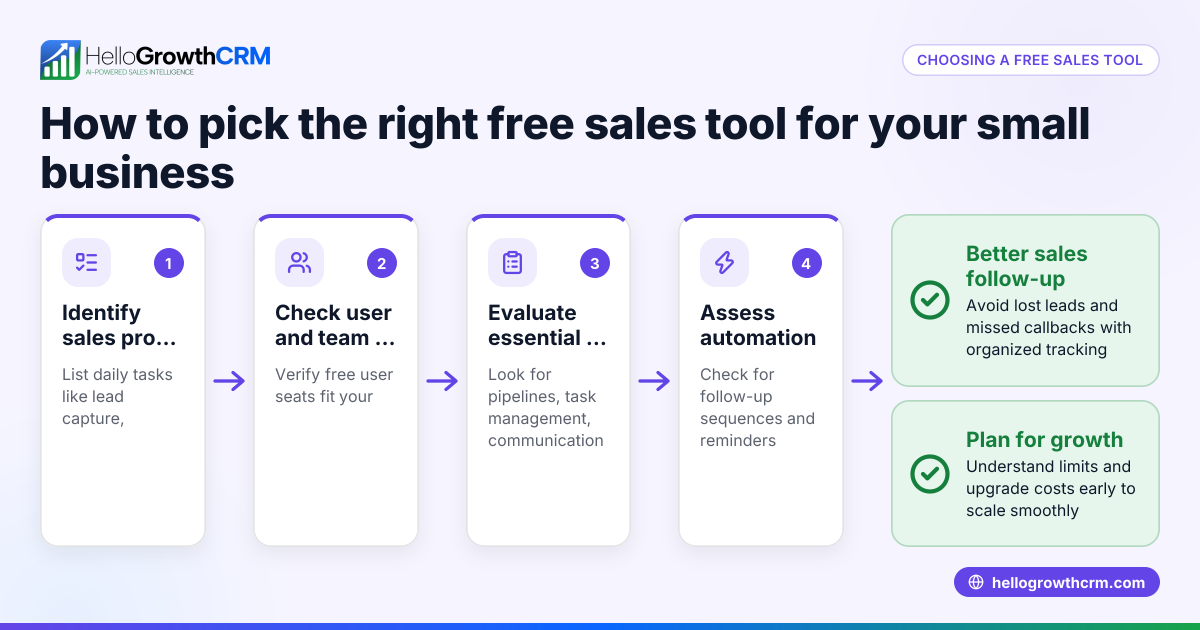
- Identify your business needs: Decide what you want from a CRM besides Gmail integration. Common needs include contact management, deal tracking, task reminders, and reporting.
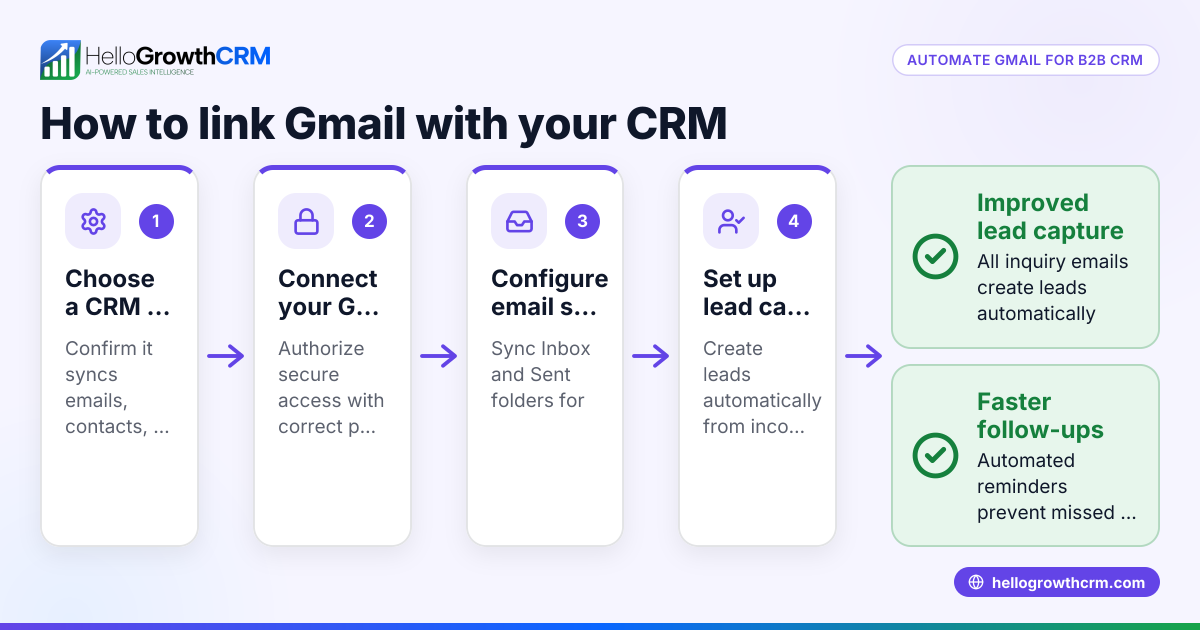
- Check Gmail integration quality: Confirm the CRM syncs emails both ways (incoming and outgoing) and links them to contact or deal records automatically.
- Evaluate user limits and cost: Many free plans limit users or leads. Make sure the free tier suits your team size and expected contacts.
- Review ease of use: Try demos or free trials to see if your team can adopt the CRM without extensive training.
- Assess additional features: Look for pipeline views, task boards, email templates, and automation that improve follow-up speed.
- Consider integrations beyond Gmail: If you use other tools like web forms or messaging apps, check if the CRM integrates with those too.
- Verify data security and privacy: Ensure the CRM complies with Canadian data laws and protects your customer information.
- Plan for growth: Choose a CRM that can upgrade to paid plans with more features as your business expands.
For more on integrations, see integrations.
Example (fictional figures)
Imagine a staffing agency in Halifax, Nova Scotia, with a two-person sales team. They want a free CRM with Gmail integration to manage 150 leads and track conversations.
- Leads managed: 150 (within a 200-lead free limit)
- Users: 2 (fits free plan user limit)
- Monthly cost: C$0 (free plan)
They start on 2024-07-01 and track 150 leads over 3 months.
They send follow-up emails manually through Gmail but log all contacts in the CRM.
If they switch to a paid plan later for calling features, their cost might rise, but initially:
C$0 × 3 months = C$0 total cost
This example shows how a small team can manage leads effectively without upfront CRM costs.
Common mistakes
- Ignoring user limits: Choose a CRM with enough free seats to avoid surprise charges. Prevent by confirming user limits before signing up.
- Overlooking email sync quality: Poor Gmail integration means lost or unlinked emails. Test the sync thoroughly on a trial account.
- Selecting CRM without pipeline views: A CRM that only stores contacts but doesn’t track deals wastes time. Look for Kanban or task boards.
- Not planning for growth: Starting with a free CRM that can’t scale forces switching later. Choose one with clear upgrade paths.
- Skipping security checks: Using a CRM without proper data protection risks customer data. Verify compliance with Canadian standards.
For more on free CRM options, see free CRM for small business.
Doing this in HelloGrowthCRM
HelloGrowthCRM offers a Free Forever plan ideal for small teams. Two users can manage up to 200 leads with a full Kanban pipeline, 500 tasks, email templates, and scheduling at no cost. While calling and WhatsApp automation require paid plans, the free plan supports email communication and pipeline management effectively. HelloGrowthCRM also integrates with tools like IndiaMART and JustDial to capture leads automatically. For Canadian businesses needing WhatsApp and SMS follow-ups, these features are available on paid plans. Learn more about HelloGrowthCRM’s Free Forever plan and integrations.
Frequently asked questions
What is Gmail integration in a CRM? Gmail integration means the CRM connects with your Gmail account to sync emails with contacts and deals. This helps you track conversations without switching apps.
Can I use a free CRM with Gmail for my small business? Yes, many CRMs offer free plans with Gmail integration suitable for small teams. Look for limits on users and leads to ensure it fits your business size.
How does HelloGrowthCRM integrate with email? HelloGrowthCRM’s Free Forever plan supports email templates and scheduling, helping teams manage email follow-ups alongside the sales pipeline.
Are there limitations to free CRMs with Gmail integration? Free CRMs often limit users, leads, or advanced features like calling and messaging automation. Assess if these limits affect your workflow.
What other integrations should I consider besides Gmail? Consider if the CRM connects with your website forms, messaging apps, or accounting software to streamline data flow. HelloGrowthCRM supports integrations like IndiaMART and JustDial.
For more on HelloGrowthCRM in Canada, see HelloGrowthCRM for Canada.
Key takeaways
- Free CRMs with Gmail integration help small businesses manage contacts and emails without extra cost.
- Check user limits, email sync quality, and pipeline features before choosing a free CRM.
- Plan for your business growth by selecting a CRM with upgrade options.
- Avoid common mistakes like ignoring security and usability.
- HelloGrowthCRM’s Free Forever plan supports two users with 200 leads and email management.
Start managing your sales pipeline efficiently with a free CRM that integrates with Gmail. Start on the Free Forever plan (200 leads, no credit card).
Ready to put this into practice?
Set up your pipeline, WhatsApp follow-ups, and AI lead scoring in minutes — free, no credit card.
Try HelloGrowthCRM freeGet CRM tips in your inbox
Join thousands of sales professionals who get weekly insights on CRM strategy, AI automation, and pipeline optimization.

The HelloGrowthCRM team publishes guides on CRM strategy, AI sales tools, and revenue operations for small business sales teams.