HelloGrowthCRM software
Built for real small-business sales teams
HelloGrowthCRM helps reps qualify faster, follow up on time, and close more deals—with practical automation in one place.
- AI lead scoring and pipeline visibility
- Built-in dialer, WhatsApp, and email automation
- Sales forecasting and RevOps-ready reporting
A free CRM with Gmail integration is essential for small and mid-sized businesses in Singapore that want to keep all customer emails and sales activities in one place without paying upfront. Such integration allows you to automatically log emails from Gmail into your CRM, link conversations to leads, and streamline follow-ups.
Why this comes up / what goes wrong
Many Singapore business owners start with Gmail and spreadsheets or WhatsApp to run sales. But as leads grow, tracking emails and follow-ups across separate apps becomes chaotic. Missing an email or slow responses cause lost sales. Paying for a CRM with Gmail sync can be costly or complicated. Hence, the search for a free CRM with Gmail integration arises to combine email and sales pipeline management affordably.
Step-by-step
- Identify your team size and needs: Check if the free CRM supports your number of users and offers pipeline management, email tracking, and task boards.
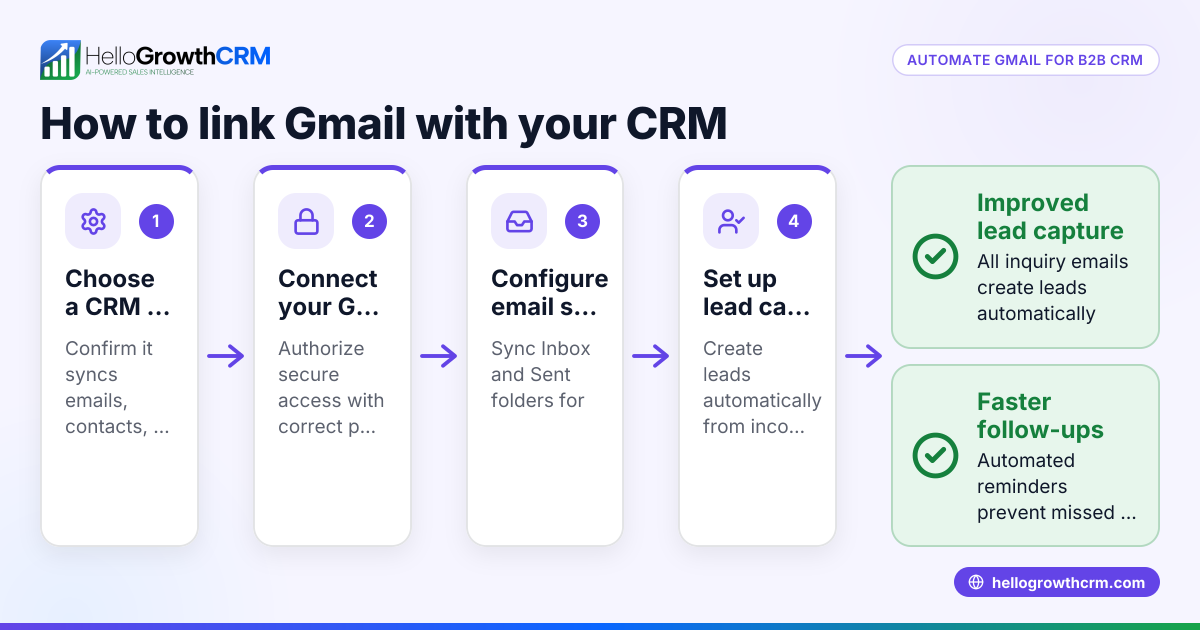
- Verify Gmail integration: Confirm the CRM syncs with Gmail to log emails automatically and link them to contacts or leads.
- Check lead capture options: See if the CRM can import leads from web forms or other sources.
- Review communication tools: Besides Gmail, check if it supports WhatsApp or SMS for follow-ups.
- Evaluate automation features: Look for email templates, scheduling, and sequences to save time.
- Assess limitations of the free plan: Understand what features are restricted or require paid plans.
- Test user experience: Ensure the CRM is easy for your team to adopt and use daily.
- Look for integration options: If you use other tools, check API availability or pre-built integrations.
- Consider data security and compliance: Verify the CRM meets Singapore data protection standards.
- Compare support and resources: Check if free users get adequate help or community support.
Example (fictional figures)
Suppose a Woodlands-based F&B supplier, FreshFoods Pte Ltd, wants a free CRM with Gmail integration to manage 150 leads monthly.
- Leads per month: 150
- Lead value average: S$1,200
- Current email follow-up time: 3 days (causing 20% lost sales)
By adopting a free CRM with Gmail integration, FreshFoods aims to reduce follow-up time to 1 day and improve lead conversion.
Calculation:
Potential sales value monthly = 150 leads × S$1,200 = S$180,000 Lost sales due to slow follow-up = 20% × S$180,000 = S$36,000
If the CRM helps recover half of lost sales by faster email tracking and follow-up:
Recovered sales = 50% × S$36,000 = S$18,000
This shows how a free CRM with Gmail integration can impact revenue by improving sales efficiency.
Common mistakes
- Choosing a CRM without true Gmail integration: Prevent by testing email sync features before committing.
- Ignoring user adoption: Prevent by involving your sales team early and choosing user-friendly CRM.
- Overlooking free plan limits: Prevent by comparing feature restrictions on free vs paid tiers.
- Neglecting data security: Prevent by verifying compliance with local regulations.
- Not checking integration with other tools: Prevent by reviewing integration options on the CRM’s integrations page.
- Failing to plan for growth: Prevent by selecting a CRM that scales with your business and offers paid upgrades.
Doing this in HelloGrowthCRM
HelloGrowthCRM offers a Free Forever plan suitable for a two-person team to run its sales pipeline at no cost until calling or WhatsApp automation is needed. It supports email templates and scheduling, and leads from IndiaMART and JustDial arrive automatically via API integrations. While WhatsApp and SMS features are on paid plans, email conversations can be logged and managed effectively. Learn more about HelloGrowthCRM for Singapore businesses on the HelloGrowthCRM for Singapore page.
Frequently asked questions
What is Gmail integration in a CRM? Gmail integration means your CRM connects directly with your Gmail account to automatically log emails, link conversations to contacts or leads, and allow you to manage email communication inside the CRM interface.
Can I use a free CRM with Gmail integration for a growing business? Yes, many free CRMs offer Gmail integration suitable for small teams. However, as your business grows, you may need to upgrade for advanced features like calling, WhatsApp automation, or more integrations. Planning for scalability is important.
How does Gmail integration improve sales follow-up? It ensures every email from prospects is tracked and linked to their lead record, reducing missed messages and enabling timely follow-ups, which increases conversion rates.
Are there limitations to free CRMs with Gmail integration? Typically, free plans limit user numbers, automation features, calling, and messaging channels. Always check the CRM’s feature list and compare it with your needs. For example, HelloGrowthCRM’s Free Forever plan supports 200 leads and pipeline management but excludes calling and WhatsApp automation.
How do I connect Gmail to a CRM? Usually, you authenticate your Gmail account within the CRM settings, granting permission to sync emails. The CRM then automatically logs inbound and outbound emails related to your contacts.
Where can I find more integrations beyond Gmail? Check the CRM’s integrations page, like HelloGrowthCRM’s integrations page, to see available connections with other tools you use.
Key takeaways
- A free CRM with Gmail integration centralises email and sales pipeline management for small businesses.
- Verify true Gmail sync and automatic email logging before choosing a CRM.
- Understand free plan limits and plan for future growth.
- Avoid common mistakes by testing features and involving your team.
- HelloGrowthCRM offers a Free Forever plan with pipeline and email features and API integrations.
- Explore integrations on the CRM’s integrations page to fit your workflow.
Start managing your sales pipeline and Gmail emails efficiently with a free CRM. Start on the Free Forever plan (200 leads, no credit card) today.
Ready to put this into practice?
Set up your pipeline, WhatsApp follow-ups, and AI lead scoring in minutes — free, no credit card.
Try HelloGrowthCRM freeGet CRM tips in your inbox
Join thousands of sales professionals who get weekly insights on CRM strategy, AI automation, and pipeline optimization.

The HelloGrowthCRM team publishes guides on CRM strategy, AI sales tools, and revenue operations for small business sales teams.