HelloGrowthCRM software
Built for real small-business sales teams
HelloGrowthCRM helps reps qualify faster, follow up on time, and close more deals—with practical automation in one place.
- AI lead scoring and pipeline visibility
- Built-in dialer, WhatsApp, and email automation
- Sales forecasting and RevOps-ready reporting
A CRM app that integrates WhatsApp and SMS allows small and mid-sized businesses in Canada to centralize communication with leads and customers on the channels they prefer. This integration ensures conversations are logged, follow-ups are timely, and sales tasks are tracked without juggling multiple apps or spreadsheets.
Why this comes up / what goes wrong
Many Canadian small business owners rely on WhatsApp and SMS for quick communication but struggle to keep track of conversations and follow-ups. Without integration into a CRM, messages live in phones or separate apps, causing lost leads and missed sales opportunities. Running sales processes manually on text messages, emails, or spreadsheets leads to errors and slow responses. The need for a CRM app with WhatsApp and SMS integration arises to streamline lead capture, communication, and task management in one place.
Step-by-step
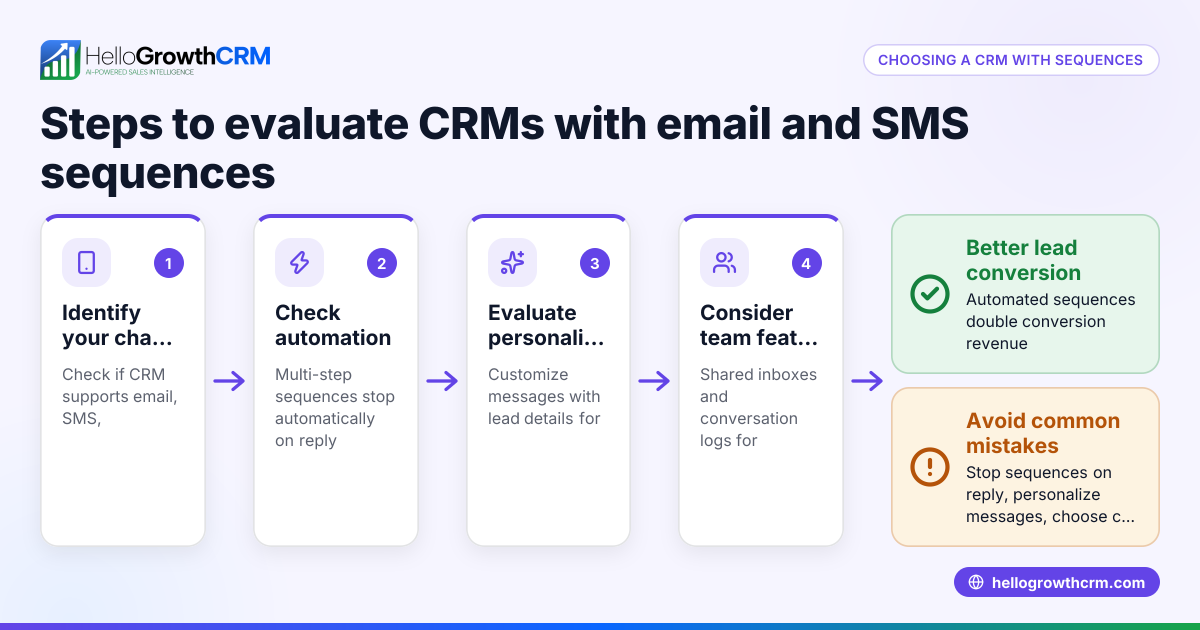
- Identify your communication channels: Confirm your team uses WhatsApp and SMS regularly for sales and support. Check if your customers prefer these channels.
- Check CRM WhatsApp and SMS integration features: Look for a CRM that logs WhatsApp conversations on lead records and allows sending follow-ups as messages. Confirm SMS can be sent and tracked similarly.
- Evaluate lead capture and integration options: Ensure the CRM can import leads from web forms or third-party platforms you use, ideally via API or built-in integrations.
- Assess task and activity management: The CRM should convert follow-ups into tasks with due dates and provide task boards or lists to manage daily calls and activities without relying on memory.
- Consider ease of use and adoption: Choose a CRM your team can adopt quickly, with an interface that integrates messaging smoothly.
- Review integration with other tools: Check if the CRM connects with platforms like IndiaMART or JustDial to import enquiries as leads, streamlining your workflow.
- Test the CRM on your actual devices: Try sending WhatsApp and SMS messages, logging conversations, and managing tasks to ensure it meets your needs.
For more on managing WhatsApp and SMS within a CRM, see WhatsApp and SMS CRM. For integration options, visit integrations.
Example (fictional figures)
A home-renovation contractor in Calgary, Alberta, uses a CRM app with WhatsApp and SMS integration to manage leads and follow-ups.
- Monthly leads captured: 120
- Average contract value: C$15,000
- Conversion rate without CRM: 20%
- Conversion rate with CRM integration: 30% (assumed improvement)
Calculations:
Leads converted without CRM = 120 × 20% = 24 contracts Revenue without CRM = 24 × C$15,000 = C$360,000
Leads converted with CRM = 120 × 30% = 36 contracts Revenue with CRM = 36 × C$15,000 = C$540,000
Revenue increase = C$540,000 - C$360,000 = C$180,000
By using a CRM app that integrates WhatsApp and SMS, the contractor increases conversions by 6 contracts monthly, adding C$180,000 in revenue.
Common mistakes
- Not verifying true WhatsApp integration: Some CRMs claim integration but only allow manual message logging. Prevent this by testing if WhatsApp conversations auto-log and follow-ups send within the CRM.
- Ignoring task management features: Without tasks linked to follow-ups, leads slip through the cracks. Choose a CRM with task boards and due dates to stay organized.
- Overlooking lead capture integration: Manually entering leads wastes time and causes errors. Confirm the CRM imports leads automatically from your enquiry sources.
- Choosing complex CRMs: A complicated system discourages team use. Select a CRM with a simple interface focused on WhatsApp and SMS workflows.
- Failing to test on mobile devices: Since WhatsApp and SMS are mobile-centric, test the CRM’s mobile experience before committing.
For task management, explore activities and task boards.
Doing this in HelloGrowthCRM
HelloGrowthCRM is a WhatsApp-native AI CRM that logs WhatsApp conversations on the lead record and enables follow-ups as WhatsApp or SMS messages. Its API and integrations bring enquiries from platforms like IndiaMART and JustDial directly into the CRM as leads. Activities and task boards convert each follow-up into a task with a due date, ensuring your daily calls and tasks appear as a manageable list rather than relying on memory. Learn more about these capabilities at HelloGrowthCRM for Canada.
Frequently asked questions
What is a CRM app with WhatsApp integration? It is a customer relationship management platform that connects WhatsApp messaging directly to lead and customer records, allowing conversations to be logged and follow-ups sent without switching apps.
Can I send SMS messages from the same CRM? Yes, many CRMs with WhatsApp integration also support SMS messaging, enabling you to reach customers on both channels from one platform.
How do integrations help with lead capture? Integrations allow enquiries from websites or platforms like IndiaMART and JustDial to automatically create leads in the CRM, reducing manual data entry and speeding up follow-up.
Is task management important in a WhatsApp and SMS CRM? Absolutely. Task boards and due dates help sales teams keep track of follow-ups and calls, preventing lost leads and missed opportunities.
Can I try HelloGrowthCRM for free? Yes, HelloGrowthCRM offers a Free Forever plan with up to 200 leads and no credit card required. You can start managing WhatsApp and SMS communication easily.
Key takeaways
- A CRM with WhatsApp and SMS integration centralizes communication and lead management.
- Verify true WhatsApp conversation logging and SMS sending within the CRM.
- Task boards and due dates are essential to manage follow-ups effectively.
- Automatic lead capture from enquiry platforms saves time and reduces errors.
- Test the CRM on mobile devices to ensure usability.
- HelloGrowthCRM offers these features tailored for Canadian small businesses.
Start managing your leads and customer messages efficiently. Start on the Free Forever plan (200 leads, no credit card).
Ready to put this into practice?
Set up your pipeline, WhatsApp follow-ups, and AI lead scoring in minutes — free, no credit card.
Try HelloGrowthCRM freeGet CRM tips in your inbox
Join thousands of sales professionals who get weekly insights on CRM strategy, AI automation, and pipeline optimization.

The HelloGrowthCRM team publishes guides on CRM strategy, AI sales tools, and revenue operations for small business sales teams.