HelloGrowthCRM software
Built for real small-business sales teams
HelloGrowthCRM helps reps qualify faster, follow up on time, and close more deals—with practical automation in one place.
- AI lead scoring and pipeline visibility
- Built-in dialer, WhatsApp, and email automation
- Sales forecasting and RevOps-ready reporting
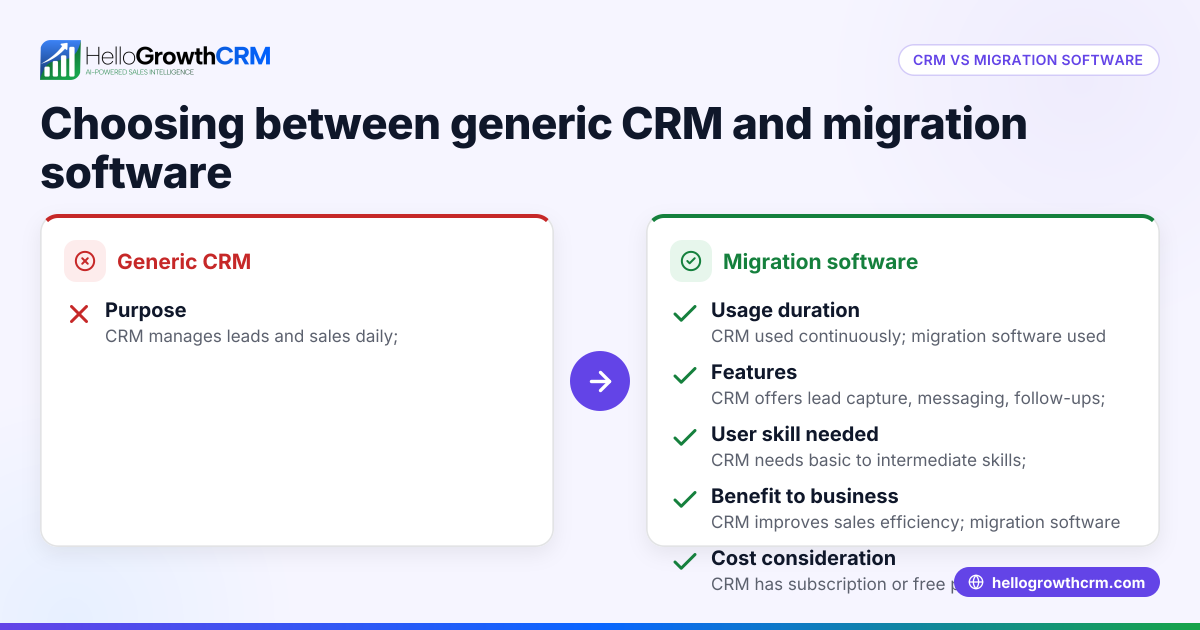
Generic CRM and migration software serve distinct purposes for businesses. A generic CRM helps manage leads, track sales activities, and maintain communication with customers continuously. Migration software focuses primarily on moving data from one system to another, often during software upgrades or platform changes.
Why this comes up / what goes wrong
Small Australian businesses often face a choice when they want to improve their sales and customer management. They may currently run sales using text messages, emails, and spreadsheets but want to organise leads better and speed up follow-ups. The question arises: should they pick a generic CRM to manage ongoing sales, or use migration software to import their existing data into a new system?
Choosing the wrong tool can cause problems such as lost leads, duplicated or inaccurate data, and inefficient sales workflows. For example, a small business might buy migration software expecting it to manage sales pipelines, but find it only moves data without ongoing customer communication features.
Step-by-step
| Criteria | Generic CRM | Migration Software |
|---|---|---|
| Purpose | Manage leads, sales pipelines, and customer communication continuously | Transfer data from one system to another, usually one-time or periodic |
| User Interaction | Daily use by sales teams to track and follow up on leads | Used mainly by IT or admin during system changes |
| Data Handling | Stores and updates live customer data and interactions | Moves static data without ongoing management |
| Automation | Supports messaging, task reminders, and AI-driven follow-ups | Limited to data transfer processes, no ongoing automation |
| Cost | Usually subscription or usage-based, ongoing expense | One-time or project-based cost for migration service or software |
| Suitability | Best for businesses needing ongoing customer and sales management | Best for businesses needing to move data to a new system |
Choose a generic CRM if your business needs a tool to manage customer relationships, automate follow-ups, and track sales pipelines daily. Choose migration software if you are switching systems and need to import or export large volumes of data accurately.
For more on CRM options, see compare CRMs.
Example (fictional figures)
A registered training organisation in Adelaide, South Australia, has 3,000 contacts stored in Excel and uses email and phone for sales. They want to switch to a CRM for better lead management and automate follow-ups.
- Cost of generic CRM subscription per year: A$1,200
- Cost of migration software or service for data import: A$800 (one-time)
- Labour cost for manual data import (if migration software not used): 20 hours × A$50/hour = A$1,000
Calculations:
Total first-year cost if using both migration software and CRM: A$1,200 + A$800 = A$2,000
Total first-year cost if manually importing data and using CRM: A$1,200 + A$1,000 = A$2,200
Decision:
- Using migration software saves 20 hours of labour but costs A$800 upfront.
- Manual import is cheaper upfront but slower and prone to errors.
This example shows migration software is useful for accurate and fast data transfer, but ongoing sales management requires a CRM.
Common mistakes
- Choosing migration software when a CRM is needed: Clarify if your goal is ongoing sales management or just data transfer to avoid this.
- Ignoring data quality before migration: Clean and organise your data first to prevent errors and duplicates.
- Underestimating training needs for a CRM: Plan team onboarding and training to ensure the CRM is used effectively.
- Assuming migration software manages sales workflows: Remember migration tools only move data; use a CRM for managing sales and communication.
- Not checking integration capabilities: Ensure your CRM or migration software integrates with your existing tools. For CRM options suited to Australian businesses, see HelloGrowthCRM for Australia.
Doing this in HelloGrowthCRM
HelloGrowthCRM supports WhatsApp and SMS messaging workflows that log conversations on lead records and allow follow-ups via messages. Its AI agents draft follow-up messages after calls, so sales reps only review and send them. The Free Forever plan lets a two-person team run a pipeline at no cost until calling or WhatsApp automation is needed. Learn more about these features at WhatsApp and SMS CRM.
Frequently asked questions
What is the main difference between a generic CRM and migration software? A generic CRM manages customer relationships and sales activities continuously, while migration software transfers data between systems, usually as a one-time task.
Can migration software replace a CRM? No. Migration software only moves data but does not provide tools for ongoing sales management, communication, or automation that a CRM offers.
Do I need migration software to switch CRMs? It depends on your data volume and complexity. Small businesses with manageable data might import manually, but migration software can save time and reduce errors.
Is HelloGrowthCRM suitable for small Australian businesses? Yes. It supports WhatsApp and SMS communication, AI-assisted follow-ups, and has a Free Forever plan for small teams.
How do I choose the best CRM for my business? Consider your sales process, communication channels, team size, and integration needs. For a comparison of CRM options, see compare CRMs.
Key takeaways
- Generic CRMs manage ongoing sales and customer relationships; migration software moves data between systems.
- Small businesses needing daily sales management should choose a CRM.
- Migration software is useful for accurate, fast data transfer during system changes.
- Avoid confusing data migration with sales management capabilities.
- HelloGrowthCRM supports WhatsApp/SMS workflows and AI follow-ups, suitable for small teams.
Start managing your leads effectively with HelloGrowthCRM's Free Forever plan, allowing 200 leads and no credit card required at Start on the Free Forever plan (200 leads, no credit card).
Ready to put this into practice?
Set up your pipeline, WhatsApp follow-ups, and AI lead scoring in minutes — free, no credit card.
Try HelloGrowthCRM freeGet CRM tips in your inbox
Join thousands of sales professionals who get weekly insights on CRM strategy, AI automation, and pipeline optimization.

The HelloGrowthCRM team publishes guides on CRM strategy, AI sales tools, and revenue operations for small business sales teams.