HelloGrowthCRM software
Built for real small-business sales teams
HelloGrowthCRM helps reps qualify faster, follow up on time, and close more deals—with practical automation in one place.
- AI lead scoring and pipeline visibility
- Built-in dialer, WhatsApp, and email automation
- Sales forecasting and RevOps-ready reporting
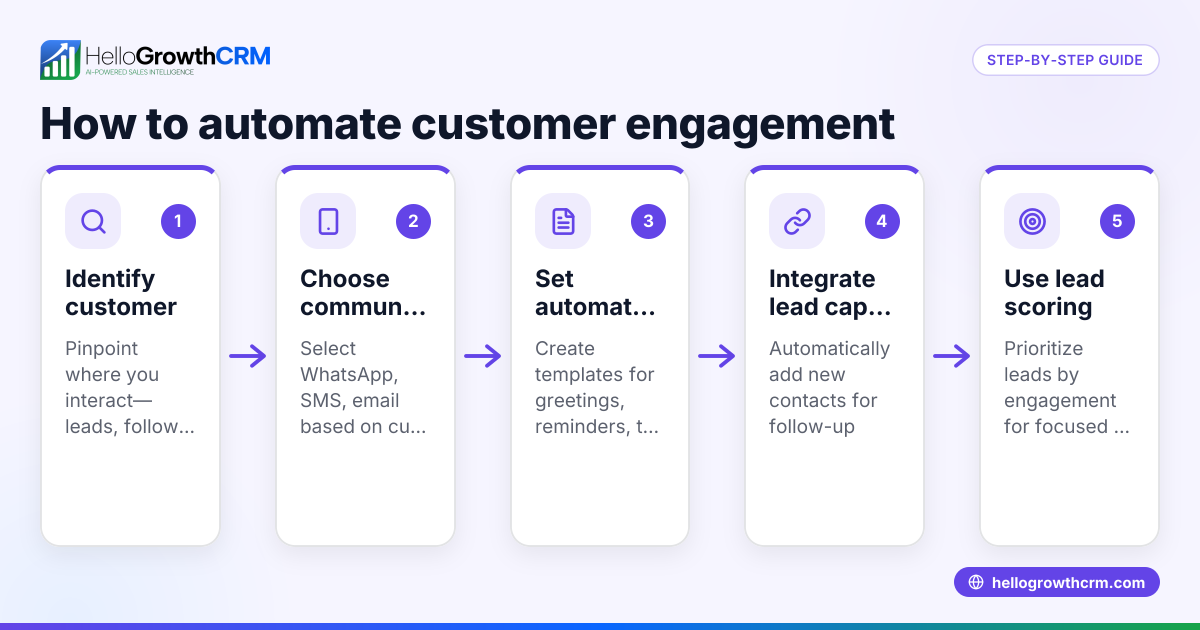
To automate customer email campaigns in Canada, you need to create a structured sequence of emails that send automatically to your customers based on timing or actions. This saves time, ensures consistent follow-up, and increases engagement. The process involves planning your campaign, segmenting your contacts, writing emails, setting up automation, and tracking responses. This article explains why businesses seek automation, provides step-by-step instructions, a worked example, common mistakes to avoid, and how HelloGrowthCRM supports email automation.
Why this comes up / what goes wrong
Small business owners in Canada often lose leads or fail to engage customers effectively because manual email follow-up is time-consuming and inconsistent. Many use spreadsheets, text messages, or regular email clients without automation, leading to slow responses or missed opportunities. Automating email campaigns ensures timely, personalised communication without extra daily effort. However, without clear steps, automation can be confusing to set up, especially when considering Canadian privacy laws and bilingual audiences.
Step-by-step
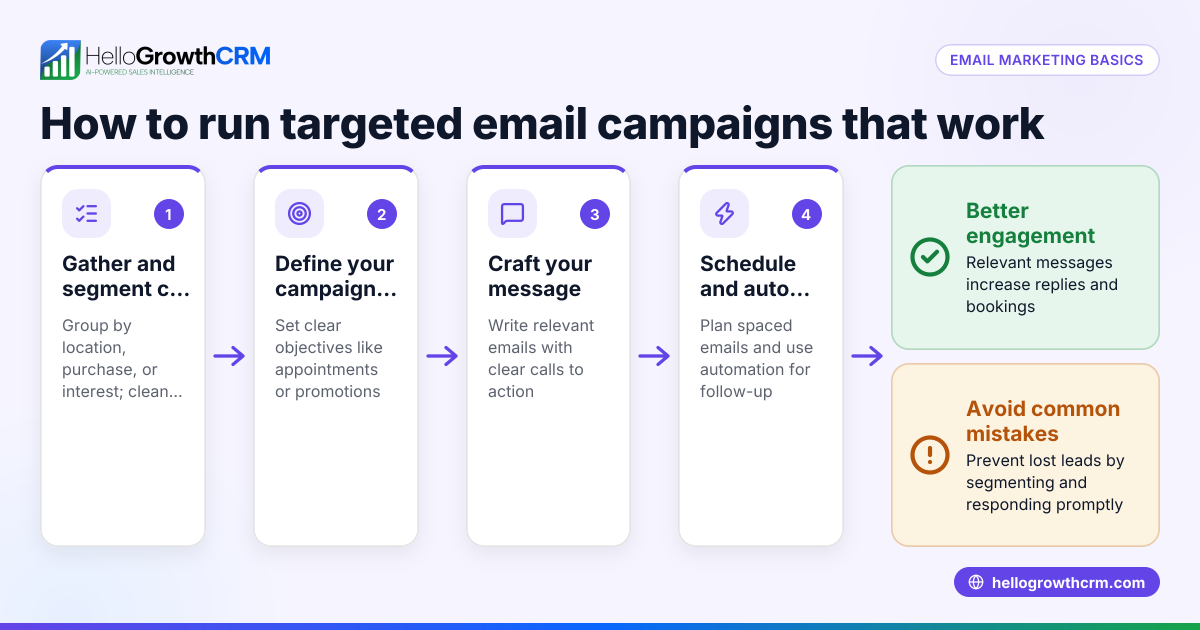
- Define your campaign goal: Decide what you want to achieve, such as nurturing leads, promoting a new product, or increasing repeat sales.
- Segment your customer list: Group customers by relevant criteria like purchase history, location, or language preference to personalise emails effectively.
- Create your email content: Write clear, concise emails for each step in the sequence. Each email should have a specific purpose and call to action.
- Choose an email automation tool: Select software that supports multi-step sequences, scheduling, and tracking. Ensure it complies with Canadian anti-spam laws (CASL).
- Set up the email sequence: Configure the timing for each email, for example, one email every 3 days over two weeks. Include triggers to stop the sequence if the customer replies.
- Test your sequence: Send test emails to yourself or your team to check formatting, links, and timing.
- Launch the campaign: Start the automation and monitor initial results carefully.
- Track and analyse results: Use reporting features to see open rates, click rates, and replies. Adjust your sequence based on performance.
- Maintain compliance: Include unsubscribe options and respect privacy regulations.
For more on automation features, see email automation and sequences.
Example (fictional figures)
A bilingual insurance agency in Laval, Quebec, wants to automate follow-up emails to new leads over two weeks. They plan a five-step sequence with emails every 3 days.
- Number of leads: 100
- Expected open rate: 40%
- Expected reply rate: 10%
Email schedule:
Day 1: Welcome email Day 4: Product benefits Day 7: Customer testimonials Day 10: Special offer Day 13: Final reminder
Calculations:
100 leads × 40% open rate = 40 opens 40 opens × 10% reply rate = 4 replies
The sequence stops automatically for those who reply after any email, focusing efforts on engaged leads.
This structured approach saves time and increases engagement compared to manual follow-up.
Common mistakes
- Sending too many emails too quickly: Causes unsubscribes. Prevent by spacing emails 2-4 days apart.
- Not segmenting the audience: Leads to irrelevant emails. Prevent by grouping contacts based on key criteria.
- Ignoring replies: Leads to poor customer experience. Prevent by using automation that stops sequences when a reply is received.
- Skipping testing: Results in broken links or formatting errors. Prevent by sending test emails before launch.
- Not including unsubscribe options: Violates Canadian anti-spam laws. Always add a clear unsubscribe link.
- Failing to monitor results: Misses opportunities to improve. Use reporting tools to track and adjust campaigns.
For tips on managing customer health and follow-up, see customer health score.
Doing this in HelloGrowthCRM
HelloGrowthCRM offers Sequences and campaigns that automate multi-step outreach workflows sending timed messages across email, SMS, and other channels until a prospect responds. For example, a five-step follow-up over two weeks runs on its own and stops the moment the prospect replies. The HelloMail shared inbox allows your team to see replies to quotation emails on the deal, avoiding missed responses. After the sale, customer service requests stay linked to the same customer record with the customer portal, referrals, tickets, and knowledge base features. Learn more about HelloGrowthCRM for Canada here.
Frequently asked questions
How do I ensure my email campaigns comply with Canadian anti-spam laws? Include a clear unsubscribe option in every email, get consent before sending emails, and identify your business clearly. Always honour unsubscribe requests promptly.
Can I automate email campaigns for bilingual customers? Yes. Segment your list by language preference and create separate sequences in English and French to send relevant content to each group.
What metrics should I track to measure campaign success? Track open rates, click-through rates, reply rates, and unsubscribe rates. These metrics help you adjust your content and timing.
How quickly can I set up an automated email campaign? With clear steps and templates, you can set up a basic sequence in a few hours. Testing and refinement may take additional time.
Can I stop automated emails if a customer replies? Yes. Automation tools like HelloGrowthCRM stop sequences immediately when a reply is detected, ensuring personalised follow-up.
Is it possible to integrate email automation with other sales tools? Many CRM platforms integrate email automation with contact management, lead scoring, and sales pipelines to streamline your workflow.
Key takeaways
- Automate customer emails by creating timed sequences targeted to segments.
- Use clear goals, quality content, and test before launching.
- Stop sequences automatically when customers reply to avoid over-contacting.
- Monitor metrics to improve campaigns over time.
- Ensure compliance with Canadian anti-spam laws.
- HelloGrowthCRM supports automated sequences, shared inboxes, and customer service integration.
Start automating your customer email campaigns today with HelloGrowthCRM. You can Start on the Free Forever plan (200 leads, no credit card) to try these features.
Ready to put this into practice?
Set up your pipeline, WhatsApp follow-ups, and AI lead scoring in minutes — free, no credit card.
Try HelloGrowthCRM freeGet CRM tips in your inbox
Join thousands of sales professionals who get weekly insights on CRM strategy, AI automation, and pipeline optimization.

The HelloGrowthCRM team publishes guides on CRM strategy, AI sales tools, and revenue operations for small business sales teams.