HelloGrowthCRM software
Built for real small-business sales teams
HelloGrowthCRM helps reps qualify faster, follow up on time, and close more deals—with practical automation in one place.
- AI lead scoring and pipeline visibility
- Built-in dialer, WhatsApp, and email automation
- Sales forecasting and RevOps-ready reporting
To automate repetitive sales tasks, start by pinpointing the common tasks your sales team repeats daily—such as follow-up calls, sending quotations, and logging customer interactions. Then, adopt a system that converts these tasks into scheduled activities with reminders, tracks deal progress to prevent missed opportunities, and provides visibility on field sales activities. This guide covers why sales automation is necessary, step-by-step instructions to set it up, an example using a tuition centre in Tampines, common mistakes to avoid, and how HelloGrowthCRM supports this process.
Why this comes up / what goes wrong
Small business owners in Singapore often lose leads or delay follow-ups because sales activities are managed through WhatsApp, email, or spreadsheets. These tools lack task reminders, pipeline visibility, and activity logging, causing tasks to be forgotten or duplicated. Sales reps juggle multiple leads without a clear system, leading to slow responses and lost revenue. Automating repetitive sales tasks ensures every follow-up, call, and quotation is tracked with due dates and status updates, reducing human error and improving team coordination.
Step-by-step
- List Your Repetitive Sales Tasks
- Write down daily sales activities that repeat, such as calling leads, sending quotes, or scheduling meetings.
- Check that each task has a clear trigger (e.g., a new lead captured) and a due date.
- Choose an Automation Tool That Supports Task Scheduling and Pipeline Tracking
- Select a CRM or sales management tool that allows you to create tasks with due dates and link them to deals.
- Ensure it supports reminders and activity logging.
- Set Up Task Templates for Common Activities
- Create task templates for follow-ups, calls, and meetings with standard due dates (e.g., follow-up call 3 days after quotation).
- Check that tasks automatically assign to the correct sales rep.
- Create a Sales Pipeline with Defined Stages
- Define stages such as Lead Captured, Contacted, Quote Sent, Negotiation, and Closed.
- Check that each stage has associated follow-up tasks.
- Automate Task Creation When Deals Move Stages
- Configure your system to create follow-up tasks automatically when a deal moves to a new stage (e.g., sending a quotation triggers a follow-up call task).
- Verify that tasks have due dates and reminders.
- Train Your Sales Team to Use the System Daily
- Ensure reps update deal stages and complete tasks on time.
- Check daily task boards to prioritise calls and follow-ups.
- Review and Adjust Regularly
- Monitor task completion rates and deal progress.
- Adjust task templates and pipeline stages as needed.
Example (fictional figures)
A tuition centre in Tampines wants to automate follow-ups after sending quotations.
- On 01/06/2024, a quotation for S$3,500 is sent to a prospective student.
- The CRM automatically creates a follow-up call task due on 04/06/2024 (3 days later).
- The sales rep sees the call task in their daily task board on 04/06/2024.
- After calling, the rep updates the deal stage to "Negotiation".
Calculations:
Quotation value = S$3,500
Follow-up due date = 01/06/2024 + 3 days = 04/06/2024
The system ensures the follow-up call is not missed, improving the chance the lead converts.
Common mistakes
- Not defining clear task triggers or due dates: Prevent by specifying when and why each task should be created.
- Ignoring task completion and updates: Prevent by reviewing daily task boards and enforcing updates.
- Using multiple disconnected tools (e.g., WhatsApp and spreadsheets): Prevent by consolidating tasks and deals in one system like a CRM.
- Failing to train sales reps on the new process: Prevent by scheduling training sessions and providing quick reference guides.
- Setting unrealistic task frequencies: Prevent by aligning task timing with sales cycle realities.
Doing this in HelloGrowthCRM
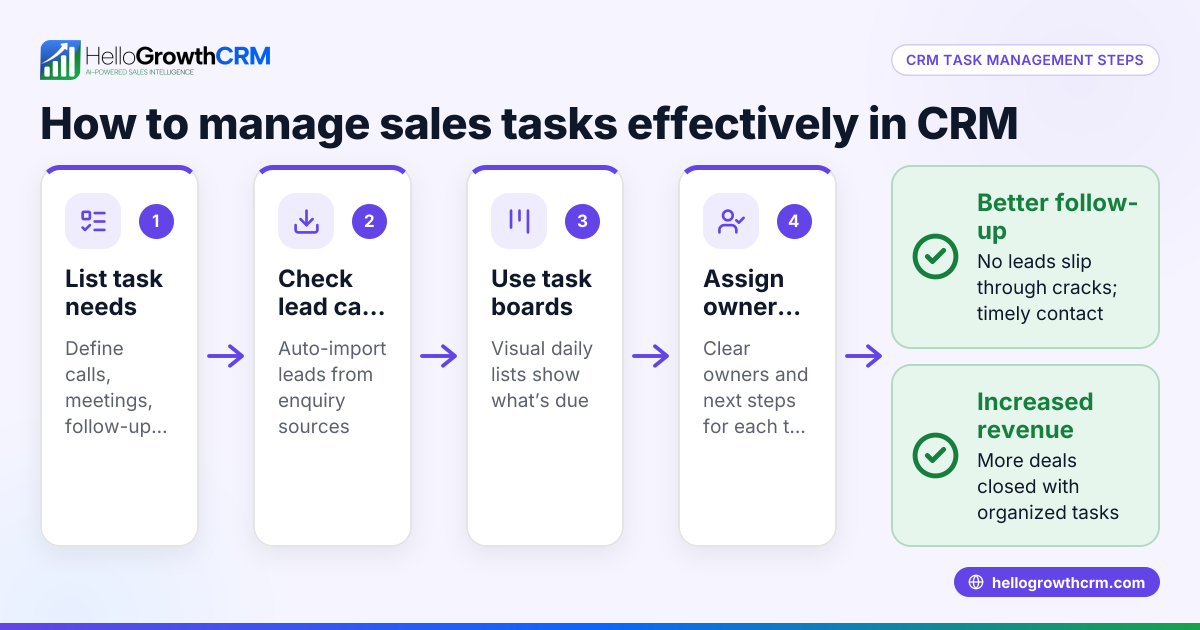
HelloGrowthCRM offers Activities and task boards where each follow-up becomes a task with a due date, so the day’s calls appear as a list rather than relying on memory. Its Deals (pipeline) feature tracks quotations and stages, automatically showing follow-ups for deals at the 'quote sent' stage. For field sales, territories and visit logs keep managers informed of reps’ daily activities. Learn more about sales task boards, WhatsApp and SMS CRM, and HelloGrowthCRM for Singapore.
Frequently asked questions
What sales tasks are best to automate? Automate repetitive tasks like follow-up calls, sending quotations, scheduling meetings, and logging customer interactions. These have clear triggers and deadlines that benefit most from reminders.
How often should I review my automated sales tasks? Review task completion and pipeline progress weekly or monthly to ensure tasks remain relevant and deadlines realistic. Adjust templates and stages based on your sales cycle.
Can automation replace personal sales follow-up? No, automation supports your team by reminding and tracking tasks but personal communication remains essential for relationship building and closing deals.
How do I ensure my sales team uses the automation system? Provide training, use daily task boards to prioritise work, and hold regular reviews. Make the system easy to access and update.
Does HelloGrowthCRM support WhatsApp for sales automation? Yes, HelloGrowthCRM integrates WhatsApp and SMS messaging with task and pipeline management to streamline communication and follow-ups.
Key takeaways
- Identify and list repetitive sales tasks with clear triggers and deadlines.
- Use a CRM that schedules tasks, tracks deals, and sends reminders.
- Automate task creation linked to deal stage movements.
- Train your team to use daily task boards and update deal statuses.
- Regularly review and refine your sales automation process.
- Avoid mixing multiple unconnected tools to prevent lost tasks.
Start automating your sales tasks today to improve follow-up speed and win more deals. Start on the Free Forever plan (200 leads, no credit card).
Ready to put this into practice?
Set up your pipeline, WhatsApp follow-ups, and AI lead scoring in minutes — free, no credit card.
Try HelloGrowthCRM freeGet CRM tips in your inbox
Join thousands of sales professionals who get weekly insights on CRM strategy, AI automation, and pipeline optimization.

The HelloGrowthCRM team publishes guides on CRM strategy, AI sales tools, and revenue operations for small business sales teams.