HelloGrowthCRM software
Built for real small-business sales teams
HelloGrowthCRM helps reps qualify faster, follow up on time, and close more deals—with practical automation in one place.
- AI lead scoring and pipeline visibility
- Built-in dialer, WhatsApp, and email automation
- Sales forecasting and RevOps-ready reporting
To build a customer support dashboard in Singapore, start by selecting key support metrics such as number of open tickets, average response time, ticket resolution time, and customer satisfaction. Collect data from your support channels like WhatsApp, email, and phone calls, then organise these metrics visually in a dashboard to monitor and improve customer service.
Why this comes up / what goes wrong
Small and mid-sized Singapore businesses often handle customer support across multiple channels like WhatsApp chats, emails, and spreadsheets. Without a clear dashboard, it becomes difficult to track open tickets, response speeds, or customers needing follow-up. This leads to slow replies, unresolved issues, and dissatisfied customers.
Business owners want a simple, clear dashboard they can update daily to monitor support workload, identify bottlenecks, and ensure no customer inquiry is missed.
Step-by-step
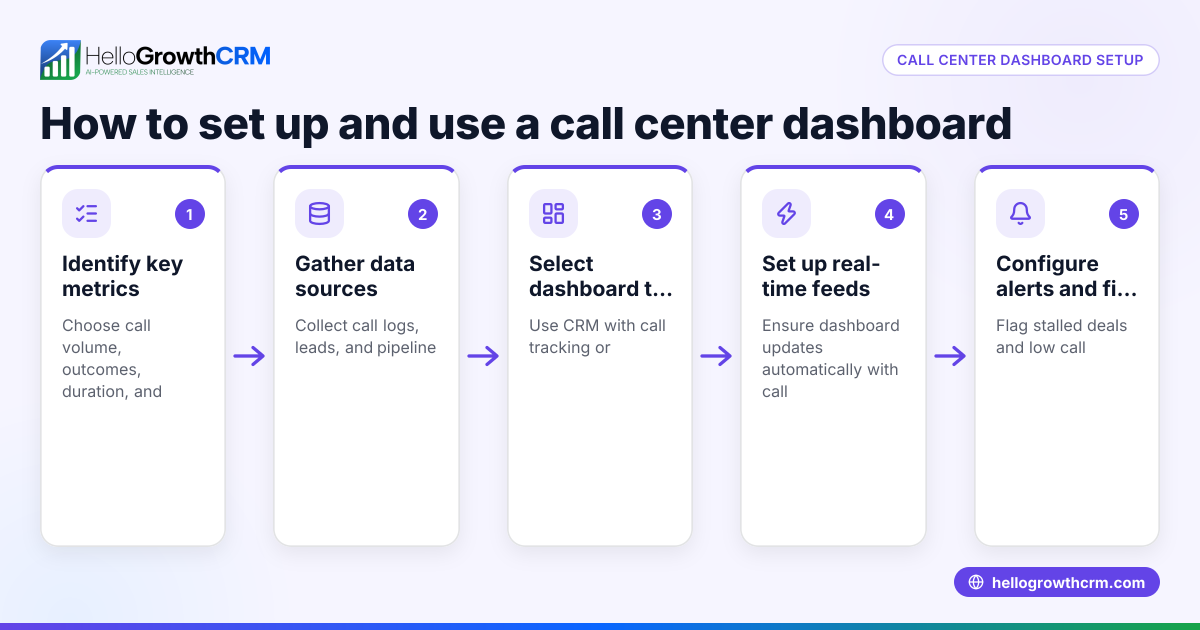
- Define key support metrics to track: Decide on 3-5 important metrics such as total tickets, average response time, resolution time, customer satisfaction scores, and ticket sources (WhatsApp, email).
- Gather support data: Export or collect data from your support channels. This may include WhatsApp chat logs, email tickets, and phone call records. Consolidate all support requests into one spreadsheet or database.
- Choose your dashboard tool: Use spreadsheet software like Excel or Google Sheets, or a dashboard builder that can be updated easily.
- Design the dashboard layout: Create sections for each metric. Use tables for counts, charts to show trends over time, and colour codes to highlight priority or overdue tickets.
- Input initial data: Enter current support data accurately into your dashboard. Check for completeness.
- Set update frequency: Decide how often to refresh data — daily or weekly — to keep the dashboard current.
- Assign responsibility: Designate a team member to maintain and review the dashboard regularly.
- Use the dashboard to spot issues: Identify stalled tickets or slow responses and adjust your support process accordingly.
- Integrate with CRM if possible: Linking your dashboard to a CRM system helps automate data collection and keeps customer support records unified.
- Train your team: Ensure your support team understands how to use and update the dashboard.
Example (fictional figures)
A renovation contractor in Jurong tracks customer support tickets received via WhatsApp and email in April 2024.
- Total tickets received: 132
- Tickets resolved: 110
- Average response time: 3.5 hours
- Average resolution time: 1.8 days
- Tickets pending: 22
Calculations:
Response rate = (Tickets resolved / Total tickets) × 100 = (110 / 132) × 100 = 83.33%
Average tickets per day = Total tickets / Number of working days (22) = 132 / 22 = 6 tickets/day
This dashboard shows the contractor how many tickets are pending and the average response and resolution times, helping prioritise support efforts.
Common mistakes
- Tracking too many metrics at once: Avoid clutter by focusing on 3-5 key metrics. Prevent by starting simple and adding metrics later.
- Using multiple disconnected tools: Data silos cause confusion. Prevent by consolidating data into one dashboard or integrating with a CRM.
- Not updating regularly: Outdated data leads to poor decisions. Prevent by assigning responsibility and scheduling updates.
- Ignoring customer feedback: Metrics alone don’t capture satisfaction. Prevent by including customer satisfaction scores or comments.
- Overcomplicating visualisations: Complex charts confuse users. Prevent by using simple tables and colour coding.
Doing this in HelloGrowthCRM
HelloGrowthCRM offers a customer portal, referrals, support tickets, and a knowledge base that keep service requests linked to the same customer record as the deal. This organisation helps maintain a clear support history for each customer. Additionally, pipeline forecast and AI insights allow owners to see which deals or support issues are stalling without building spreadsheets. Learn more about these features at HelloGrowthCRM for Singapore.
Frequently asked questions
How do I build a WhatsApp customer support workflow in Singapore? Start by setting up a dedicated WhatsApp business number. Use CRM software that integrates WhatsApp messages into support tickets, automates responses, and assigns tickets to agents for faster follow-up. HelloGrowthCRM supports WhatsApp and SMS CRM to streamline this process. See WhatsApp and SMS CRM for details.
What metrics should I include in a customer support dashboard? Include ticket volume, average response time, resolution time, customer satisfaction, and ticket source channels. These give a clear picture of support performance and customer experience.
Can I automate updates to my customer support dashboard? Yes, if your support channels and CRM integrate well, you can automate data collection and dashboard updates. This reduces manual work and keeps information current.
How does linking support tickets to customer records help? It allows your team to see all interactions and sales history in one place, improving context and personalised service. HelloGrowthCRM keeps service requests on the same customer record as the deal for this reason. More on this at customer health score.
Key takeaways
- Define clear, relevant support metrics to track.
- Consolidate support data from WhatsApp, email, and phone into one dashboard.
- Update the dashboard regularly and assign responsibility.
- Avoid overcomplicating metrics or visualisations.
- Use CRM integration to link support tickets and automate data.
- HelloGrowthCRM offers built-in support ticketing and AI insights to simplify dashboard management.
Start building your customer support dashboard today to improve response times and customer satisfaction. You can also explore HelloGrowthCRM’s features to manage support and sales pipelines more efficiently.
Start on the Free Forever plan (200 leads, no credit card) at HelloGrowthCRM.
Ready to put this into practice?
Set up your pipeline, WhatsApp follow-ups, and AI lead scoring in minutes — free, no credit card.
Try HelloGrowthCRM freeGet CRM tips in your inbox
Join thousands of sales professionals who get weekly insights on CRM strategy, AI automation, and pipeline optimization.

The HelloGrowthCRM team publishes guides on CRM strategy, AI sales tools, and revenue operations for small business sales teams.