HelloGrowthCRM software
Built for real small-business sales teams
HelloGrowthCRM helps reps qualify faster, follow up on time, and close more deals—with practical automation in one place.
- AI lead scoring and pipeline visibility
- Built-in dialer, WhatsApp, and email automation
- Sales forecasting and RevOps-ready reporting
Calculating GST (Goods and Services Tax) and HST (Harmonized Sales Tax) correctly on Canadian invoices involves knowing the taxable amount, applying the correct tax rate based on the province, and showing the tax amount separately on the invoice. This ensures compliance and clear communication with your customers.
Why this comes up / what goes wrong
Many small-business owners in Canada struggle with calculating GST and HST because tax rates vary by province and territory. Some provinces use HST, which combines federal and provincial taxes, while others apply GST only. Confusion often arises when business owners use spreadsheets, email, or text messages to manage sales without a structured system, leading to errors such as applying the wrong tax rate or taxing exempt items. These mistakes can cause undercharging, overcharging, or bookkeeping difficulties, which affect cash flow and tax reporting.
Step-by-step
- Determine the taxable amount: Identify the total price of the goods or services before any tax is applied. This is usually the subtotal on your invoice.
- Identify the applicable tax rate: Find the GST or HST rate for the province where the sale takes place. Provinces like Nova Scotia, New Brunswick, Newfoundland and Labrador, Prince Edward Island, and Ontario use HST. Other provinces apply GST only at the federal rate. NEEDS EXPERT REVIEW
- Calculate the tax amount: Multiply the taxable amount by the applicable GST or HST rate.
- Add the tax to the invoice total: Add the tax amount to the taxable amount to get the total amount due.
- Show tax details separately: Clearly list the GST or HST amount on the invoice. This transparency helps customers understand the charges and supports your bookkeeping.
- Check for exemptions or zero-rated goods: Some goods and services are exempt or zero-rated for GST/HST. Do not charge tax on these. Confirm which items qualify to avoid errors.
- Review and update tax rates regularly: Tax rates can change. Always verify the current rates before invoicing.
Using tools like task boards to organise follow-ups and invoices can reduce mistakes. See HelloGrowthCRM for Canada for managing sales activities effectively.
Example (fictional figures)
A staffing agency based in Halifax, Nova Scotia, issues an invoice dated 2024-06-01 for services provided totaling C$10,000.
- Taxable amount = C$10,000
- HST rate in Nova Scotia = 15% (assumed illustrative rate) NEEDS EXPERT REVIEW
Calculation:
C$10,000 × 15% = C$1,500 (HST amount)
Total invoice amount = C$10,000 + C$1,500 = C$11,500
The invoice should show:
- Services: C$10,000
- HST (15%): C$1,500
- Total due: C$11,500
Common mistakes
- Using the wrong tax rate: Always confirm the current GST or HST rate for the province before applying it. This prevents undercharging or overcharging.
- Applying tax on exempt or zero-rated items: Double-check which goods or services are exempt or zero-rated to avoid charging tax incorrectly.
- Not showing tax separately on invoices: This can confuse customers and complicate your accounting. Always list tax amounts clearly.
- Failing to update tax rates: Tax rates can change over time. Regularly verify rates to stay compliant.
- Manual tracking errors: Managing invoices and follow-ups with spreadsheets or texts can lead to mistakes. Using organised tools helps.
Task and activity boards help keep your sales process organised and reduce errors. Learn more about activities and task boards.
Doing this in HelloGrowthCRM
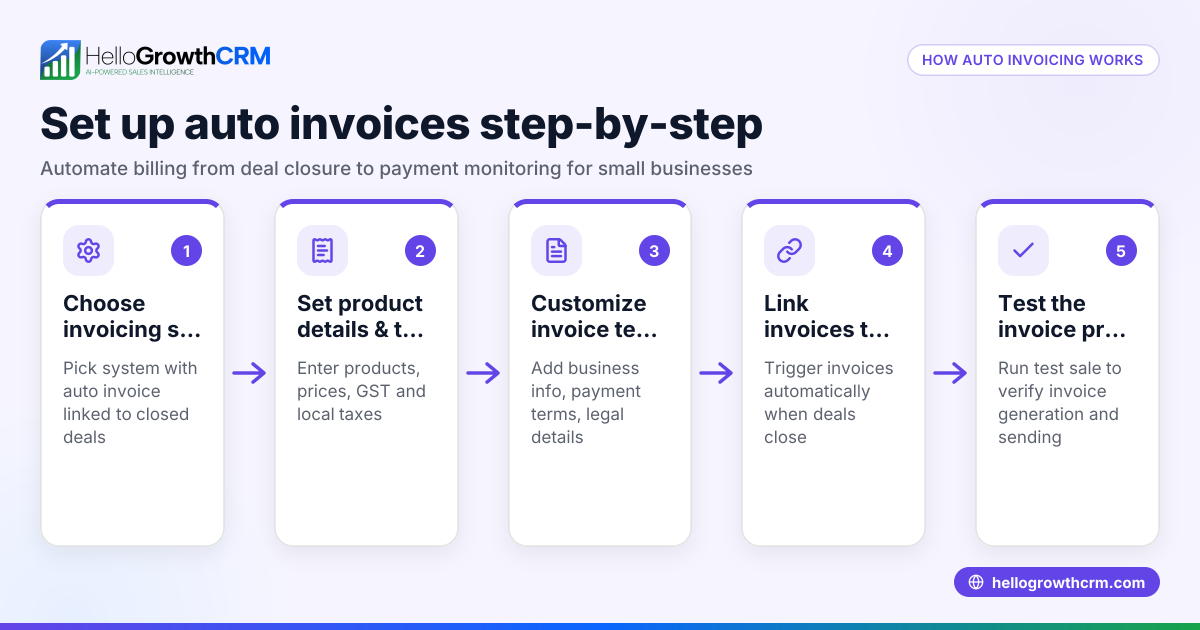
HelloGrowthCRM provides tools to create quotes, proposals, and invoices linked directly to deals. You can track the status of each document (sent, viewed, accepted) alongside follow-up tasks, ensuring no payment is missed. Activities and task boards organise your sales follow-ups by due date, so daily calls and tasks are easy to manage. WhatsApp and SMS conversations with leads are logged on the lead record, and follow-ups can be sent as messages, keeping communication efficient. Explore WhatsApp and SMS CRM and the built-in CRM dialer to improve your sales workflow.
Frequently asked questions
What is the difference between GST and HST? GST is a federal tax at 5% applied across Canada, while HST combines GST and provincial sales tax into a single rate used in certain provinces. The applicable rate depends on where the sale occurs. NEEDS EXPERT REVIEW
How do I know which tax rate to apply on my invoice? Apply the tax rate based on the province of the customer or where the service is delivered. Check official sources or consult your accountant for current rates. NEEDS EXPERT REVIEW
Can I include GST/HST in my prices or must it be separate? Invoices should show GST or HST amounts separately for clarity and compliance. Including tax in prices without separate listing can confuse customers and complicate accounting.
Are all goods and services subject to GST/HST? No. Some goods and services are exempt or zero-rated. It is important to identify these correctly to avoid charging tax unnecessarily.
How can I keep track of GST and HST on invoices efficiently? Using a CRM with integrated quoting, invoicing, and task management helps reduce errors and keeps sales organised. HelloGrowthCRM offers these features to streamline your process.
Key takeaways
- Multiply the taxable amount by the correct GST or HST rate for the sale location.
- Show the tax amount separately on invoices for transparency.
- Verify tax rates and exemptions regularly to stay compliant.
- Avoid manual errors by using task boards and organised sales tools.
- HelloGrowthCRM helps manage quotes, invoices, tasks, and customer messaging in one place.
Start managing your invoicing and follow-ups easily by trying HelloGrowthCRM. You can Start on the Free Forever plan (200 leads, no credit card) today.
This article is general information, not tax or legal advice. Rules change; confirm the current position with the Canada Revenue Agency or your accountant before acting.
Ready to put this into practice?
Set up your pipeline, WhatsApp follow-ups, and AI lead scoring in minutes — free, no credit card.
Try HelloGrowthCRM freeGet CRM tips in your inbox
Join thousands of sales professionals who get weekly insights on CRM strategy, AI automation, and pipeline optimization.

The HelloGrowthCRM team publishes guides on CRM strategy, AI sales tools, and revenue operations for small business sales teams.