HelloGrowthCRM software
Built for real small-business sales teams
HelloGrowthCRM helps reps qualify faster, follow up on time, and close more deals—with practical automation in one place.
- AI lead scoring and pipeline visibility
- Built-in dialer, WhatsApp, and email automation
- Sales forecasting and RevOps-ready reporting
To capture Instagram enquiries in the USA, you need to make it easy for potential customers to reach you directly through Instagram and to collect their information efficiently for follow-up. Start by optimizing your Instagram profile with contact options, use direct messaging actively, and employ tools like web forms linked in your bio or automated message sequences to capture enquiries.
Why this comes up / what goes wrong
Many small-business owners in the USA use Instagram to attract customers but lose leads because they don’t have a clear way to capture enquiries. They rely on scattered direct messages or comments without a system to record or respond promptly. This causes missed opportunities and slow follow-up. Businesses running sales through text, email, or spreadsheets struggle to track leads effectively. Capturing enquiries properly on Instagram helps organize leads and speeds up responses.
Step-by-step
- Set up your Instagram contact options: Go to your Instagram profile settings and add a contact button with your business phone number or email. Check that these details are visible and clickable on your profile.
- Create a clear call-to-action (CTA) in your bio: Write a short message telling visitors how to contact you, for example, “DM us for quotes” or “Tap the link below to enquire.” Make sure the link leads to a web form or landing page where you can capture lead details.
- Use Instagram Stories with link stickers or swipe-up (if available): Share stories that encourage enquiries and include a link to your contact form or website. Check that the link sticker works and directs correctly.
- Respond promptly to direct messages (DMs): Monitor your Instagram inbox regularly. Use quick replies or saved responses to answer common questions faster. Check that your notifications are on so you don’t miss messages.
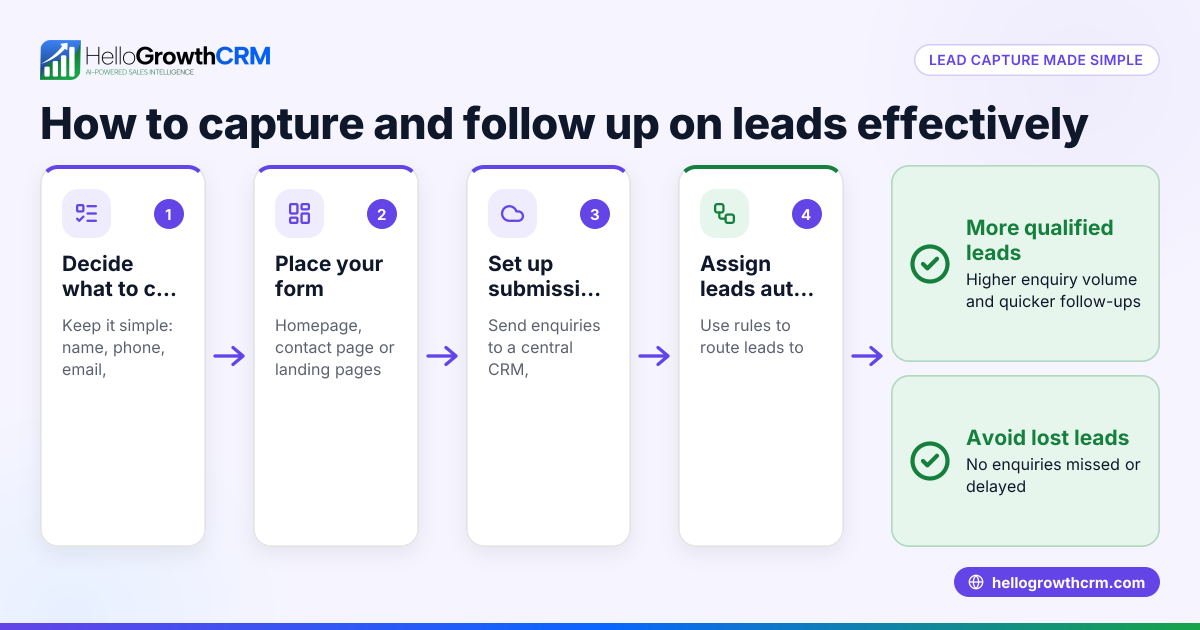
- Set up a web form for enquiries: Use a simple online form builder to create a form that collects name, contact info, and enquiry details. Link this form in your bio and stories.
- Integrate enquiry data into your tracking system: Export form responses to a spreadsheet or CRM to organize leads. Check that the data exports correctly and is easy to access.
- Follow up systematically: Assign enquiry leads to team members and schedule follow-ups. Use reminders or task boards to keep track.
Example (fictional figures)
A landscaping contractor in Charlotte, North Carolina, wants to capture Instagram enquiries starting 07/01/2024.
- Step 1: Adds a contact button with phone number (704-555-1234) and email (info@charlottelandscaping.com).
- Step 2: Updates bio to say: “DM for free quotes or tap link below to enquire.”
- Step 3: Creates a web form that asks for name, phone, email, and project details.
- Step 4: Links the form URL in the bio: https://charlottelandscaping.com/enquire
- Step 5: Shares 3 Instagram Stories with link stickers to the form.
- Step 6: Checks daily DMs and uses quick replies for pricing questions.
- Step 7: Exports form leads weekly to Excel and assigns follow-ups.
If the contractor receives 50 enquiries in July and converts 20% to jobs worth $1,200 each:
50 enquiries × 20% conversion rate = 10 jobs 10 jobs × $1,200 per job = $12,000 revenue
This system helps track and convert leads efficiently.
Common mistakes
- No clear contact info on profile: Visitors don’t know how to reach you. Prevent by adding contact buttons and clear bio CTAs.
- Ignoring DMs or slow replies: Leads lose interest. Prevent by enabling notifications and using quick replies.
- Linking to generic websites without forms: Leads don’t submit details. Prevent by linking directly to a simple enquiry form.
- Not organizing enquiry data: Leads get lost in messages or spreadsheets. Prevent by exporting form data regularly and tracking follow-ups.
- Overcomplicating the form: Long forms discourage enquiries. Prevent by asking only essential info: name, contact, enquiry.
- Missing story links or broken URLs: Links don’t work. Prevent by testing all links before posting.
Frequently asked questions
How can I automate Instagram enquiry responses? You can use Instagram’s quick replies feature to save common responses and reply faster. For more advanced automation, third-party tools can send auto-messages, but be sure they comply with Instagram’s policies.
Can I capture Instagram enquiries without a website? Yes, you can use free online form builders and link the form URL in your Instagram bio or stories. This lets you collect enquiry details without a full website.
How do I track Instagram enquiries in a CRM? Export enquiry form data regularly and import it into your CRM or spreadsheet. Assign leads to sales reps and set reminders for follow-ups. For US businesses, using a CRM that supports WhatsApp and SMS can improve follow-up efficiency. See WhatsApp and SMS CRM and built-in CRM dialer for options.
Should I use Instagram ads to capture enquiries? Instagram ads can increase enquiries but require budget and setup. You can link ads to your enquiry form or direct message. Test ads carefully to ensure ROI.
How do I protect enquiry data privacy? Inform users how you will use their data and keep it secure. Follow US data protection guidelines. Use secure form services and limit data access.
What if I have multiple team members handling enquiries? Use a shared system to track leads and assign follow-ups. This prevents duplicated effort and missed replies. A CRM designed for small businesses can help. See HelloGrowthCRM for the United States to learn more.
Key takeaways
- Add clear contact buttons and CTAs on your Instagram profile.
- Use web forms linked in your bio and stories to capture enquiry details.
- Respond quickly and use quick replies to save time.
- Organize enquiry data regularly and track follow-ups.
- Avoid long forms and broken links to keep leads engaged.
- Consider CRM tools to manage enquiries efficiently.
Start capturing Instagram enquiries today by setting up your contact options and linking a simple enquiry form. For a no-cost way to manage up to 200 leads with no credit card required, start on the Free Forever plan.
Ready to put this into practice?
Set up your pipeline, WhatsApp follow-ups, and AI lead scoring in minutes — free, no credit card.
Try HelloGrowthCRM freeGet CRM tips in your inbox
Join thousands of sales professionals who get weekly insights on CRM strategy, AI automation, and pipeline optimization.

The HelloGrowthCRM team publishes guides on CRM strategy, AI sales tools, and revenue operations for small business sales teams.