HelloGrowthCRM software
Built for real small-business sales teams
HelloGrowthCRM helps reps qualify faster, follow up on time, and close more deals—with practical automation in one place.
- AI lead scoring and pipeline visibility
- Built-in dialer, WhatsApp, and email automation
- Sales forecasting and RevOps-ready reporting
To convert a quotation to an invoice in Canada, you first need to confirm that the customer has accepted the quotation. Once accepted, create an invoice that reflects the agreed products or services, quantities, prices, and applicable taxes. Make sure to include essential invoice details such as the invoice date, payment terms, your GST/HST registration number, and a unique invoice number. This article explains why converting quotations to invoices is important for small businesses, provides clear step-by-step instructions, a fictional Canadian business example with calculations, common mistakes to avoid, and how HelloGrowthCRM supports this workflow.
Why this comes up / what goes wrong
Small business owners in Canada often provide quotations to potential customers to outline prices, services, and terms before confirming a sale. Once the customer accepts the quotation, the business must convert it into an official invoice to request payment. Challenges arise when quotations are not properly tracked or converted, leading to delayed invoicing, missing tax details, or incorrect pricing. These issues can cause payment delays, accounting confusion, and cash flow problems. Many small businesses rely on manual methods like spreadsheets or email, which increase the risk of errors and lost follow-up.
Step-by-step
- Confirm quotation acceptance: Obtain a clear acceptance from the customer, ideally in writing or by email, to ensure agreement on the quotation details.
- Review quotation details: Carefully check the products or services, quantities, prices, discounts, and terms stated in the quotation.
- Determine applicable taxes: Identify which taxes apply based on your and your customer's location (GST, HST, PST). Make sure you include your GST/HST registration number on the invoice.
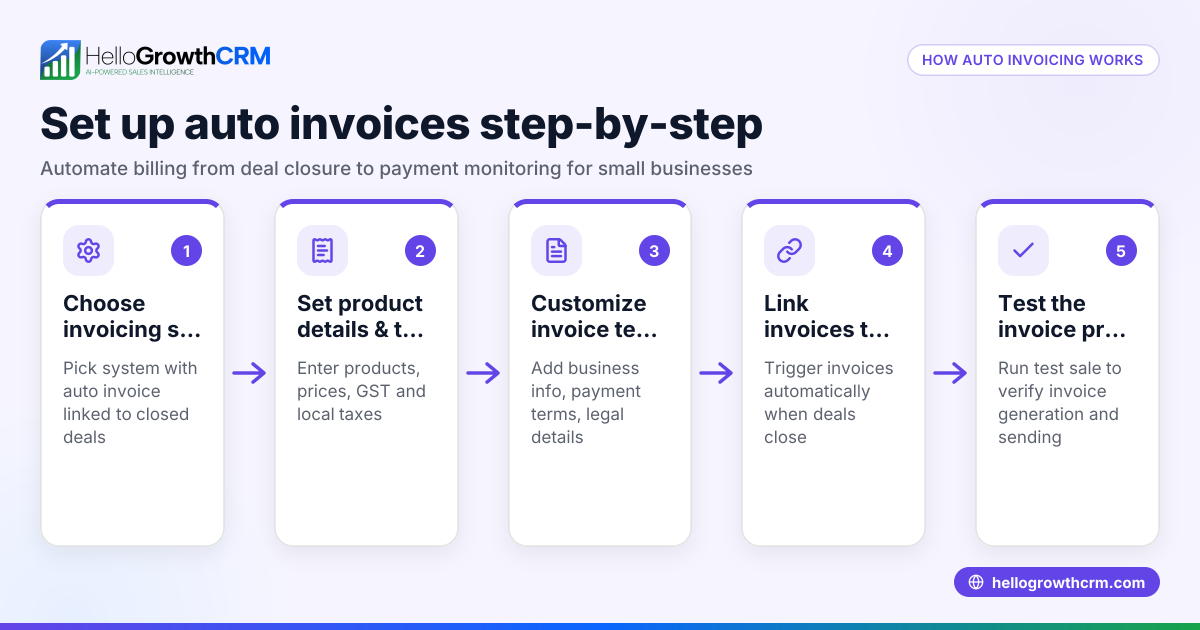
- Create the invoice document: Use an invoice template or invoicing software to enter the customer's name, address, invoice date, payment terms, and a unique invoice number. Reference the original quotation number for clarity.
- Copy quotation items: Transfer the exact items, quantities, unit prices, and subtotals from the quotation to the invoice.
- Calculate taxes: Apply the correct tax rates to the subtotal to calculate the total tax amount.
- Calculate total amount due: Add the tax amount to the subtotal to determine the total invoice amount.
- Verify all invoice fields: Double-check the invoice number, date, payment terms, your business contact details, and customer information for accuracy.
- Send the invoice: Deliver the invoice to the customer by email, mail, or other agreed methods promptly after acceptance.
- Track payment: Monitor the invoice status and follow up if payment is late to maintain healthy cash flow.
Example (fictional figures)
A staffing agency in Halifax, Nova Scotia, sends a quotation on 2024-06-01 for temporary staffing services.
- Quotation subtotal: C$15,000
- Assumed HST rate: 15%
Calculations:
C$15,000 × 15% = C$2,250 (HST)
Total invoice amount = C$15,000 + C$2,250 = C$17,250
Steps:
- Customer accepts quotation on 2024-06-05.
- Create invoice dated 2024-06-06 referencing quotation number Q-20240601.
- Include staffing service details, subtotal, HST, and total.
- Send invoice to customer promptly.
Common mistakes
- Not confirming acceptance: Avoid invoicing disputes by always getting formal acceptance before converting the quotation.
- Incorrect tax calculations: Prevent undercharging or overcharging by verifying the current tax rates and their applicability.
- Missing invoice details: Ensure the invoice number, date, payment terms, and GST/HST registration number are included to comply with tax requirements.
- Copying quotation errors: Double-check that all quantities and prices are transferred correctly from the quotation to the invoice.
- Delaying invoice sending: Send invoices promptly after acceptance to avoid payment delays.
- Poor tracking of invoices: Use a system to monitor invoice status and follow up on unpaid invoices to maintain cash flow.
Doing this in HelloGrowthCRM
HelloGrowthCRM includes a built-in quoting and proposal tool that lets you create, send, and track quotations directly from a deal record. Once a quotation is accepted, you can generate an invoice tied to the closed deal. The quotation’s status—whether sent, viewed, or accepted—is visible on the same screen as your follow-up task, helping you manage the process efficiently. For more information, see WhatsApp and SMS CRM and built-in CRM dialer.
Frequently asked questions
Can I convert a quotation to an invoice manually? Yes, you can manually create an invoice by copying all details from the quotation into an invoice template. Make sure to include all required fields such as invoice date, unique invoice number, payment terms, and applicable taxes.
Do I need to include GST/HST on my invoice? If your business is registered for GST/HST and the sale is taxable, you must include your GST/HST number and calculate the tax on the invoice. Confirm the correct tax rate based on your province.
What if the customer requests changes after accepting the quotation? You should update the quotation and obtain a new acceptance before creating the invoice to ensure accuracy and avoid disputes.
How do I track if the customer has viewed or accepted the quotation? Using a CRM like HelloGrowthCRM, you can see the quotation status (sent, viewed, accepted) on the deal screen, making follow-up easier and more organised.
Are payment terms important on the invoice? Yes, clearly stating payment terms (for example, payment due in 30 days) helps set expectations and supports timely payment.
Key takeaways
- Confirm customer acceptance before converting a quotation to an invoice.
- Include all necessary invoice details: invoice number, date, payment terms, and GST/HST number.
- Copy quotation items and prices accurately to avoid errors.
- Calculate and add applicable taxes based on your location.
- Send the invoice promptly and track payment status.
- Use tools like HelloGrowthCRM to manage quotations and invoices efficiently.
Start managing your quotations and invoices easily with HelloGrowthCRM. Start on the Free Forever plan (200 leads, no credit card).
Ready to put this into practice?
Set up your pipeline, WhatsApp follow-ups, and AI lead scoring in minutes — free, no credit card.
Try HelloGrowthCRM freeGet CRM tips in your inbox
Join thousands of sales professionals who get weekly insights on CRM strategy, AI automation, and pipeline optimization.

The HelloGrowthCRM team publishes guides on CRM strategy, AI sales tools, and revenue operations for small business sales teams.