HelloGrowthCRM software
Built for real small-business sales teams
HelloGrowthCRM helps reps qualify faster, follow up on time, and close more deals—with practical automation in one place.
- AI lead scoring and pipeline visibility
- Built-in dialer, WhatsApp, and email automation
- Sales forecasting and RevOps-ready reporting
To create a business invoice in the UAE, prepare a document that clearly states your company and customer details, lists the goods or services sold with prices and quantities, includes an invoice number and date, applies VAT if required, and specifies payment terms. This guide walks you through each step, provides a worked example with realistic AED figures, highlights common mistakes to avoid, and explains how to manage your commercial documents effectively.
Why this comes up / what goes wrong
Small business owners in the UAE often need to create invoices to bill clients for goods or services. Without clear instructions, they might miss key details such as invoice numbering, VAT application, or payment terms. This can cause payment delays or confusion. Many business owners still rely on WhatsApp, calls, or spreadsheets without a formal invoicing system, which leads to errors and lost leads. Knowing how to create a proper invoice ensures professionalism and faster payments.
Step-by-step
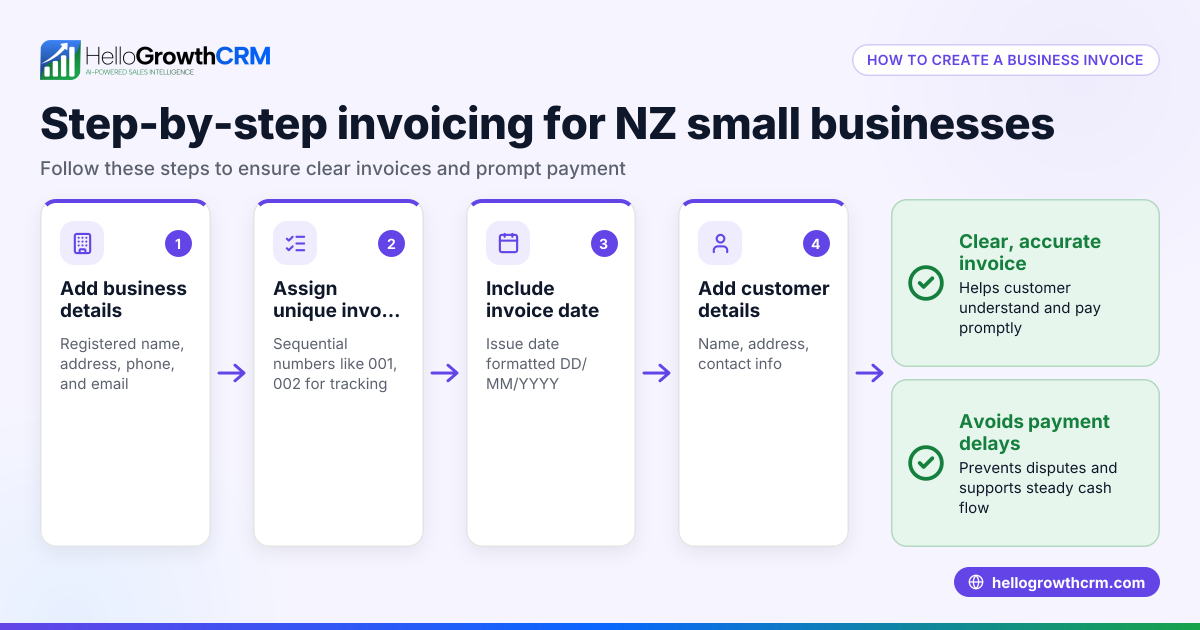
- Prepare your company details: Include your business name, address, contact number, and trade licence number if applicable.
- Add customer details: Write the customer’s name, address, and contact information.
- Assign an invoice number: Use a unique sequential number to track invoices easily.
- Set the invoice date: This is the date the invoice is issued.
- List goods or services: For each item, describe it clearly, state quantity, unit price, and total price.
- Calculate subtotals: Sum the prices of all items before tax.
- Add VAT if applicable: If your business is VAT registered, apply the correct VAT rate to the subtotal and show the VAT amount separately. NEEDS EXPERT REVIEW
- Calculate total amount due: Add subtotal and VAT.
- Specify payment terms: State the payment deadline, accepted payment methods, and any late payment fees.
- Provide your payment details: Include bank account or other payment instructions.
- Review and send: Double-check all details for accuracy before sending the invoice.
Keep a copy of each invoice for your records.
Example (fictional figures)
A real-estate brokerage in Dubai Marina issues an invoice on 15/06/2024 for a consulting service.
- Company: Dubai Marina Realty, Trade Licence No: 123456
- Customer: Gulf Property Investors, Dubai
- Invoice No: 2024-005
- Date: 15/06/2024
| Description | Quantity | Unit Price (AED) | Total (AED) |
|---|---|---|---|
| Property Consulting | 1 | 15,000 | 15,000 |
Subtotal = AED 15,000
Assuming VAT at 5% (illustrative):
VAT = AED 15,000 × 5% = AED 750
Total amount due = AED 15,000 + AED 750 = AED 15,750
Payment terms: Payable within 30 days by bank transfer.
Common mistakes
- Missing invoice number: Always assign a unique number to avoid confusion and track payments.
- Incorrect VAT calculation: Verify VAT registration and apply the correct rate to avoid compliance issues. NEEDS EXPERT REVIEW
- Incomplete customer details: Missing customer contact info can delay payment or cause disputes.
- Unclear payment terms: Specify deadlines and payment methods clearly to avoid delays.
- Not keeping copies: Always keep records of issued invoices for accounting and tax purposes.
- Using informal methods: Avoid sending invoices via WhatsApp or calls without a formal document, which can cause misunderstandings.
Using a CRM with quoting and invoicing tools can help manage these details efficiently.
Managing quotes and invoices
Many CRMs offer built-in quoting and proposal tools that let you build, send, and track commercial documents directly from a deal record. This includes generating invoices tied to closed deals and monitoring the status of quotations and invoices—such as sent, viewed, or accepted—on the same screen as your follow-up tasks. This helps keep sales processes organised and reduces errors. For example, a CRM with a built-in CRM dialer and support for WhatsApp and SMS CRM can streamline communication and document management. For UAE-specific CRM features, see HelloGrowthCRM for the United Arab Emirates.
Frequently asked questions
How do I make a proforma invoice in the UAE? A proforma invoice is a preliminary bill sent before the actual sale. It contains similar details to a regular invoice but is marked as "Proforma" and does not request payment. It helps customers understand costs before confirming an order.
Is VAT mandatory on all invoices in the UAE? VAT applies only if your business is registered for VAT. If registered, you must charge VAT at the applicable rate and show it separately on your invoices. If not registered, do not include VAT. NEEDS EXPERT REVIEW
Can I create invoices using WhatsApp? While you can send invoice details via WhatsApp, creating a formal invoice document is better for clarity and record-keeping. Using a CRM that supports WhatsApp alongside quoting and invoicing tools can improve organisation.
What payment terms should I include on my invoice? Specify the payment deadline (e.g., 30 days from invoice date), accepted payment methods (bank transfer, cheque, etc.), and any late payment fees to ensure clear expectations.
How do I keep track of my invoices? A CRM with quoting and invoicing features lets you track the status of your commercial documents and manage follow-up tasks efficiently.
Key takeaways
- Include all essential details: company, customer, invoice number, date, item description, quantity, price, VAT, total, and payment terms.
- Assign unique invoice numbers and keep copies for records.
- Apply VAT only if your business is registered; show it separately.
- Clear payment terms help avoid delays.
- Avoid informal invoicing methods like WhatsApp alone; use formal documents.
- Use a CRM with quoting and invoicing tools to organise and track commercial documents.
Creating accurate invoices helps you get paid faster and keeps your business organised.
Start invoicing confidently today. Start on the Free Forever plan (200 leads, no credit card).
Ready to put this into practice?
Set up your pipeline, WhatsApp follow-ups, and AI lead scoring in minutes — free, no credit card.
Try HelloGrowthCRM freeGet CRM tips in your inbox
Join thousands of sales professionals who get weekly insights on CRM strategy, AI automation, and pipeline optimization.

The HelloGrowthCRM team publishes guides on CRM strategy, AI sales tools, and revenue operations for small business sales teams.