HelloGrowthCRM software
Built for real small-business sales teams
HelloGrowthCRM helps reps qualify faster, follow up on time, and close more deals—with practical automation in one place.
- AI lead scoring and pipeline visibility
- Built-in dialer, WhatsApp, and email automation
- Sales forecasting and RevOps-ready reporting
To create a follow up calendar in Canada, start by listing all your leads and contacts, then schedule specific follow-up dates based on your sales cycle and customer behaviour. Use a calendar or task management tool to assign due dates and reminders. This article covers why a follow-up calendar matters, detailed steps to build one, a worked example with Canadian figures, common mistakes to avoid, and how HelloGrowthCRM can automate the process.
Why this comes up / what goes wrong
Small business owners in Canada often struggle to maintain consistent follow-up with leads and prospects. Without a clear calendar, follow-ups get delayed or forgotten, causing lost sales opportunities. Many run sales processes informally using text messages, emails, and spreadsheets, which lack reminders and task tracking. This leads to slow responses, disorganised outreach, and difficulty prioritizing leads. Creating a follow-up calendar helps keep your sales team on schedule, improves lead engagement, and increases conversion chances.
Step-by-step
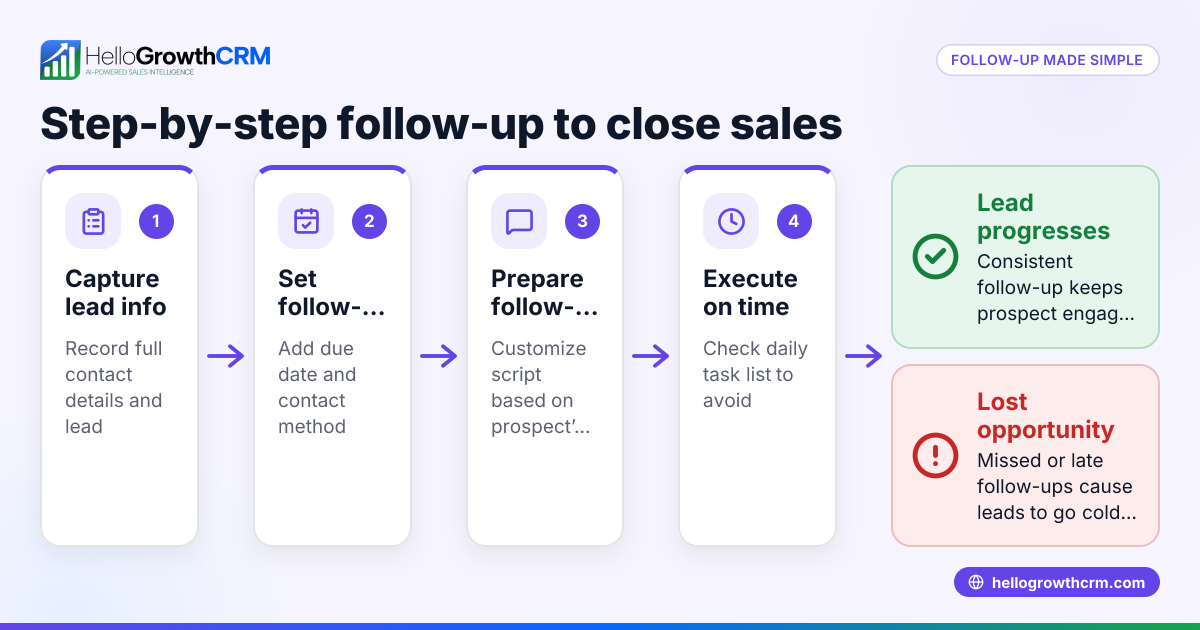
- Gather your leads and contacts: Collect all current leads, prospects, and customers you need to follow up with. Include contact details, last contact date, and notes on their status.
- Determine your follow-up frequency: Decide how often to follow up based on your sales cycle and product type. For example, initial contact, 3 days later, 7 days later, then 14 days after.
- Choose your follow-up methods: Decide which channels to use for each step (phone call, WhatsApp, SMS, email). Consistency helps.
- Create a calendar or task list: Use a digital calendar, spreadsheet, or CRM task board to schedule follow-ups. Assign each follow-up a due date and time.
- Set reminders and notifications: Ensure you get alerts before each follow-up is due to avoid missing them.
- Prioritize leads by potential: Rank leads by interest or value so you focus on the most promising first.
- Log every interaction: Record calls, messages, and outcomes to track progress and plan next steps.
- Review and adjust regularly: Weekly, check your calendar and update follow-up dates based on new information or responses.
- Use templates for messages: Prepare follow-up message templates to save time and maintain professionalism.
- Train your team: Make sure everyone understands the follow-up calendar and uses it daily.
For more on managing follow-ups and tasks, see our sales task boards and email automation and sequences.
Example (fictional figures)
A mortgage brokerage in Mississauga, Ontario, has a new lead from a web form on 2024-05-01. The broker decides on a 5-step follow-up over two weeks.
- Lead received: 2024-05-01
- Follow-up 1 (call): 2024-05-02
- Follow-up 2 (WhatsApp message): 2024-05-05
- Follow-up 3 (email): 2024-05-09
- Follow-up 4 (SMS): 2024-05-13
- Follow-up 5 (final call): 2024-05-15
They schedule these in their calendar with reminders 1 hour before each.
The broker estimates the lead value at C$500,000 mortgage commission potential. Prioritizing this lead helps them focus on high-value prospects.
This schedule looks like:
2024-05-02 (Day 1) = Call 2024-05-05 (Day 4) = WhatsApp message 2024-05-09 (Day 8) = Email 2024-05-13 (Day 12) = SMS 2024-05-15 (Day 14) = Final call
Each follow-up is logged with notes on the outcome.
Common mistakes
- Not scheduling follow-ups immediately: Leads cool down quickly. Prevent by creating tasks as soon as leads arrive.
- Ignoring lead prioritization: Treating all leads equally wastes time. Prevent by ranking leads by potential value or engagement.
- Relying on memory instead of tools: Forgetting follow-ups happens without reminders. Use a calendar or CRM task board.
- Not logging interactions: Without records, you repeat messages or miss context. Log every call and message.
- Overdoing follow-ups: Too many messages annoy prospects. Set a clear limit and stop when they respond.
- Failing to review the calendar regularly: Leads change status. Review weekly and adjust dates.
Learn how to avoid these with better task management in sales task boards.
Doing this in HelloGrowthCRM
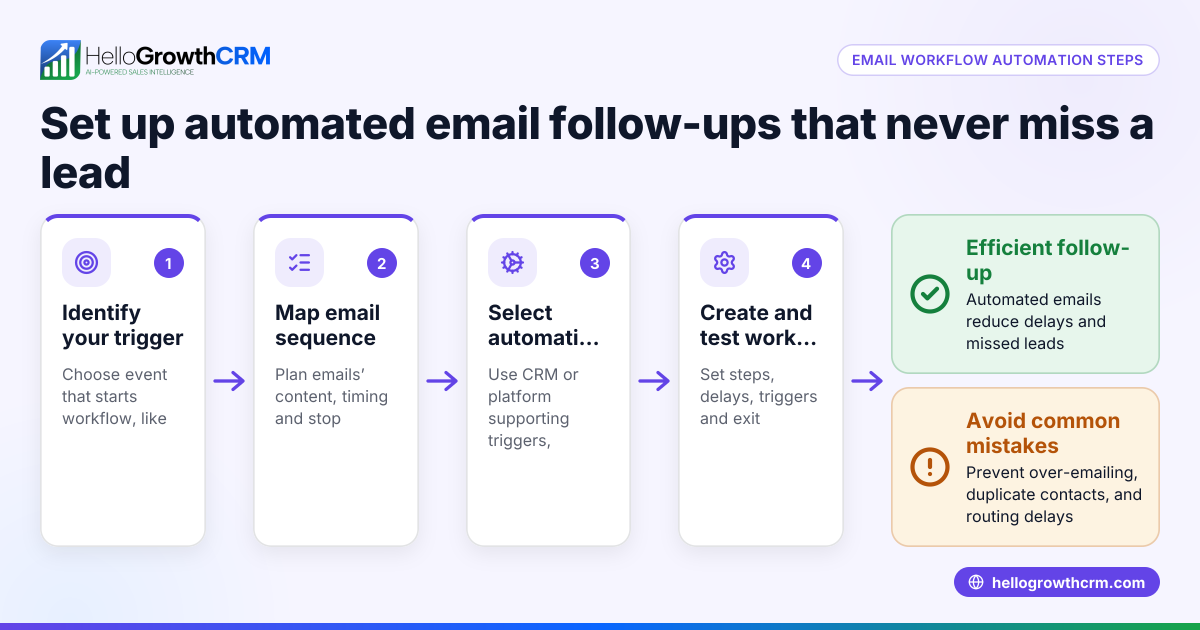
HelloGrowthCRM helps you create and manage follow-up calendars easily. Each follow-up becomes a task with a due date on your activity and task boards, so your day's calls and messages are a clear list, not a memory test. You can set up automated sequences that run a five-step follow-up over two weeks across email, WhatsApp, and SMS, stopping immediately when the prospect replies. For Growth plan users, AI agents draft follow-up messages after calls, so reps only review and send, saving time.
Explore these features to improve your follow-up process: sales task boards, email automation and sequences, and AI agents (/product/ai-crm).
Frequently asked questions
How often should I follow up with a lead in Canada? Follow-up frequency depends on your sales cycle and product. A common approach is an initial follow-up within 24 hours, then spaced attempts at 3, 7, and 14 days. Adjust based on lead responsiveness and industry norms.
What tools can I use to create a follow-up calendar? You can use digital calendars like Google Calendar, spreadsheets, or CRM software with task boards. CRMs like HelloGrowthCRM provide task management and automated sequences to handle follow-ups efficiently.
How do I prioritize which leads to follow up first? Rank leads by potential deal size, engagement level, or urgency. Focus on high-value or warm leads first to maximize your sales efforts.
What if a lead responds before the follow-up sequence ends? Stop the automated follow-ups immediately to avoid over-contacting. HelloGrowthCRM sequences automatically pause when a prospect replies.
Can I automate follow-up messages on multiple channels? Yes, using tools like HelloGrowthCRM, you can automate multi-step outreach across email, WhatsApp, and SMS, ensuring timely and consistent follow-ups.
Key takeaways
- List all leads and decide follow-up frequency based on your sales cycle.
- Use a calendar or CRM task board to schedule and get reminders for follow-ups.
- Prioritize leads by potential value and engagement.
- Log every interaction to track progress and plan next steps.
- Avoid common mistakes like relying on memory or over-contacting leads.
- Automate follow-ups with sequences and AI agents in HelloGrowthCRM.
Start creating your follow-up calendar today to improve lead engagement and sales. To try automating your follow-ups with no credit card required, Start on the Free Forever plan (200 leads, no credit card).
Ready to put this into practice?
Set up your pipeline, WhatsApp follow-ups, and AI lead scoring in minutes — free, no credit card.
Try HelloGrowthCRM freeGet CRM tips in your inbox
Join thousands of sales professionals who get weekly insights on CRM strategy, AI automation, and pipeline optimization.

The HelloGrowthCRM team publishes guides on CRM strategy, AI sales tools, and revenue operations for small business sales teams.