HelloGrowthCRM software
Built for real small-business sales teams
HelloGrowthCRM helps reps qualify faster, follow up on time, and close more deals—with practical automation in one place.
- AI lead scoring and pipeline visibility
- Built-in dialer, WhatsApp, and email automation
- Sales forecasting and RevOps-ready reporting
Creating a sales receipt ensures clear documentation of sales transactions and proof of payment. This guide helps Canadian small-business owners produce complete, accurate sales receipts that meet business and customer needs.
Why this comes up / what goes wrong
Small business owners in Canada often need to provide sales receipts but are unsure what details to include or how to calculate taxes properly. Without a clear receipt, disputes can arise, bookkeeping becomes difficult, and tax reporting may be inaccurate. Many also struggle to keep receipts organised and follow up on sales opportunities. This article helps you create a sales receipt that protects your business, satisfies customers, and improves record keeping.
Step-by-step
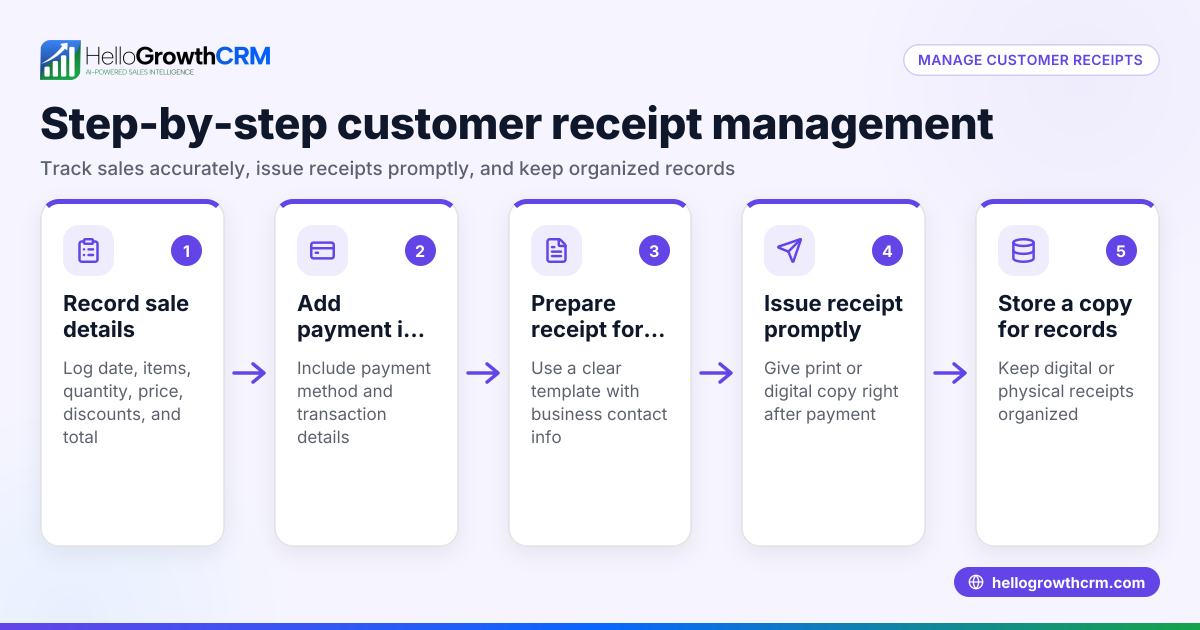
- Assign a unique sales receipt number: Start by giving each receipt a unique sequential number for tracking and reference.
- Include the date of the sale: Write the transaction date in YYYY-MM-DD format.
- Provide seller information: Include your business name, address, phone number, and email.
- Add buyer information: Record the customer's full name and contact details if available.
- Describe the goods or services sold: List each item or service with a clear description.
- Specify quantity and unit price: For each item, note how many were sold and the price per unit.
- Calculate the subtotal: Multiply quantity by unit price for each line, then add all line totals.
- Apply applicable taxes: Add GST, PST, or HST based on your province’s rules. Show each tax rate and amount separately.
- Calculate the total amount paid: Add subtotal and all taxes.
- Include payment method: Indicate how the customer paid (cash, credit card, e-transfer, etc.).
- Sign or authorise the receipt: Optionally, add a signature or stamp to validate the receipt.
- Keep a copy for your records: Store digital or physical copies securely for bookkeeping and audit purposes.
Check each step carefully to ensure accuracy and completeness.
Example (fictional figures)
A bilingual insurance agency in Laval, Quebec sells a home insurance policy on 2024-06-15. The sales receipt includes:
- Receipt number: 2024-0001
- Seller: Laval Insurance Inc., 123 Main St, Laval, QC, info@lavalinsurance.ca
- Buyer: Jean Tremblay, 456 Maple Ave, Laval, QC
- Item: Home insurance policy
- Quantity: 1
- Unit price: C$1,200
- Subtotal: C$1,200 × 1 = C$1,200
- Tax: Quebec applies 5% GST and 9.975% QST
- GST amount: C$1,200 × 5% = C$60
- QST amount: C$1,200 × 9.975% = C$119.70
- Total tax: C$60 + C$119.70 = C$179.70
- Total amount paid: C$1,200 + C$179.70 = C$1,379.70
- Payment method: Credit card
This example shows clear calculations and all required details.
Common mistakes
- Missing unique receipt number: Prevent this by numbering receipts sequentially.
- Incorrect tax calculation: Double-check tax rates for your province before applying.
- Incomplete buyer or seller details: Always include full contact info to avoid confusion.
- Not recording payment method: This helps with payment reconciliation and dispute resolution.
- Losing receipts or poor organisation: Use digital folders or software to keep copies safe and accessible.
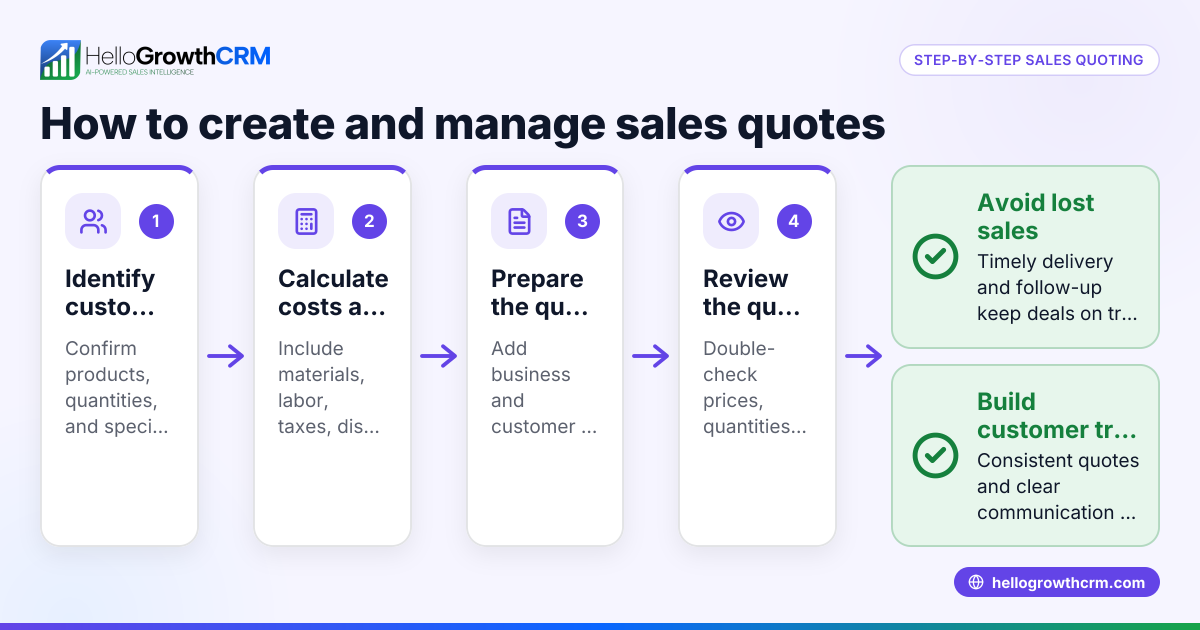
- Forgetting to follow up on quotes: Use a CRM like HelloGrowthCRM where a quotation sent last week shows up as a deal at the 'quote sent' stage with a follow-up date, so it is not forgotten. See more on HelloGrowthCRM for Canada.
Doing this in HelloGrowthCRM
HelloGrowthCRM helps you manage your sales process efficiently. When you send a quotation, it appears as a deal in the pipeline at the 'quote sent' stage with a follow-up date, ensuring no lead is lost. For field sales teams, distributors can log visits from their phones and managers can monitor daily activity with territories and field operations features. Founders without a sales manager can benefit from Managed RevOps, where a specialist handles follow-up queues weekly. Learn more about the WhatsApp and SMS CRM and the built-in CRM dialer.
Frequently asked questions
How do I create a sales newsletter in Canada? To create a sales newsletter, gather your customer emails, write clear content about offers or company news, and send it using an email marketing tool. Ensure compliance with anti-spam laws by including an unsubscribe option.
What taxes should I include on a sales receipt in Canada? Include GST, PST, or HST depending on your province. Display each tax separately with the rate and amount. Check provincial rates carefully as they vary. NEEDS EXPERT REVIEW
Can I create sales receipts manually or should I use software? You can create receipts manually using templates or spreadsheets, but software helps automate calculations, store records, and track follow-ups. HelloGrowthCRM supports managing deals and follow-ups efficiently.
Is it necessary to have a signed sales receipt? A signature is optional but adds proof of agreement. Many businesses use digital receipts without signatures.
How long should I keep sales receipts? Keep sales receipts for at least six years for tax and audit purposes. Store them securely in digital or physical form.
Key takeaways
- Include all key fields: unique number, date, seller and buyer info, item details, quantities, prices, taxes, total, and payment method.
- Calculate taxes carefully according to your province’s rates.
- Keep receipts organised and backed up.
- Avoid common mistakes like missing info or incorrect tax.
- Use HelloGrowthCRM to track quotes, deals, and follow-ups.
Start creating accurate sales receipts today to protect your business and improve record keeping.
Start on the Free Forever plan (200 leads, no credit card) at HelloGrowthCRM.
Ready to put this into practice?
Set up your pipeline, WhatsApp follow-ups, and AI lead scoring in minutes — free, no credit card.
Try HelloGrowthCRM freeGet CRM tips in your inbox
Join thousands of sales professionals who get weekly insights on CRM strategy, AI automation, and pipeline optimization.

The HelloGrowthCRM team publishes guides on CRM strategy, AI sales tools, and revenue operations for small business sales teams.