HelloGrowthCRM software
Built for real small-business sales teams
HelloGrowthCRM helps reps qualify faster, follow up on time, and close more deals—with practical automation in one place.
- AI lead scoring and pipeline visibility
- Built-in dialer, WhatsApp, and email automation
- Sales forecasting and RevOps-ready reporting
Phone dial to call means using a phone or software to enter a phone number and start a call to a customer or lead. It is a key part of business communication and sales follow-up. This article explains why phone dialing matters, provides step-by-step instructions, highlights common mistakes, and shows how a CRM with a built-in dialer can help.
Why this comes up / what goes wrong
Small business owners and sales teams often need to call leads or customers to close deals, answer questions, or provide support. Many lose leads because dialing and calling are slow, disorganized, or not tracked properly. Using phones, text messages, email, and spreadsheets separately can cause missed calls, lost follow-up, and poor sales performance. For example, a sales rep might spend extra time manually dialing numbers, forget to log call outcomes, or lose track of which leads still need follow-up. Understanding how to dial to call efficiently is the first step to improving sales communication and closing more deals.
Step-by-step
- Prepare the phone number: Confirm the phone number is correct and complete, including area code and country code if calling internationally. Double-check the number in your lead list or CRM.
- Choose your calling device or software: Use your phone handset, a desk phone, or a software dialer integrated with your CRM. Software dialers can speed up the process.
- Enter the phone number: Dial the number manually or click a number link if available in your system. Avoid typing errors by copying and pasting or clicking links.
- Initiate the call: Press the call button or dial key to start the call. Ensure your device is connected and ready.
- Confirm connection: Wait for the call to connect and listen for ringing or voicemail. Be prepared to leave a message if needed.
- Conduct the call: Speak clearly, follow your sales or support script, and take notes as needed. Focus on the customer's needs.
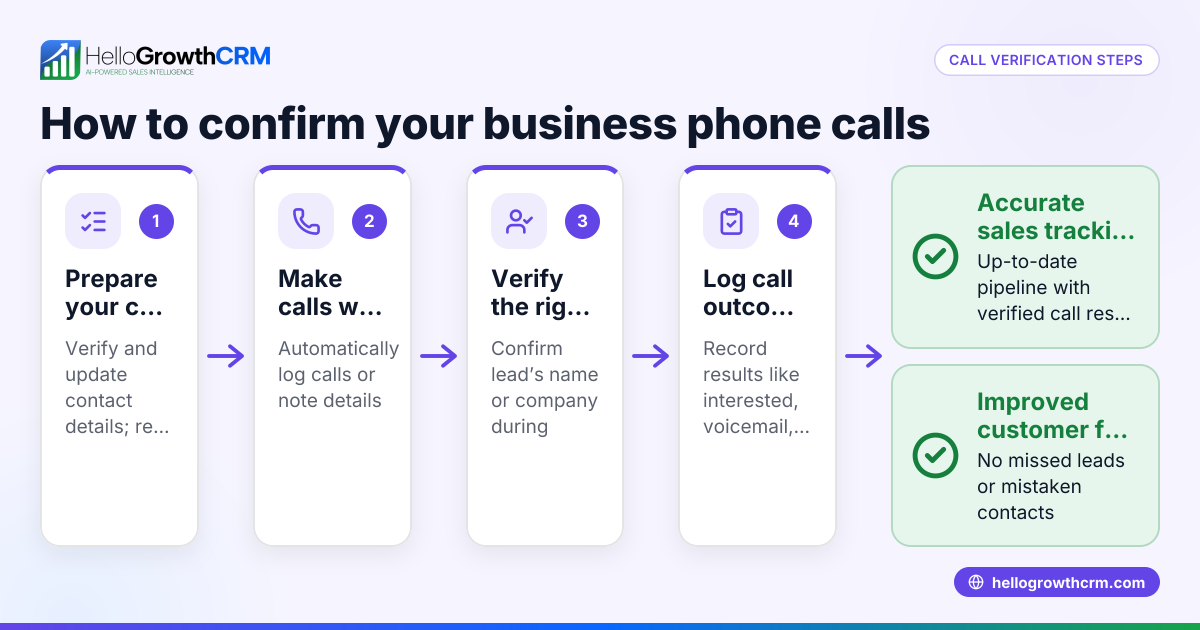
- Log the call outcome: After the call, record the result (e.g., interested, voicemail left, no answer) in your system. This helps track progress.
- Schedule follow-up tasks: If necessary, set reminders or next steps for continued communication. Follow-up keeps leads engaged.
- Check call quality: Make sure you are in a quiet environment with good signal or internet connection to avoid disruptions.
Using a CRM with a built-in dialer can simplify many of these steps by allowing calls directly from the contact list and automatic logging, reducing errors and saving time.
Example (fictional figures)
A plumbing company in Austin, Texas, wants to call 40 leads from last month’s web inquiries to schedule service estimates.
- Number of leads: 40
- Average call time: 6 minutes
- Total calling time: 40 × 6 = 240 minutes = 4 hours
They plan to call each lead once and log the outcome.
If 12 calls result in appointments:
- Appointments booked: 12
If each appointment averages $350 in revenue:
- Total expected revenue: 12 × $350 = $4,200
This example shows how dialing and calling leads efficiently can convert inquiries into revenue.
Common mistakes
- Dialing incorrect numbers: Prevent by verifying phone numbers before calling. Use reliable sources and double-check entries.
- Not logging call outcomes: Prevent by recording results immediately after each call. This keeps your sales process organized.
- Using multiple tools separately: Prevent by consolidating calls and records in one system to avoid lost information.
- Delaying follow-up calls: Prevent by scheduling callbacks promptly to keep the lead engaged.
- Poor call environment: Prevent by choosing a quiet place and using a good headset or phone with clear audio.
- Skipping call preparation: Prevent by reviewing lead information before dialing to personalize your approach.
Using a system that integrates dialing and logging helps avoid these mistakes and improves efficiency.
Doing this in HelloGrowthCRM
HelloGrowthCRM offers a built-in dialer that lets your rep work through a list of leads directly inside the CRM. Each call can be made from the CRM interface, and the outcome of every call is logged on the lead record automatically. This keeps your call history tied to contacts and deals, ensuring no lead is lost or forgotten. Learn more about the built-in CRM dialer and how it supports WhatsApp and SMS CRM for comprehensive communication. HelloGrowthCRM also offers tailored solutions for businesses in the US at HelloGrowthCRM for the United States.
Frequently asked questions
What does phone dial to call mean? It means entering a phone number on a phone or software and pressing the call button to connect a call. It is the basic action of making a phone call.
How can I speed up dialing calls for many leads? Using a CRM with a built-in dialer lets you click to call from your lead list, log outcomes instantly, and avoid manual number entry. This saves time and reduces dialing errors.
Is it better to use a phone or software dialer? Software dialers integrated with CRM systems improve efficiency by automating call logging and follow-up scheduling compared to manual phone dialing. They also keep records organized.
What should I do after dialing and calling a lead? Record the call outcome, update lead status, and schedule any necessary follow-up tasks to keep the sales process moving. This ensures no lead is forgotten.
Can a CRM help with phone dialing? Yes, a CRM with a built-in dialer lets reps call leads inside the system and log all call outcomes automatically, saving time and reducing errors.
Key takeaways
- Phone dial to call means entering a number and initiating a phone call.
- Efficient dialing and logging improve sales follow-up and lead conversion.
- Use a clear step-by-step calling process: prepare, dial, connect, call, log, and follow-up.
- Avoid common mistakes like wrong numbers and missed logging by verifying and recording immediately.
- A built-in dialer in a CRM helps call leads directly from the system and keeps call history organized.
Start making your calls more efficiently today. Start on the Free Forever plan (200 leads, no credit card).
Ready to put this into practice?
Set up your pipeline, WhatsApp follow-ups, and AI lead scoring in minutes — free, no credit card.
Try HelloGrowthCRM freeGet CRM tips in your inbox
Join thousands of sales professionals who get weekly insights on CRM strategy, AI automation, and pipeline optimization.

The HelloGrowthCRM team publishes guides on CRM strategy, AI sales tools, and revenue operations for small business sales teams.