HelloGrowthCRM software
Built for real small-business sales teams
HelloGrowthCRM helps reps qualify faster, follow up on time, and close more deals—with practical automation in one place.
- AI lead scoring and pipeline visibility
- Built-in dialer, WhatsApp, and email automation
- Sales forecasting and RevOps-ready reporting
A phone call website is a website optimized to encourage visitors to call your business easily. It typically includes clickable phone numbers or buttons that work on both mobile and desktop devices, enabling customers to reach you with a tap or click. Small businesses use phone call websites to increase direct contact, improve lead capture, and provide faster customer service.
Why this comes up / what goes wrong
Many small business owners search for "phone call website" because their current website does not make calling easy or obvious. Visitors may struggle to find the phone number or hesitate to dial manually, leading to lost leads. Additionally, without a process to track and manage these calls, businesses miss chances to follow up promptly and close sales. This problem often happens when websites focus only on information and neglect direct contact options.
Step-by-step
- Add a Click-to-Call Button on Your Website
- What to do: Place a visible phone number on your homepage and key landing pages. Use a clickable link with the format
tel:+1-555-123-4567so mobile users can tap to call. - What to check: Test the button on smartphones, tablets, and desktops to ensure it initiates a call.
- Use Clear Call-to-Action (CTA) Text
- What to do: Add text such as "Call us now" or "Speak to a representative" near the phone number.
- What to check: Confirm the CTA stands out and encourages visitors to call without cluttering the page.
- Integrate Call Tracking or CRM Tools
- What to do: Use software or a CRM that logs incoming calls and associates them with leads or customer records.
- What to check: Verify calls are logged with caller details and call outcomes for follow-up.
- Optimize Your Website for Mobile Devices
- What to do: Ensure fast loading and that the call button is easy to tap on smaller screens.
- What to check: Use mobile testing tools to confirm usability.
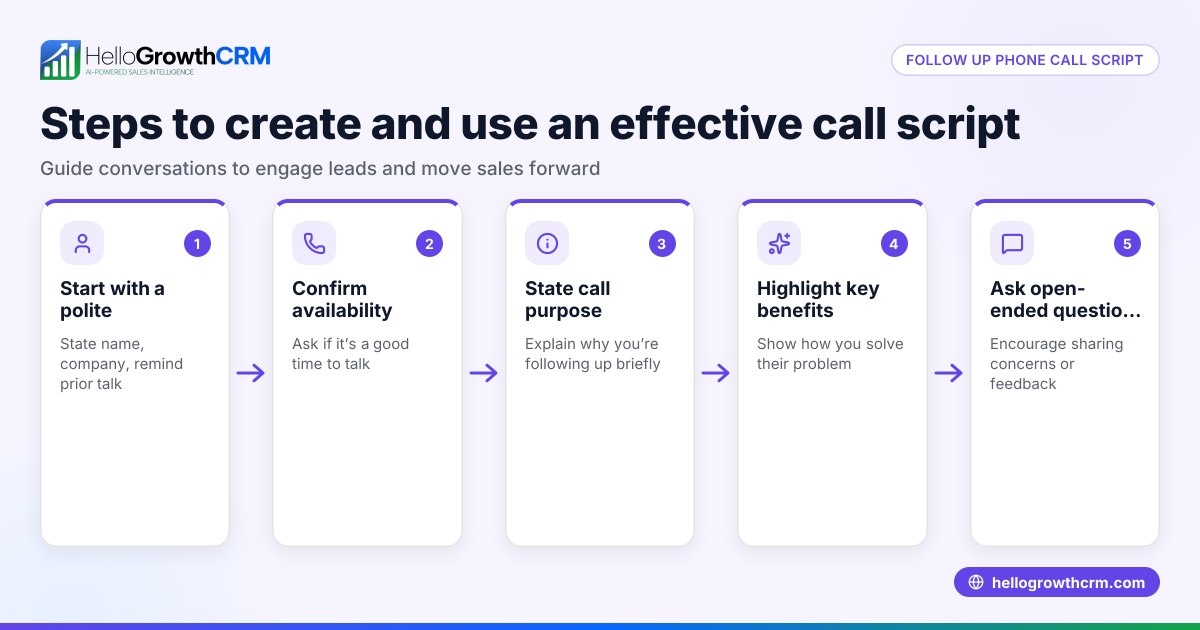
- Train Your Team to Answer Calls Quickly and Record Outcomes
- What to do: Set up a process for prompt call answering and logging call results.
- What to check: Monitor call response times and quality.
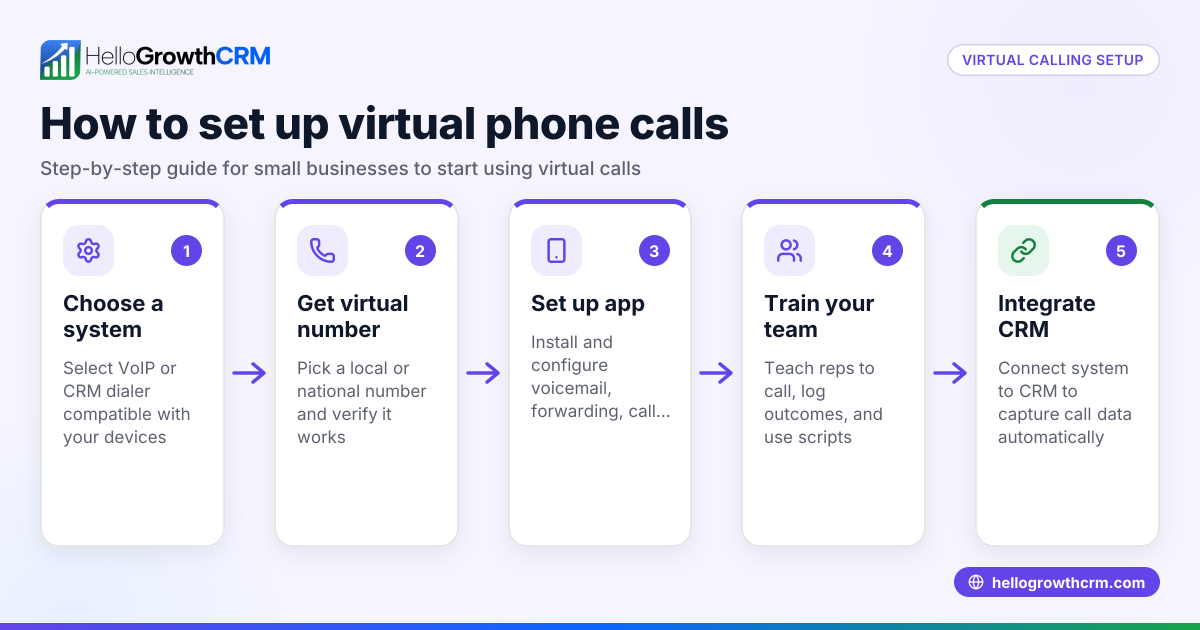
- Use a CRM with a Built-in Dialer
- What to do: Employ a CRM like HelloGrowthCRM that lets you call leads directly from the system and log each call outcome.
- What to check: Make sure calls and outcomes are recorded automatically. See built-in CRM dialer.
Example (fictional figures)
A two-location dental practice in Columbus, Ohio, wants to increase appointment bookings through phone calls from their website. They add a click-to-call button with their main number +1-614-555-7890 and train their front desk team to answer calls promptly.
- They receive 150 calls in January 2026 from the website.
- Each new appointment booked by phone averages $200 revenue.
- They convert 60 of these calls into appointments.
Calculations:
60 appointments × $200 revenue = $12,000 total revenue from phone calls
This example shows how setting up a phone call website and managing calls well can generate measurable revenue.
Common mistakes
- Not making the phone number clickable: Visitors on mobile devices may struggle to dial manually. Prevent this by using clickable
tel:links. - Hiding the phone number or placing it only in the footer: This reduces visibility. Place the number prominently in the header or on key pages.
- Ignoring call tracking: Without logging calls, you lose insights on lead quality and follow-up needs. Use a CRM or call tracking tool.
- Slow or inconsistent call response: Leads can be lost if calls go unanswered. Train your team and monitor call handling.
- Not optimizing for mobile: A poor mobile experience drives visitors away. Test and adapt your site design.
- Failing to integrate calls with sales processes: Calls should be part of your lead management system. See HelloGrowthCRM for the United States for CRM solutions.
Doing this in HelloGrowthCRM
HelloGrowthCRM offers a built-in dialer that lets your rep work a call list directly inside the CRM. Every call outcome is logged on the lead, keeping your call history tied to contact and deal records. This helps sales teams track progress and follow up effectively. Learn more about the built-in CRM dialer and how it works with WhatsApp and SMS CRM.
Frequently asked questions
What is a phone call website? A phone call website is designed to make it easy for visitors to call your business, often by including clickable phone numbers and clear calls to action. It helps increase direct customer contact and lead capture.
How do I add a click-to-call button on my website? You add a clickable phone number link using the format tel:+1-555-123-4567. This allows mobile users to tap and call directly. Place the button prominently with clear CTA text.
Why is call tracking important? Call tracking lets you log incoming calls, associate them with leads, and monitor outcomes. This data helps improve follow-up and sales conversion.
Can I manage calls and leads in one system? Yes, a CRM with a built-in dialer like HelloGrowthCRM lets you call leads from the system and automatically log every call, streamlining your sales process.
How do I ensure my website is mobile-friendly for calls? Test your website on various devices, ensure buttons are large enough to tap, and that the site loads quickly. Mobile optimization is essential for call conversion.
Key takeaways
- A phone call website makes it easy for visitors to call your business with clickable phone numbers and clear CTAs.
- Adding call tracking and integrating calls into your CRM improves lead management and follow-up.
- Mobile optimization ensures visitors can call you easily from any device.
- Training your team to answer calls promptly prevents lost leads.
- HelloGrowthCRM’s built-in dialer helps manage calls and log outcomes efficiently.
Start improving your phone call website and call management today. Start on the Free Forever plan (200 leads, no credit card).
Ready to put this into practice?
Set up your pipeline, WhatsApp follow-ups, and AI lead scoring in minutes — free, no credit card.
Try HelloGrowthCRM freeGet CRM tips in your inbox
Join thousands of sales professionals who get weekly insights on CRM strategy, AI automation, and pipeline optimization.

The HelloGrowthCRM team publishes guides on CRM strategy, AI sales tools, and revenue operations for small business sales teams.