HelloGrowthCRM software
Built for real small-business sales teams
HelloGrowthCRM helps reps qualify faster, follow up on time, and close more deals—with practical automation in one place.
- AI lead scoring and pipeline visibility
- Built-in dialer, WhatsApp, and email automation
- Sales forecasting and RevOps-ready reporting
Managing business accounts and contacts in the UAE requires a clear system to organise customer and supplier information, track communication, and schedule follow-ups. Without this, leads and opportunities can be lost, and your sales process becomes inefficient. This article covers why this is important, how to do it step-by-step, a worked example, common pitfalls, and how HelloGrowthCRM helps.
Why this comes up / what goes wrong
Many small business owners in the UAE handle sales and contacts through WhatsApp, calls, and spreadsheets. This informal approach can lead to missing or duplicated contact details, forgotten follow-ups, and no clear view of the sales pipeline. Without a structured way to manage accounts and contacts, it’s hard to know who to call, when, and what was discussed. This slows down sales and reduces customer satisfaction.
Step-by-step
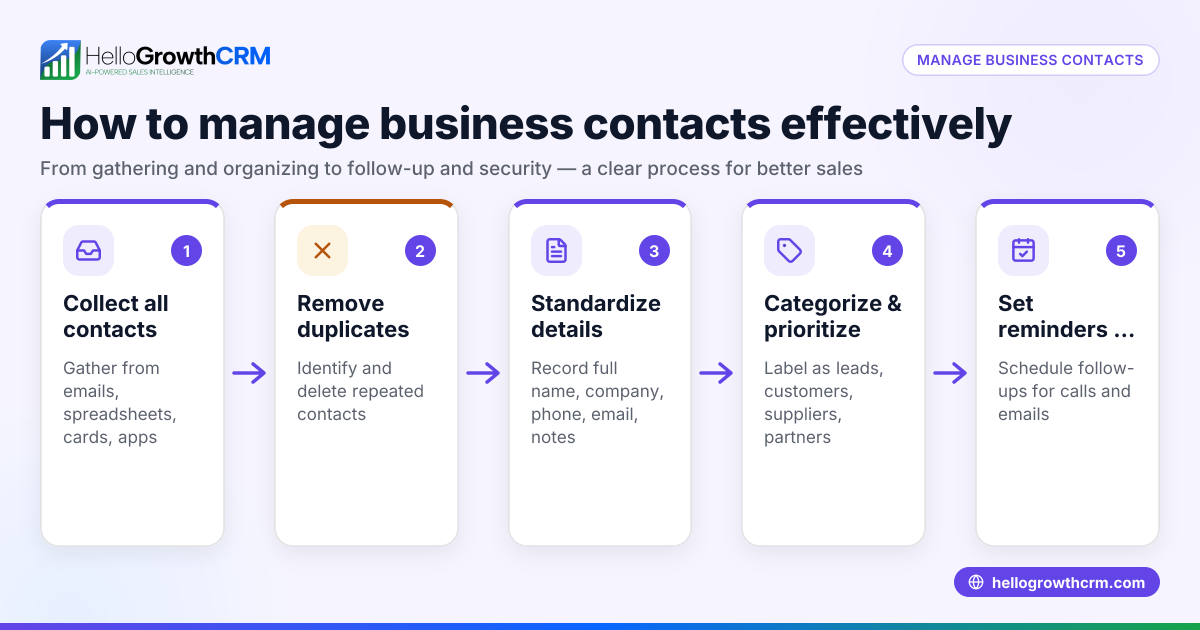
- Create a list of business accounts
- Each account represents a company or organisation you do business with, such as a customer, supplier, or partner.
- Include key details: company name, address, industry, and any registration numbers.
- Add contacts under each account
- For every account, list individual contacts with their full name, job title, phone number, email, and WhatsApp number if available.
- Specify the preferred communication channel.
- Record all interactions
- Log calls, meetings, WhatsApp chats, and emails linked to each contact.
- Note the date, purpose, and outcome of each interaction.
- Schedule follow-ups and tasks
- Set reminders for callbacks or sending quotes.
- Assign tasks to team members if applicable.
- Use a central system to avoid duplication
- Before adding a new contact or account, check if it already exists to prevent duplicates.
- Regularly update contact information
- Confirm details during calls or meetings and update records promptly.
- Segment accounts and contacts
- Group by location, industry, or sales stage to prioritise efforts.
- Review and analyse your data
- Check which accounts have recent activity and which need attention.
Example (fictional figures)
A dental clinic in Jumeirah, Dubai, wants to manage its business accounts and contacts.
- Account: "SmileBright Dental Supplies"
- Contact: "Ahmed Al Farsi", Procurement Manager
- Contact details: Phone +971 50 123 4567, WhatsApp +971 50 123 4567, Email ahmed@smilebright.ae
The clinic logged a call on 15/05/2024 discussing a new order:
- Call date: 15/05/2024
- Purpose: Order of dental equipment
- Outcome: Ahmed requested a quote
Follow-up task set for 18/05/2024 to send the quote.
Financial example of the quote:
- Equipment cost: AED 48,000
- VAT (assumed illustrative rate 5%): AED 48,000 × 5% = AED 2,400
- Total price: AED 48,000 + AED 2,400 = AED 50,400
The clinic tracks this in their system, ensuring no missed steps.
Common mistakes
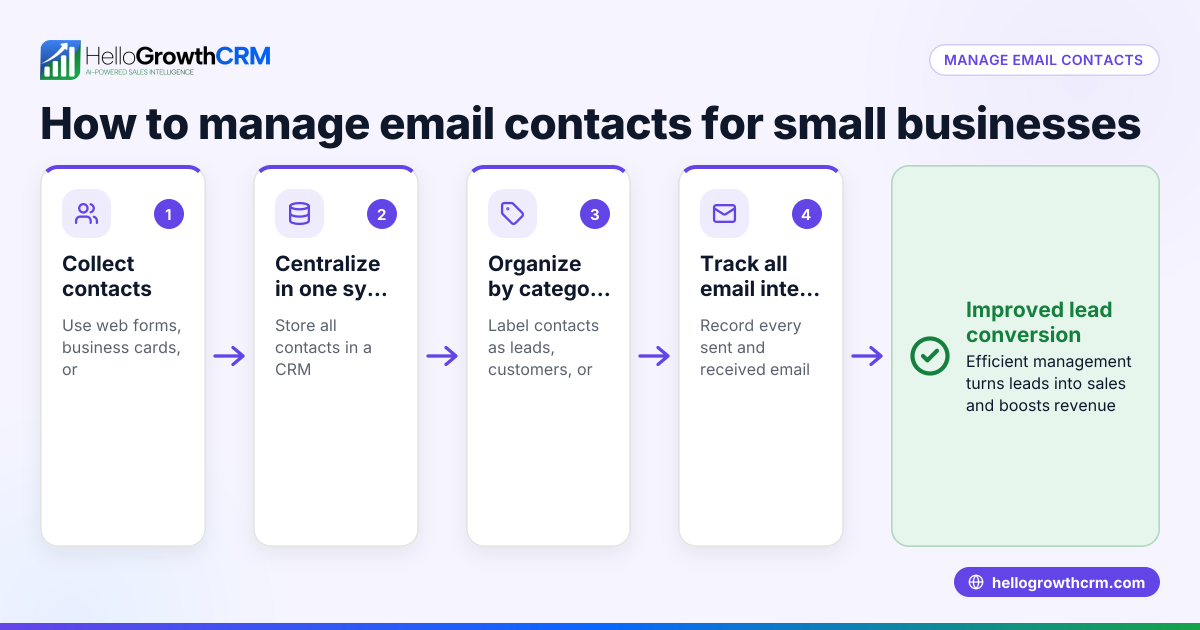
- Not centralising data
- Mistake: Using multiple spreadsheets or apps leads to lost or outdated contact info.
- Prevention: Use a single CRM system to store all accounts and contacts.
- Ignoring follow-ups
- Mistake: Forgetting to call back or send information.
- Prevention: Set tasks and reminders for every interaction.
- Duplicate records
- Mistake: Adding the same contact multiple times with slight variations.
- Prevention: Search existing records before adding new ones.
- Incomplete contact details
- Mistake: Missing phone numbers or emails reduces communication efficiency.
- Prevention: Always collect and verify full contact information.
- No communication history
- Mistake: Forgetting past conversations causes repeated questions and lost context.
- Prevention: Log every call, message, and email.
- Relying on memory
- Mistake: Trying to remember who to call and when.
- Prevention: Use task boards and schedules to manage daily activities.
Doing this in HelloGrowthCRM
HelloGrowthCRM helps manage business accounts and contacts with features like activities and task boards, where each follow-up becomes a task with a due date and the day's calls appear as a list, not a memory test. WhatsApp conversations with leads are logged on their records, and follow-ups can be sent as WhatsApp or SMS messages. Automated sequences run multi-step follow-ups over two weeks and stop immediately when the prospect replies. Learn more about HelloGrowthCRM for the United Arab Emirates, its WhatsApp and SMS CRM, and the built-in CRM dialer.
Frequently asked questions
How do I keep track of multiple contacts within one business account? Create one account record for the business and add each person as a separate contact under it. Include their role and preferred communication method to manage interactions effectively.
What is the best way to avoid losing leads during follow-up? Use task boards or reminder systems to schedule follow-ups immediately after contact. Logging all interactions helps you know when and what to follow up.
Can WhatsApp messages be tracked with contacts? Yes, using tools like HelloGrowthCRM, WhatsApp conversations are logged on the lead record, making it easier to review past chats and continue conversations without losing context.
How often should I update my contact database? Regularly update contact details during calls or meetings. A quarterly review helps keep information current and accurate.
Is it necessary to segment contacts? Segmenting by criteria like location or sales stage helps prioritise efforts and tailor communication, improving sales efficiency.
Key takeaways
- Organise business accounts as companies and contacts as individuals linked to them.
- Log all communications and set follow-up tasks with due dates.
- Avoid duplicates by checking existing records before adding new ones.
- Keep contact details complete and regularly updated.
- Use task boards and communication logs to manage daily sales activities.
- Automate follow-ups and track WhatsApp messages with HelloGrowthCRM.
Managing your business accounts and contacts properly makes sales follow-up easier and prevents lost opportunities. To start organising your contacts and automating follow-ups, Start on the Free Forever plan (200 leads, no credit card).
Ready to put this into practice?
Set up your pipeline, WhatsApp follow-ups, and AI lead scoring in minutes — free, no credit card.
Try HelloGrowthCRM freeGet CRM tips in your inbox
Join thousands of sales professionals who get weekly insights on CRM strategy, AI automation, and pipeline optimization.

The HelloGrowthCRM team publishes guides on CRM strategy, AI sales tools, and revenue operations for small business sales teams.