HelloGrowthCRM software
Built for real small-business sales teams
HelloGrowthCRM helps reps qualify faster, follow up on time, and close more deals—with practical automation in one place.
- AI lead scoring and pipeline visibility
- Built-in dialer, WhatsApp, and email automation
- Sales forecasting and RevOps-ready reporting
Managing customer data efficiently is crucial for small and mid-sized Canadian businesses. Excel is a common tool used for this purpose due to its accessibility and flexibility. This guide walks you through how to set up, maintain, and use Excel to manage your customer data effectively.
Why this comes up / what goes wrong
Many small business owners in Canada start managing customer data in Excel because it’s readily available and familiar. However, without a clear structure, data can become disorganized, making it hard to track leads, follow up, or analyse customer behaviour. Common issues include inconsistent data entry, missing key information, difficulty in updating records, and lack of integration with sales processes. This leads to lost leads, slow follow-up, and inefficient sales efforts.
Step-by-step
- Plan your data fields: Decide what customer information you need to track. Typical fields include:
- Customer ID (unique identifier)
- Full name
- Email address
- Phone number
- Address (city, province, postal code)
- Date of first contact
- Last purchase date
- Total sales value (C$)
- Notes or comments
- Create the Excel spreadsheet:
- Open a new workbook.
- Label the first row with your chosen field names.
- Format columns for appropriate data types (e.g., date, currency).
- Enter customer data consistently:
- Use dropdown lists for fields like province to avoid typos.
- Use consistent date formats (YYYY-MM-DD).
- Enter currency values with the C$ symbol or format cells as currency.
- Use Excel tables:
- Convert your data range into a table (Insert > Table).
- This allows easy sorting, filtering, and automatic formula application.
- Sort and filter data regularly:
- Use filters to segment customers by province, purchase date, or sales value.
- Sort by last purchase date to prioritise follow-ups.
- Maintain data quality:
- Regularly check for duplicates using Excel’s Remove Duplicates tool.
- Update records promptly after customer interactions.
- Track sales and follow-ups:
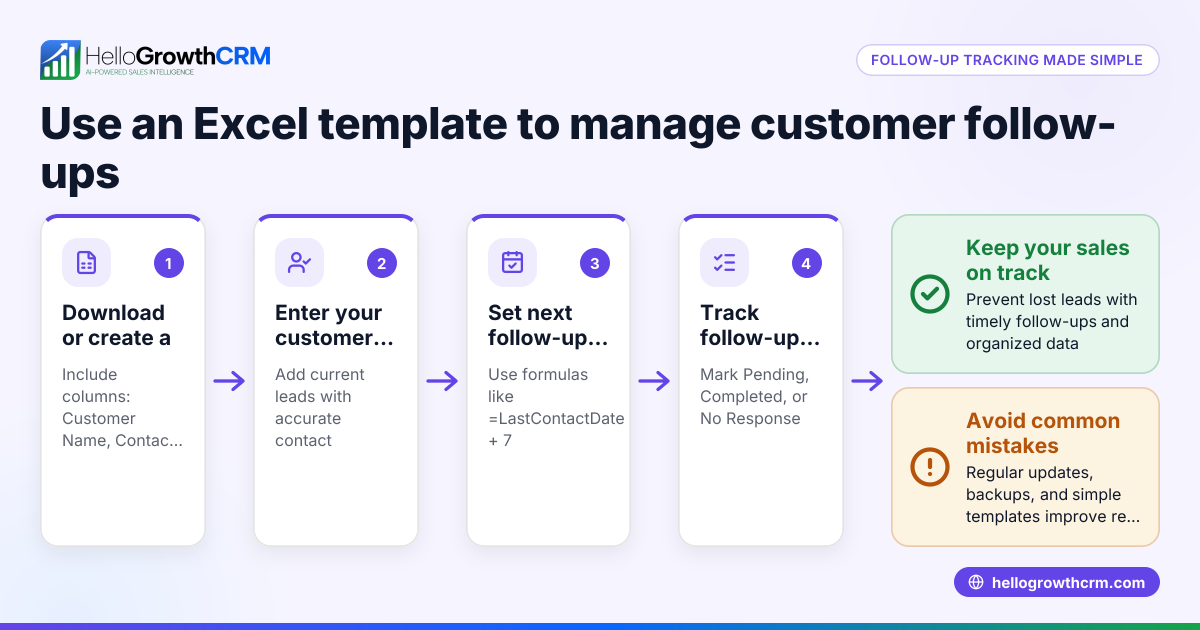
- Add columns for next contact date and follow-up status.
- Use conditional formatting to highlight overdue follow-ups.
- Backup your file:
- Save copies regularly and consider cloud storage for access and security.
- Analyse data:
- Use PivotTables to summarise sales by region or customer segment.
- Create charts to visualise trends.
- Integrate with other tools cautiously:
- Export/import data carefully to avoid errors.
Example (fictional figures)
A staffing agency in Halifax, Nova Scotia, tracks its customers in Excel.
| Customer ID | Full Name | Phone | City | Province | Postal Code | First Contact | Last Purchase | Total Sales | Notes | |
|---|---|---|---|---|---|---|---|---|---|---|
| 001 | Jane Smith | jane@example.ca | 902-555-1234 | Halifax | NS | B3H 2Y9 | 2023-01-10 | 2023-04-15 | C$12,500 | Prefers email |
Calculations:
- Total sales for Jane Smith is entered as C$12,500.
- To find total sales for all customers, use
=SUM(J2:J100)assuming sales data is in column J.
This setup helps the agency sort customers by last purchase date or filter by province to prioritise follow-ups.
Common mistakes
- Inconsistent data entry: Prevent by using dropdown lists and data validation.
- Ignoring duplicates: Regularly use Remove Duplicates to keep data clean.
- Not updating records promptly: Establish a routine to update after every customer contact.
- Poor backup habits: Use cloud storage or scheduled backups to avoid data loss.
- Overloading the spreadsheet: Keep only essential fields to maintain performance.
- No follow-up tracking: Add columns for follow-up dates and use conditional formatting to highlight overdue tasks.
Doing this in HelloGrowthCRM
HelloGrowthCRM offers secure customer data management with data residency in India for teams needing compliance. It includes a built-in dialer allowing telecallers to work through customer lists and log call outcomes directly on lead records. Post-sale, service requests, referrals, and support tickets stay tied to the same customer record, keeping all interactions in one place. Learn more about HelloGrowthCRM for Canada and its WhatsApp and SMS CRM features.
Frequently asked questions
Can Excel handle large customer databases for Canadian businesses? Excel can manage customer data for small to medium-sized lists but may slow down with very large datasets. For growing businesses, specialised CRM software like HelloGrowthCRM can handle larger volumes more efficiently.
How do I keep customer data secure in Excel? Excel files should be password-protected and stored securely, ideally on encrypted drives or cloud services with access controls. For enhanced security and compliance, consider CRM solutions with built-in data protection.
What is the best way to track customer follow-ups in Excel? Add columns for next contact date and follow-up status. Use Excel’s conditional formatting to highlight overdue follow-ups, helping you prioritise leads.
How can I integrate Excel customer data with other sales tools? Export your Excel data as CSV files for import into other tools. Always back up data before importing or exporting to prevent loss or corruption.
Why consider HelloGrowthCRM over Excel for customer data? HelloGrowthCRM provides integrated communication tools like a built-in dialer, secure data residency, and keeps post-sale service requests linked to customer records, improving team efficiency beyond what Excel offers. See more on customer health score.
Key takeaways
- Plan and define essential customer data fields before entering.
- Use Excel tables, dropdowns, and data validation to maintain consistency.
- Regularly clean data by removing duplicates and updating records.
- Track follow-ups with dedicated columns and conditional formatting.
- Backup your Excel file securely to prevent data loss.
- For advanced needs, HelloGrowthCRM offers integrated calling and secure data management.
Managing customer data in Excel is possible with careful setup and maintenance. For Canadian businesses looking to scale or streamline sales and service, HelloGrowthCRM provides tools designed for growing teams.
Start on the Free Forever plan (200 leads, no credit card) to try HelloGrowthCRM today.
Ready to put this into practice?
Set up your pipeline, WhatsApp follow-ups, and AI lead scoring in minutes — free, no credit card.
Try HelloGrowthCRM freeGet CRM tips in your inbox
Join thousands of sales professionals who get weekly insights on CRM strategy, AI automation, and pipeline optimization.

The HelloGrowthCRM team publishes guides on CRM strategy, AI sales tools, and revenue operations for small business sales teams.