HelloGrowthCRM software
Built for real small-business sales teams
HelloGrowthCRM helps reps qualify faster, follow up on time, and close more deals—with practical automation in one place.
- AI lead scoring and pipeline visibility
- Built-in dialer, WhatsApp, and email automation
- Sales forecasting and RevOps-ready reporting
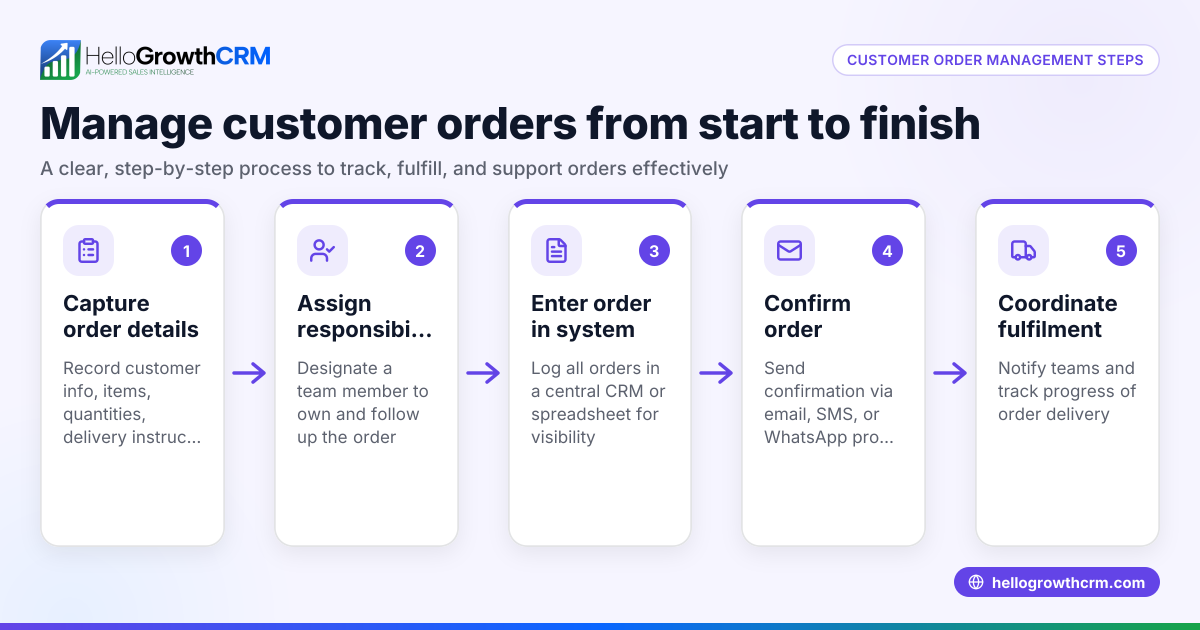
To manage distributor sales orders in Canada effectively, you must handle each order from receipt to delivery carefully. This includes verifying order details, confirming inventory, issuing quotations, tracking order progress, and invoicing accurately. Following these steps reduces errors, speeds up fulfillment, and improves customer satisfaction.
Why this comes up / what goes wrong
Distributor business owners or accountants often face challenges managing sales orders because orders come in various formats—email, phone, or text messages—and details can be incomplete or inconsistent. Without a clear process, orders might be delayed, pricing errors occur, stock shortages happen, or follow-ups are missed. This leads to lost sales, unhappy customers, and accounting headaches. Canadian distributors especially need to manage orders carefully to comply with local tax and shipping rules, and to coordinate field sales teams efficiently.
Step-by-step
- Receive the sales order: Collect orders via email, phone, WhatsApp, or web forms. Ensure you capture customer name, contact info, product codes, quantities, delivery address, and requested delivery date.
- Verify order details: Check that product codes and quantities match your catalogue. Confirm customer credit terms and payment status if applicable.
- Check inventory availability: Confirm stock levels for each product to avoid backorders. If stock is insufficient, note expected restock dates.
- Create a quotation: Prepare a formal quotation including product descriptions, unit prices, quantities, taxes (GST/PST/HST as applicable), delivery charges, and total amount. Include payment terms and expiry date of the quote.
- Send the quotation to the customer: Use email or WhatsApp to send the quotation, and set a follow-up reminder.
- Confirm order acceptance: Once the customer accepts, convert the quotation into a sales order in your system.
- Schedule delivery and logistics: Coordinate with warehouse and shipping to prepare the order for dispatch on the requested date.
- Generate invoice: After shipment, issue an invoice referencing the sales order number, including all tax details.
- Record payment and update accounts: Track payments against invoices and follow up on overdue accounts.
- Review and report sales orders regularly: Check order statuses, delivery performance, and sales trends to improve processes.
Throughout, maintain clear communication with customers and internal teams to avoid delays.
Example (fictional figures)
A Halifax-based distributor, Maritime Supplies Ltd, receives an order on 2024-06-10 from a retail client for 100 units of Product X (SKU 12345) and 50 units of Product Y (SKU 67890).
- Product X unit price: C$150
- Product Y unit price: C$250
- Applicable HST rate: 15%
- Delivery charge: C$100
Step 1: Verify stock
- Product X stock: 120 units available
- Product Y stock: 40 units available (short by 10 units)
Step 2: Prepare quotation
- Product X: 100 × C$150 = C$15,000
- Product Y: 40 × C$250 = C$10,000 (only available quantity)
- Delivery: C$100
- Subtotal: C$15,000 + C$10,000 + C$100 = C$25,100
- HST (15%): C$25,100 × 15% = C$3,765
- Total quotation: C$25,100 + C$3,765 = C$28,865
Step 3: Send quotation with note about backorder of 10 units of Product Y
Step 4: Customer accepts quotation on 2024-06-12
Step 5: Confirm sales order for 100 units Product X, 40 units Product Y, backorder 10 units Product Y
Step 6: Schedule delivery for 2024-06-15
Step 7: Ship products and generate invoice for C$28,865
Step 8: Record payment when received
This example shows how to handle partial stock and tax calculations clearly.
Common mistakes
- Not verifying product codes or quantities: Leads to shipping wrong products or amounts. Prevent by double-checking order details.
- Ignoring stock levels before quoting: Causes backorders and delays. Always confirm inventory first.
- Forgetting tax calculations or using wrong rates: Results in incorrect billing. Use current GST/HST/PST rates applicable to your province. NEEDS EXPERT REVIEW
- Lack of follow-up on quotations: Missed sales opportunities. Set reminders to follow up.
- Poor communication with warehouse or delivery teams: Causes shipment errors. Coordinate order status clearly.
- Not recording payments promptly: Impacts cash flow and accounting accuracy. Update records immediately.
Following these checks ensures smoother order management.
Doing this in HelloGrowthCRM
HelloGrowthCRM supports distributor sales orders with several features:
- Managed RevOps: If you don’t have a sales manager, a revenue specialist handles your follow-up queue weekly, ensuring no quotation or order is forgotten.
- Deals (pipeline): Quotations appear as deals in the "quote sent" stage with follow-up dates, helping you track orders from quote to close.
- Territories, field operations and commissions: Field reps log visits from their phones, and managers see daily activity and commission tracking, improving coordination for distributors.
Learn more about HelloGrowthCRM for Canada and how it helps wholesalers and distributors at Wholesalers and distributors. For communication, see WhatsApp and SMS CRM.
Frequently asked questions
How do I handle backorders in distributor sales orders? If stock is unavailable, notify the customer immediately with expected restock dates. Adjust the quotation accordingly and confirm acceptance before shipping partial quantities.
What taxes apply to distributor sales in Canada? Tax rates depend on the province: GST, PST, or HST may apply. Check the customer's location to apply the correct tax rate. Ensure your invoices show tax amounts clearly. NEEDS EXPERT REVIEW
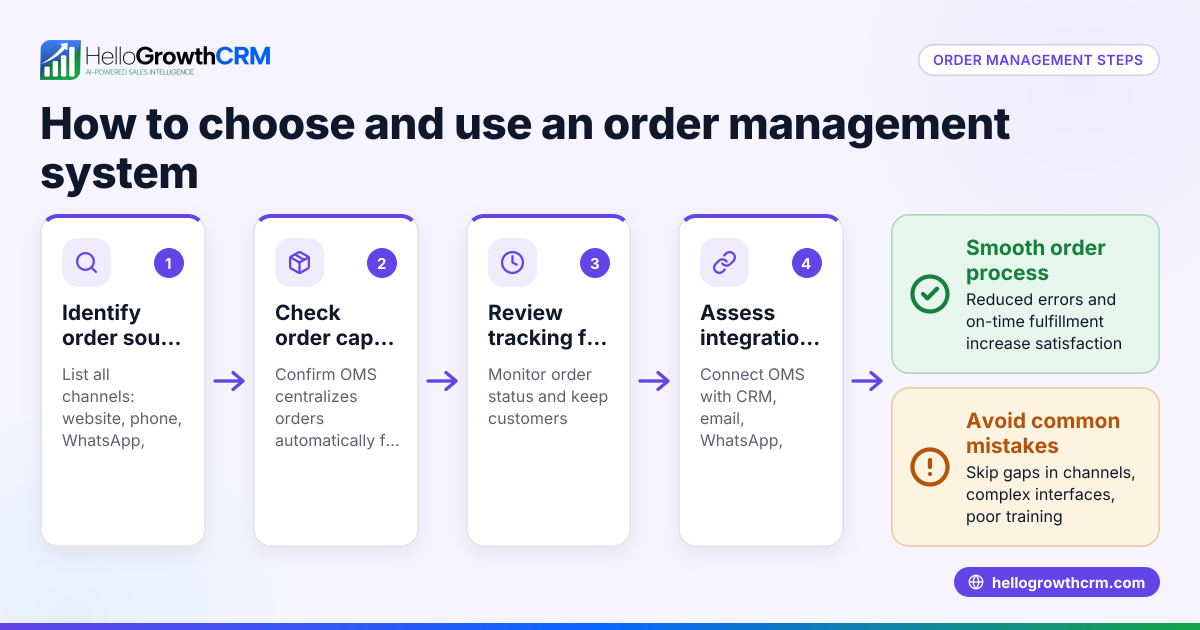
How can I speed up order processing? Use a CRM to capture orders automatically from web forms or messages, track quotations and follow-ups, and coordinate with warehouse teams. Automation reduces manual errors.
Can field sales reps update orders on the go? Yes, with tools like HelloGrowthCRM's field operations features, reps log visits and update order statuses from their mobile devices.
How do I keep track of commissions for distributor sales teams? Link commission tracking to deal outcomes in your CRM to automate calculations and payouts.
Key takeaways
- Verify order details and stock before quoting.
- Prepare clear quotations including taxes and delivery charges.
- Follow up on quotations promptly to confirm orders.
- Coordinate delivery and invoicing accurately.
- Avoid common mistakes like ignoring stock or tax errors.
- Use CRM tools like HelloGrowthCRM to streamline order management and field sales.
Managing distributor sales orders well improves customer satisfaction and cash flow.
Start managing your distributor sales orders more efficiently today. Start on the Free Forever plan (200 leads, no credit card).
Ready to put this into practice?
Set up your pipeline, WhatsApp follow-ups, and AI lead scoring in minutes — free, no credit card.
Try HelloGrowthCRM freeGet CRM tips in your inbox
Join thousands of sales professionals who get weekly insights on CRM strategy, AI automation, and pipeline optimization.

The HelloGrowthCRM team publishes guides on CRM strategy, AI sales tools, and revenue operations for small business sales teams.