HelloGrowthCRM software
Built for real small-business sales teams
HelloGrowthCRM helps reps qualify faster, follow up on time, and close more deals—with practical automation in one place.
- AI lead scoring and pipeline visibility
- Built-in dialer, WhatsApp, and email automation
- Sales forecasting and RevOps-ready reporting
Managing sales orders effectively is crucial for distributors to keep customers satisfied and operations smooth. This guide is aimed at UK distributor business owners and accountants who want a practical method to handle sales orders from receipt to delivery and invoicing.
Why this comes up / what goes wrong
Distributors often face issues like lost or delayed orders, incorrect stock allocation, and poor communication with customers or field sales teams. Without a clear, step-by-step system, orders can be forgotten or duplicated, leading to delays, unhappy customers, and lost revenue. Many distributors still rely on spreadsheets, email, or WhatsApp, which can cause confusion and errors.
Step-by-step
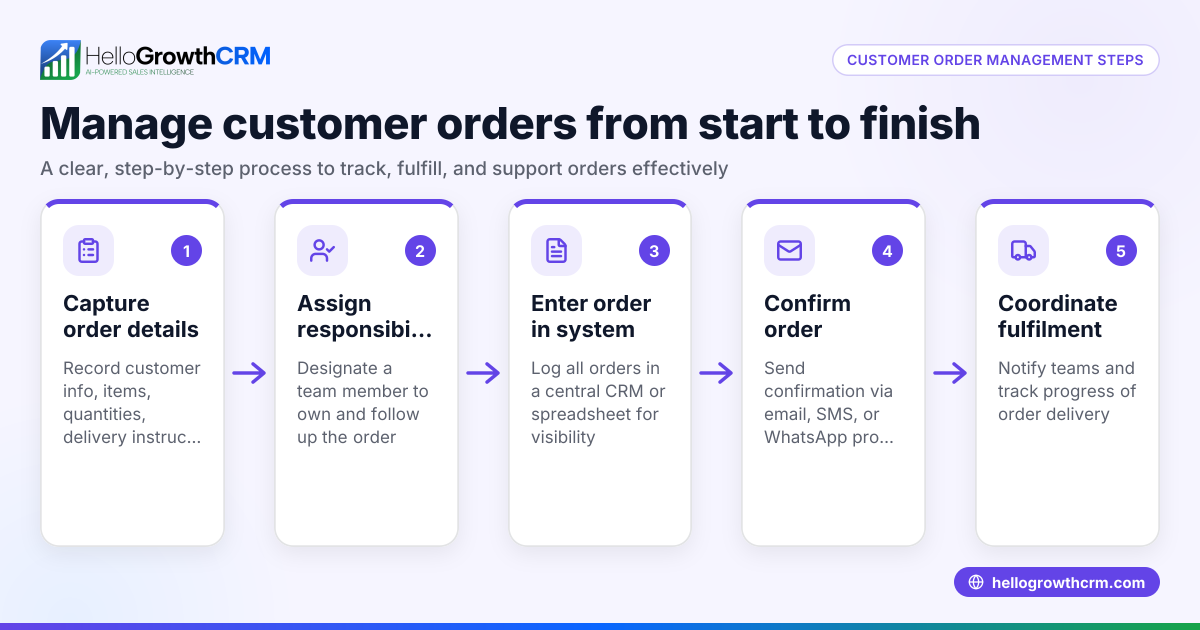
- Receive the sales order
- Collect orders via email, phone, WhatsApp, or your website.
- Check the order details: customer name, delivery address, product codes, quantities, and requested delivery date.
- Confirm the order receipt promptly to the customer.
- Verify stock availability
- Check your inventory for the requested products and quantities.
- If stock is insufficient, notify the customer immediately with alternatives or backorder options.
- Enter the order into your system
- Record the order in a sales order register or CRM pipeline.
- Include customer details, order date, products, quantities, prices, and delivery instructions.
- Assign a unique order number for tracking.
- Prepare and dispatch the order
- Pick the items from stock and pack them securely.
- Generate a delivery note and ensure it matches the order.
- Arrange shipment or delivery, noting the carrier and tracking number.
- Update order status and follow up
- Mark the order as dispatched in your system.
- Notify the customer with delivery details and expected arrival date.
- Schedule a follow-up to confirm receipt and satisfaction.
- Invoice the customer
- Raise an invoice based on the dispatched order.
- Include payment terms and contact details for queries.
- Send the invoice promptly to avoid payment delays.
- Record payment and close the order
- Monitor payment receipt and update the order status.
- If payment is late, send polite reminders.
- Once paid, archive the order documentation for audit and reporting.
- Review and report
- Regularly review sales order data for trends and issues.
- Use reports to forecast demand and manage stock.
For more detailed sales process management tailored to wholesalers and distributors, see Wholesalers and distributors.
Example (fictional figures)
A Glasgow-based distributor of solar panels receives a sales order on 15/03/2024 for 50 solar panels at £1,200 each, delivery requested by 22/03/2024.
- Order value calculation: £1,200 × 50 = £60,000
- Stock check confirms 40 panels available immediately, 10 on backorder.
- Customer is informed and agrees to partial shipment.
- Dispatch 40 panels on 18/03/2024: £1,200 × 40 = £48,000
- Invoice sent for £48,000 with payment due in 30 days.
- Backorder of 10 panels fulfilled on 25/03/2024: £1,200 × 10 = £12,000
- Second invoice sent for £12,000.
- Payments received on 10/04/2024 and 01/04/2024 respectively.
This example shows how to handle partial stock and staged invoicing clearly.
Common mistakes
- Ignoring order confirmation: Always confirm receipt to prevent lost orders.
- Failing to check stock before acceptance: Verify availability to avoid over-promising.
- Not assigning unique order numbers: This causes tracking confusion.
- Delaying dispatch notifications: Keep customers informed to build trust.
- Mixing order and payment records: Separate these to avoid accounting errors.
- Overlooking follow-ups: Regular follow-up ensures payment and customer satisfaction.
Prevent these by following a structured process and using tools designed for distributor sales management like HelloGrowthCRM for the United Kingdom.
Doing this in HelloGrowthCRM
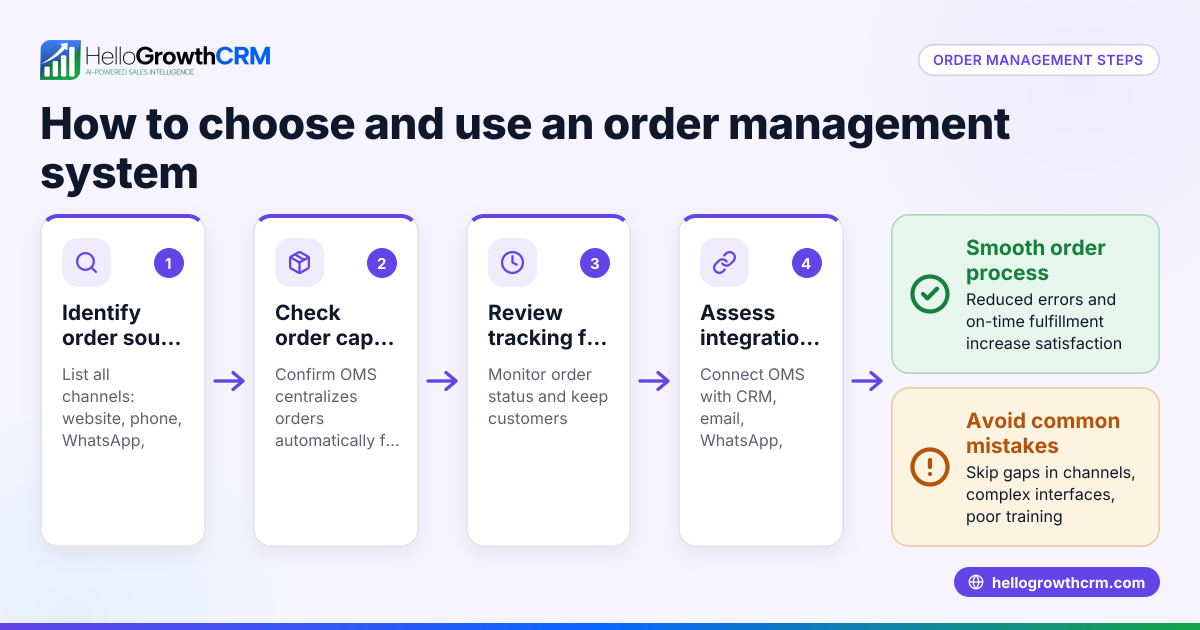
HelloGrowthCRM offers features that help distributors manage sales orders efficiently. Using Deals (pipeline), you can track every quotation and sales order through stages with follow-up dates so no order is forgotten. Territories, field operations and commissions tools allow field reps to log visits and sales on the go, with managers able to see daily activities. For founders without a sales manager, Managed RevOps provides weekly follow-up queue management to keep orders progressing smoothly. Learn more about managing distributor sales orders with HelloGrowthCRM's WhatsApp and SMS CRM.
Frequently asked questions
How do I track multiple orders from the same customer? Assign unique order numbers to each sales order and record them separately in your system. Use a CRM or sales order register to monitor the status of each order individually.
What if a customer wants to change an order after placing it? Review the current order status immediately. If the order is not yet dispatched, update quantities or products accordingly and confirm changes with the warehouse. Communicate any price or delivery adjustments to the customer.
How can I ensure timely payment from customers? Send invoices promptly after dispatch and clearly state payment terms. Schedule reminders for overdue payments and maintain polite communication. Using a CRM with follow-up task boards can automate reminders.
Is it necessary to document every sales order step? Yes, documenting each step helps avoid errors, provides audit trails, and improves customer service. It also supports forecasting and stock management.
Can field sales reps update orders on the go? With tools like HelloGrowthCRM's field operations features, reps can log visits and update sales activities from their mobile devices, improving accuracy and speed.
Key takeaways
- Receive and confirm orders promptly with complete details.
- Verify stock before accepting or confirming orders.
- Use unique order numbers and maintain clear records.
- Communicate dispatch and delivery status to customers.
- Invoice promptly and follow up on payments.
- Use tools like HelloGrowthCRM to streamline order and sales management.
Start managing your distributor sales orders more efficiently today. Start on the Free Forever plan (200 leads, no credit card).
Ready to put this into practice?
Set up your pipeline, WhatsApp follow-ups, and AI lead scoring in minutes — free, no credit card.
Try HelloGrowthCRM freeGet CRM tips in your inbox
Join thousands of sales professionals who get weekly insights on CRM strategy, AI automation, and pipeline optimization.

The HelloGrowthCRM team publishes guides on CRM strategy, AI sales tools, and revenue operations for small business sales teams.