HelloGrowthCRM software
Built for real small-business sales teams
HelloGrowthCRM helps reps qualify faster, follow up on time, and close more deals—with practical automation in one place.
- AI lead scoring and pipeline visibility
- Built-in dialer, WhatsApp, and email automation
- Sales forecasting and RevOps-ready reporting
To manage WhatsApp enquiries with a team in India, you need a clear process that ensures no lead is missed or delayed. This means assigning responsibilities, tracking conversations, and following up systematically. Below, you will find why this problem arises, step-by-step instructions to manage WhatsApp enquiries, a worked example, common mistakes, and a brief overview of how HelloGrowthCRM supports this task.
Why this comes up / what goes wrong
Many small and mid-sized Indian businesses receive customer enquiries on WhatsApp because it is widely used and convenient. However, managing these enquiries with a team can become chaotic because:
- Multiple team members may reply to the same enquiry or leave others unanswered.
- There is no central tracking of conversations, so leads slip through the cracks.
- Sales and telecalling teams often use personal WhatsApp accounts or spreadsheets, which do not sync.
- Follow-ups are missed or delayed, causing lost sales.
These issues cause inefficiency, confusion, and lost revenue.
Step-by-step
- Set up a shared WhatsApp number or Business account for your team.
- Ensure the number is dedicated to customer enquiries.
- Check that all team members can access this number via a shared device or software.
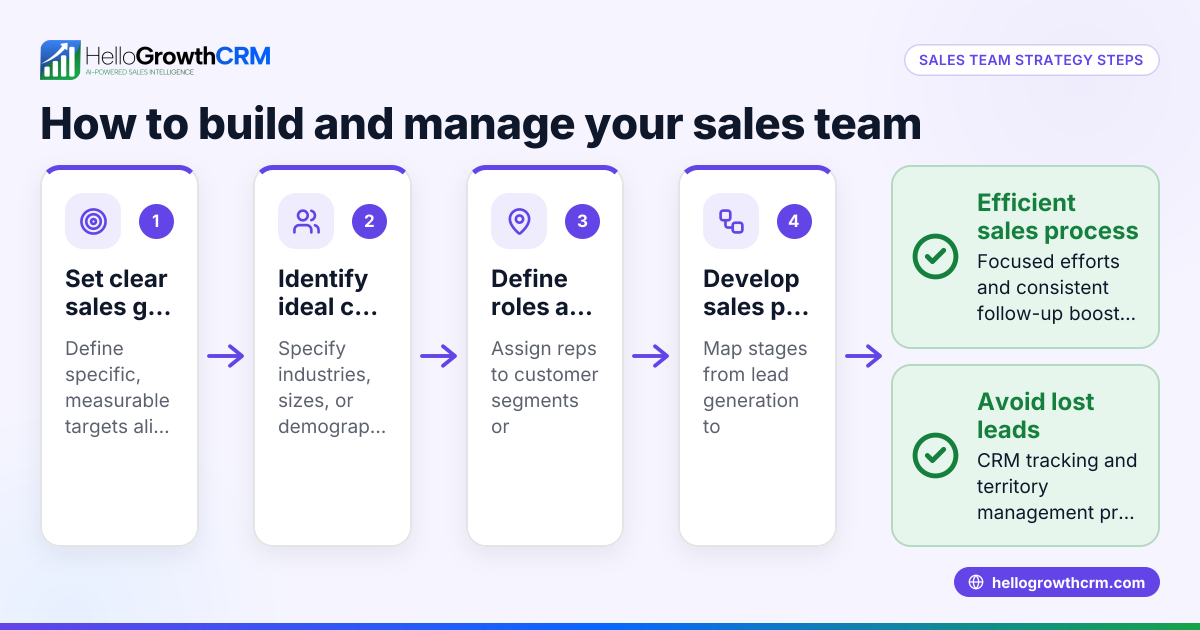
- Assign clear roles to team members.
- For example, one person handles new enquiries, another handles follow-ups, and another manages closing.
- Communicate these roles clearly.
- Use a central system to log and track enquiries.
- Record each lead’s details and conversation history.
- Track the status: new, contacted, interested, follow-up scheduled, closed.
- Assign leads promptly to team members.
- When a new WhatsApp enquiry arrives, assign it to a specific team member.
- Confirm assignment via the tracking system.
- Schedule follow-ups and reminders.
- Use task boards or calendars to set follow-up dates.
- Check daily for pending follow-ups.
- Use templates for common responses but personalise messages.
- This ensures quick replies without sounding robotic.
- Monitor team performance and lead status daily.
- Hold brief daily meetings or reviews.
- Adjust workloads if some team members have too many or too few leads.
- Keep all WhatsApp conversations logged against each lead.
- This helps anyone in the team pick up where another left off.
- Train your team on data privacy and consent when messaging customers.
- Ensure compliance with relevant regulations (NEEDS EXPERT REVIEW).
- Review and improve your process regularly.
- Collect feedback from your team.
- Adjust roles, templates, or tools as needed.
Using a CRM with WhatsApp integration can automate many of these steps.
Example (fictional figures)
Rajesh runs a small electronics store in Bangalore. He receives 50 WhatsApp enquiries per day. He has a 3-person sales team. Here is how he manages them:
- Total enquiries: 50 per day
- Team members: 3
- Leads assigned per person daily = 50 ÷ 3 = 16 or 17 leads
Rajesh assigns 17 leads to Ajay, 17 to Priya, and 16 to Sunil each morning.
Each team member schedules follow-ups for interested leads. For example, Ajay follows up with 10 interested leads:
- Follow-up calls per day: 10
- Time per call: 10 minutes
- Total follow-up time = 10 × 10 minutes = 100 minutes (1 hour 40 minutes)
Ajay blocks 2 hours daily for follow-ups and updates lead statuses in a shared spreadsheet.
This system ensures no enquiry is left unattended and follow-ups happen on time.
Common mistakes
- Using personal WhatsApp numbers for business enquiries.
- Prevent by setting up a dedicated business number.
- No central tracking of conversations.
- Prevent by using a shared CRM or spreadsheet.
- Delays in assigning leads to team members.
- Prevent by assigning leads immediately when they arrive.
- Ignoring follow-ups or forgetting scheduled calls.
- Prevent by setting reminders and daily reviews.
- Multiple team members replying to the same lead, causing confusion.
- Prevent by clear lead ownership and logging conversations.
- Not training the team on privacy and consent.
- Prevent by conducting regular training sessions (NEEDS EXPERT REVIEW).
Doing this in HelloGrowthCRM
HelloGrowthCRM offers WhatsApp and SMS workflows that help teams engage leads on channels where they already respond. WhatsApp conversations with a lead are logged on the lead record, and follow-ups can be sent as messages. This centralises communication, assigns leads automatically, and tracks all conversations in one place, reducing missed enquiries and delays. Learn more about the WhatsApp and SMS CRM and how HelloGrowthCRM for India supports your team. You can also use the built-in CRM dialer to call leads directly from the system.
Frequently asked questions
Can multiple team members use the same WhatsApp number for business? Yes, by using WhatsApp Business API or shared access tools, multiple team members can manage the same number. This helps centralise messages and ensures no enquiry is missed. However, setting this up requires careful coordination (NEEDS EXPERT REVIEW).
How do I ensure quick follow-ups on WhatsApp enquiries? Assign leads immediately when enquiries come in. Use reminders or task boards to schedule follow-ups. Regularly review pending leads to avoid delays.
Is it legal to message customers on WhatsApp for sales in India? Messaging customers requires consent and must comply with privacy regulations such as the DPDP Act 2023 (NEEDS EXPERT REVIEW). Always obtain clear opt-in before sending promotional messages.
Can I automate WhatsApp replies for common questions? Yes, using templates or chatbots can speed up replies. However, personalise messages to maintain customer trust.
How can a CRM help manage WhatsApp enquiries? A CRM centralises lead data, logs conversations, assigns leads, schedules follow-ups, and tracks team activity. This reduces errors and improves response times.
Key takeaways
- Use a dedicated WhatsApp Business number shared by your team.
- Assign leads promptly and track them centrally.
- Schedule and monitor follow-ups daily.
- Log all WhatsApp conversations against each lead.
- Avoid personal WhatsApp for business enquiries.
- Train your team on privacy and consent rules (NEEDS EXPERT REVIEW).
Managing WhatsApp enquiries with a team can be straightforward with the right process and tools. To start, try HelloGrowthCRM’s WhatsApp and SMS features that log conversations and help your team follow up efficiently.
Start on the Free Forever plan (200 leads, no credit card) today and organise your WhatsApp enquiries better.
Ready to put this into practice?
Set up your pipeline, WhatsApp follow-ups, and AI lead scoring in minutes — free, no credit card.
Try HelloGrowthCRM freeGet CRM tips in your inbox
Join thousands of sales professionals who get weekly insights on CRM strategy, AI automation, and pipeline optimization.

The HelloGrowthCRM team publishes guides on CRM strategy, AI sales tools, and revenue operations for small business sales teams.