HelloGrowthCRM software
Built for real small-business sales teams
HelloGrowthCRM helps reps qualify faster, follow up on time, and close more deals—with practical automation in one place.
- AI lead scoring and pipeline visibility
- Built-in dialer, WhatsApp, and email automation
- Sales forecasting and RevOps-ready reporting
Organising customer contact information effectively means gathering all essential details—such as customer names, phone numbers, email addresses, and notes—into a single system. Then, categorise contacts by type or status and keep the information current. This helps you respond faster, personalise communication, and avoid losing leads.
Why this comes up / what goes wrong
Small-business owners in New Zealand often start with customer contact information scattered across text messages, emails, spreadsheets, or paper notes. This fragmentation causes delays in follow-up, lost leads, and duplicated efforts. Without a clear system, sales teams struggle to know who to contact, when, and with what message. This reduces sales efficiency and can frustrate customers.
Step-by-step
- Gather all existing customer contacts: Collect data from emails, phone contacts, spreadsheets, and paper records. Check for duplicates and outdated entries.
- Choose a single storage system: Use a spreadsheet, dedicated CRM, or database to keep contacts in one place. Ensure it is accessible to your sales team.
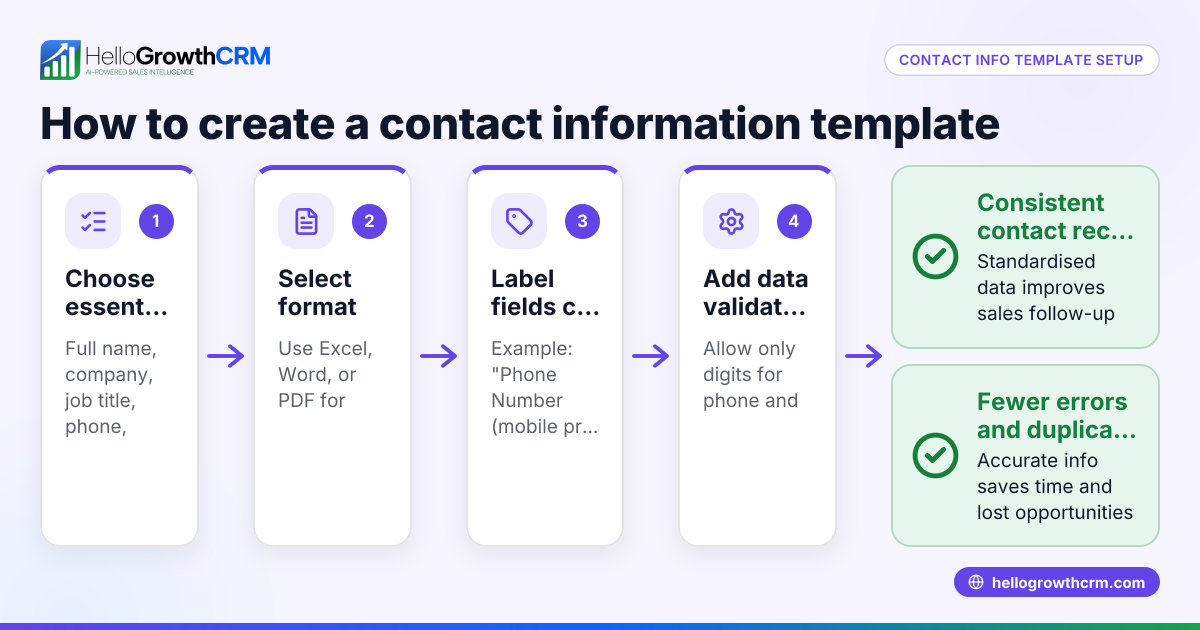
- Define essential fields: At minimum, record customer full name, phone number, email address, company name (if B2B), physical address, and notes about preferences or past interactions.
- Categorise contacts: Add tags or columns for customer type (e.g., lead, active customer, prospect), source (e.g., website, referral), and status (e.g., contacted, follow-up needed).
- Standardise data entry: Use consistent formats for phone numbers (e.g., +64 21 123 4567), dates (DD/MM/YYYY), and names to avoid confusion.
- Set regular updates and reviews: Assign someone to update contact information weekly or monthly to remove duplicates, update status, and add notes.
- Back up your data: Keep copies of your contact list in a secure location to avoid loss.
- Train your team: Ensure everyone entering or using contact information follows the same process.
- Use automation where possible: Consider tools that capture leads directly from your website or integrate WhatsApp and SMS communications to keep contact data current without manual entry.
- Monitor contact engagement: Track when customers were last contacted and schedule reminders to follow up.
Example (fictional figures)
Hamilton-based dairy-equipment supplier “DairyTech NZ” has 1,200 customer contacts scattered across emails and spreadsheets. They decide to organise their contacts in a spreadsheet.
- Step 1: Gather contacts from email and spreadsheets, finding 1,200 entries.
- Step 2: Remove 150 duplicates.
1,200 - 150 = 1,050 unique contacts
- Step 3: Add columns for Name, Phone, Email, Company, Last Contact Date, and Notes.
- Step 4: Categorise contacts as Leads (400), Active Customers (500), and Past Customers (150).
- Step 5: Standardise phone numbers to format +64 21 XXX XXXX.
- Step 6: Assign sales assistant to update contacts monthly.
- Step 7: Back up spreadsheet weekly to cloud storage.
- Step 8: Train team on data entry and follow-up procedures.
- Step 9: Use a web form to capture new leads directly into the spreadsheet.
- Step 10: Use colour coding to highlight contacts needing follow-up this month (200 contacts).
Common mistakes
- Scattered data sources: Prevent by consolidating all contacts into one system immediately.
- Inconsistent data formats: Prevent by setting standards for phone numbers, emails, and dates.
- No regular updates: Prevent by scheduling monthly reviews and assigning responsibility.
- Ignoring duplicates: Prevent by running duplicate checks before importing or adding new contacts.
- Lack of team training: Prevent by documenting procedures and training all users.
- Not tracking contact engagement: Prevent by using reminders or CRM features to follow up on leads.
Doing this in HelloGrowthCRM
HelloGrowthCRM helps you keep customer contact information organised by storing service requests, support tickets, and referral tracking on the same customer record as the deal. Its branded self-service customer portal and knowledge base improve communication and reduce data fragmentation after the sale. Learn more about how HelloGrowthCRM supports New Zealand businesses at HelloGrowthCRM for New Zealand.
Frequently asked questions
How do I choose the best way to store customer contact information? Choose a system that your team can easily access and update, such as a spreadsheet or a CRM. Consider your business size and growth plans; CRMs offer automation and integration features that spreadsheets lack.
How often should I update my customer contact list? Review and update your contact list at least monthly to remove duplicates, add new information, and update statuses. Frequent updates prevent lost leads and improve follow-up timing.
Can I organise customer contacts from WhatsApp and SMS? Yes, integrating WhatsApp and SMS communications into your contact management system helps keep conversations and contact details together. HelloGrowthCRM offers WhatsApp and SMS CRM features to streamline this process. See WhatsApp and SMS CRM for details.
What is a customer health score and how does it relate to contact organisation? A customer health score measures engagement and activity levels to prioritise follow-ups. Organising contact information with engagement data helps improve sales focus. HelloGrowthCRM includes a customer health score feature.
How do I handle referrals in my contact system? Track referrals by linking them to the original customer record to reward and manage them efficiently. HelloGrowthCRM supports referral programme tracking within the customer portal.
Key takeaways
- Consolidate all customer contacts into one accessible system.
- Use consistent data formats and categorise contacts clearly.
- Update contact information regularly and assign responsibility.
- Train your team on data entry and follow-up procedures.
- Use tools that integrate communication channels like WhatsApp and SMS.
- Track engagement to prioritise leads and improve sales efficiency.
Start organising your customer contact information today with a system that fits your business needs. To try a CRM that keeps service requests and referrals linked to each customer, start on the Free Forever plan (200 leads, no credit card).
Ready to put this into practice?
Set up your pipeline, WhatsApp follow-ups, and AI lead scoring in minutes — free, no credit card.
Try HelloGrowthCRM freeGet CRM tips in your inbox
Join thousands of sales professionals who get weekly insights on CRM strategy, AI automation, and pipeline optimization.

The HelloGrowthCRM team publishes guides on CRM strategy, AI sales tools, and revenue operations for small business sales teams.