HelloGrowthCRM software
Built for real small-business sales teams
HelloGrowthCRM helps reps qualify faster, follow up on time, and close more deals—with practical automation in one place.
- AI lead scoring and pipeline visibility
- Built-in dialer, WhatsApp, and email automation
- Sales forecasting and RevOps-ready reporting
Storing client information properly is essential for retail businesses to maintain strong customer relationships, enable quick follow-up, and support sales growth. This guide is designed for US retail store owners and accountants who want a clear, practical method to organize client data securely and efficiently.
Why this comes up / what goes wrong
Many retail business owners rely on scattered notes, text messages, or spreadsheets that are not well organized. This leads to lost or outdated contacts, slow customer follow-up, and difficulty tracking purchase history. Accountants need accurate client data for invoicing and reporting, but inconsistent records make this challenging. Without a clear process, data can become incomplete or insecure, risking customer trust and compliance with privacy laws.
Step-by-step
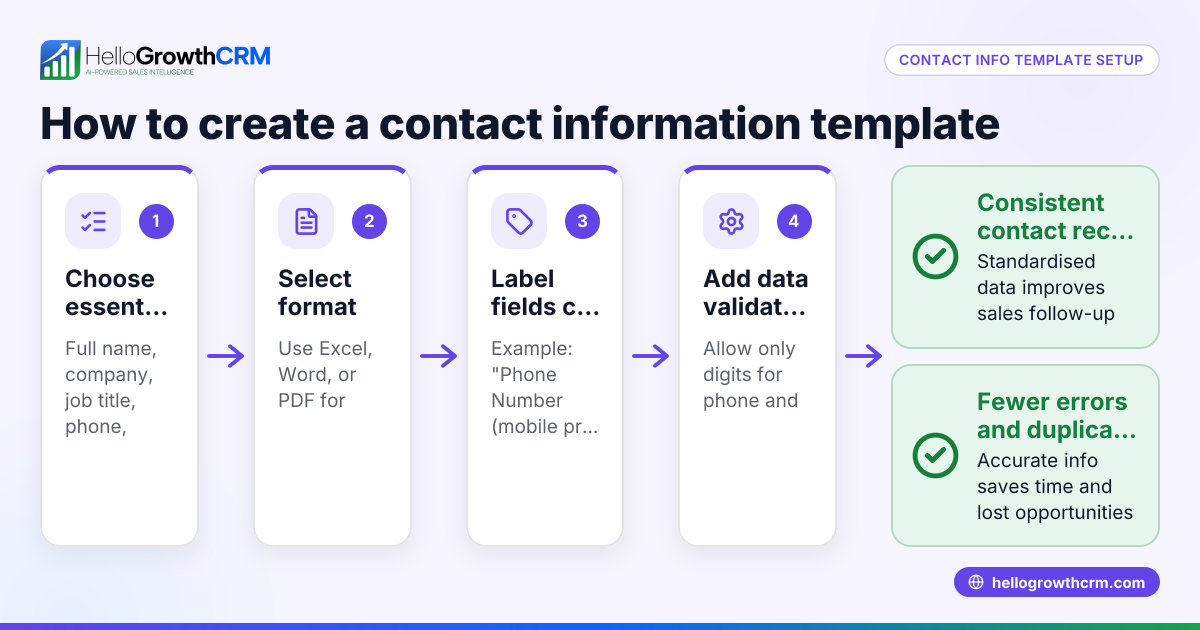
- Decide what client information to collect:
- Full name
- Phone number
- Email address
- Mailing address
- Purchase history (items, dates, amounts)
- Preferred contact method (phone, email, text)
- Notes on preferences or special requests Check that each field is relevant to your business and complies with privacy regulations.
- Choose a secure storage method:
- Use a dedicated system such as a CRM or a password-protected spreadsheet.
- Ensure it allows easy updating, searching, and sorting.
- Avoid storing sensitive payment information unless encrypted.
- Create a consistent data entry process:
- Train staff to enter client details immediately after each interaction.
- Use standardized formats (e.g., MM/DD/YYYY for dates).
- Double-check entries for accuracy and completeness.
- Protect the data:
- Restrict access to authorized personnel only.
- Use passwords and encryption where possible.
- Back up data regularly to prevent loss.
- Update and clean data regularly:
- Review your client list monthly to remove duplicates or outdated contacts.
- Confirm contact details during visits, calls, or emails.
- Use client data to improve service:
- Segment clients by purchase history or preferences.
- Personalize marketing, promotions, and follow-ups.
- Stay compliant with data privacy laws:
- Understand US data privacy laws applicable to your retail business.
- Inform clients clearly about how their data will be used.
For more about managing your retail business, see Retail shops.
Example (fictional figures)
Sunshine Apparel, a retail clothing store in Phoenix, Arizona, wants to store client information for three recent customers. They track phone, email, last purchase date, and purchase amount.
| Customer | Phone | Last Purchase Date | Purchase Amount | |
|---|---|---|---|---|
| John D. | 480-555-1234 | johnd@example.com | 06/01/2026 | $120 |
| Lisa M. | 480-555-5678 | lisam@example.com | 06/03/2026 | $250 |
| Mark S. | 480-555-9012 | marks@example.com | 06/05/2026 | $180 |
Step 1: Collect all fields above.
Step 2: Use a spreadsheet with columns for each field.
Step 3: Enter data immediately after each sale.
Step 4: Password-protect the spreadsheet to secure data.
Step 5: Review client list monthly and confirm contact details by phone.
Step 6: Segment customers who spent over $200 for targeted promotions.
Step 7: Inform customers at checkout about how their data will be used.
Calculation example for segmentation:
Lisa M.'s purchase amount is $250.
$250 > $200, so Lisa qualifies for the targeted promotion.
John D.'s purchase amount is $120.
$120 < $200, so John does not qualify.
Mark S.'s purchase amount is $180.
$180 < $200, so Mark does not qualify.
Total purchase amount for all three customers:
$120 + $250 = $370
$370 + $180 = $550
Average purchase amount:
$550 ÷ 3 = $183.33
This average helps Sunshine Apparel understand typical customer spend.
Common mistakes
- Incomplete data collection: Prevent by using a checklist of required fields.
- Storing data insecurely: Use password protection and limit access.
- Delayed data entry: Enter information immediately after each customer interaction.
- Ignoring data updates: Schedule monthly reviews to keep data current.
- Mixing personal and payment data: Keep payment info separate and encrypted.
- Not informing clients about data use: Always disclose your data policies clearly.
Managing client information well supports better customer service and sales growth. Learn more about Retail shops and organizing your sales process efficiently.
Frequently asked questions
What is the best way to store client information for a small retail store? A simple spreadsheet with fields for contact details and purchase history works well. Ensure it is password-protected and backed up regularly. Alternatively, a basic CRM can provide more features.
How often should I update my client information? Update client data regularly, ideally monthly, by confirming details during visits, phone calls, or emails to avoid outdated information.
Can I store client information on my phone or text messages? Storing client data on phones or in text messages is not secure or well organized. Use a dedicated system that allows easy searching and protects privacy, such as a CRM or a secure spreadsheet.
What data privacy laws apply to storing client information in the US? Data privacy laws vary by state and industry. Generally, you must inform clients how their data will be used and protect it from unauthorized access.
How can I use stored client data to improve my retail sales? Segment customers by purchase history or preferences to personalize marketing and follow-ups. This increases repeat sales and customer loyalty.
Learn how HelloGrowthCRM supports WhatsApp and SMS CRM for communication and sales management.
Key takeaways
- Collect essential client fields consistently and accurately.
- Use a secure, organized method like spreadsheets or CRM.
- Enter and update data promptly to maintain accuracy.
- Protect client data with access controls and backups.
- Inform clients about data use and comply with privacy laws.
- Use client data to personalize service and marketing.
Start organizing your client information today. Start on the Free Forever plan (200 leads, no credit card) to manage your contacts and sales efficiently.
Ready to put this into practice?
Set up your pipeline, WhatsApp follow-ups, and AI lead scoring in minutes — free, no credit card.
Try HelloGrowthCRM freeGet CRM tips in your inbox
Join thousands of sales professionals who get weekly insights on CRM strategy, AI automation, and pipeline optimization.

The HelloGrowthCRM team publishes guides on CRM strategy, AI sales tools, and revenue operations for small business sales teams.