HelloGrowthCRM software
Built for real small-business sales teams
HelloGrowthCRM helps reps qualify faster, follow up on time, and close more deals—with practical automation in one place.
- AI lead scoring and pipeline visibility
- Built-in dialer, WhatsApp, and email automation
- Sales forecasting and RevOps-ready reporting
Organizing customer contact information effectively means having a single, reliable source where you can find and update customer details quickly. This helps your business follow up promptly, personalize communication, and manage sales or service efficiently.
Why this comes up / what goes wrong
Many small-business owners in the USA start with customer contacts scattered across spreadsheets, email inboxes, text messages, and paper notes. This leads to missed follow-ups, lost leads, and duplicated efforts. Without a clear system, it becomes hard to track interactions or segment customers for marketing. Sales teams working on WhatsApp or SMS without integration often lose context, causing delays and confusion.
Step-by-step
- Collect all existing customer contacts: Gather contacts from all sources—spreadsheets, email lists, text message threads, business cards, and notes. Check for duplicates.
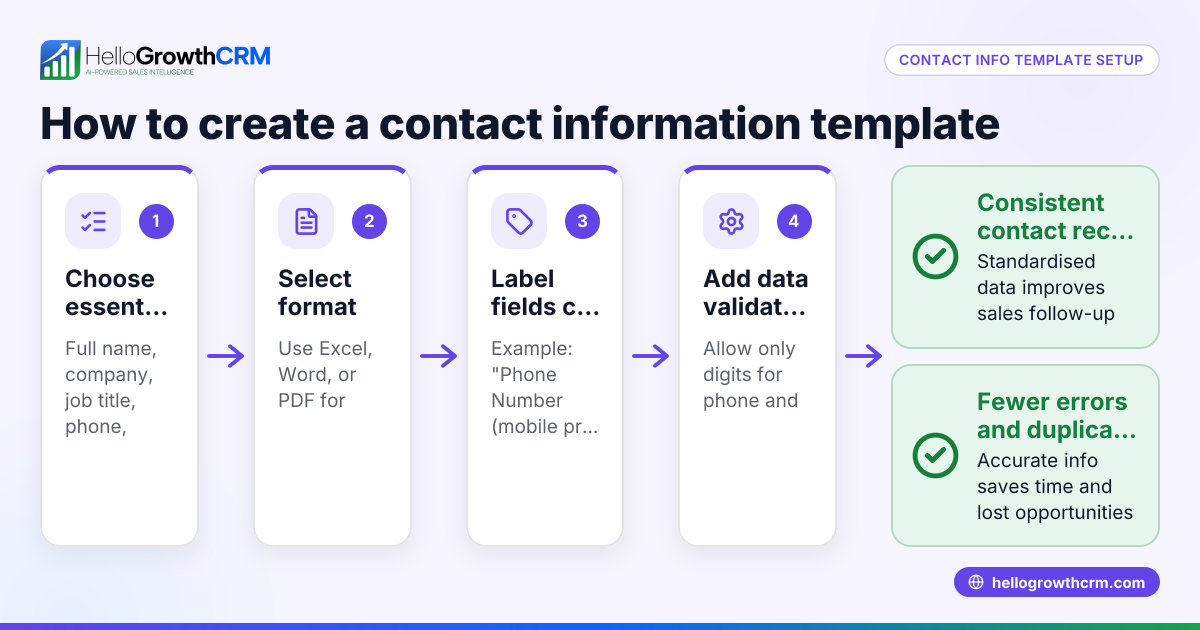
- Choose essential fields to store: At minimum, keep these fields for each contact:
- Full name
- Phone number(s) (mobile and landline)
- Email address
- Physical address (if applicable)
- Company name (if B2B)
- Preferred contact method (phone, email, WhatsApp, SMS)
- Notes on customer preferences or previous interactions
- Standardize data format: Use consistent formatting for phone numbers (e.g., +1-XXX-XXX-XXXX), emails (all lowercase), and addresses (street, city, state, ZIP). This avoids confusion and helps sorting.
- Choose a storage method: Use a digital system that allows easy searching and updating. Options include CRM software, or at minimum, a well-structured spreadsheet. Avoid storing contacts only in email or messaging apps.
- Organize contacts into groups or tags: Categorize contacts by customer type, lead status, or region. This helps targeted follow-ups and reporting.
- Set regular update routines: Schedule weekly or monthly checks to update contact details and remove duplicates or inactive contacts.
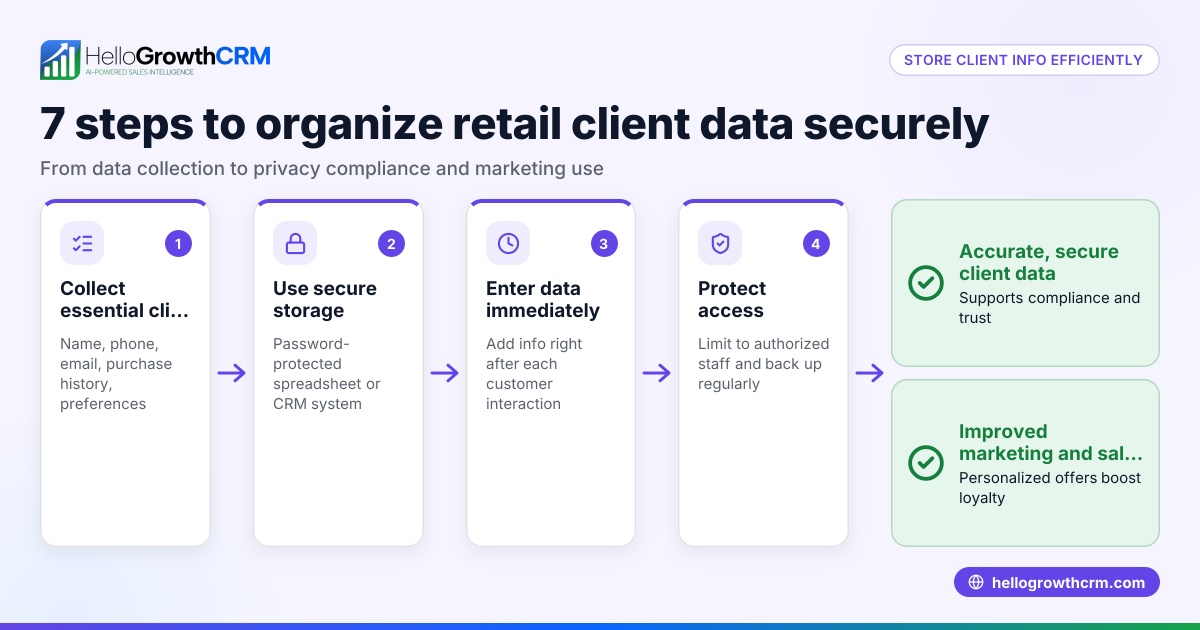
- Secure your data: Ensure access controls and backups to protect customer privacy and prevent data loss.
- Train your team: Make sure everyone who handles contacts understands the system and follows the same process.
For more on tracking customer engagement and health, see customer health score.
Example (fictional figures)
A landscaping contractor in Charlotte, North Carolina, has 500 customer contacts scattered across spreadsheets and WhatsApp chats. They want to organize contacts by 03/01/2024.
- Step 1: Collect contacts from 3 spreadsheets (200, 150, 100 entries) and WhatsApp chat (50 contacts). Total contacts = 200 + 150 + 100 + 50 = 500
- Step 2: Identify duplicates (50 found) and remove them. Unique contacts = 500 - 50 = 450
- Step 3: Standardize phone numbers to format +1-XXX-XXX-XXXX.
- Step 4: Choose a CRM or spreadsheet with columns: Name, Phone, Email, Address, Notes.
- Step 5: Tag contacts as 'Lead', 'Active Customer', or 'Past Customer'.
- Step 6: Schedule monthly reviews starting 04/01/2024 to update info.
- Step 7: Secure data with password protection and backup weekly.
This process reduces lost leads and improves follow-up speed.
Common mistakes
- Not consolidating all sources: Leads to duplicates and missed contacts. Prevent by gathering all data first.
- Inconsistent data formats: Causes errors in searching or contacting. Prevent by setting formatting rules.
- Ignoring updates: Outdated info wastes time. Prevent by scheduling regular reviews.
- Storing data in unsecured or inaccessible places: Risks data loss or breaches. Prevent by using secure, central storage.
- No team training: Leads to inconsistent data entry. Prevent by documenting procedures and training.
- Not categorizing contacts: Makes targeted communication difficult. Prevent by tagging or grouping contacts.
For organizing sales communication on WhatsApp and SMS, see WhatsApp and SMS CRM.
Doing this in HelloGrowthCRM
HelloGrowthCRM helps organize customer contact information by keeping service requests, referrals, and tickets on the same customer record as the deal. Its branded customer portal allows customers to self-serve, reducing back-and-forth. You can track referrals and maintain a knowledge base linked to each contact. This keeps all relevant data centralized after the sale. Learn more about HelloGrowthCRM for the USA here.
Frequently asked questions
How can I keep customer contact information secure? Use password-protected systems with regular backups. Limit access to trusted team members. Avoid storing sensitive info in unsecured spreadsheets or messaging apps.
What is the best way to categorize customer contacts? Categorize by customer status (lead, active, past), region, or preferred contact method. This helps tailor follow-ups and marketing.
How often should I update customer contact information? Update at least monthly to remove duplicates, correct errors, and add new details. Regular updates keep your data reliable.
Can I organize contacts if I mostly use WhatsApp and SMS for sales? Yes, using a CRM that integrates WhatsApp and SMS can centralize contacts and conversations, preventing lost leads. HelloGrowthCRM offers this feature.
What fields are essential for organizing customer contacts? At minimum, store full name, phone number, email, physical address (if needed), company name (for B2B), preferred contact method, and notes on preferences.
Key takeaways
- Collect and consolidate all customer contacts from every source.
- Use consistent fields and formats for each contact.
- Store data securely in a central digital system.
- Categorize contacts for targeted communication.
- Schedule regular updates and train your team.
- Use tools like HelloGrowthCRM to keep customer info and service requests together.
Organizing your customer contact information is the foundation for reliable sales and service follow-up. Start today with a clear system and keep it updated. To get started with a CRM that supports customer portals, referrals, and tickets on one record, start on the Free Forever plan (200 leads, no credit card).
Ready to put this into practice?
Set up your pipeline, WhatsApp follow-ups, and AI lead scoring in minutes — free, no credit card.
Try HelloGrowthCRM freeGet CRM tips in your inbox
Join thousands of sales professionals who get weekly insights on CRM strategy, AI automation, and pipeline optimization.

The HelloGrowthCRM team publishes guides on CRM strategy, AI sales tools, and revenue operations for small business sales teams.