HelloGrowthCRM software
Built for real small-business sales teams
HelloGrowthCRM helps reps qualify faster, follow up on time, and close more deals—with practical automation in one place.
- AI lead scoring and pipeline visibility
- Built-in dialer, WhatsApp, and email automation
- Sales forecasting and RevOps-ready reporting
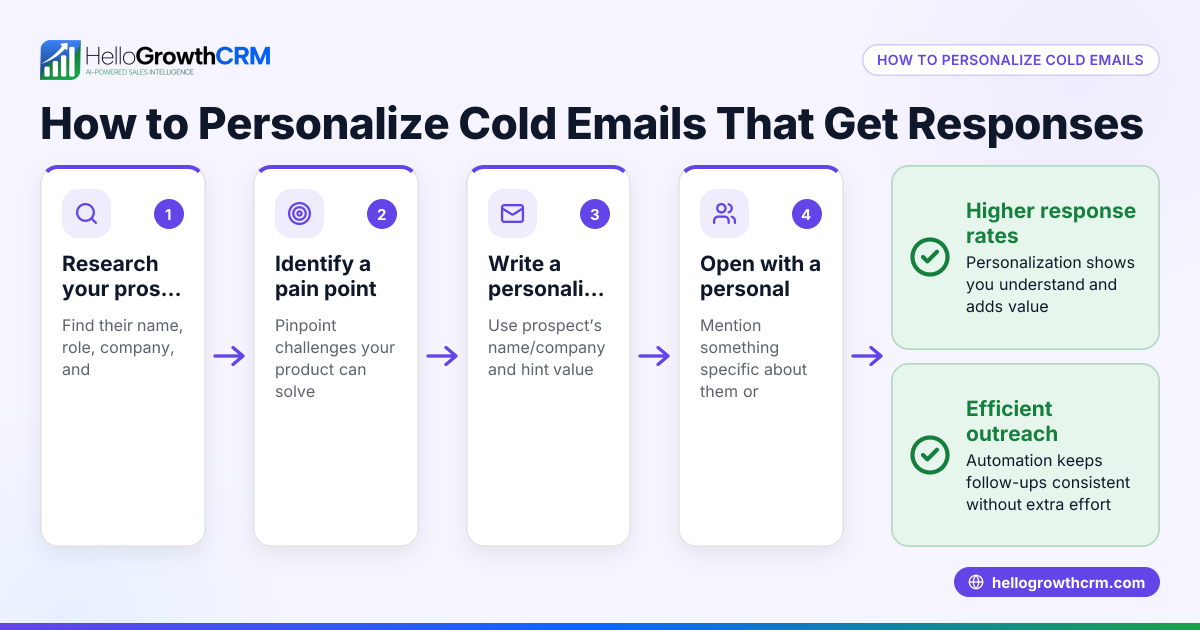
Personalising customer email messages means making each email relevant and specific to the recipient. This involves using customer data you have to customise greetings, content, and offers, rather than sending generic messages. Doing this well can improve your response rates and build stronger relationships.
Why this comes up / what goes wrong
Small business owners in New Zealand often lose leads or fail to engage customers because their email messages feel generic or irrelevant. They might send bulk emails without personal touches or struggle to keep track of customer details manually in spreadsheets. This leads to slower follow-up and lower sales conversion. Personalising emails requires knowing what customer information to use and how to apply it effectively.
Step-by-step
- Gather customer data
- Collect basic details such as first name, company name, location, and purchase or inquiry history.
- Check your records for any notes on customer preferences or past communications.
- Choose the right email template
- Use a base email template that allows placeholders for personal details like {{FirstName}} or {{Company}}.
- Ensure the template tone fits your brand and customer type.
- Insert personalisation tokens
- Replace placeholders with actual customer data before sending.
- Double-check that the data fields are complete to avoid errors like "Dear {{FirstName}}".
- Reference recent interactions
- Mention recent purchases, inquiries, or conversations to show attention to detail.
- For example, "Following up on your interest in our Auckland properties..."
- Tailor the offer or call to action
- Suggest products or services relevant to the customer's needs or location.
- Avoid generic offers that don’t connect with the recipient.
- Proofread and test
- Send test emails to yourself or a colleague to verify personalisation works and the message reads naturally.
- Schedule or automate follow-ups
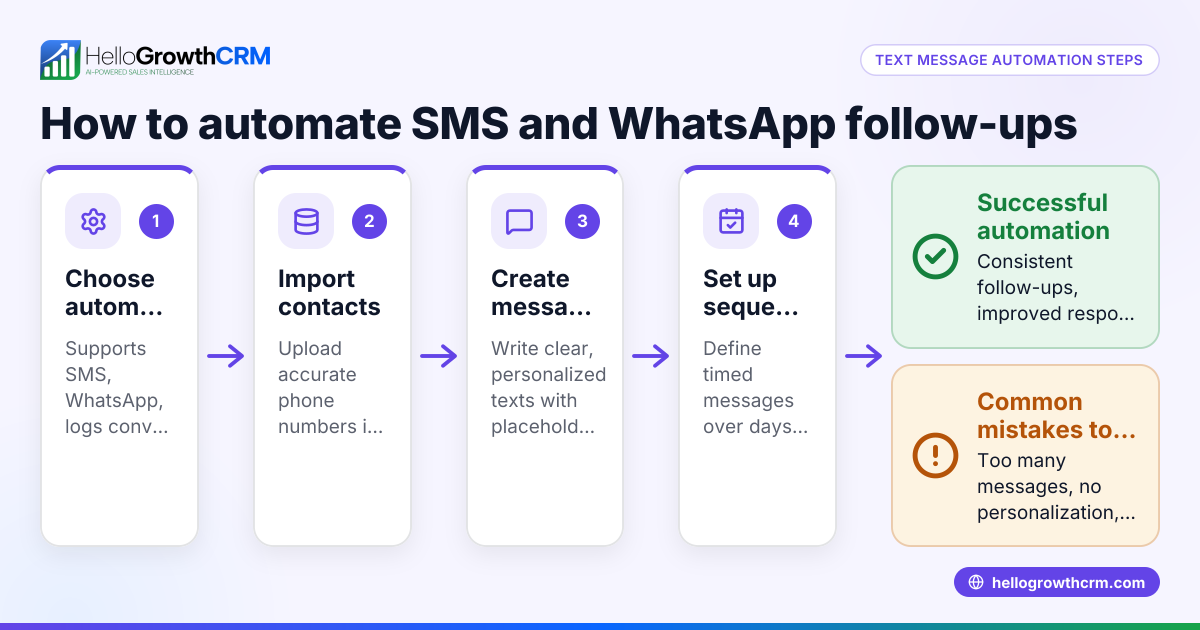
- Use automation tools to send follow-up emails if there is no reply, personalised with the same data.
Check your email platform supports easy insertion of personalisation tokens and automation sequences to save time. For New Zealand businesses, ensuring your email content respects local language and spelling conventions also matters.
Example (fictional figures)
Auckland-based real-estate agency, Kiwi Homes, wants to send personalised follow-up emails to leads from their website.
- Customer: Sarah Jones
- Inquiry date: 15/05/2024
- Interested in: 3-bedroom houses in Auckland
Email template snippet: "Hi {{FirstName}},
Thanks for your interest in our {{PropertyType}} listings in {{Location}}. We have several options that might suit your needs. Would you like to schedule a viewing?"
Filling in details: "Hi Sarah,
Thanks for your interest in our 3-bedroom houses listings in Auckland. We have several options that might suit your needs. Would you like to schedule a viewing?"
Calculation of time saved:
- Manual email writing per lead: 10 minutes
- Personalised template use: 2 minutes
If Kiwi Homes follows up 50 leads per week: 50 leads × (10 - 2) minutes = 400 minutes saved weekly
This time can be used to handle more leads or improve customer service.
Common mistakes
- Missing or incorrect data: Sending emails with placeholders like "Dear {{FirstName}}" looks unprofessional. Prevent this by verifying your data before sending.
- Overloading emails with personal info: Too much personal detail can feel intrusive. Use only relevant information.
- Ignoring local spelling and tone: Using non-NZ English spelling or unfamiliar phrases can reduce rapport. Use local conventions.
- Failing to automate follow-ups: Manually tracking replies is slow and error-prone. Use sequences to automate follow-ups and stop when customers reply.
- Not sharing email replies within the team: If only one person sees replies, others may miss opportunities. Use a shared inbox to keep everyone informed.
For more on automating emails and managing customer data, see email automation and sequences and WhatsApp and SMS CRM.
Doing this in HelloGrowthCRM
HelloGrowthCRM helps personalise and manage customer emails with these features:
- HelloMail shared inbox: All team members see replies to quotation emails on the deal, so follow-up is coordinated.
- Sequences and campaigns: Set up a five-step follow-up sequence over two weeks that stops automatically when the prospect replies.
- Customer portal, referrals, tickets and knowledge base: After the sale, service requests stay linked to the same customer record as the deal for easy reference.
Learn more at HelloGrowthCRM for New Zealand.
Frequently asked questions
How do I get started with personalising emails if I have limited customer data? Start with basic details like first name and company. You can collect more data over time through forms or conversations. Even simple personalisation improves engagement.
Can I personalise emails for different customer segments? Yes, segment your customers by criteria like location or purchase history and tailor email templates accordingly. This improves relevance.
What if a customer’s data is incomplete or incorrect? Verify data before sending. Use fallback text like "Hi there" if the name is missing. Regularly update your database.
How often should I send follow-up emails? A sequence over two weeks with 4-5 steps is typical. Space messages to avoid overwhelming the customer.
Does personalising emails increase sales? Personalised emails generally get better responses because they feel relevant and show you value the customer.
Key takeaways
- Collect and verify key customer details before personalising emails.
- Use email templates with personalisation tokens to save time.
- Reference recent customer interactions for relevance.
- Automate follow-ups with sequences that stop when customers reply.
- Use a shared inbox to keep the team aligned on email replies.
- Avoid common mistakes like missing data or over-personalising.
Personalising your customer emails can improve engagement and sales. Start today by applying these steps and consider tools like HelloGrowthCRM to streamline the process.
Ready to personalise your customer emails and manage leads more efficiently? Start on the Free Forever plan (200 leads, no credit card).
Ready to put this into practice?
Set up your pipeline, WhatsApp follow-ups, and AI lead scoring in minutes — free, no credit card.
Try HelloGrowthCRM freeGet CRM tips in your inbox
Join thousands of sales professionals who get weekly insights on CRM strategy, AI automation, and pipeline optimization.

The HelloGrowthCRM team publishes guides on CRM strategy, AI sales tools, and revenue operations for small business sales teams.