HelloGrowthCRM software
Built for real small-business sales teams
HelloGrowthCRM helps reps qualify faster, follow up on time, and close more deals—with practical automation in one place.
- AI lead scoring and pipeline visibility
- Built-in dialer, WhatsApp, and email automation
- Sales forecasting and RevOps-ready reporting
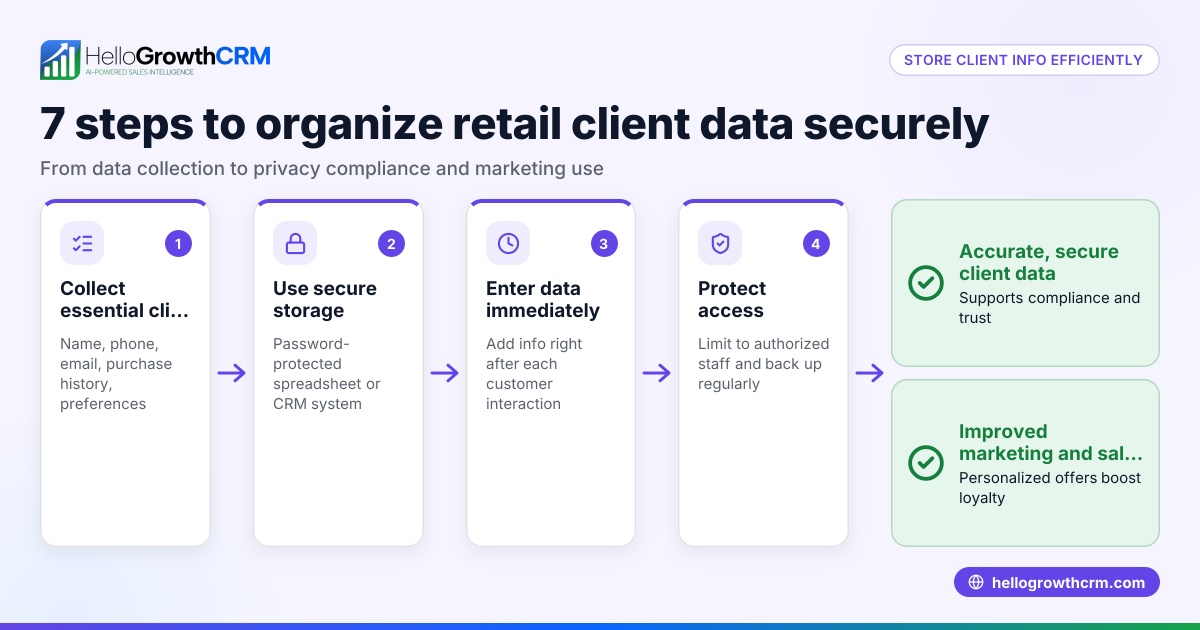
Protecting customer information in your CRM is essential to maintain trust and comply with privacy expectations. Start by limiting who can access customer data, then use strong authentication methods. Encrypt data both at rest and in transit, back up your database regularly, and monitor access and changes for suspicious activity.
Why this comes up / what goes wrong
Small and mid-sized businesses in New Zealand often lose leads or damage customer trust because their CRM data is not properly secured. Common issues include shared passwords, unrestricted access, and unencrypted data storage. Running sales through text messages, emails, and spreadsheets without a central secure system increases risks of data breaches or accidental leaks. Business owners need practical steps to protect customer information while keeping sales processes efficient.
Step-by-step
- Restrict access to authorised users only
- Assign CRM user roles carefully. Only staff who need access to customer data should have it.
- Regularly review user lists and remove access for former employees or contractors.
- Use strong, unique passwords and enable multi-factor authentication (MFA)
- Require passwords with at least 12 characters, mixing letters, numbers, and symbols.
- Enable MFA where possible to add a second layer of security.
- Encrypt customer data
- Ensure your CRM provider encrypts data both when stored (at rest) and when sent over the internet (in transit).
- Avoid storing sensitive information like credit card numbers or passwords in plain text.
- Regularly back up your CRM data
- Schedule automated backups weekly or more frequently.
- Store backups securely, separate from your main CRM system.
- Monitor access and activity logs
- Check who accessed or changed customer records daily or weekly.
- Investigate unusual activity promptly.
- Train your team
- Educate staff on data protection best practices and phishing risks.
- Set clear policies on customer data handling.
- Use secure communication channels
- Prefer CRM-integrated messaging like WhatsApp or SMS sequences rather than personal phones or email.
- Keep software up to date
- Apply CRM updates and security patches as soon as they are available.
For more on managing customer data health, see our guide on customer health score.
Example (fictional figures)
Hamilton-based dairy-equipment supplier, Kiwi Dairy Supplies, wants to secure its CRM data starting 01/07/2024. They have 10 sales reps, each with access to customer contacts.
- Step 1: Remove 2 former reps from CRM access immediately.
- Step 2: Enforce password reset for all users with 12+ character passwords.
- Step 3: Enable MFA for all accounts.
- Step 4: Schedule weekly backups stored on a secure cloud server costing NZ$50/month.
- Step 5: Assign one admin to check access logs weekly (about 1 hour per week).
Costs:
- Backup service: NZ$50/month = NZ$600/year
- Admin time: 1 hour/week × 52 weeks × NZ$30/hour = NZ$1,560/year
Total annual cost = NZ$600 + NZ$1,560 = NZ$2,160
Kiwi Dairy Supplies estimates this investment prevents costly data breaches and protects customer trust.
Common mistakes
- Sharing passwords among staff: Prevent by enforcing unique login credentials and MFA.
- Ignoring software updates: Prevent by setting automatic updates or reminders.
- Storing sensitive data in spreadsheets or emails: Prevent by using CRM fields designed for secure data storage.
- Not backing up data regularly: Prevent by automating backup schedules.
- Using unsecured communication channels: Prevent by using CRM-integrated WhatsApp and SMS messaging WhatsApp and SMS CRM.
- Failing to train staff on data security: Prevent by regular training sessions and clear policies.
Doing this in HelloGrowthCRM
HelloGrowthCRM helps protect customer information with features like a built-in dialer that lets reps call directly from the CRM and logs call outcomes on the lead record, keeping call history secure and centralised. WhatsApp conversations with leads are logged in the CRM, and follow-ups can be sent as messages, reducing reliance on unsecured channels. AI agents in beta draft follow-up messages after a call so the rep only reviews and sends, helping keep communication efficient and recorded. Learn more about HelloGrowthCRM for New Zealand at HelloGrowthCRM for New Zealand.
Frequently asked questions
How can I ensure my CRM data complies with New Zealand privacy laws? Ensure you follow the Privacy Act 2020 principles by securing personal information, limiting access, and keeping data accurate. Regularly review your security measures and train staff on privacy policies. NEEDS EXPERT REVIEW
Is it safe to use WhatsApp for customer communication? Using WhatsApp integrated within a CRM like HelloGrowthCRM logs all conversations securely on the lead record, reducing risks compared to personal phones. Always avoid sharing sensitive data over unsecured personal messaging apps.
What should I do if I suspect a data breach in my CRM? Immediately restrict access, investigate the breach source, notify affected customers if required, and review your security procedures to prevent future incidents. Consider consulting a cybersecurity expert. NEEDS EXPERT REVIEW
Why is regular backup important for CRM data? Backup protects your business from data loss due to accidental deletion, hardware failure, or cyber attacks. It ensures you can restore customer information quickly and continue operations with minimal disruption.
Can AI agents help with data security in a CRM? AI agents in HelloGrowthCRM, currently in beta, draft follow-up messages after calls so reps only review and send, helping ensure consistent communication and reducing manual errors within secure CRM workflows.
Key takeaways
- Restrict CRM access to authorised users and enforce strong passwords with MFA.
- Encrypt data in storage and transit; avoid storing sensitive data in unsecured files.
- Regularly back up CRM data and monitor access logs for unusual activity.
- Train your team on data protection and use secure communication channels like WhatsApp and SMS within the CRM.
- Keep CRM software updated to patch security vulnerabilities.
Protect your customer information today by starting on the Free Forever plan (200 leads, no credit card) at HelloGrowthCRM.
Ready to put this into practice?
Set up your pipeline, WhatsApp follow-ups, and AI lead scoring in minutes — free, no credit card.
Try HelloGrowthCRM freeGet CRM tips in your inbox
Join thousands of sales professionals who get weekly insights on CRM strategy, AI automation, and pipeline optimization.

The HelloGrowthCRM team publishes guides on CRM strategy, AI sales tools, and revenue operations for small business sales teams.