HelloGrowthCRM software
Built for real small-business sales teams
HelloGrowthCRM helps reps qualify faster, follow up on time, and close more deals—with practical automation in one place.
- AI lead scoring and pipeline visibility
- Built-in dialer, WhatsApp, and email automation
- Sales forecasting and RevOps-ready reporting
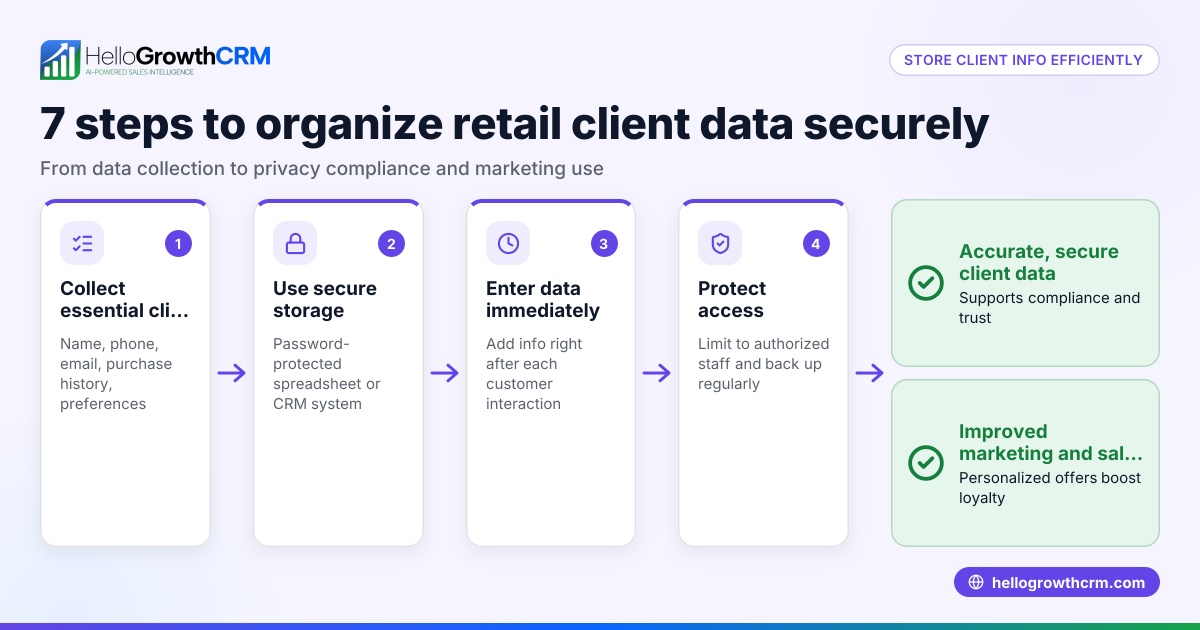
To protect customer information in a CRM in the UAE, you must control access, secure data transmission, back up data, and keep track of all user actions. This article explains why protecting customer data is important, provides a step-by-step security checklist, a worked example with realistic AED figures, common errors to avoid, and how HelloGrowthCRM supports secure customer communication.
Why this comes up / what goes wrong
Small and mid-sized businesses in the UAE often gather customer details via calls, WhatsApp chats, web forms, and spreadsheets before entering them into a CRM. Without clear access rules and technical safeguards, sensitive data can be exposed to unauthorised staff, accidentally deleted, or intercepted during communication. This risks customer trust, possible penalties under UAE data protection laws, and lost sales. Many business owners find it difficult to protect data because they lack a clear checklist and use multiple unintegrated tools.
Step-by-step
- Define user roles and permissions: Set who can view, edit, or delete customer data in your CRM. Check the CRM supports role-based access control and assign roles accordingly.
- Use strong authentication: Require unique user logins with complex passwords. Enable two-factor authentication if available.
- Secure data transmission: Confirm the CRM uses encrypted connections (SSL/TLS) for data access and transfer.
- Schedule regular backups: Automate daily backups of your CRM data to a secure location to prevent loss from accidental deletion or system failure.
- Monitor and log access: Enable audit logs to track who accessed or changed customer data and when.
- Limit data export and sharing: Restrict exporting or sharing customer data outside the CRM or over unsecured channels.
- Train your team: Provide regular training on data protection best practices and the importance of securing customer information.
- Keep software updated: Regularly update your CRM and related software to patch security vulnerabilities.
Review your CRM settings, user accounts, and security policies regularly to ensure these steps are enforced.
Example (fictional figures)
A business setup consultancy in Business Bay, Dubai, wants to secure its customer information in its CRM on 15/06/2024.
- Step 1: Assign roles — 3 sales reps get "edit" access; 2 admin staff get "view only".
- Step 2: Enforce passwords with at least 8 characters including numbers and symbols.
- Step 3: Confirm CRM provider uses SSL encryption.
- Step 4: Set daily automatic backups to secure cloud storage costing AED 500 per month.
- Step 5: Audit logs show user "salesrep1" accessed record 12345 on 14/06/2024 at 10:15.
- Step 6: Disable export for all except the sales manager.
- Step 7: Conduct a 1-hour training session costing AED 1,000.
- Step 8: Update CRM software to the latest version released on 01/06/2024.
Cost calculation for monthly data protection measures:
Backup storage: AED 500 Training session: AED 1,000 ÷ 12 months = AED 83.33 Total monthly cost = AED 500 + AED 83.33 = AED 583.33
This example shows practical steps and costs to secure customer data systematically.
Common mistakes
- Giving all users full access: Prevent by assigning roles with least privilege.
- Using weak or shared passwords: Prevent by enforcing strong password policies and two-factor authentication.
- Ignoring software updates: Prevent by scheduling regular update checks.
- Not backing up data regularly: Prevent by automating backups.
- Sharing customer data over unsecured WhatsApp chats or emails: Prevent by using a CRM with integrated WhatsApp and SMS logging like HelloGrowthCRM to keep conversations secure and recorded.
- Neglecting staff training: Prevent by holding regular training sessions and reminders.
Doing this in HelloGrowthCRM
HelloGrowthCRM helps protect customer information by logging all WhatsApp conversations and SMS messages directly on the lead record, ensuring communication history is secure and auditable. Its built-in dialer lets telecallers work from inside the CRM, logging call outcomes automatically to prevent data loss. AI agents draft follow-up messages after calls so reps only review and send, reducing manual errors. Learn more about WhatsApp and SMS CRM and HelloGrowthCRM for the United Arab Emirates.
Frequently asked questions
How can I control who accesses customer data in my CRM? Use role-based access controls to assign permissions. Only trusted staff should have edit or export rights, while others have view-only access.
Is it safe to communicate with customers over WhatsApp? WhatsApp messages are end-to-end encrypted, but sharing customer info outside a CRM risks losing the audit trail. Using a WhatsApp-native CRM like HelloGrowthCRM helps log and secure these conversations.
How often should I back up CRM data? Daily backups are recommended to avoid data loss from accidental deletion or system failures.
What should I do if I suspect a data breach? Immediately review audit logs, change passwords, and notify affected customers if required by UAE data protection regulations. NEEDS EXPERT REVIEW
Can AI help in protecting customer data? AI agents in HelloGrowthCRM draft follow-up messages after calls, reducing manual errors and ensuring consistent communication.
Key takeaways
- Define and enforce user roles and permissions to limit data access.
- Use strong authentication and secure data transmission.
- Automate regular backups and monitor activity with audit logs.
- Avoid sharing customer data over unsecured channels; use integrated WhatsApp and SMS CRM features.
- Train your team regularly on data protection best practices.
- Keep your CRM software updated to patch security vulnerabilities.
Start protecting your customer data today with clear steps and tools designed for UAE businesses. Start on the Free Forever plan (200 leads, no credit card).
Ready to put this into practice?
Set up your pipeline, WhatsApp follow-ups, and AI lead scoring in minutes — free, no credit card.
Try HelloGrowthCRM freeGet CRM tips in your inbox
Join thousands of sales professionals who get weekly insights on CRM strategy, AI automation, and pipeline optimization.

The HelloGrowthCRM team publishes guides on CRM strategy, AI sales tools, and revenue operations for small business sales teams.