HelloGrowthCRM software
Built for real small-business sales teams
HelloGrowthCRM helps reps qualify faster, follow up on time, and close more deals—with practical automation in one place.
- AI lead scoring and pipeline visibility
- Built-in dialer, WhatsApp, and email automation
- Sales forecasting and RevOps-ready reporting
To resend an email, start by opening your email client and going to the sent items folder. Find the email you want to resend, then choose to forward or resend it. Check that the recipient's email address is correct and update the content if needed before sending again. This guide covers why resending emails is often necessary, detailed steps to do it right, common errors to avoid, and how HelloGrowthCRM can help streamline the process.
Why this comes up / what goes wrong
Small business owners often need to resend emails because the original message was missed, overlooked, or accidentally deleted by the recipient. Sometimes the email might have had incorrect information or attachments, or the sender forgot to include key details. Another common reason is to follow up on a quotation or proposal without starting a new email thread, keeping communication clear and professional. Resending ensures that important messages reach the recipient and helps maintain good customer relationships.
Step-by-step
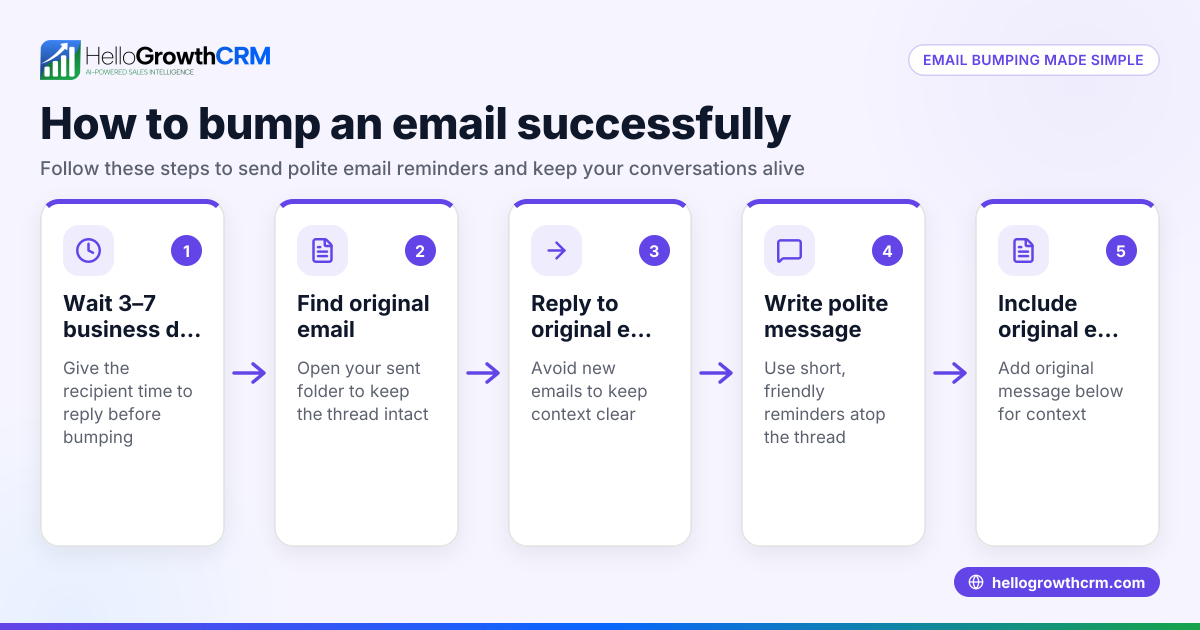
- Open your email client: Use your usual email program or webmail service and navigate to the Sent folder.
- Find the original email: Scroll or search by recipient, subject, or date to locate the email you want to resend.
- Decide how to resend: Some email clients have a “Resend” option that sends the exact same email again. If not, use the “Forward” option.
- Check the recipient’s email address: Confirm the email address is correct and current. Update it if necessary.
- Review and edit the content: Make sure the message is still relevant. Add a note if this is a follow-up or resend to explain why you are sending it again.
- Attach any missing files: If the original email was missing attachments or you want to update them, add the correct files now.
- Check the subject line: You may want to keep the original subject or add “Resending” or “Follow-up” for clarity.
- Send the email: Once everything is checked, click send.
- Confirm delivery and response: Look out for any bounce-back messages and track replies to avoid unnecessary resends.
Using email automation and sequences can also help automate follow-ups without manual resending. See email automation and sequences for more.
Example (fictional figures)
A recruitment consultancy in Bristol sent a job proposal email on 10/03/2026 to a client but did not receive a reply. They decide to resend the email.
- Open the Sent folder and find the email sent on 10/03/2026.
- Choose to forward the email.
- Confirm the client’s email is client@example.co.uk.
- Add a note at the top: “Resending this proposal for your convenience.”
- Attach the updated CVs of candidates, adding £0 cost as these are digital files.
- Keep the subject as “Job Proposal for Marketing Manager” but add “ - Resending.”
- Send the email.
This simple step-by-step ensures the client receives the message again with clear context and updated attachments.
Common mistakes
- Resending without checking the recipient: This can send sensitive info to the wrong person. Always verify the email address before resending.
- Not updating the email content: If the original had errors or missing info, resend without corrections confuses or annoys recipients. Review and edit carefully.
- Failing to mention it is a resend: Recipients may think it’s a new email or spam. Add a note or update the subject to explain.
- Ignoring bounce-back or delivery failure notices: Resending blindly wastes time. Check for delivery errors and fix the cause.
- Over-resending the same email: Sending multiple copies annoys recipients. Use follow-up sequences instead to automate polite reminders. Learn more about email automation and sequences.
- Not tracking replies within the team: If multiple people handle the account, resending blindly can cause confusion. Use a shared inbox to see all replies. See HelloGrowthCRM for the United Kingdom for shared inbox options.
Doing this in HelloGrowthCRM
HelloGrowthCRM offers a HelloMail shared inbox so your team can see all replies to quotation emails on the deal, preventing duplicate resends. Its sequences and campaigns feature lets you set up a five-step follow-up over two weeks that automatically stops when the prospect replies. This reduces the need for manual resends and keeps follow-ups timely and consistent. Learn more about WhatsApp and SMS CRM and email automation to improve your outreach.
Frequently asked questions
Can I resend an email without the recipient knowing it’s a resend? Yes, but it’s best practice to mention it is a resend or follow-up to avoid confusion. Add a note or update the subject line.
What if I can’t find a resend option in my email client? Use the forward function to resend the email. Edit the content and recipient details before sending.
How often should I resend an email? Avoid resending the same email multiple times. Instead, use follow-up sequences or campaigns to automate reminders and stop when a reply is received.
Can I resend emails to multiple recipients at once? Yes, but ensure each recipient is appropriate for the email content. Use BCC if necessary to protect privacy.
How does HelloGrowthCRM help with resending emails? It provides a shared inbox so your team can track replies and avoid duplicate resends. Automated sequences also manage follow-ups without manual resending.
Key takeaways
- Always find the original email in your Sent folder before resending.
- Check and update the recipient address and email content.
- Add a note or change the subject line to indicate a resend.
- Avoid resending multiple times; use follow-up sequences instead.
- Use shared inboxes to track replies and coordinate your team.
- HelloGrowthCRM’s email automation reduces manual resends and improves follow-up consistency.
Start resending emails the right way today. To automate follow-ups and keep your sales team coordinated, Start on the Free Forever plan (200 leads, no credit card).
Ready to put this into practice?
Set up your pipeline, WhatsApp follow-ups, and AI lead scoring in minutes — free, no credit card.
Try HelloGrowthCRM freeGet CRM tips in your inbox
Join thousands of sales professionals who get weekly insights on CRM strategy, AI automation, and pipeline optimization.

The HelloGrowthCRM team publishes guides on CRM strategy, AI sales tools, and revenue operations for small business sales teams.