HelloGrowthCRM software
Built for real small-business sales teams
HelloGrowthCRM helps reps qualify faster, follow up on time, and close more deals—with practical automation in one place.
- AI lead scoring and pipeline visibility
- Built-in dialer, WhatsApp, and email automation
- Sales forecasting and RevOps-ready reporting
Scheduling WhatsApp messages for your customers in the UAE ensures timely communication, improves follow-ups, and saves you from manually sending each message. To do this, you need a tool or CRM that supports WhatsApp message scheduling where you can select recipients, write personalised messages, set delivery times, and automate sending. This guide explains why scheduling is important, provides clear step-by-step instructions, a worked example with AED amounts and calculations, common mistakes to avoid, and how HelloGrowthCRM supports this process.
Why this comes up / what goes wrong
Many small business owners in the UAE rely on WhatsApp as their main communication channel with customers. Manually sending messages can cause delays, missed follow-ups, or messages sent at inconvenient times. This leads to lost customer engagement and missed sales opportunities. Without scheduling, you might forget to message leads or customers at key moments, such as appointment reminders or offer expirations. Scheduling WhatsApp messages helps maintain consistent contact, saves time, and reduces errors by automating the process.
Step-by-step
- Choose a WhatsApp-compatible scheduling tool or CRM. Confirm it supports scheduling WhatsApp messages and follows WhatsApp policies.
- Import or select your customer contacts. Verify the WhatsApp numbers are accurate and saved in your CRM or contact list.
- Compose your message. Write a clear, personalised message tailored to the customer or segment.
- Set the date and time for sending. Use 24-hour format and ensure the time zone is UAE GST (UTC+4).
- Review message content and recipient details. Proofread the message and confirm you have selected the correct contact.
- Confirm and activate the scheduled message. The system will send the message automatically at the specified time.
- Monitor delivery status and responses. Check message logs or conversation threads to track engagement and reply promptly.
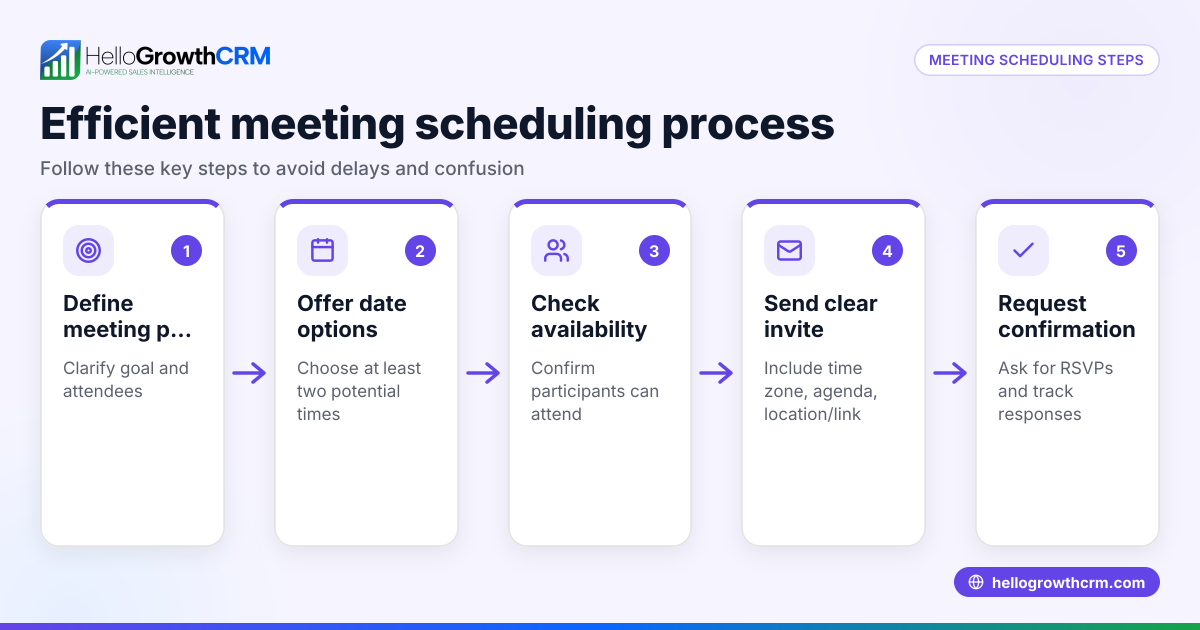
Using a WhatsApp and SMS CRM helps log conversations on each lead record and automate follow-ups. A meeting scheduler lets prospects pick appointment slots from a link, reducing message back-and-forth.
Example (fictional figures)
A business-setup consultancy in Business Bay, Dubai wants to remind a lead about a consultation offer and encourage booking.
- Customer: Ahmed, phone +971 50 123 4567
- Message: "Hello Ahmed, reminder about your free consultation offer valid until 15/07/2024. Please reply to book your slot."
- Scheduled send date and time: 10/07/2024 at 10:00 GST
- Expected value of consultation booked: AED 2,500
Steps:
- Select Ahmed's contact from the CRM.
- Compose the message: "Hello Ahmed, reminder about your free consultation offer valid until 15/07/2024. Please reply to book your slot."
- Set the schedule date and time to 10/07/2024 10:00 GST.
- Confirm scheduling.
If Ahmed books the consultation after receiving the message, the business earns AED 2,500.
Calculation example:
AED 2,500 × 1 consultation = AED 2,500 total revenue
This scheduled message keeps Ahmed informed and increases the chance of booking without manual follow-up.
Common mistakes
- Not verifying the recipient's WhatsApp number: Double-check numbers to avoid sending messages to wrong contacts.
- Ignoring UAE time zone (GST): Schedule messages according to UAE time to prevent sending messages at inconvenient hours.
- Sending generic, non-personalised messages: Personalise messages to improve engagement and response rates.
- Skipping message review: Proofread scheduled messages to prevent typos or incorrect information.
- Not monitoring message delivery and replies: Use tools like HelloGrowthCRM to track message status and respond quickly.
Using a meeting scheduler can reduce unnecessary messages by allowing customers to pick appointment times themselves.
Doing this in HelloGrowthCRM
HelloGrowthCRM supports WhatsApp messaging by logging conversations on each lead record, allowing you to send follow-ups as messages. Its scheduling and booking features enable prospects to choose meeting slots via a link, reducing message back-and-forth. After the sale, customer service requests stay on the same customer record as the deal, helping you track all interactions in one place. Learn more about WhatsApp and SMS CRM, meeting scheduler, and the customer health score features.
Frequently asked questions
Can I schedule WhatsApp messages without using a CRM? No, the official WhatsApp app does not support message scheduling. You need third-party tools or CRMs that integrate with WhatsApp to schedule messages.
Is it legal to send scheduled WhatsApp messages to customers in the UAE? Yes, provided you comply with WhatsApp policies and UAE electronic communication regulations. Always obtain customer consent before sending messages.
Can I personalise scheduled WhatsApp messages? Yes, many CRMs let you insert customer-specific details like names, appointment dates, or offers to personalise messages.
How do I avoid spamming customers with scheduled messages? Limit message frequency, provide valuable content, and allow customers to opt out. Monitor engagement and respect privacy.
What happens if a scheduled WhatsApp message fails to send? Most CRMs log delivery status and notify you of failures so you can resend or follow up manually.
Key takeaways
- Use a CRM or tool that supports WhatsApp message scheduling for timely, automated follow-ups.
- Verify customer WhatsApp numbers and schedule messages according to UAE GST (UTC+4).
- Personalise and carefully review messages before scheduling.
- Monitor message delivery and responses to optimise communication.
- HelloGrowthCRM offers WhatsApp message logging, scheduling, and booking features to help automate this process.
Start scheduling your WhatsApp messages today to improve customer engagement and sales follow-up. You can Start on the Free Forever plan (200 leads, no credit card) with HelloGrowthCRM to try these features.
Ready to put this into practice?
Set up your pipeline, WhatsApp follow-ups, and AI lead scoring in minutes — free, no credit card.
Try HelloGrowthCRM freeGet CRM tips in your inbox
Join thousands of sales professionals who get weekly insights on CRM strategy, AI automation, and pipeline optimization.

The HelloGrowthCRM team publishes guides on CRM strategy, AI sales tools, and revenue operations for small business sales teams.