HelloGrowthCRM software
Built for real small-business sales teams
HelloGrowthCRM helps reps qualify faster, follow up on time, and close more deals—with practical automation in one place.
- AI lead scoring and pipeline visibility
- Built-in dialer, WhatsApp, and email automation
- Sales forecasting and RevOps-ready reporting
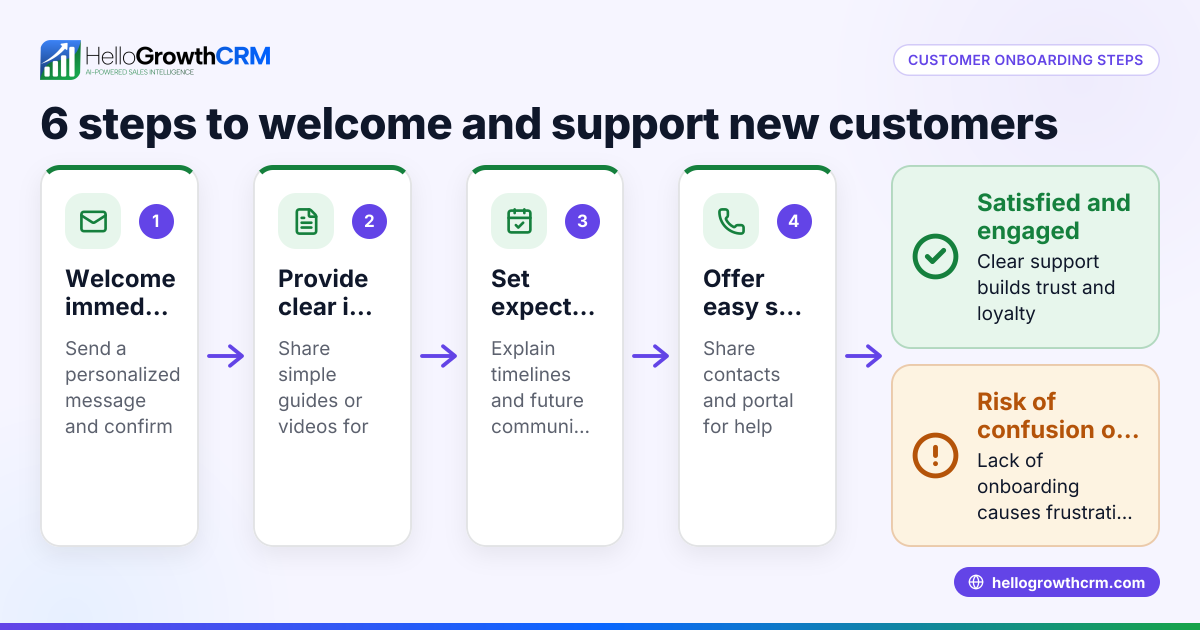
To set up welcome emails for new leads in the USA, start by choosing an email platform or CRM that supports automated email sequences. Create a clear, friendly welcome message that introduces your business and sets expectations. Then, configure the system to send this email automatically when a new lead is captured. This article covers why welcome emails matter, detailed setup steps, a practical example, common mistakes, and how HelloGrowthCRM helps streamline the process.
Why this comes up / what goes wrong
Small business owners often collect new leads through forms, calls, or messages but fail to engage them immediately. Without a welcome email, leads may feel ignored or confused about what to expect next, causing lost sales opportunities. Many try to send manual emails or use spreadsheets, which leads to slow or inconsistent follow-up. Setting up automated welcome emails ensures every new lead receives a timely introduction, improving engagement and conversion chances.
Step-by-step
- Choose your email or CRM platform: Select a tool that supports automated email sequences. This could be an email marketing service or a CRM with email automation features.
- Create your welcome email content: Write a friendly and concise message. Include a thank you for the inquiry, a brief introduction to your business, what the lead can expect next, and contact information.
- Set up lead capture integration: Ensure your lead sources (web forms, calls, WhatsApp messages) feed directly into your platform to trigger the welcome email automatically.
- Configure the welcome email trigger: Set the system to send the welcome email immediately after a new lead is added. Check that the trigger conditions match your lead capture methods.
- Test the email sequence: Use a test lead to verify the welcome email sends correctly and displays well on different devices.
- Monitor and adjust: Track open rates and responses. Refine the email content or timing based on feedback and performance.
- Add follow-up steps: Plan subsequent emails or calls to nurture the lead further.
Check that your platform supports email automation and sequences for smoother setup.
Example (fictional figures)
A B2B software reseller in Denver, Colorado, wants to set up a welcome email for new leads captured via their website form on 06/15/2024.
- They write a welcome email that thanks the lead and explains next steps.
- They use an email platform integrated with their form.
- They set the trigger to send the email immediately upon form submission.
- They test with a lead: john@example.com.
Calculation of timing and impact:
- Lead captured: 06/15/2024 at 10:00 AM.
- Welcome email sent: 06/15/2024 at 10:01 AM.
- Assume 500 new leads monthly.
- If 20% respond positively after welcome email, that is 500 × 20% = 100 leads engaged.
This quick response improves conversion chances by ensuring no lead waits without contact.
Common mistakes
- Delaying the welcome email: Sending the email hours or days later reduces impact. Prevent by setting immediate triggers.
- Generic or unclear messaging: Leads won’t engage if the email lacks a clear purpose. Prevent by writing concise, friendly, and informative content.
- Not integrating lead capture properly: If leads don’t trigger the email, follow-up fails. Prevent by testing all capture points.
- Ignoring mobile optimization: Many leads read emails on phones. Prevent by previewing emails on mobile devices.
- No follow-up plan: Sending only one email wastes the opportunity. Prevent by planning sequences or task follow-ups using activities and task boards.
- Overwhelming leads with too many emails: Too frequent emails can annoy leads. Prevent by spacing follow-ups reasonably.
Doing this in HelloGrowthCRM
HelloGrowthCRM captures every enquiry from forms, calls, or WhatsApp as a lead with an owner and a next step, avoiding lost or forgotten leads. Using its AI lead scoring, your telecallers focus first on leads most likely to convert. Each follow-up can be turned into a task with a due date, so the day's calls and emails are organized as a list, not a memory test. This makes setting up and managing welcome emails and follow-ups more efficient and reliable. Learn more about AI lead scoring and managing tasks with HelloGrowthCRM.
Frequently asked questions
How soon should I send a welcome email after capturing a lead? Send the welcome email immediately or within minutes of capturing the lead. This quick response increases engagement and shows professionalism.
What should I include in a welcome email for new leads? Include a thank you for their interest, a brief intro to your business, what they can expect next, and contact details. Keep it friendly and clear.
Can I send welcome emails via WhatsApp or SMS? Yes, many CRMs and platforms allow automated messages via WhatsApp or SMS. This can complement email and increase reach.
How do I test if my welcome email setup works? Create a test lead using your own email or phone number. Submit it through your lead capture method and verify the welcome email arrives promptly and looks correct.
What if leads don’t respond to the welcome email? Plan follow-up emails or calls. Use task boards to schedule these next steps, ensuring no lead is forgotten.
How can HelloGrowthCRM help with welcome emails? HelloGrowthCRM automatically captures leads from forms, calls, and WhatsApp, assigns owners, and creates follow-up tasks. Its AI lead scoring helps prioritize calls, making your welcome and follow-up process organized and efficient.
Key takeaways
- Set up automated welcome emails to send immediately when new leads are captured.
- Write clear, friendly, and concise messages that explain next steps.
- Integrate all lead sources properly to trigger emails consistently.
- Use task boards to manage follow-ups beyond the welcome email.
- Test emails on multiple devices before going live.
- HelloGrowthCRM helps capture leads, score them, and organize follow-ups efficiently.
Start setting up your welcome emails today to engage leads faster and increase conversions. To begin with a CRM that captures leads, scores them, and organizes follow-ups, start on the Free Forever plan (200 leads, no credit card).
Ready to put this into practice?
Set up your pipeline, WhatsApp follow-ups, and AI lead scoring in minutes — free, no credit card.
Try HelloGrowthCRM freeGet CRM tips in your inbox
Join thousands of sales professionals who get weekly insights on CRM strategy, AI automation, and pipeline optimization.

The HelloGrowthCRM team publishes guides on CRM strategy, AI sales tools, and revenue operations for small business sales teams.