HelloGrowthCRM software
Built for real small-business sales teams
HelloGrowthCRM helps reps qualify faster, follow up on time, and close more deals—with practical automation in one place.
- AI lead scoring and pipeline visibility
- Built-in dialer, WhatsApp, and email automation
- Sales forecasting and RevOps-ready reporting
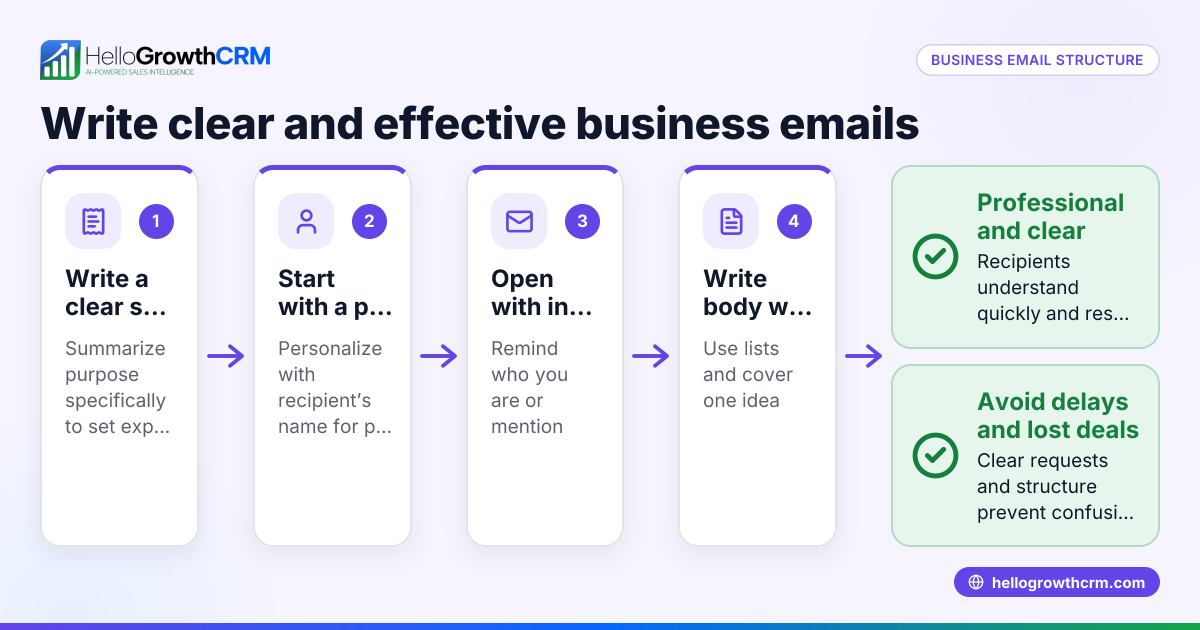
To structure an email effectively, start with a clear subject line, greet the recipient properly, state your purpose early, organize the body with concise paragraphs, and end with a clear call to action and a polite closing. This article covers why proper email structure matters, detailed steps to write your email, a practical example, common mistakes to avoid, and how HelloGrowthCRM can help streamline your email follow-ups.
Why this comes up / what goes wrong
Small business owners often struggle with emails that don’t get responses or cause confusion. This usually happens because the email lacks a clear subject, the message is buried in long paragraphs, or the call to action isn’t obvious. Many business owners use email for quotes, follow-ups, or customer questions but don’t have a consistent structure. This leads to slow replies, lost leads, and missed sales opportunities.
Step-by-step
- Write a clear subject line: Use a short, descriptive subject that tells the recipient what the email is about. For example, "Quote for Your Landscaping Project" or "Follow-up on Your Inquiry."
- Start with a greeting: Use the recipient’s name if you know it. For example, "Hi John," or "Hello Sarah,". Avoid generic greetings like "To whom it may concern".
- State your purpose early: In the first sentence, say why you are writing. For example, "I’m sending you the quote for your landscaping project as requested." This sets expectations.
- Organize the body clearly: Use short paragraphs or bullet points. Keep sentences concise. Include key details like dates, prices, or next steps.
- Include a clear call to action (CTA): Tell the recipient what you want them to do next. For example, "Please reply to confirm if you’d like to proceed," or "Call me at 555-1234 to schedule a visit."
- Close politely: Use a closing phrase like "Best regards," or "Thank you," followed by your name and contact info.
- Proofread and check: Review for spelling, grammar, and clarity. Make sure your contact info is correct.
- Add a signature: If you use email software, set up a signature with your name, title, company, and phone number.
- Use CC or BCC carefully: Only include people who need to see the email.
- Send at the right time: Aim for business hours for better chances of a prompt reply.
Example (fictional figures)
Imagine Mike runs a landscaping business in Charlotte, North Carolina. He’s sending a quote email on 06/15/2026 to a potential customer named Lisa.
Subject: Quote for Your Landscaping Project
Hi Lisa,
Thank you for reaching out. Here is the quote for your landscaping project:
- Lawn mowing: $150
- Hedge trimming: $100
- Mulching: $250
Total: $150 + $100 + $250 = $500
Please reply to confirm if you’d like to proceed or if you have any questions. I’m available to start the work on 06/20/2026.
Best regards, Mike Johnson Mike’s Landscaping Phone: 704-555-7890
This email is clear, concise, and easy to act on.
Common mistakes
- Vague subject lines: Avoid subjects like "Hello" or "Question." Use specific subjects to grab attention.
- Long, dense paragraphs: Break text into short paragraphs or bullets to improve readability.
- No clear call to action: Always tell the recipient what you want them to do next.
- Forgetting to proofread: Typos and mistakes reduce professionalism.
- Using generic greetings: Personalize greetings to build rapport.
- Overusing CC/BCC: Only include necessary recipients to avoid confusion.
Prevent these by following the step-by-step guide and reviewing your email before sending. To automate follow-ups and avoid missed replies, consider email tools like HelloGrowthCRM’s email automation and sequences.
Doing this in HelloGrowthCRM
HelloGrowthCRM offers a shared inbox called HelloMail where your team can see replies to quotation emails on the deal, preventing lost messages. Its sequences and campaigns feature lets you set up a five-step follow-up over two weeks that runs automatically and stops when the prospect replies. This helps ensure timely responses without manual tracking. Learn more about WhatsApp and SMS CRM and how to improve your email workflows with HelloGrowthCRM.
Frequently asked questions
How long should a business email be? Keep business emails concise—usually one to three short paragraphs. Avoid long blocks of text to keep the reader’s attention and make your message clear.
What is the best time to send a business email? Send emails during business hours, typically between 9 AM and 5 PM local time on weekdays. This increases the chance your email will be seen and replied to promptly.
Should I use formal or informal language? Match your tone to your audience. For most small business communications, a polite but friendly tone works best. Avoid slang and overly casual language.
How do I follow up if I don’t get a reply? Wait about 3-5 business days, then send a polite follow-up email referencing your previous message. Tools like HelloGrowthCRM’s email automation and sequences can automate this process.
What should I include in my email signature? Include your full name, job title, company name, phone number, and optionally your website or social media links. This makes it easy for recipients to contact you.
Key takeaways
- Start with a clear subject line and personalized greeting.
- State your purpose early and organize the body with short paragraphs or bullets.
- Always include a clear call to action.
- Proofread carefully and use a professional closing and signature.
- Avoid common mistakes like vague subjects and missing CTAs.
- Use tools like HelloGrowthCRM to automate follow-ups and manage email replies efficiently.
Start structuring your emails today to improve communication and increase sales. To try automated follow-ups and shared inbox features, Start on the Free Forever plan (200 leads, no credit card).
Ready to put this into practice?
Set up your pipeline, WhatsApp follow-ups, and AI lead scoring in minutes — free, no credit card.
Try HelloGrowthCRM freeGet CRM tips in your inbox
Join thousands of sales professionals who get weekly insights on CRM strategy, AI automation, and pipeline optimization.

The HelloGrowthCRM team publishes guides on CRM strategy, AI sales tools, and revenue operations for small business sales teams.