HelloGrowthCRM software
Built for real small-business sales teams
HelloGrowthCRM helps reps qualify faster, follow up on time, and close more deals—with practical automation in one place.
- AI lead scoring and pipeline visibility
- Built-in dialer, WhatsApp, and email automation
- Sales forecasting and RevOps-ready reporting
To track patient appointment reminders effectively in the UAE, you need a clear system to record appointments, schedule reminders, and monitor responses. This reduces no-shows and improves patient management.
Why this comes up / what goes wrong
Many small healthcare providers and clinics in the UAE rely on manual methods like WhatsApp messages, phone calls, or spreadsheets to manage patient appointments. These methods can be inconsistent, slow, or prone to errors. Without a proper tracking system, reminders might be sent late or missed entirely, leading to lost revenue and unhappy patients. Business owners want a simple, reliable way to track reminders and follow-ups that fits their daily workflow.
Step-by-step
- Record patient appointment details immediately: When a patient books an appointment, note their full name, contact number, appointment date and time, and the service they booked. Use a dedicated register, spreadsheet, or CRM.
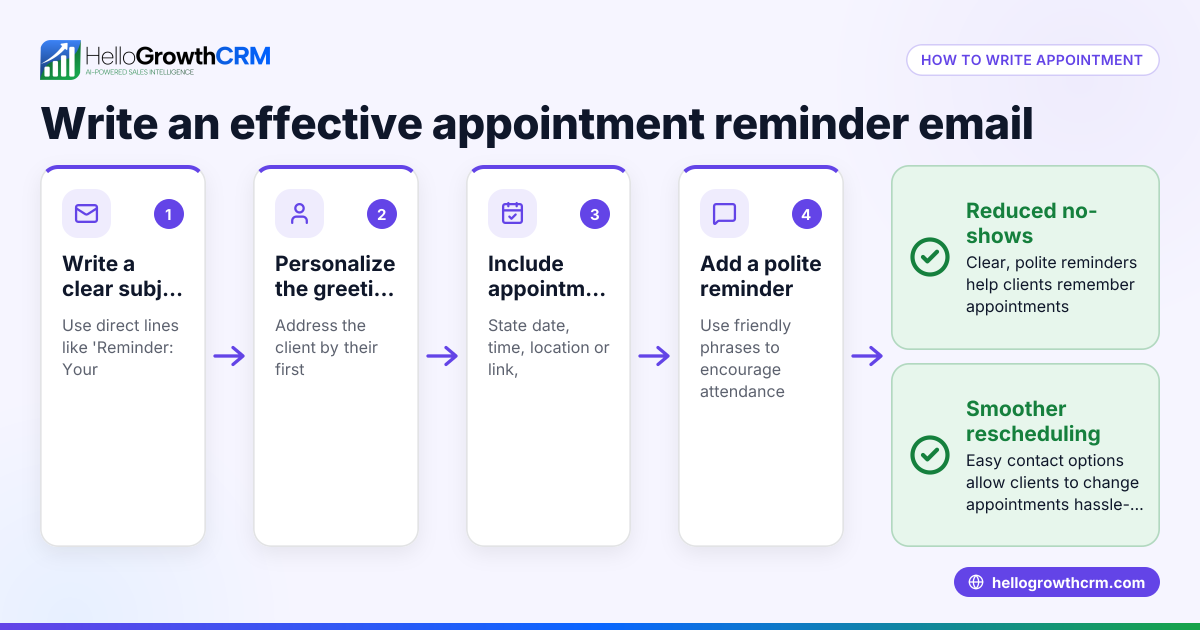
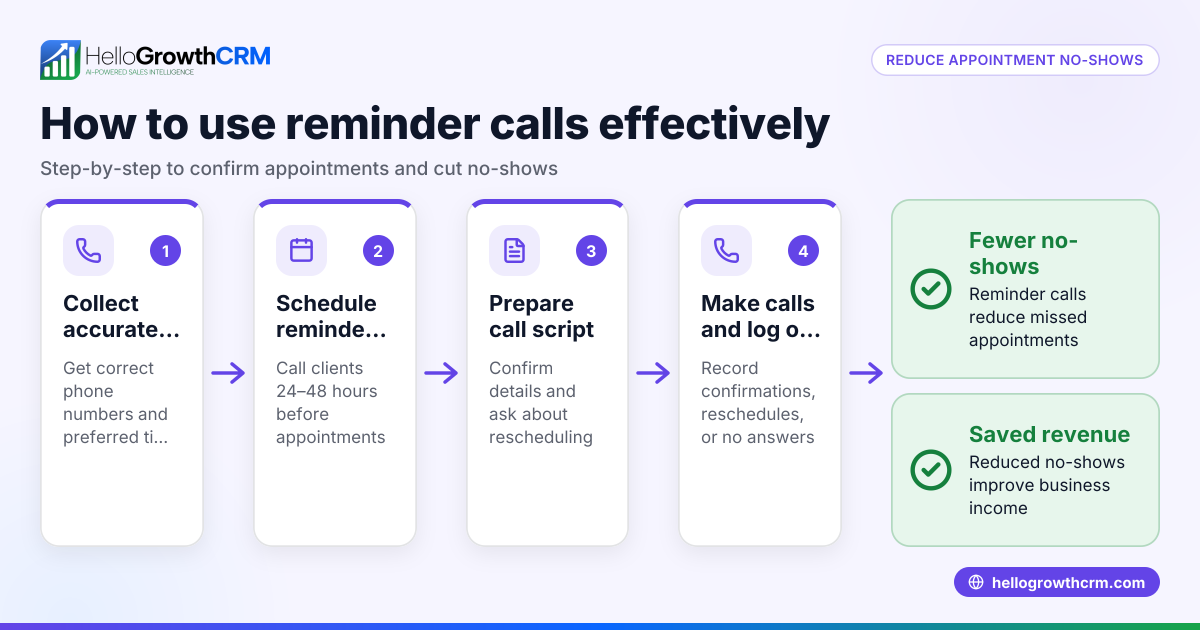
- Set reminder schedule: Decide when to send reminders. A common approach is to send the first reminder 2 days before the appointment and a second reminder 1 day before.
- Confirm preferred contact method: Ask patients if they prefer WhatsApp, SMS, or phone calls for reminders.
- Send reminders on schedule: Use calendar alerts, reminder software, or manual checklists to send messages on the planned days. If using WhatsApp manually, keep a checklist to track which patients have been reminded.
- Track patient responses: Record confirmations, reschedules, or cancellations immediately and update the appointment status.
- Follow up on no-shows: If a patient misses the appointment without notice, send a polite follow-up message to reschedule or understand the reason.
- Regularly review your tracking system: Check for delays or gaps in reminders and improve your process. If manual methods are slow or error-prone, consider digital tools.
Example (fictional figures)
Sharjah Wellness Clinic books a patient appointment on 01/06/2024 for a consultation on 10/06/2024. The clinic charges AED 350 for the consultation.
- Appointment date: 10/06/2024
- First reminder: 08/06/2024
- Second reminder: 09/06/2024
On 08/06/2024, the clinic sends the first WhatsApp reminder and the patient confirms.
If the patient had not confirmed, the clinic would send the second reminder on 09/06/2024.
If the patient missed the appointment, the clinic sends a follow-up message on 11/06/2024 to reschedule.
Calculations for revenue impact:
Assuming each missed appointment costs AED 350 in lost revenue.
If 5 patients miss appointments in a month:
AED 350 × 5 = AED 1,750 lost
By sending reminders, the clinic reduces no-shows by 60%:
5 × 60% = 3 appointments saved
Revenue recovered:
3 × AED 350 = AED 1,050
Net lost revenue after reminders:
AED 1,750 - AED 1,050 = AED 700
This example shows how tracking and reminders can improve revenue and patient attendance.
Common mistakes
- Not recording appointment details immediately: This causes forgotten or double bookings. Prevent by entering details as soon as the appointment is made.
- Sending reminders too early or too late: Reminders sent too far ahead may be forgotten; too late may not reach patients in time. Prevent by scheduling reminders 1-2 days before appointments.
- Using only one communication method: Some patients may miss WhatsApp messages. Prevent by asking for patient preference and using SMS or calls as alternatives.
- Failing to track patient responses: Without updating confirmations or cancellations, follow-ups are ineffective. Prevent by promptly updating your tracking sheet or system.
- No follow-up on missed appointments: Missed chances to reschedule patients. Prevent by having a clear follow-up process.
- Manual tracking without automation: Increases errors and workload. Prevent by using scheduling tools or CRM systems with features like meeting scheduler and sales task boards.
Doing this in HelloGrowthCRM
HelloGrowthCRM offers a scheduling and booking feature that lets patients pick appointment slots from a link, reducing back-and-forth on WhatsApp. This feature automates booking and sends reminders, helping healthcare providers track patient appointments efficiently. It suits small to mid-sized UAE businesses and growing teams. Learn more at HelloGrowthCRM for the United Arab Emirates.
Frequently asked questions
How far in advance should I send appointment reminders? Sending reminders 1-2 days before the appointment is effective to keep patients informed without overwhelming them. Some clinics add a same-day reminder for extra assurance.
What is the best way to track patient confirmations? Use a simple spreadsheet or CRM to update appointment status after each reminder. Mark patients as confirmed, rescheduled, or cancelled to keep your schedule accurate.
Can I use WhatsApp for reminders legally in the UAE? Yes, WhatsApp is widely used for communication, but always get patient consent for messages and respect privacy rules. Use official WhatsApp Business tools if possible.
How do I handle patients who do not respond to reminders? Send a polite follow-up message after the appointment date to reschedule or check in. This encourages patients to stay engaged.
What if I currently manage appointments manually? Start by organising your existing data clearly in a spreadsheet and follow the step-by-step process. Then consider tools like HelloGrowthCRM to automate and reduce errors.
Key takeaways
- Record all patient appointments immediately with full details.
- Schedule and send reminders 1-2 days before appointments.
- Use patient-preferred contact methods: WhatsApp, SMS, or calls.
- Track patient responses and update appointment status.
- Follow up promptly on missed appointments.
- Use scheduling tools like HelloGrowthCRM’s meeting scheduler and sales task boards to automate reminders.
Start tracking patient appointment reminders today to reduce no-shows and improve your clinic’s efficiency. To try an easy scheduling tool, start on the Free Forever plan (200 leads, no credit card).
Ready to put this into practice?
Set up your pipeline, WhatsApp follow-ups, and AI lead scoring in minutes — free, no credit card.
Try HelloGrowthCRM freeGet CRM tips in your inbox
Join thousands of sales professionals who get weekly insights on CRM strategy, AI automation, and pipeline optimization.

The HelloGrowthCRM team publishes guides on CRM strategy, AI sales tools, and revenue operations for small business sales teams.