HelloGrowthCRM software
Built for real small-business sales teams
HelloGrowthCRM helps reps qualify faster, follow up on time, and close more deals—with practical automation in one place.
- AI lead scoring and pipeline visibility
- Built-in dialer, WhatsApp, and email automation
- Sales forecasting and RevOps-ready reporting
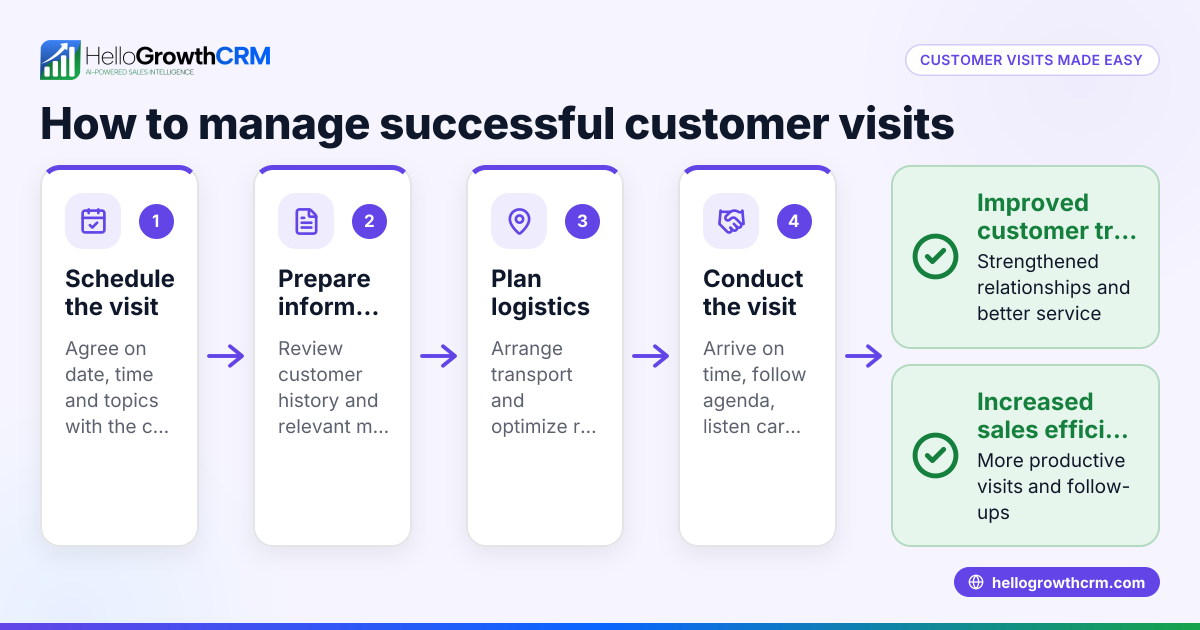
Tracking property site visits is crucial for real estate businesses in the USA to manage leads effectively, reduce no-shows, and improve sales conversion. This guide explains why tracking site visits is often challenging, provides a step-by-step method to track visits accurately, illustrates the process with a realistic example, highlights common mistakes, and answers frequently asked questions.
Why this comes up / what goes wrong
Many property business owners and accountants in the USA struggle to track site visits because they rely on fragmented methods like handwritten notes, emails, or spreadsheets that are not updated in real time. This results in missed appointments, lost lead details, and inefficient follow-up. For small and mid-sized real estate businesses juggling multiple properties and sales agents, a clear and consistent tracking system is essential to avoid losing potential buyers and wasting resources.
Step-by-step
- Collect Visitor Information at Booking
- Ask visitors for their full name, phone number, email address, and preferred date and time for the site visit.
- Confirm the property or unit they are interested in.
- Check that all contact details are correct and complete.
- Confirm Visit Appointment
- Send a confirmation message via email or text message 24 to 48 hours before the scheduled visit.
- Request a reply or acknowledgment to confirm attendance.
- Prepare Visit Details
- Assign a sales agent or representative to handle the visit.
- Verify the property is available and ready for viewing.
- Note any special instructions or visitor requests.
- Log Visit Attendance
- On the day of the visit, record whether the visitor arrived, canceled, or rescheduled.
- Use a digital form or a visit log sheet to capture this information immediately.
- Record Visit Outcomes
- After the visit, document visitor feedback, level of interest, and any objections or questions raised.
- Schedule follow-up calls, emails, or meetings based on the visitor’s interest level.
- Review and Analyze Site Visit Data Regularly
- Weekly or monthly, analyze visit logs to identify patterns such as high no-show rates or popular properties.
- Use this data to improve scheduling, follow-up strategies, and resource allocation.
- Maintain Organized Records
- Store all visitor and visit data in a centralized system accessible to the sales team.
- Keep records updated to ensure accuracy and ease of access.
Organizing these steps digitally can save time and reduce errors. For more on managing real estate businesses efficiently, see Real estate and builders.
Example (fictional figures)
Sunrise Properties, a mid-sized real estate agency based in Denver, Colorado, tracks site visits for a new apartment complex priced at $1,200,000 per unit.
- On 06/15/2024, 40 visitors booked site visits.
- Each visitor’s full name, phone number, email, preferred visit date/time, and unit interest were recorded.
- Confirmation messages were sent on 06/13/2024.
- On the visit day, 35 visitors attended, 3 rescheduled, and 2 canceled.
- Post-visit feedback showed 20 visitors highly interested, 10 moderately interested, and 5 not interested.
Calculations:
Total booked visits = 40
Attended visits = 35
No-shows = 40 - 35 = 5
No-show percentage = (5 / 40) × 100 = 12.5%
Follow-ups scheduled = 20 (high interest) + 10 (moderate interest) = 30
This tracking allowed Sunrise Properties to focus follow-up efforts on 30 leads and adjust confirmation timing to reduce no-shows.
Common mistakes
- Not confirming appointments: Always send reminders 24-48 hours before visits to reduce no-shows.
- Inconsistent or incomplete data collection: Use standardized forms or digital tools to ensure all visitor details are captured accurately.
- Ignoring no-shows: Track no-shows and follow up to understand reasons and reschedule visits.
- Failing to record visit outcomes: Document visitor feedback immediately after visits to plan next steps effectively.
- Scattered records: Centralize all visit data to keep your sales team aligned and informed. Learn how HelloGrowthCRM for the United States can help centralize communication.
Frequently asked questions
How can I track site visits without expensive software? You can use spreadsheets or simple digital forms to log visitor details, confirmations, attendance, and feedback. The key is to keep the data consistent and updated promptly.
What visitor information is essential to collect? Collect full name, phone number, email, preferred visit date and time, and the specific property or unit they want to see. This helps tailor the visit and follow-up.
How do I reduce no-shows for property visits? Send reminders 24-48 hours before the visit via email or SMS, ask for confirmation, and provide easy options to reschedule if needed.
Can WhatsApp or SMS be used to manage site visits? Yes, WhatsApp and SMS are effective channels for sending confirmations and reminders. Using a CRM that supports WhatsApp and SMS sequences can automate these communications. Learn more about WhatsApp and SMS CRM.
How often should I review site visit data? Review visit logs weekly or monthly to spot trends, improve scheduling, and optimize follow-up efforts.
Key takeaways
- Collect complete visitor contact information and appointment details at booking.
- Confirm appointments 24-48 hours before visits to reduce no-shows.
- Log attendance and visit outcomes immediately on the visit day.
- Centralize all site visit data for easy access and team coordination.
- Analyze visit data regularly to improve scheduling and follow-up strategies.
Start tracking your property site visits today to improve lead management and sales success. You can Start on the Free Forever plan (200 leads, no credit card) to organize your leads and visits efficiently.
Ready to put this into practice?
Set up your pipeline, WhatsApp follow-ups, and AI lead scoring in minutes — free, no credit card.
Try HelloGrowthCRM freeGet CRM tips in your inbox
Join thousands of sales professionals who get weekly insights on CRM strategy, AI automation, and pipeline optimization.

The HelloGrowthCRM team publishes guides on CRM strategy, AI sales tools, and revenue operations for small business sales teams.