HelloGrowthCRM software
Built for real small-business sales teams
HelloGrowthCRM helps reps qualify faster, follow up on time, and close more deals—with practical automation in one place.
- AI lead scoring and pipeline visibility
- Built-in dialer, WhatsApp, and email automation
- Sales forecasting and RevOps-ready reporting
A monthly sales dashboard template for Canada is a ready-to-use format that tracks your sales performance clearly each month. It helps you monitor revenue, deal stages, and follow-ups specific to your business needs. This article provides a step-by-step guide to building or using such a template, a worked example with Canadian figures, common setup mistakes to avoid, and how HelloGrowthCRM supports your sales tracking with free templates and AI insights.
Why this comes up / what goes wrong
Small and mid-sized Canadian businesses often lose track of leads and sales progress because they rely on scattered tools like spreadsheets, emails, and text messages. Without a clear monthly sales dashboard, owners and sales teams struggle to see which deals are progressing, where bottlenecks occur, and if revenue targets are on track. This leads to slow follow-up, missed opportunities, and inaccurate forecasting.
A ready-to-use monthly sales dashboard template solves this by consolidating key sales data into one view. It fits Canadian business realities by using local currency (C$), dates in YYYY-MM-DD format, and typical sales stages. The template helps sales leaders and founders quickly spot stalled deals, measure monthly revenue, and plan next actions.
Step-by-step
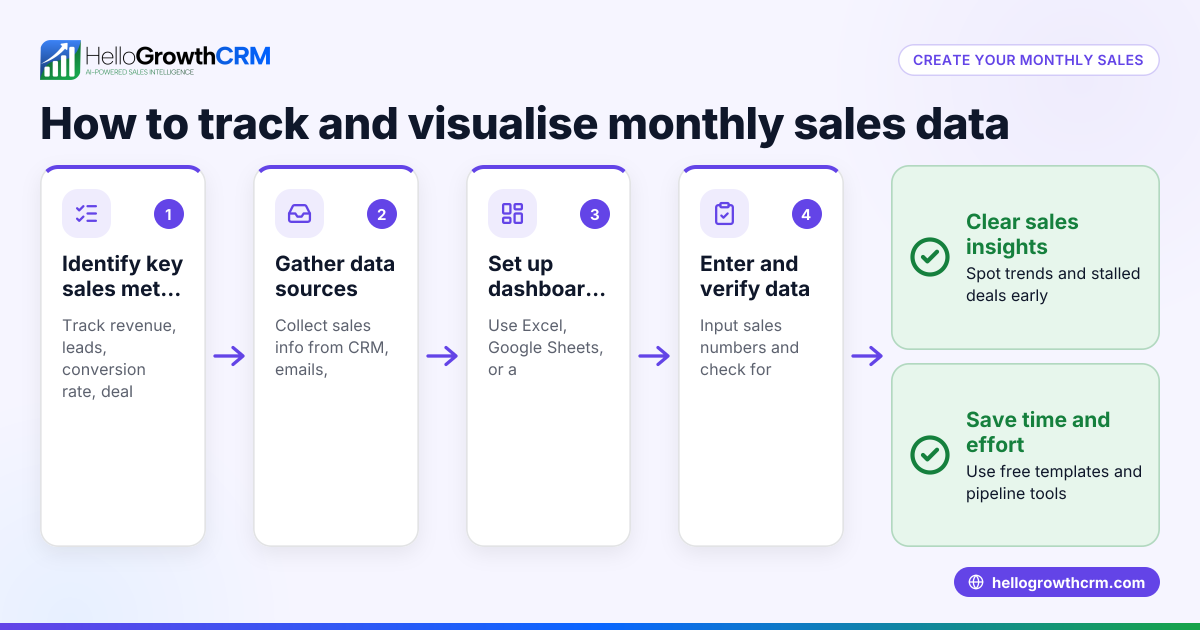
- Define your sales stages clearly
- List stages such as Lead, Contacted, Quote Sent, Negotiation, and Closed.
- Check that each stage matches your sales process and is easy to update.
- Set up columns for key metrics
- Include columns for deal name, customer, deal value (in C$), expected close date, and current stage.
- Add a column for follow-up date to remind when to contact the prospect next.
- Input or import your current deals
- Enter all active deals or import from your CRM or spreadsheet.
- Check for missing deal values or dates to avoid incomplete data.
- Calculate monthly sales totals
- Sum deal values expected to close within the month.
- Verify the sum matches your actual closed sales reported.
- Track deal progression and bottlenecks
- Count deals in each stage to see where most deals stall.
- Check if follow-up dates are set and not overdue.
- Visualize data with charts or conditional formatting
- Use bar charts for monthly revenue and pie charts for deal stages.
- Highlight deals overdue for follow-up in red.
- Review and update regularly
- Set a weekly or bi-weekly review schedule.
- Check that all team members update the dashboard consistently.
For more ready-made formats, explore sales templates and free sales tools and calculators to download pipeline templates without signing up.
Example (fictional figures)
An HVAC company in Surrey, British Columbia, tracks its sales for 2024-05.
| Deal Name | Customer | Deal Value (C$) | Expected Close Date | Stage | Follow-up Date |
|---|---|---|---|---|---|
| Cooling Install | Green Homes | 25,000 | 2024-05-15 | Quote Sent | 2024-05-10 |
| Heating Repair | Maple Apartments | 12,000 | 2024-05-20 | Negotiation | 2024-05-18 |
| Maintenance Plan | City Office | 8,000 | 2024-05-30 | Contacted | 2024-05-25 |
Calculate total expected revenue for May:
C$25,000 + C$12,000 + C$8,000 = C$45,000
They note two deals are in late stages (Quote Sent, Negotiation) and one in Contacted. Follow-up dates are set to ensure timely communication.
Common mistakes
- Not updating the dashboard regularly: Prevent by setting a fixed weekly review and assigning responsibility.
- Missing or inaccurate deal values: Prevent by validating deal amounts before entry and reconciling with invoices.
- Ignoring follow-up dates: Prevent by highlighting overdue follow-ups and automating reminders if possible.
- Using inconsistent date formats: Prevent by standardizing on YYYY-MM-DD to avoid confusion.
- Overcomplicating the dashboard with too many metrics: Prevent by focusing on key sales stages, deal value, and follow-up dates.
Explore more to avoid these errors at sales templates.
Doing this in HelloGrowthCRM
HelloGrowthCRM offers free sales tools, templates, and calculators including pipeline templates that you can download without an account. Its pipeline forecast and AI insights help you see which sales stages your deals are stalling in without needing to build spreadsheets. The deals (pipeline) feature tracks your open opportunities from first contact through to close, showing quotations at the 'quote sent' stage with follow-up dates so no deal is forgotten. Learn more about HelloGrowthCRM for Canada.
Frequently asked questions
What should a monthly sales dashboard include for Canadian businesses? A monthly sales dashboard should include deal names, customer info, deal value in Canadian dollars, expected close dates, current sales stages, and follow-up dates. This allows you to track progress clearly and forecast monthly revenue.
Can I use Excel or Google Sheets for a sales dashboard? Yes, Excel or Google Sheets are common tools for building sales dashboards. Use templates designed for sales pipelines and ensure you update data regularly. For more convenience, free sales templates and calculators are available online to simplify setup.
How often should I update my sales dashboard? Ideally, update your sales dashboard at least weekly to keep track of deal progress and follow-ups. Regular updates help prevent missed opportunities and improve forecasting accuracy.
How does HelloGrowthCRM help with sales dashboards? HelloGrowthCRM provides free downloadable sales pipeline templates and tools to track deals. Its AI-assisted pipeline forecast shows where deals stall and predicts revenue, all without building complex spreadsheets.
Is there a way to automate follow-up reminders? Many CRMs, including HelloGrowthCRM, allow setting follow-up dates with reminders to ensure timely contact with prospects. This reduces the risk of losing leads due to slow follow-up.
Key takeaways
- Use a clear, simple template with defined sales stages and key metrics.
- Track deals with deal value, expected close date, and follow-up date.
- Update your dashboard regularly to keep data accurate and actionable.
- Avoid common mistakes like missing data or ignoring follow-ups.
- HelloGrowthCRM offers free pipeline templates and AI insights to simplify sales tracking.
Start managing your sales pipeline efficiently with a monthly sales dashboard template tailored for Canadian businesses. To get started easily, Start on the Free Forever plan (200 leads, no credit card).
Ready to put this into practice?
Set up your pipeline, WhatsApp follow-ups, and AI lead scoring in minutes — free, no credit card.
Try HelloGrowthCRM freeGet CRM tips in your inbox
Join thousands of sales professionals who get weekly insights on CRM strategy, AI automation, and pipeline optimization.

The HelloGrowthCRM team publishes guides on CRM strategy, AI sales tools, and revenue operations for small business sales teams.