HelloGrowthCRM software
Built for real small-business sales teams
HelloGrowthCRM helps reps qualify faster, follow up on time, and close more deals—with practical automation in one place.
- AI lead scoring and pipeline visibility
- Built-in dialer, WhatsApp, and email automation
- Sales forecasting and RevOps-ready reporting
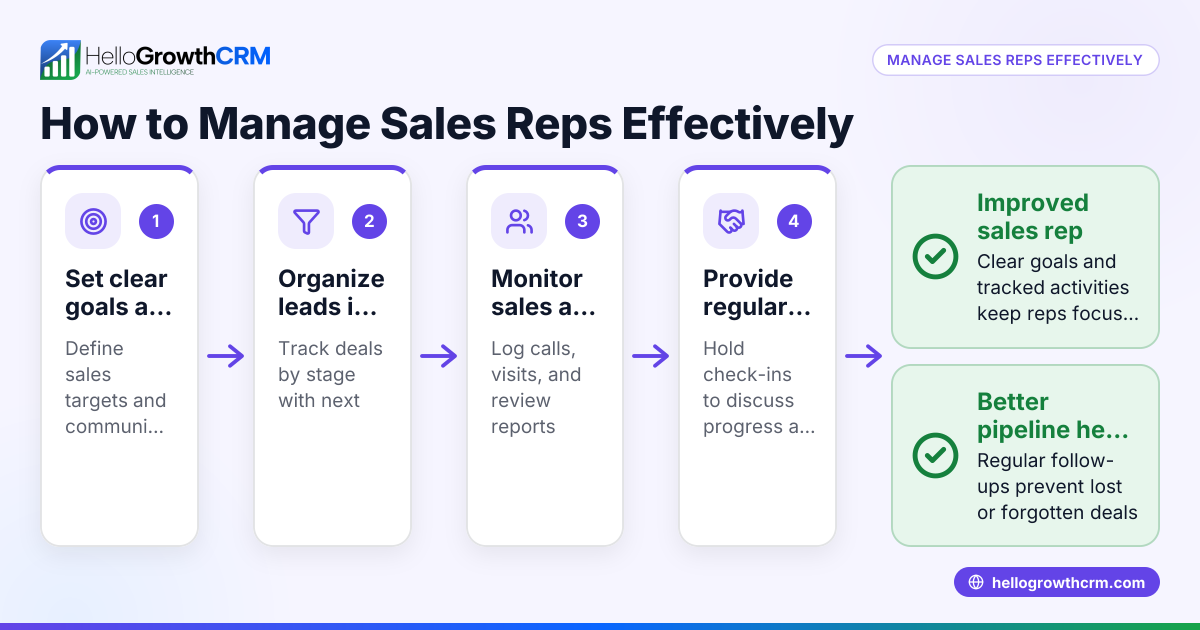
Multi-user CRM software for multi-rep sales teams in New Zealand must allow several salespeople to work on leads and deals simultaneously without losing track of follow-ups or duplicating efforts. It should provide shared visibility of the sales pipeline, simplify communication, and automate routine tasks.
Why this comes up / what goes wrong
Small and mid-sized businesses in New Zealand with multiple sales representatives often struggle to coordinate their sales efforts when using basic tools like spreadsheets, emails, or text messages. Leads get lost or contacted multiple times, follow-ups are missed, and it becomes hard to see the overall sales pipeline. Without a dedicated multi-user CRM, the team’s productivity drops, and sales opportunities slip away.
Business owners search for multi-user CRM software to improve team collaboration, track leads effectively, and ensure every sales rep knows their tasks and deadlines. They want a system that fits New Zealand’s business context and integrates well with their communication channels.
Step-by-step
- Identify your team size and roles
- Check how many sales reps will use the CRM simultaneously.
- Confirm if you need role-based access (e.g., manager vs sales rep).
- Ensure shared pipeline visibility
- Look for CRM software that shows all deals and stages to the team.
- Confirm it supports deal assignment and follow-up reminders.
- Check communication integration
- Verify if the CRM supports WhatsApp and SMS messaging, popular communication tools in New Zealand.
- Ensure conversations are logged and linked to the right lead.
- Look for task and follow-up management
- The software should let reps set follow-up dates and tasks.
- Confirm it can automate reminders and sequence messaging.
- Consider support for sales operations
- If you don’t have a sales manager, check if the CRM offers managed revenue operations support to keep follow-ups on track.
- Evaluate reporting and forecasting features
- Check if the CRM provides clear sales forecasting and pipeline reports.
- Test ease of use and adoption
- Choose software your team will actually use daily.
- Prefer intuitive interfaces and mobile-friendly options.
- Review pricing and scalability
- Ensure the CRM pricing fits your budget and grows with your team.
- Request demos or trials
- Try the CRM with your team to see if it meets your workflow.
For more details on features to look for, see CRM features.
Example (fictional figures)
An electrical contracting business in Wellington has 5 sales reps and a founder managing sales. They want a CRM to track leads, assign follow-ups, and avoid lost quotes.
- Monthly revenue target: NZ$120,000
- Average deal size: NZ$3,000
- Sales cycle: 30 days
Step 1: Calculate needed deals per month: NZ$120,000 ÷ NZ$3,000 = 40 deals
Step 2: Estimate daily new leads needed (20 working days/month): 40 deals ÷ 20 days = 2 leads per day
Step 3: Assign leads evenly to 5 reps: 2 leads × 20 days = 40 leads ÷ 5 reps = 8 leads per rep per month
Step 4: Use CRM to track each lead’s stage and follow-up date.
Step 5: Set reminders so quotes sent last week show as deals at 'quote sent' stage.
This example shows how a multi-user CRM helps distribute workload and keep pipeline clear.
Common mistakes
- Not involving the sales team in CRM choice: Prevent by getting reps’ input to ensure usability.
- Choosing software without multi-user support: Check if it allows simultaneous access and role permissions.
- Ignoring communication channels: Prevent missed messages by choosing CRM with WhatsApp and SMS integration, like HelloGrowthCRM. See WhatsApp and SMS CRM.
- Failing to assign follow-ups: Use CRM features that automate task reminders and pipeline updates.
- Overcomplicating setup: Start simple, then add features as your team adapts.
- Neglecting ongoing pipeline hygiene: Consider managed revenue operations support if no sales manager is available. Learn more at Managed RevOps.
Doing this in HelloGrowthCRM
HelloGrowthCRM supports multi-user sales teams with several features:
- Managed RevOps: If you don’t have a sales manager, a revenue specialist helps keep follow-ups current every week.
- Deals (pipeline): Track open opportunities with stages and follow-up dates, so no quote or lead is forgotten.
- WhatsApp and SMS: Conversations with leads are logged on the lead record, and follow-ups can be sent as messages directly from the CRM.
These features help small and mid-sized New Zealand businesses organise multi-rep sales teams efficiently.
Frequently asked questions
What is the main benefit of multi-user CRM software for sales teams? It centralises lead and deal information so all sales reps see the pipeline, coordinate follow-ups, and avoid duplicated efforts or missed opportunities.
Can multi-user CRMs handle communication on WhatsApp and SMS? Some CRMs, like HelloGrowthCRM, integrate WhatsApp and SMS messaging, logging conversations on lead records to keep communication organised.
How do I ensure my team actually uses the CRM? Choose a CRM with an intuitive interface and mobile access, involve your team in the selection, and consider managed support for follow-up tasks.
Is it necessary to have a sales manager to use a multi-user CRM effectively? Not always. Services like Managed RevOps provide weekly follow-up management if you don’t have a dedicated sales manager.
What should I test during a CRM trial? Check multi-user access, pipeline visibility, task assignment, communication logging, and reporting features to ensure they fit your sales process.
See more about HelloGrowthCRM for New Zealand.
Key takeaways
- Multi-user CRM software must support shared pipeline visibility and task management.
- Integration with WhatsApp and SMS is important for New Zealand sales teams.
- Managed RevOps can help teams without sales managers keep follow-ups on track.
- Involve your sales team in CRM selection to ensure adoption.
- Test features like deal tracking, communication logging, and reporting before buying.
- Start simple and scale CRM use as your team grows.
Start organising your multi-rep sales team with HelloGrowthCRM. Start on the Free Forever plan (200 leads, no credit card).
Ready to put this into practice?
Set up your pipeline, WhatsApp follow-ups, and AI lead scoring in minutes — free, no credit card.
Try HelloGrowthCRM freeGet CRM tips in your inbox
Join thousands of sales professionals who get weekly insights on CRM strategy, AI automation, and pipeline optimization.

The HelloGrowthCRM team publishes guides on CRM strategy, AI sales tools, and revenue operations for small business sales teams.