HelloGrowthCRM software
Built for real small-business sales teams
HelloGrowthCRM helps reps qualify faster, follow up on time, and close more deals—with practical automation in one place.
- AI lead scoring and pipeline visibility
- Built-in dialer, WhatsApp, and email automation
- Sales forecasting and RevOps-ready reporting
A revised quote is a new or amended price estimate sent to a customer after the original quote, usually because of changes in project scope, material costs, or delivery terms. It clarifies the updated offer and helps avoid misunderstandings before work or sales proceed.
Why this comes up / what goes wrong
Small business owners often need to issue a revised quote when the initial estimate no longer fits the actual costs or customer requirements. For example, if a client changes the order quantity, requests additional services, or if supplier prices increase, the original quote becomes outdated. Without a revised quote, you risk delivering work at a loss, facing payment disputes, or damaging customer trust.
Quotes may also need revision if errors were found in the original pricing or if regulatory or logistical factors affect the project. Often, the need for a revised quote arises from slow communication or unclear terms in the original document.
Step-by-step
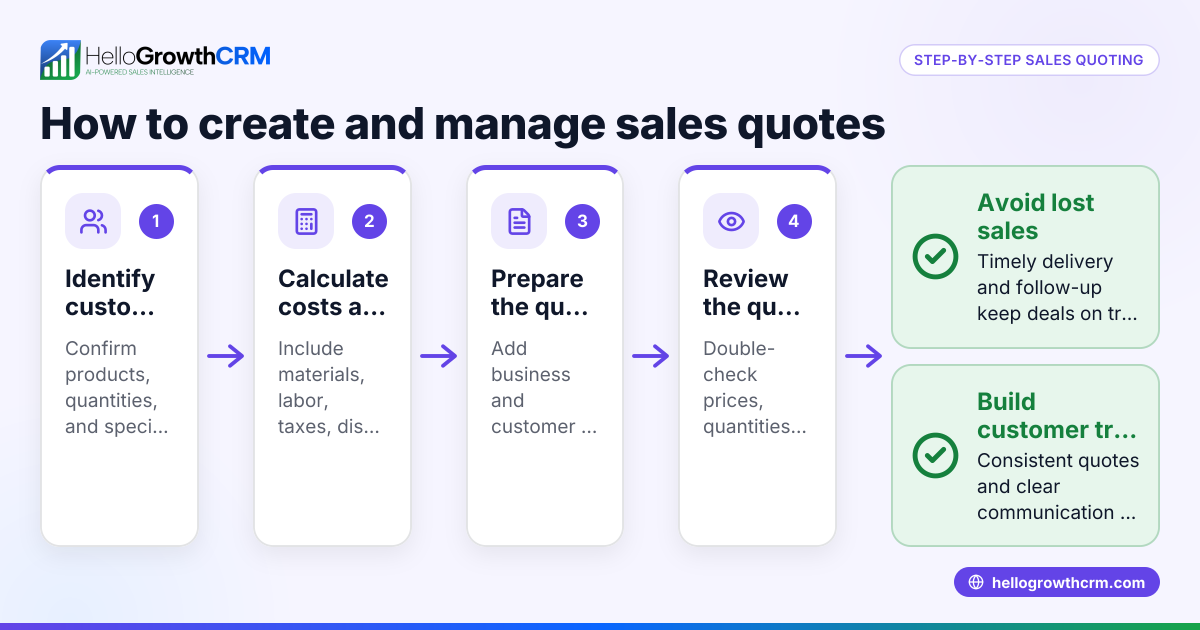
- Review the original quote: Check the initial pricing, terms, and scope carefully to identify what must change.
- Gather updated information: Confirm new costs, client requests, or external factors affecting the price or delivery.
- Calculate the new total: Adjust prices, quantities, or service details accordingly.
- Prepare the revised quote document: Clearly label it as "Revised Quote" with the date and reference to the original quote number.
- Highlight changes: Explicitly note what has changed from the original quote to avoid confusion.
- Send the revised quote promptly: Use a reliable method that allows you to track when the client views it.
- Follow up: Confirm receipt and answer any client questions to secure acceptance.
- Record the status: Mark whether the revised quote is sent, viewed, or accepted to manage your sales pipeline.
When managing quotes, consider using tools like HelloGrowthCRM’s quoting features to streamline these steps and keep everything on one screen alongside your follow-up tasks. For more on sales communication, see WhatsApp and SMS CRM.
Example (fictional figures)
A Glasgow-based solar-panel installer sent an initial quote on 01/04/2026 for installing panels on a home:
- Panels and equipment: £4,000
- Labour: £1,200
- Installation date: 15/04/2026
- Total: £5,200
Later, the client requested additional panels, increasing equipment costs by £1,500 and labour by £400. The installer needs to send a revised quote on 05/04/2026.
Calculations:
£4,000 + £1,500 = £5,500 (new equipment cost)
£1,200 + £400 = £1,600 (new labour cost)
£5,500 + £1,600 = £7,100 (new total)
The revised quote document should state:
- Original quote date and total
- New equipment and labour costs
- New total price £7,100
- Reason for revision: additional panels requested
This clear communication helps the client understand the change and agree before work begins.
Common mistakes
- Not labelling the document clearly as revised: Prevent by adding "Revised Quote" with date and referencing the original quote number.
- Failing to highlight changes: Prevent confusion by explicitly listing what has changed.
- Delaying sending the revised quote: This risks misunderstandings and lost sales; send promptly.
- Not tracking client receipt or acceptance: Use tools that show quote status to follow up effectively.
- Mixing revised quotes with invoices or contracts: Keep documents distinct to avoid legal or accounting errors.
To avoid these, consider a CRM with built-in quoting and follow-up task management, like HelloGrowthCRM, which keeps quote status visible alongside your sales activities. Learn more about the built-in CRM dialer that integrates with your sales process.
Doing this in HelloGrowthCRM
HelloGrowthCRM lets you create, send, and track quotes and revised quotes directly from the deal record. You can see the quote’s status—whether sent, viewed, or accepted—on the same screen as your follow-up task. This helps you stay organised and respond quickly to clients. When the deal progresses, you can generate invoices and record payments, keeping all sales documents linked in one place.
Frequently asked questions
What is the difference between a quote and a revised quote? A quote is the original price estimate offered to a customer. A revised quote updates that estimate due to changes in costs, scope, or terms, replacing or amending the original offer.
When should I send a revised quote? Send a revised quote as soon as you know the original pricing or terms no longer apply, such as after client changes or supplier cost increases, to keep agreements clear and avoid disputes.
Do revised quotes have legal standing? A revised quote forms part of your sales agreement once accepted by the customer. It’s important to document and communicate revisions clearly to avoid misunderstandings.
Can I send revised quotes via WhatsApp? Yes, using tools like HelloGrowthCRM, you can send quotes and revised quotes via WhatsApp and SMS, tracking when clients view and accept them, making follow-up easier.
How do I keep track of multiple quotes and revisions? Using a CRM with quoting features helps you organise all versions of quotes on the deal record, showing their status and linking follow-up tasks, so nothing gets missed.
Key takeaways
- A revised quote updates the original price estimate due to changes.
- Clearly label and highlight changes in the revised quote.
- Send revised quotes promptly and track client responses.
- Avoid mixing quotes with invoices or contracts.
- Use CRM tools like HelloGrowthCRM to manage quotes and follow-ups efficiently.
To get started managing quotes and revised quotes easily, Start on the Free Forever plan (200 leads, no credit card) with HelloGrowthCRM.
Ready to put this into practice?
Set up your pipeline, WhatsApp follow-ups, and AI lead scoring in minutes — free, no credit card.
Try HelloGrowthCRM freeGet CRM tips in your inbox
Join thousands of sales professionals who get weekly insights on CRM strategy, AI automation, and pipeline optimization.

The HelloGrowthCRM team publishes guides on CRM strategy, AI sales tools, and revenue operations for small business sales teams.