HelloGrowthCRM software
Built for real small-business sales teams
HelloGrowthCRM helps reps qualify faster, follow up on time, and close more deals—with practical automation in one place.
- AI lead scoring and pipeline visibility
- Built-in dialer, WhatsApp, and email automation
- Sales forecasting and RevOps-ready reporting
A sales lead tracker Excel template for US businesses is a ready-to-use spreadsheet that helps you record each sales inquiry, track follow-up actions, and monitor progress toward closing deals. It saves time and reduces errors compared to manual note-taking or scattered spreadsheets. This article covers why small-business owners seek such templates, a step-by-step guide to using one, a realistic example, common mistakes to avoid, and how HelloGrowthCRM’s free sales tools can support your sales process.
Why this comes up / what goes wrong
Many US small-business owners run sales processes using text messages, emails, and various spreadsheets, often losing leads due to slow or forgotten follow-ups. Without a structured sales lead tracker, leads get scattered across notebooks or multiple files, making it hard to know who to contact next or which leads have the highest potential. This leads to lost sales opportunities and inefficient use of time.
A ready-to-use Excel template tailored for US businesses helps centralize lead information, schedule follow-ups, and prioritize leads. It also reduces the risk of missing deadlines or double-following the same lead.
Step-by-step
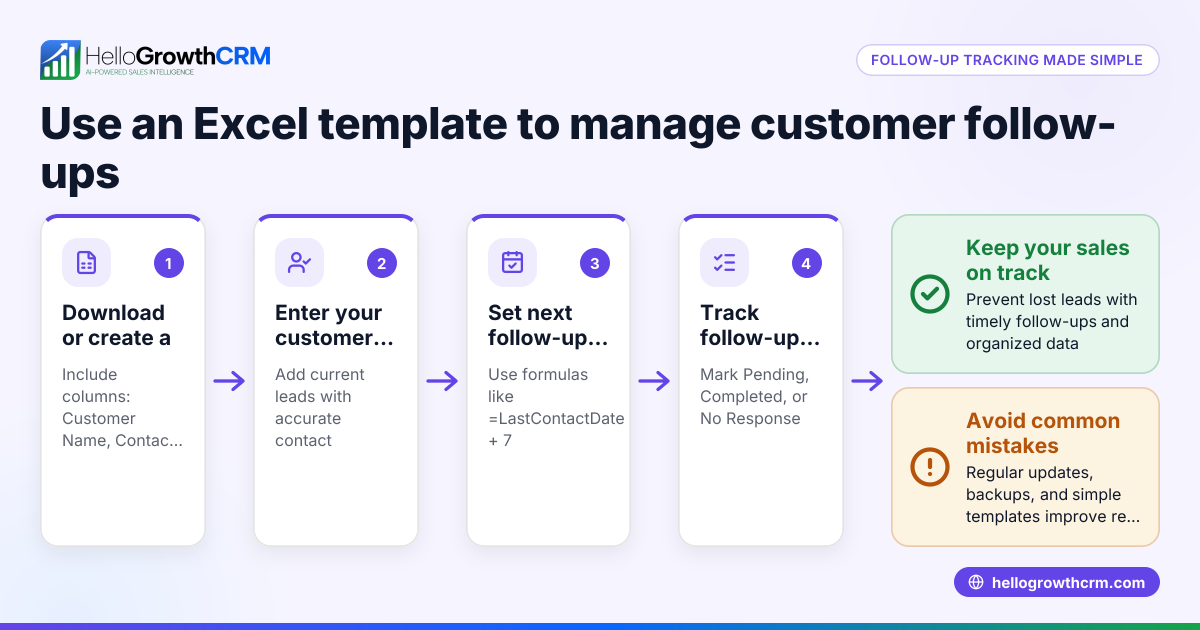
- Download the Template: Start by downloading a free sales lead tracker Excel template from a reliable source like HelloGrowthCRM’s free sales tools and calculators. This template typically includes columns for lead name, contact details, source, status, next follow-up date, and notes.
- Input Lead Details: Enter each new lead’s information as soon as you get it. Include name, phone number, email, and how the lead found you (e.g., web form, referral, cold call).
- Set Lead Status: Use predefined status options such as New, Contacted, Interested, Proposal Sent, and Closed. This helps you quickly filter and focus on leads at different stages.
- Schedule Follow-Ups: For every lead, record the next follow-up date and the action to take. Use Excel’s date functions to highlight overdue follow-ups.
- Track Communication History: Add notes for each contact attempt or conversation, so you and your team know the latest updates.
- Review and Update Regularly: At least once a day, review the tracker to update statuses, mark completed tasks, and plan next steps.
- Use Filters and Conditional Formatting: Apply Excel filters to view leads by status or follow-up dates. Use conditional formatting to highlight urgent leads.
- Backup Your File: Save your tracker in a cloud folder or backup drive to prevent data loss.
- Combine with Other Tools: For better lead management, consider integrating your Excel tracker with a CRM like HelloGrowthCRM, which automates lead capture and prioritization.
Example (fictional figures)
A two-location dental practice in Columbus, Ohio, uses the sales lead tracker Excel template to manage new patient inquiries.
- Lead: John Smith
- Contact: johnsmith@email.com, (614) 555-1234
- Source: Website form
- Status: New
- Next Follow-Up Date: 06/05/2024
- Notes: Interested in teeth whitening
They enter this data immediately after receiving the inquiry.
On 06/05/2024, the receptionist calls John to schedule a consultation.
- Update status to Contacted
- Next Follow-Up Date: 06/07/2024
- Notes: Left voicemail, waiting for callback
If John books the appointment:
- Update status to Proposal Sent (appointment details)
- Next Follow-Up Date: 06/10/2024
- Notes: Confirm appointment and send reminder
This process ensures every lead is tracked and followed up timely.
Common mistakes
- Failing to update the tracker daily: Leads can slip through the cracks. Prevent this by setting a daily reminder to update the sheet.
- Not standardizing status labels: Using inconsistent status terms causes confusion. Use predefined status options from your template.
- Ignoring follow-up dates: Overdue follow-ups mean lost sales. Use conditional formatting to highlight overdue tasks.
- Entering incomplete lead information: Missing contact details make follow-up impossible. Always fill all required fields.
- Not backing up the file: Losing data can be costly. Save copies regularly or use cloud storage.
- Over-relying on Excel without automation: Manual entry is error-prone and slow. Combine Excel tracking with tools like HelloGrowthCRM’s Leads feature for automatic lead capture and prioritization.
Doing this in HelloGrowthCRM
HelloGrowthCRM offers free sales tools, templates, and calculators including sales pipeline templates that you can download without creating an account. Its Leads feature automatically captures every inquiry from forms, calls, or WhatsApp messages as a lead with an owner and a next step, eliminating manual entry. Additionally, AI lead scoring helps telecallers prioritize calling the leads most likely to convert first. These features help small and mid-sized US businesses organize and accelerate their sales process efficiently.
Frequently asked questions
Can I customize the sales lead tracker Excel template? Yes, Excel templates are fully customizable. You can add or remove columns, change status options, and adjust formatting to fit your business needs.
How do I prioritize which leads to follow up first? Use the status and next follow-up date columns to identify hot leads. Tools like HelloGrowthCRM’s AI lead scoring can automate this by ranking leads based on conversion likelihood.
Is Excel enough for managing sales leads? Excel works well for small teams but can become cumbersome as you grow. Integrating with a CRM like HelloGrowthCRM can automate lead capture and follow-up tasks.
Where can I find free sales lead tracker templates? HelloGrowthCRM offers free sales tools and templates, including lead trackers and pipeline templates, available at free sales tools and calculators.
How do I keep my sales lead tracker secure? Store your Excel file in a secure cloud service with access controls, and back it up regularly to avoid data loss.
Key takeaways
- Use a ready-to-use Excel sales lead tracker template to organize and prioritize leads.
- Enter complete lead details and update statuses and follow-up dates daily.
- Avoid common mistakes like inconsistent status labels and missed follow-ups.
- Backup your tracker regularly and consider integrating with CRM tools.
- HelloGrowthCRM offers free downloadable sales templates and AI lead scoring to enhance lead management.
Start managing your leads more effectively today. You can also Start on the Free Forever plan (200 leads, no credit card) with HelloGrowthCRM to automate lead capture and prioritization.
Ready to put this into practice?
Set up your pipeline, WhatsApp follow-ups, and AI lead scoring in minutes — free, no credit card.
Try HelloGrowthCRM freeGet CRM tips in your inbox
Join thousands of sales professionals who get weekly insights on CRM strategy, AI automation, and pipeline optimization.

The HelloGrowthCRM team publishes guides on CRM strategy, AI sales tools, and revenue operations for small business sales teams.