HelloGrowthCRM software
Built for real small-business sales teams
HelloGrowthCRM helps reps qualify faster, follow up on time, and close more deals—with practical automation in one place.
- AI lead scoring and pipeline visibility
- Built-in dialer, WhatsApp, and email automation
- Sales forecasting and RevOps-ready reporting
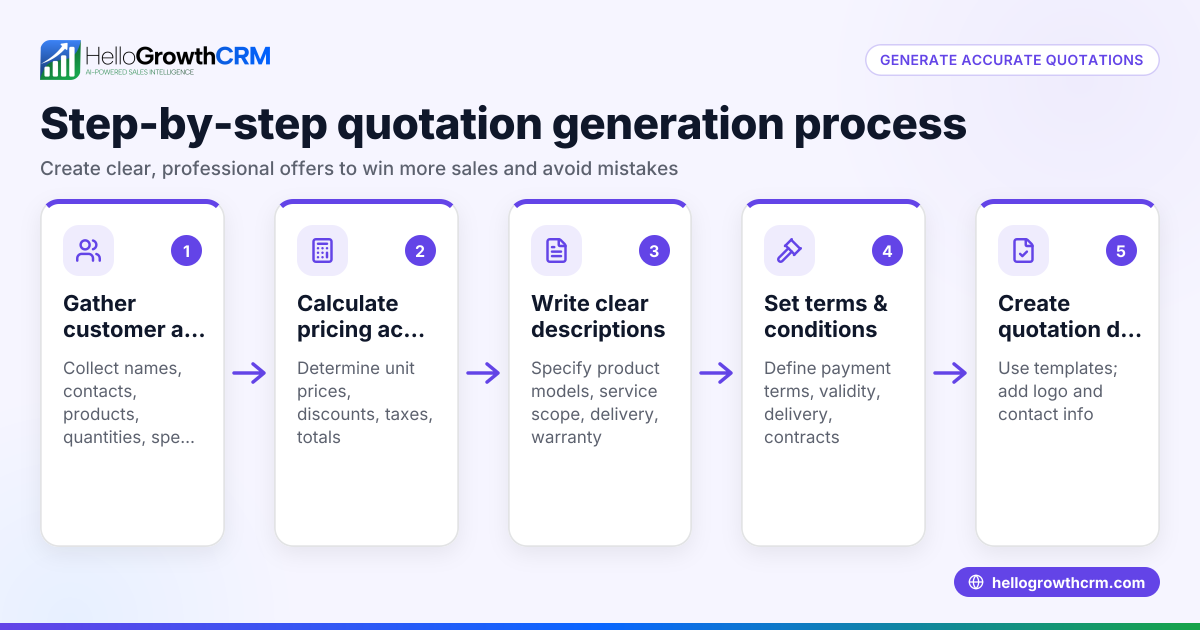
A sales quotation template for a small business in the UAE is a structured document that outlines the products or services offered, prices, terms, and conditions. It helps you provide clear, professional quotes to potential customers. This article provides a step-by-step guide to creating your own template, a realistic example with AED figures, common mistakes to avoid, and how HelloGrowthCRM can support your quoting process.
Why this comes up / what goes wrong
Small business owners in the UAE often need to send sales quotations quickly and clearly to win customers. Without a ready-to-use template, quotes can be inconsistent, incomplete, or unclear. This can cause delays, misunderstandings, or lost sales. Many businesses still create quotations manually using Word or Excel, which risks errors and slow follow-up. A clear template tailored to UAE business practices helps avoid these issues and speeds up the sales process.
Step-by-step
- Header and Contact Details
- Include your business name, logo, address, phone number, email, and website.
- Add the customer's name, business details, and contact information.
- Check the accuracy of all contact details to ensure easy communication.
- Quotation Number and Date
- Assign a unique quotation number for tracking.
- Include the quotation date and specify how long the quote is valid (e.g., 30 days).
- Verify the date format is DD/MM/YYYY to match UAE standards.
- Description of Goods or Services
- List each product or service with a clear description.
- Include quantities, unit prices, and any relevant codes (HSN or SAC codes if applicable).
- Double-check descriptions to avoid ambiguity.
- Pricing Details
- Calculate the total price per item (quantity × unit price).
- Add any applicable taxes or fees separately (note: VAT details need expert review).
- Show the subtotal, taxes, and grand total clearly.
- Terms and Conditions
- State payment terms (e.g., payment due within 30 days).
- Include delivery timelines, warranty, or return policies.
- Make sure terms comply with your business policies and UAE regulations.
- Signature and Approval
- Provide space for your authorised signature.
- Optionally, include a customer signature line to confirm acceptance.
- Ensure signatures are obtained to formalise the agreement.
- Footer
- Add any legal disclaimers, company registration number, or trade licence details.
- Include your bank details or payment instructions if relevant.
For ready-to-use formats, you can download free sales templates and calculators without signing up at free sales tools and calculators. These templates are designed to help you organise your sales process efficiently.
Example (fictional figures)
A car rental company in Abu Dhabi is quoting a corporate client for a 3-day rental of two SUVs.
| Item | Quantity | Unit Price (AED) | Total (AED) |
|---|---|---|---|
| SUV Rental (per day) | 2 | 350 | 350 × 3 × 2 = 2,100 |
| GPS Navigation System | 2 | 50 | 50 × 3 × 2 = 300 |
Calculations:
Total rental for SUVs = 350 × 3 × 2 = 2,100
Total GPS cost = 50 × 3 × 2 = 300
Subtotal = 2,100 + 300 = 2,400
Assuming VAT at illustrative 5% (NEEDS EXPERT REVIEW):
VAT = 2,400 × 5% = 120
Grand Total = 2,400 + 120 = 2,520
Quotation Date: 15/06/2024
Quotation Number: CR-2024-015
Validity: 30 days
Terms: Payment due within 15 days of invoice
Common mistakes
- Incomplete contact details
- Prevent by double-checking business and client info before sending.
- Not specifying quotation validity
- Always state how long the quote is valid to avoid confusion.
- Omitting terms and conditions
- Include clear payment and delivery terms to manage expectations.
- Calculating prices incorrectly
- Use formulas or calculators to avoid arithmetic errors.
- Not tracking quotation status
- Keep a record of sent, viewed, and accepted quotes to follow up effectively.
- Using inconsistent formats
- Use a standard template for all quotations to look professional.
You can find templates that help avoid these mistakes at sales templates.
Doing this in HelloGrowthCRM
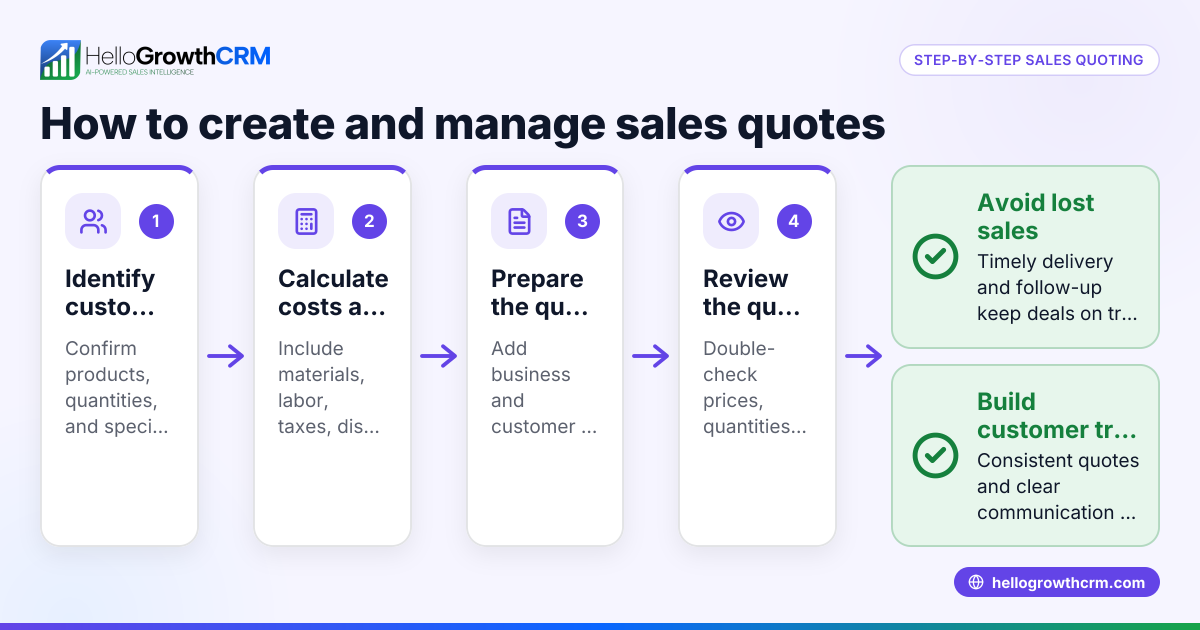
HelloGrowthCRM offers a built-in quoting and proposal tool for building, sending, and tracking quotations directly from a deal record. The quotation status—sent, viewed, or accepted—is visible on the same screen as your follow-up task, helping you manage your sales pipeline efficiently. Additionally, free sales tools and templates are available for download without needing an account at free sales tools and calculators. For founders without a sales manager, Managed RevOps support is available to keep follow-up queues active weekly. Learn more at HelloGrowthCRM for the United Arab Emirates.
Frequently asked questions
What should a sales quotation include for a UAE small business? A sales quotation should include your business and client contact details, a unique quotation number, date and validity, detailed description of goods or services, pricing and taxes, payment and delivery terms, and a signature section. Including all these ensures clarity and professionalism.
How long should a sales quotation be valid in the UAE? Typically, quotations are valid for 15 to 30 days. This timeframe allows the client to consider the offer while protecting you from price changes. Always state the validity period clearly on the document.
Can I use Excel or Word for sales quotations? Yes, many small businesses use Excel or Word to create quotations. However, using templates designed for sales quotations helps reduce errors and saves time. You can download free templates at sales templates.
How can I track my quotations effectively? Tracking quotations manually can be difficult. Using a CRM with quoting features lets you send quotations and track their status in one place, improving follow-up and conversion rates.
Do I need to include VAT details in my quotation? If your business is VAT-registered, you should include VAT separately on the quotation. The rate and rules depend on UAE VAT law—please consult a tax expert to confirm your obligations (NEEDS EXPERT REVIEW).
Key takeaways
- Use a clear, standard template with all essential sections: contact info, quotation number, date, itemised pricing, terms, and signature.
- Check all details carefully to avoid common mistakes like missing validity or incorrect calculations.
- Download free sales templates and tools from HelloGrowthCRM to simplify the process.
- Track quotation status to follow up effectively and close deals faster.
- Consider using HelloGrowthCRM’s quoting and pipeline tools for integrated sales management.
Start preparing your sales quotations confidently with these steps and tools. To get started with managing your sales leads and quotations efficiently, start on the Free Forever plan (200 leads, no credit card).
Ready to put this into practice?
Set up your pipeline, WhatsApp follow-ups, and AI lead scoring in minutes — free, no credit card.
Try HelloGrowthCRM freeGet CRM tips in your inbox
Join thousands of sales professionals who get weekly insights on CRM strategy, AI automation, and pipeline optimization.

The HelloGrowthCRM team publishes guides on CRM strategy, AI sales tools, and revenue operations for small business sales teams.