HelloGrowthCRM software
Built for real small-business sales teams
HelloGrowthCRM helps reps qualify faster, follow up on time, and close more deals—with practical automation in one place.
- AI lead scoring and pipeline visibility
- Built-in dialer, WhatsApp, and email automation
- Sales forecasting and RevOps-ready reporting
Small business help desk software organizes customer support requests into tickets, tracks responses, and helps deliver timely solutions. It centralizes communication from multiple channels to improve response times and customer satisfaction. This article explains why small businesses need help desk software, guides you through evaluating options step-by-step, provides a realistic example, covers common mistakes, and answers frequently asked questions.
Why this comes up / what goes wrong
Small business owners often face challenges managing customer inquiries that come through various channels such as email, phone calls, social media, and text messages. Without a centralized system, it’s easy to lose track of requests, respond late, or provide inconsistent answers. These issues frustrate customers and can damage your business reputation. Many small and mid-sized businesses try to handle support with spreadsheets, email threads, or manual tracking, but these methods become inefficient and error-prone as the volume of requests grows. Help desk software promises to streamline support, improve response times, and offer insights into customer issues, but selecting the right software requires careful evaluation to fit your business needs and budget.
Step-by-step
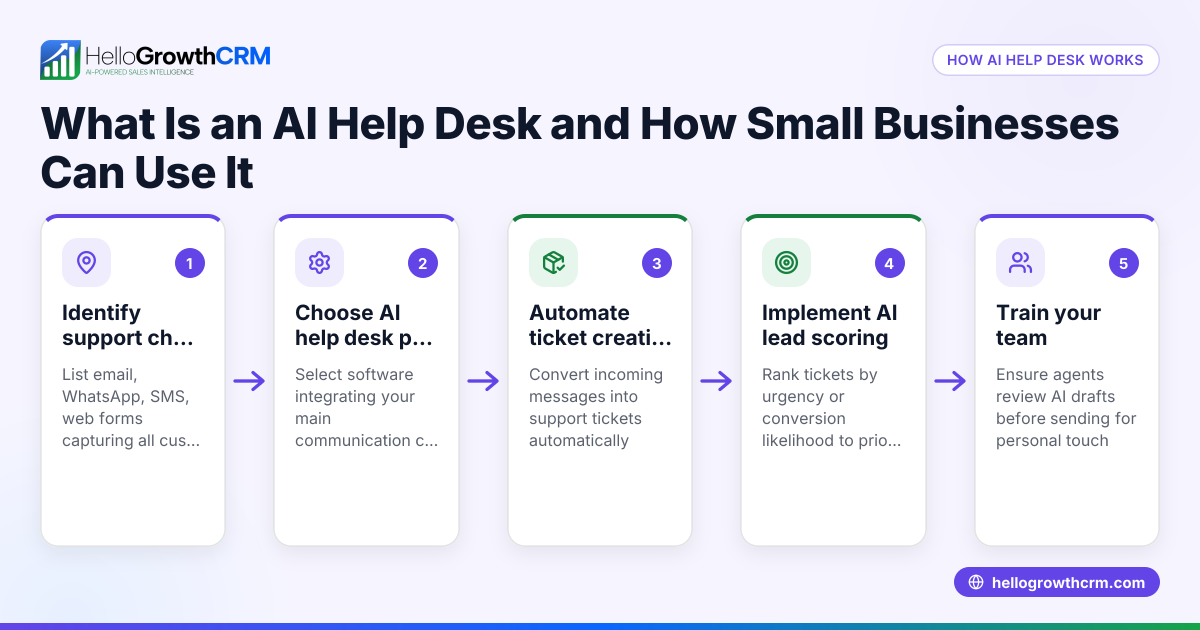
- Identify your support channels: List the ways customers contact you—email, phone, WhatsApp, SMS, social media, or website chat. Check if the help desk software supports these channels directly or via integrations.
- Determine your support volume and team size: Estimate how many support requests you receive daily or weekly and how many team members will handle these requests. This helps you find software with the right capacity and pricing.
- Check ticket management features: Look for software that converts inquiries into tickets, allows assigning tickets to team members, tracks ticket status, and prioritizes urgent requests.
- Evaluate automation and workflow capabilities: Consider if the software offers automation like auto-responders, ticket routing, reminders, or escalation rules to speed up resolution.
- Review reporting and analytics tools: Ensure the software provides reports on response times, ticket volume, resolution rates, and customer satisfaction to help improve your support.
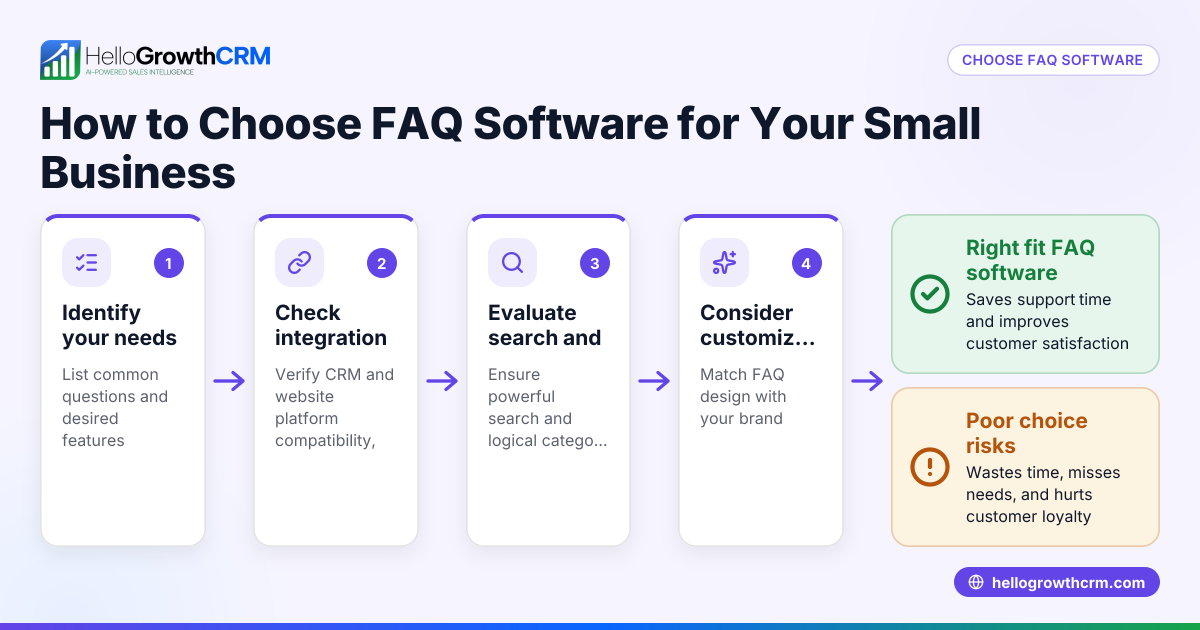
- Test usability and integration: Use demos or free trials to verify the software is user-friendly and integrates with your existing tools such as CRM, email, or communication apps.
- Compare pricing and contract terms: Understand costs including per-user fees, message limits, setup fees, and contract length. Check for any hidden charges.
- Ask about customer support: Confirm the software provider offers support during your business hours and through your preferred channels.
- Consider scalability: Choose software that can grow with your business to avoid switching platforms as your support needs increase.
- Make a shortlist and get team feedback: Narrow your options and involve your support team in testing and providing input to ensure the software fits daily workflows.
For more guidance on managing leads and customer communication, see our free CRM for small business and WhatsApp and SMS CRM articles.
Example (fictional figures)
GreenLeaf Landscaping, a landscaping contractor in Charlotte, North Carolina, receives about 50 customer support requests per week. They want help desk software to organize requests coming via email, phone, and SMS.
- They estimate needing 3 support agents.
- They want automation for assigning tickets and reminders.
- They want monthly reporting on response times.
They compare two software options:
Option A: $30 per user per month 3 users × $30 = $90 per month Annual cost = $90 × 12 = $1,080
Option B: $75 monthly flat fee for unlimited users Annual cost = $75 × 12 = $900
GreenLeaf chooses Option B for its flat fee and unlimited users, which fits their budget and team size.
Common mistakes
- Choosing software without testing it first: Prevent this by using free trials or demos to ensure the software is user-friendly and fits your team’s workflow.
- Ignoring integration with existing tools: Prevent this by checking if the help desk software connects with your CRM, email, or communication channels to avoid data silos.
- Overlooking scalability: Prevent this by selecting software that can handle growth in support volume and team size to avoid costly switches later.
- Focusing only on price: Prevent this by balancing cost with features, usability, and quality of customer support.
- Not involving the support team in decision-making: Prevent this by gathering feedback from those who will use the software daily to ensure adoption.
- Underestimating training needs: Prevent this by planning onboarding and training sessions for your team to use the software effectively.
Learn more about managing sales and customer communication efficiently with our HelloGrowthCRM for the United States guide.
Frequently asked questions
What features should a small business help desk software have? It should include ticket management, multi-channel support, automation tools, reporting, and easy integration with your current systems. Usability and scalability are also important.
Can I use help desk software if my team is very small? Yes, many help desk solutions offer plans suited for small teams. Some even provide free tiers or pay-as-you-go pricing.
How does help desk software improve customer satisfaction? By organizing requests, ensuring timely responses, and providing consistent communication, it helps reduce wait times and resolves issues faster.
Is it necessary to integrate help desk software with a CRM? Integration helps keep customer data in one place, improving personalization and efficiency. It is recommended but not mandatory.
Are there help desk software options that support WhatsApp and SMS? Yes, some software supports WhatsApp and SMS channels directly or through integrations, which is useful for businesses communicating via these platforms.
Key takeaways
- Identify your support channels and team size before choosing software.
- Look for ticket management, automation, and reporting features.
- Test usability and integration with your existing tools.
- Avoid choosing solely based on price; consider scalability and support.
- Involve your support team in the evaluation process.
- Plan for training to ensure smooth adoption.
Start managing your customer support more effectively by exploring our free CRM for small business to organize leads and communications.
Ready to put this into practice?
Set up your pipeline, WhatsApp follow-ups, and AI lead scoring in minutes — free, no credit card.
Try HelloGrowthCRM freeGet CRM tips in your inbox
Join thousands of sales professionals who get weekly insights on CRM strategy, AI automation, and pipeline optimization.

The HelloGrowthCRM team publishes guides on CRM strategy, AI sales tools, and revenue operations for small business sales teams.