HelloGrowthCRM software
Built for real small-business sales teams
HelloGrowthCRM helps reps qualify faster, follow up on time, and close more deals—with practical automation in one place.
- AI lead scoring and pipeline visibility
- Built-in dialer, WhatsApp, and email automation
- Sales forecasting and RevOps-ready reporting
SMS appointment reminders are brief text messages sent to customers or clients to remind them of upcoming appointments. They help reduce missed appointments, improve customer communication, and streamline scheduling. This article covers why SMS reminders are important, step-by-step instructions to implement them, a realistic example, common mistakes to avoid, and how HelloGrowthCRM supports SMS reminders combined with scheduling and WhatsApp messaging.
Why this comes up / what goes wrong
Small-business owners often face challenges with no-shows and last-minute cancellations that disrupt their schedules and reduce revenue. Many try to confirm appointments by phone calls or emails, which can be time-consuming and sometimes ignored by customers. These missed appointments mean lost income and wasted staff time. SMS appointment reminders come up as a solution because they send quick, direct messages that customers are more likely to read promptly. However, without a clear system, reminders might be sent inconsistently, too early or late, or lack important details, reducing their effectiveness and leaving no-shows a persistent problem.
Step-by-step
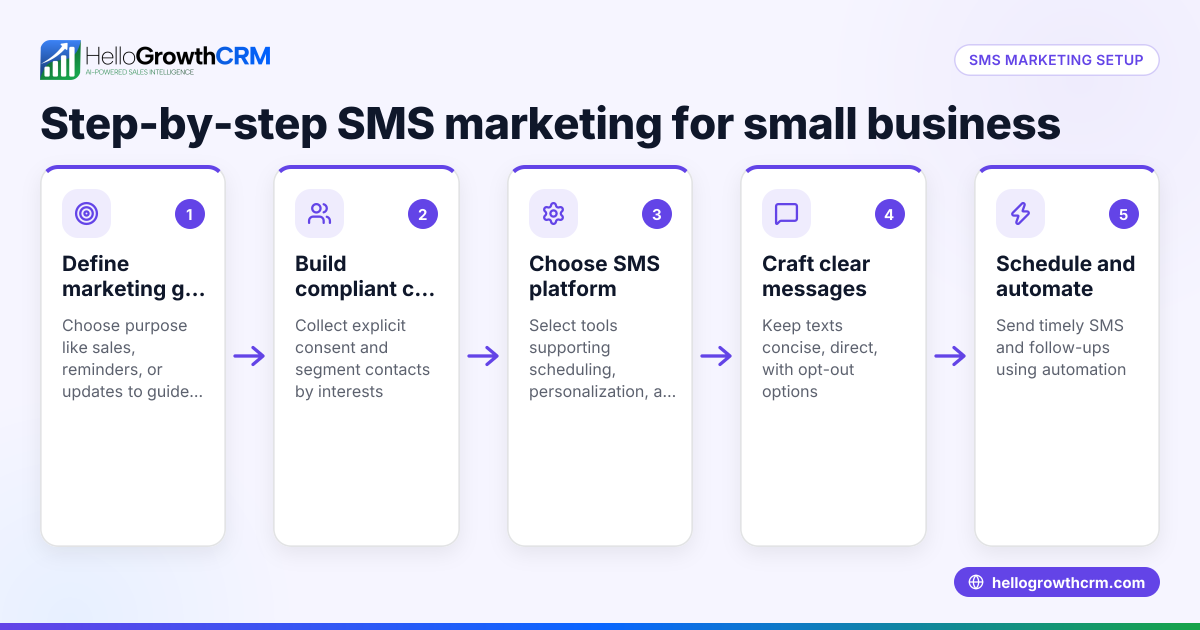
- Collect accurate phone numbers at booking
- Ask customers for their mobile number when they schedule an appointment.
- Confirm the number is correct and in the proper format for SMS delivery.
- Obtain consent to send SMS messages
- Inform customers that they will receive SMS reminders and get their permission.
- Choose the right timing for reminders
- Schedule the first reminder 24 to 48 hours before the appointment.
- Optionally, send a second reminder a few hours before the appointment to reduce last-minute no-shows.
- Craft clear and concise message content
- Include the appointment date, time, location, and any preparation instructions.
- Add contact details or a link for rescheduling or cancelling.
- Automate the sending process
- Use software or CRM tools that can schedule and send SMS reminders automatically.
- Make sure reminders are logged for follow-up and record-keeping.
- Monitor delivery and customer responses
- Track which reminders were delivered and read.
- Respond promptly to any replies or rescheduling requests.
- Follow up on no-shows
- Send a polite message to reschedule or gather feedback on missed appointments.
Check that your SMS platform complies with local regulations regarding messaging and customer consent.
For managing all related actions and reminders efficiently, consider using sales task boards to keep tasks organized and visible.
Example (fictional figures)
A B2B software reseller in Denver, Colorado, schedules 100 demos monthly with prospects. Their average revenue per demo is $1,200. Currently, they experience a 20% no-show rate, meaning 20 demos are missed each month.
They want to reduce no-shows to 10%, or 10 missed demos, by using SMS appointment reminders.
Additional demos completed due to fewer no-shows:
20 no-shows - 10 no-shows = 10 additional demos
Revenue gained from these additional demos:
10 demos × $1,200 = $12,000
Cost of sending SMS reminders:
Assuming $0.05 per SMS and two reminders per demo:
100 demos × 2 reminders × $0.05 = $10
Net gain from using SMS reminders:
$12,000 - $10 = $11,990
This example shows that investing in SMS appointment reminders can lead to significant revenue gains with minimal cost.
Common mistakes
- Not verifying phone numbers: Confirm numbers at booking to avoid failed deliveries.
- Sending reminders too early or too late: Schedule reminders 24-48 hours before appointments for best effect.
- Using unclear or incomplete messages: Include all necessary details and contact info to avoid confusion.
- Ignoring customer replies or rescheduling requests: Monitor and respond quickly to maintain good communication.
- Sending reminders manually: Automate with CRM tools to ensure consistency and save time.
- Failing to get customer consent: Always obtain permission to send SMS to comply with legal requirements.
To simplify scheduling and reduce back-and-forth messages, use a meeting scheduler so prospects can pick appointment slots from a link.
Doing this in HelloGrowthCRM
HelloGrowthCRM supports SMS and WhatsApp messaging by logging conversations on each lead record and sending follow-ups as messages. It allows you to automate SMS appointment reminders and manage customer replies in one place. Its meeting scheduler feature lets prospects choose appointment slots from a link, reducing scheduling friction and ensuring you collect accurate contact information for reminders.
Learn more about messaging capabilities at WhatsApp and SMS CRM.
Frequently asked questions
What is the best time to send SMS appointment reminders? Sending reminders 24 to 48 hours before the appointment is usually effective. Some businesses also send a second reminder a few hours before to reduce last-minute no-shows.
How do SMS reminders improve appointment attendance? SMS reminders are quick and direct, usually read within minutes. They help customers remember appointments and provide easy options to confirm or reschedule, reducing missed bookings.
Can I automate SMS appointment reminders without technical skills? Yes. Many CRM platforms offer built-in scheduling and messaging automation that handle reminders without manual effort.
Are there legal considerations for sending SMS reminders? Yes. You must have customer consent to send SMS messages and comply with regulations like the Telephone Consumer Protection Act (TCPA). Always get permission when collecting phone numbers.
What if a customer wants to reschedule via SMS? You should monitor replies to SMS reminders and respond promptly. HelloGrowthCRM logs these conversations to help you manage rescheduling smoothly.
How can I reduce scheduling back-and-forth with customers? Using a meeting scheduler link lets customers pick their own appointment slots, cutting down on messages and ensuring accurate scheduling.
Key takeaways
- SMS appointment reminders reduce no-shows by sending timely, clear messages.
- Collect accurate phone numbers and obtain consent during booking.
- Automate reminders 24-48 hours before appointments for best results.
- Monitor and respond to replies to maintain good customer communication.
- Avoid common mistakes like unclear messages or manual sending.
- Use scheduling tools to simplify appointment booking and reminders.
- HelloGrowthCRM integrates SMS reminders with WhatsApp conversations and scheduling.
Start managing your appointments and reminders efficiently with HelloGrowthCRM. Start on the Free Forever plan (200 leads, no credit card).
Ready to put this into practice?
Set up your pipeline, WhatsApp follow-ups, and AI lead scoring in minutes — free, no credit card.
Try HelloGrowthCRM freeGet CRM tips in your inbox
Join thousands of sales professionals who get weekly insights on CRM strategy, AI automation, and pipeline optimization.

The HelloGrowthCRM team publishes guides on CRM strategy, AI sales tools, and revenue operations for small business sales teams.