HelloGrowthCRM software
Built for real small-business sales teams
HelloGrowthCRM helps reps qualify faster, follow up on time, and close more deals—with practical automation in one place.
- AI lead scoring and pipeline visibility
- Built-in dialer, WhatsApp, and email automation
- Sales forecasting and RevOps-ready reporting
A survey invitation email is a targeted message sent to your customers or prospects asking them to take part in a survey. The goal is to gather valuable feedback or insights that can help your business improve offerings or better understand customer needs. Sending a clear, concise, and well-timed survey invitation increases the chances of recipients responding.
Why this comes up / what goes wrong
Small-business owners often want to collect feedback but struggle with low response rates or unclear messaging in their survey invitations. They may send generic emails, forget to follow up, or fail to explain why the survey is important. This leads to wasted effort and missed opportunities to learn from customers. Also, managing survey invitations manually via email clients or spreadsheets can cause delays and disorganization, especially as the contact list grows.
Step-by-step
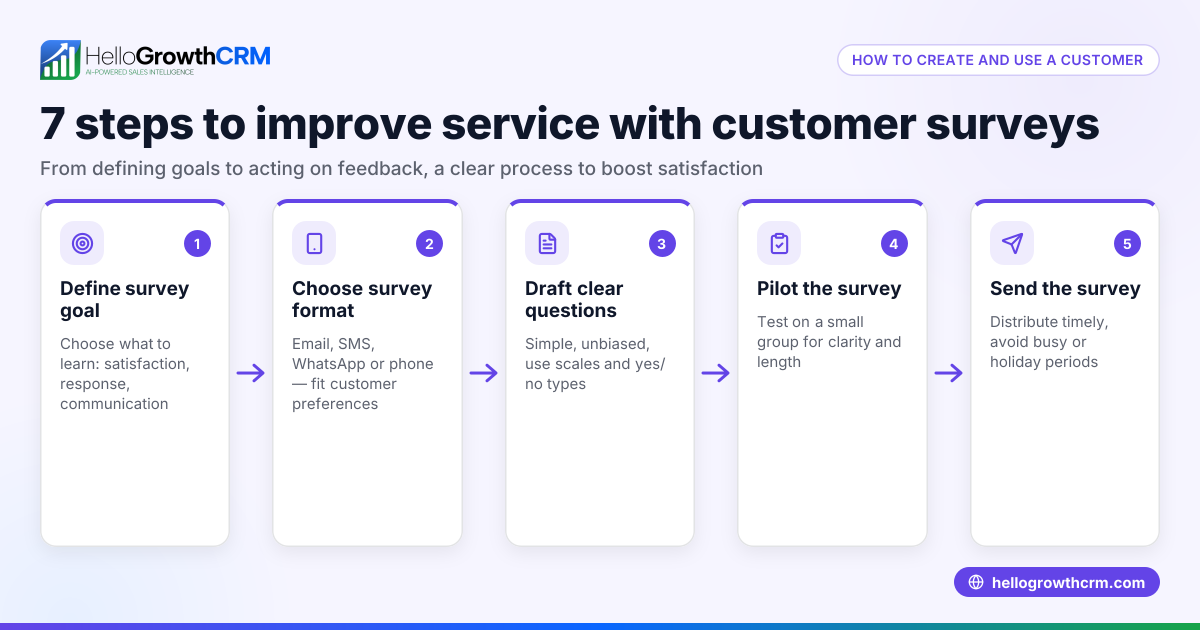
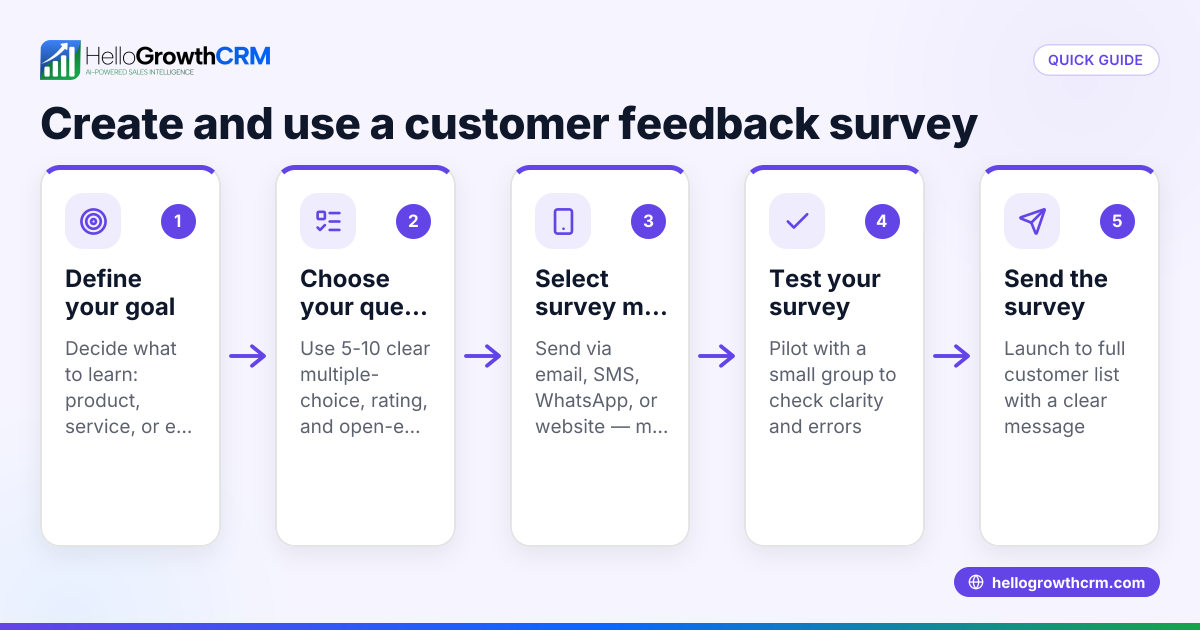
- Define the survey purpose clearly. Before writing the email, know exactly what feedback you want and how it will be used. This helps you communicate the value to recipients.
- Segment your audience. Send invitations only to relevant contacts to increase engagement. For example, recent customers or users of a specific product.
- Write a clear subject line. Make it inviting and specific, e.g., "We value your feedback: Quick survey inside."
- Personalize the greeting. Use the recipient’s name to make the email feel direct and relevant.
- Explain why you’re asking for feedback. Briefly state how their input will help improve your product or service.
- Include a clear call-to-action (CTA). Provide a direct link or button to the survey and mention the estimated time to complete it.
- Mention any incentives. If you offer rewards or discounts for completing the survey, state this clearly.
- Set a deadline. Encourage timely responses by specifying when the survey closes.
- Keep the email concise. Avoid long paragraphs; use bullet points if needed.
- Add your contact info. Let recipients reach out if they have questions.
- Test the email. Send a test to yourself or a colleague to check formatting and links.
- Schedule the send time. Choose a time when recipients are likely to check email, such as mid-morning on a weekday.
- Plan follow-up emails. Send reminders to non-respondents but avoid over-emailing. See email automation and sequences for managing follow-ups.
Example (fictional figures)
A B2B software reseller in Denver, Colorado, wants to send a survey invitation to 1,000 recent customers on 05/01/2026. They expect a 20% response rate and offer a $10 discount coupon as an incentive. The email campaign costs $200 for the email platform.
- Total recipients = 1,000
- Expected responses = 1,000 × 20% = 200
- Cost per response = $200 ÷ 200 = $1
If the reseller values each completed survey at $15 in customer insights, the net value is:
- Value from responses = 200 × $15 = $3,000
- Campaign cost = $200
- Net value = $3,000 − $200 = $2,800
This shows the survey invitation email can be a cost-effective way to gather feedback.
Common mistakes
- Sending to the wrong audience: Prevent by segmenting your list carefully.
- Unclear subject line: Use a specific, benefit-focused subject.
- No clear CTA: Always include a direct survey link or button.
- Ignoring follow-up: Use automated sequences to remind non-respondents without manual effort. See email automation and sequences.
- Overloading the email: Keep it concise and focused.
- Not personalizing: Personalize greetings and content where possible.
Doing this in HelloGrowthCRM
HelloGrowthCRM offers HelloMail, a shared inbox inside the CRM where your team can manage replies to survey invitations without switching apps. This keeps everyone updated on responses. You can also set up automated sequences and campaigns to send a five-step follow-up over two weeks that runs on its own and stops the moment the prospect replies, saving time and improving response rates. Learn more about these features at email automation and sequences.
Frequently asked questions
What should I include in a survey invitation email? Include a clear subject line, a personalized greeting, the purpose of the survey, a direct link or button to the survey, estimated time to complete, any incentives, and a deadline.
How often should I send survey invitation emails? Avoid sending surveys too frequently to the same recipients. Once or twice a year is common unless you have different surveys for different purposes. Use automated follow-ups to non-respondents carefully.
How long should the survey invitation email be? Keep it short and to the point. One to two brief paragraphs plus a clear call-to-action is ideal to maintain the reader’s attention.
Can I automate survey invitations and follow-ups? Yes. HelloGrowthCRM’s sequences feature lets you create automated multi-step follow-up workflows that send timed messages until a prospect responds, saving manual work.
Should I offer incentives in my survey invitation? Incentives often increase response rates but are not always necessary. If you offer them, clearly state what the incentive is and how to claim it.
What is the best time to send a survey invitation email? Mid-morning on weekdays usually works well, but you can test different times to see what gets the best response from your audience. See WhatsApp and SMS CRM for outreach timing tips.
Key takeaways
- A survey invitation email invites targeted recipients to provide feedback via a clear, concise message.
- Segment your audience and personalize your email to boost engagement.
- Include a clear call-to-action with a direct survey link and mention incentives or deadlines.
- Avoid common mistakes like unclear messaging or lack of follow-up.
- Use HelloGrowthCRM’s HelloMail shared inbox and automated sequences to manage replies and follow-ups efficiently.
Start gathering valuable customer insights by sending your next survey invitation email with confidence.
Start on the Free Forever plan (200 leads, no credit card) at HelloGrowthCRM.
Ready to put this into practice?
Set up your pipeline, WhatsApp follow-ups, and AI lead scoring in minutes — free, no credit card.
Try HelloGrowthCRM freeGet CRM tips in your inbox
Join thousands of sales professionals who get weekly insights on CRM strategy, AI automation, and pipeline optimization.

The HelloGrowthCRM team publishes guides on CRM strategy, AI sales tools, and revenue operations for small business sales teams.