HelloGrowthCRM software
Built for real small-business sales teams
HelloGrowthCRM helps reps qualify faster, follow up on time, and close more deals—with practical automation in one place.
- AI lead scoring and pipeline visibility
- Built-in dialer, WhatsApp, and email automation
- Sales forecasting and RevOps-ready reporting
A customer feedback survey is a tool small and mid-sized businesses use to collect insights directly from their customers about what they like or dislike about a product or service. This feedback helps businesses improve customer satisfaction, retain clients, and grow sales. In this article, you will learn why customer feedback surveys are important, how to create one with clear steps, a practical example with figures, common pitfalls to avoid, and how HelloGrowthCRM supports customer service after the sale.
Why this comes up / what goes wrong
Small-business owners often want to know how customers truly feel about their offerings but struggle to get clear, actionable feedback. Without a structured customer feedback survey, businesses rely on sporadic comments or guesses, leading to missed opportunities for improvement. Customers may also feel unheard if there is no easy way to share their opinions, which can hurt loyalty and referrals. A well-designed survey solves these problems by providing a consistent way to collect and analyze customer views.
Step-by-step
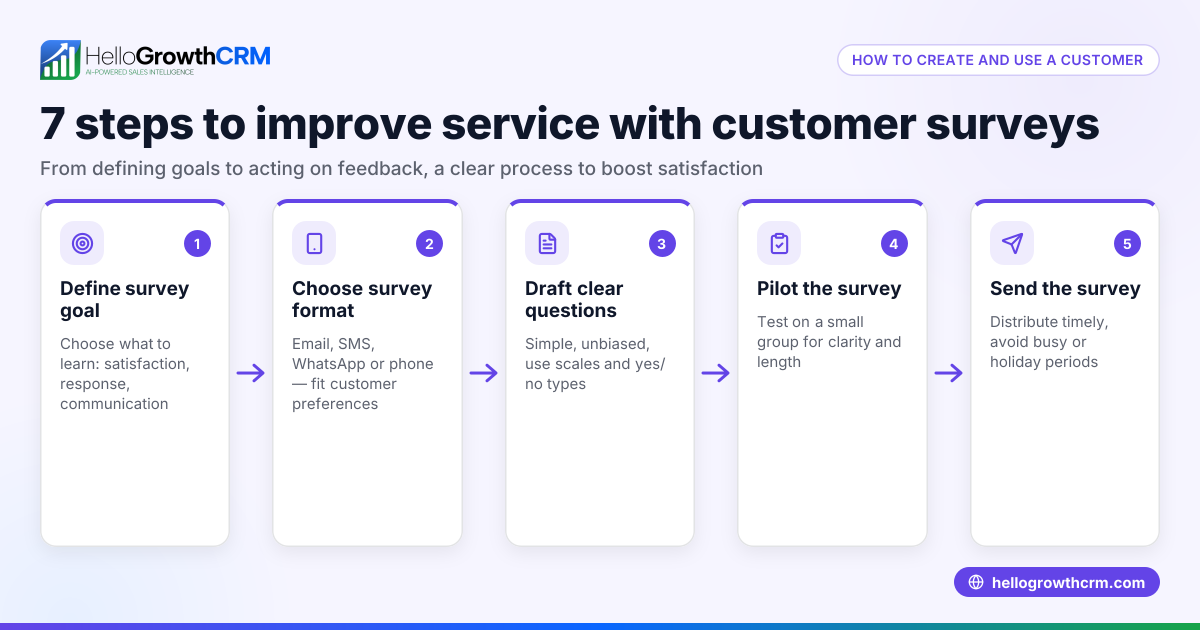
- Define your goal: Decide what you want to learn from your customers, such as product satisfaction, service quality, or website experience. This focus helps keep your survey relevant.
- Choose your questions: Use a mix of multiple-choice, rating scales (e.g., 1 to 5), and open-ended questions. Keep it short—5 to 10 questions—to respect your customers’ time.
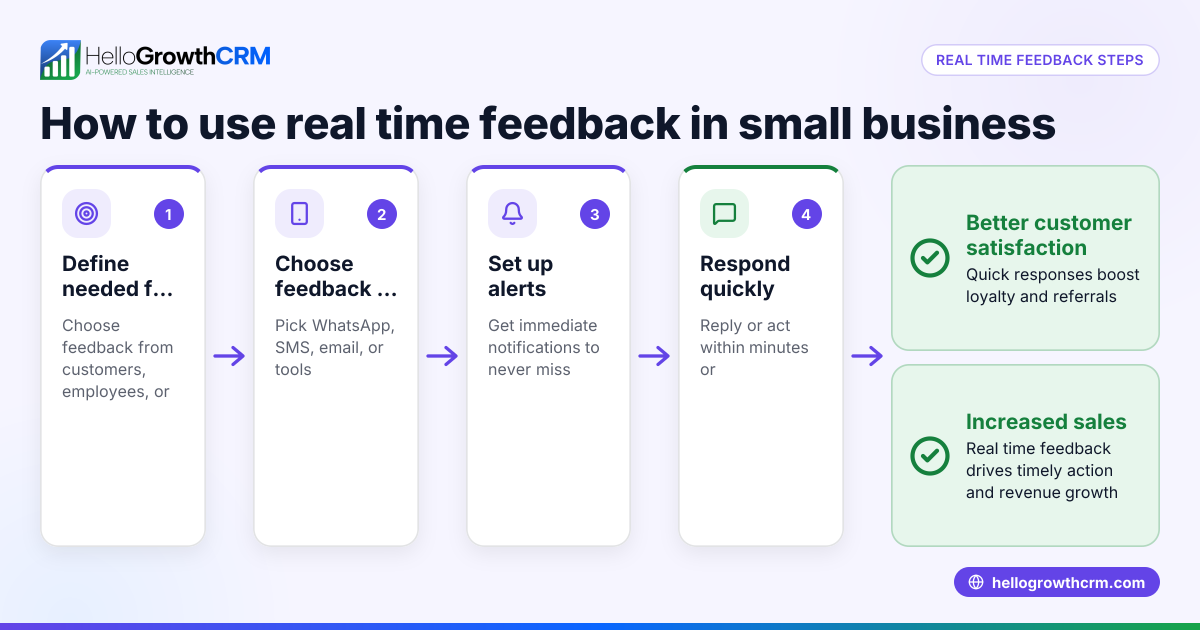
- Select the survey method: Decide how to send the survey—email, SMS, WhatsApp, or embedded on your website. Choose the channel your customers use most.
- Test your survey: Send it to a small group first to check clarity and technical issues.
- Send the survey: Launch it to your full customer list with a clear message explaining why their feedback matters.
- Collect and analyze responses: Use simple tools or CRM reports to identify trends and areas needing improvement.
- Act on feedback: Share insights with your team and make changes based on what customers say.
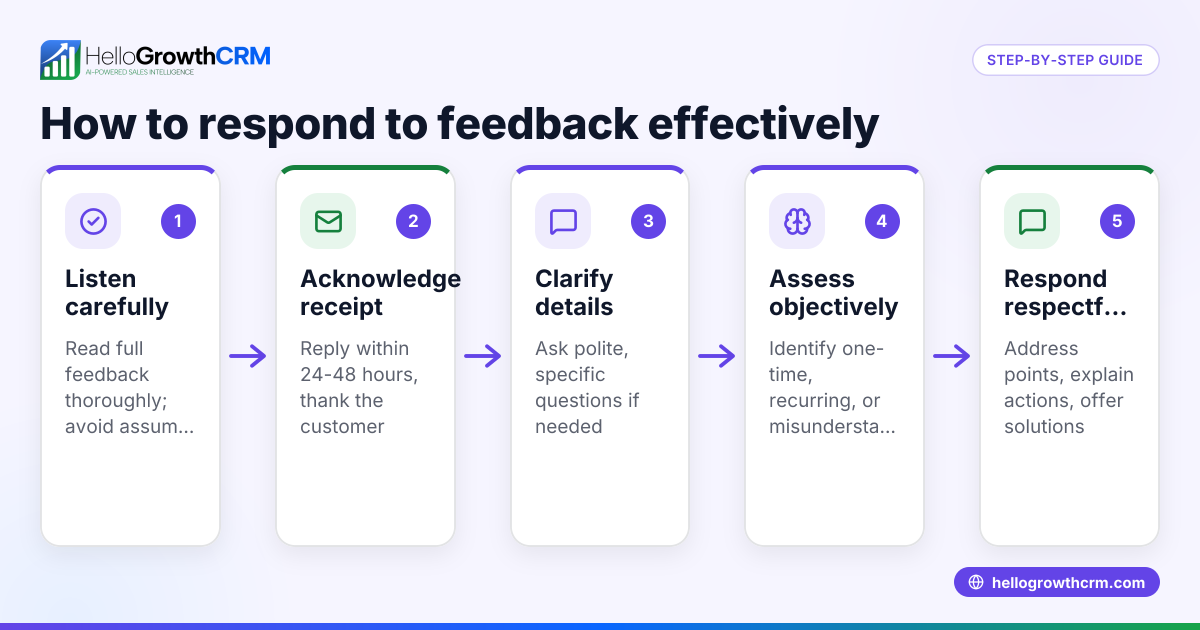
- Follow up: Thank customers for their input and inform them about any improvements made.
Check that your survey questions are easy to understand, your distribution method reaches customers effectively, and your analysis focuses on actionable results. Using a WhatsApp and SMS CRM can help send surveys on the right platforms and track responses.
Example (fictional figures)
GreenLeaf Landscaping in Charlotte, North Carolina, wants to improve customer satisfaction. They send a customer feedback survey on 06/15/2026 to 200 recent clients by email.
- Total clients surveyed = 200
- Response rate = 40%
- Number of responses = 200 × 40% = 80
- Average satisfaction rating from responses = 4.2 out of 5
GreenLeaf estimates that improving scheduling could increase repeat business by $50,000 annually.
This example shows how a customer feedback survey reveals specific issues and guides business decisions.
Common mistakes
- Making surveys too long: Customers lose interest. Prevent this by limiting questions to essentials.
- Asking unclear questions: Leads to confusing answers. Use simple, direct language.
- Ignoring feedback: Customers won’t participate again if they see no changes. Always act on survey results.
- Choosing the wrong channel: If your customers prefer WhatsApp but you send email surveys, response rates drop. Match the survey method to customer habits.
- Not testing the survey: Technical errors or confusing flow can reduce responses. Always pilot test.
- Failing to follow up: Without thanking or updating customers, you miss building trust. Send follow-up messages.
Using a WhatsApp and SMS CRM can help send surveys on the right platforms and track responses.
Doing this in HelloGrowthCRM
HelloGrowthCRM includes a customer portal where service requests and tickets stay linked to the same customer record as the original deal. This centralizes customer feedback and support history, making it easier to manage ongoing service and referrals. Learn more about these features at HelloGrowthCRM for the United States.
Frequently asked questions
What is the difference between a customer feedback survey and a customer survey? A customer feedback survey specifically gathers opinions about your products or services to improve them, while a customer survey can cover broader topics like demographics or preferences. Both collect customer data but have different focuses.
How often should I send customer feedback surveys? It depends on your business cycle, but generally after a purchase or service completion is best. Avoid over-surveying to prevent customer fatigue.
Can I use WhatsApp or SMS to send surveys? Yes, using WhatsApp or SMS can increase response rates if your customers use those platforms. HelloGrowthCRM supports sending surveys via WhatsApp and SMS to reach customers where they communicate most.
How do I analyze survey results effectively? Look for patterns in ratings and comments. Use simple charts or CRM tools to identify common issues or strengths. Focus on actionable insights. For more on tracking customer satisfaction, see our customer health score page.
What should I do if feedback is mostly negative? Use it as an opportunity to improve. Communicate with customers about how you plan to address concerns, which can rebuild trust.
Key takeaways
- A customer feedback survey collects direct opinions to improve your business.
- Keep surveys short, clear, and sent on the right channel.
- Test surveys before full launch and follow up with customers.
- Avoid common mistakes like ignoring feedback or sending too many questions.
- HelloGrowthCRM’s customer portal and ticket system help manage feedback and service requests after the sale.
Start improving your customer relationships today. Start on the Free Forever plan (200 leads, no credit card) with HelloGrowthCRM and manage your customer feedback and service in one place.
Ready to put this into practice?
Set up your pipeline, WhatsApp follow-ups, and AI lead scoring in minutes — free, no credit card.
Try HelloGrowthCRM freeGet CRM tips in your inbox
Join thousands of sales professionals who get weekly insights on CRM strategy, AI automation, and pipeline optimization.

The HelloGrowthCRM team publishes guides on CRM strategy, AI sales tools, and revenue operations for small business sales teams.