HelloGrowthCRM software
Built for real small-business sales teams
HelloGrowthCRM helps reps qualify faster, follow up on time, and close more deals—with practical automation in one place.
- AI lead scoring and pipeline visibility
- Built-in dialer, WhatsApp, and email automation
- Sales forecasting and RevOps-ready reporting
A 10 user CRM rollout succeeds when you treat it like an operating change, not just a software purchase. For a small B2B sales team in the United States, the goal is simple: get clean data, clear stages, fast follow-up, and reporting leadership can trust.
Key takeaways
- A 10 user CRM works best with one owner, one process, and a short implementation window.
- Before launch, define lead sources, pipeline stages, fields, permissions, and handoff rules.
- Keep the first version simple. You can add automations, reports, and AI after the team adopts the basics.
- U.S. teams should account for email and calling rules, including CAN-SPAM and TCPA, when setting outreach workflows.
- Adoption improves when reps see immediate value, like fewer admin tasks, better reminders, and faster lead routing.
- A checklist prevents common rollout issues like duplicate records, broken integrations, and messy forecasting.
Why a 10 user CRM project needs a checklist
A 10 user CRM sounds small. In practice, it can affect your entire revenue engine. Ten sellers, SDRs, account managers, and leaders can create thousands of activities, emails, calls, notes, and deal updates every month.
That means small setup mistakes turn into recurring problems. A bad field design creates reporting gaps. Unclear stages hurt forecast accuracy. Loose permissions expose sensitive data. A poor import fills the system with duplicates.
A checklist helps your team avoid these issues. It also helps you launch faster. Instead of debating every possible feature, you focus on the setup items that matter in the first 30 to 60 days.
For most B2B companies in cities like Chicago, Houston, or Detroit, a CRM should support the way sales already works. It should fit email, phone, forms, meeting scheduling, and handoffs to finance or customer success. If your team also needs AI support, an ai 10 user setup can help score leads, suggest next actions, and reduce manual admin without adding process bloat.
What should a 10 user CRM include?
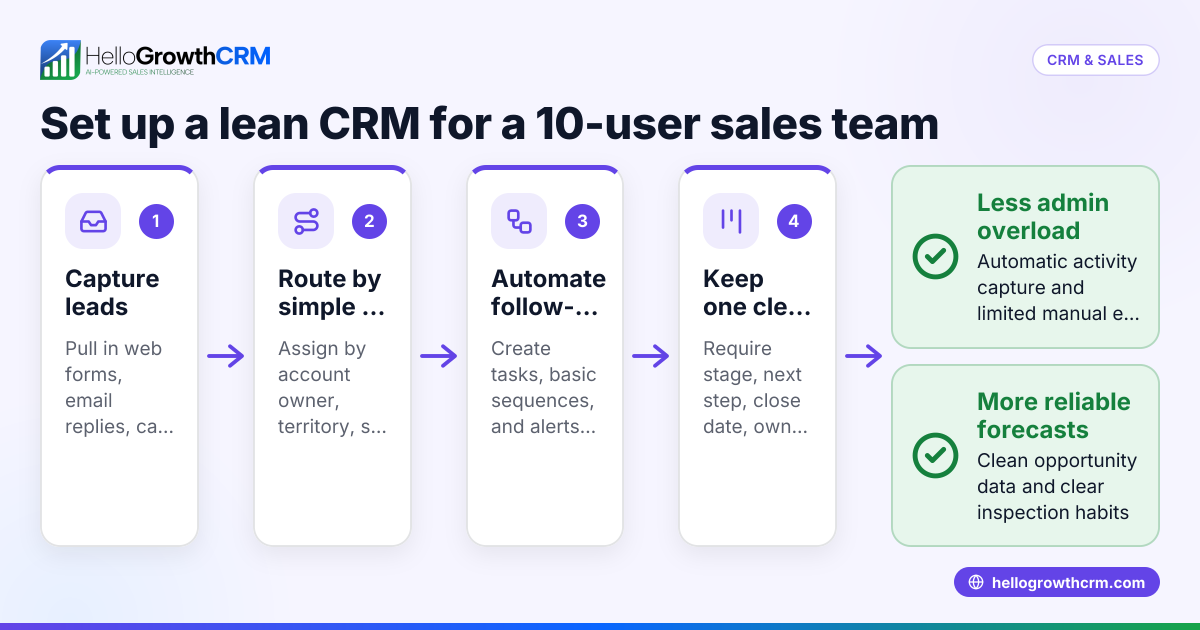
A 10 user CRM should include contact and company records, lead capture, pipeline tracking, tasks, email logging, call notes, permissions, dashboards, and basic automation. It should also support clean imports, reliable integrations, and reporting your sales manager can use without a spreadsheet rescue.
The non-negotiables for a small B2B sales team
For a 10 user CRM, the basics matter more than fancy extras. Your first version should include:
- Lead and contact capture
- Website forms
- Manual entry
- CSV imports
- Inbound email or call logging - Account and opportunity management
- Company records
- Contact roles
- Deal value in USD ($)
- Expected close date
- Owner assignment - Pipeline stages
- Clear entry and exit criteria
- Limited number of stages
- Consistent stage names for all users - Activity tracking
- Calls
- Emails
- Meetings
- Tasks
- Notes - Basic reporting
- Pipeline by stage
- Deals by owner
- Win rate
- Activity volume
- Forecast by month - Automation
- Lead assignment
- Task reminders
- Follow-up sequences
- Deal stage alerts - Permissions
- Admin access
- Manager access
- Rep-level visibility
- Restricted fields if needed
If your team wants one place for AI-assisted workflows, reporting, and outreach, an AI CRM can cover these needs without stacking multiple tools.
The 10-user CRM implementation checklist
Use this checklist in order. Most 10 user teams can complete it in two to six weeks, depending on data quality and integration complexity.
1. Assign one implementation owner
One person should own the rollout. This is usually a RevOps manager, sales operations lead, or sales manager. In a founder-led team, the founder can own decisions but should still assign one day-to-day operator.
That owner should control:
- Timeline
- Requirements
- User list
- Import files
- Stage definitions
- Training plan
- Launch sign-off
Without one owner, decisions drift. Reps create workarounds. Leadership gets inconsistent reports.
2. Define your sales process before touching settings
Do not start with fields and dashboards. Start with your actual sales motion.
Document these items first:
- How leads enter the business
- Who qualifies them
- When a lead becomes an opportunity
- What stages a deal moves through
- What must happen before a deal can close
- What happens after closed won or closed lost
Keep this short. One page is enough. The goal is consistency, not perfection.
3. Clean your customer and prospect data
Bad data kills CRM adoption. If reps cannot trust the records, they stop using the system.
Before importing, clean for:
- Duplicate companies
- Duplicate contacts
- Missing owner names
- Bad email addresses
- Old pipeline deals
- Inconsistent state names
- Empty close dates
- Wrong currency formatting
If you sell only in the United States, keep address formatting consistent. Use standard state abbreviations and store phone numbers in one format. This helps routing, segmentation, and reporting later.
4. Decide which objects and fields you actually need
Teams often overbuild. They create dozens of custom fields that no one fills in.
Start with only the fields required for sales execution and reporting:
- Company name
- Contact name
- Work email
- Phone
- Lead source
- Industry
- State
- Owner
- Deal amount
- Stage
- Expected close date
- Next step
- Closed lost reason
Ask one hard question for every field: will someone use this every week?
If not, leave it out.
5. Set your pipeline stages and exit criteria
Pipeline stages need shared meaning. “Proposal sent” should mean the same thing for every rep.
For each stage, define:
- What qualifies a deal to enter
- What action the rep must complete
- What evidence should exist in the record
- What makes the deal move forward or backward
A simple B2B pipeline may look like this:
- New lead
- Qualified
- Discovery
- Solution fit
- Proposal
- Negotiation
- Closed won
- Closed lost
Avoid too many stages. Seven or eight usually works for a 10 user team.
How long does a 10 user CRM implementation take?
Most 10 user CRM implementations take two to six weeks. The short end assumes clean data, a simple sales process, and few integrations. The long end usually means messy imports, unclear ownership, or custom workflows that should have waited until phase two.
What affects the timeline
The biggest timeline drivers are not technical. They are operational.
Common causes of delay include:
- No single owner
- Unclear pipeline definitions
- Legacy data cleanup
- Too many requested custom fields
- Late feedback from managers
- Integration issues with inboxes or finance tools
A practical rule is to launch the core system first. Then improve it over the next 30 days.
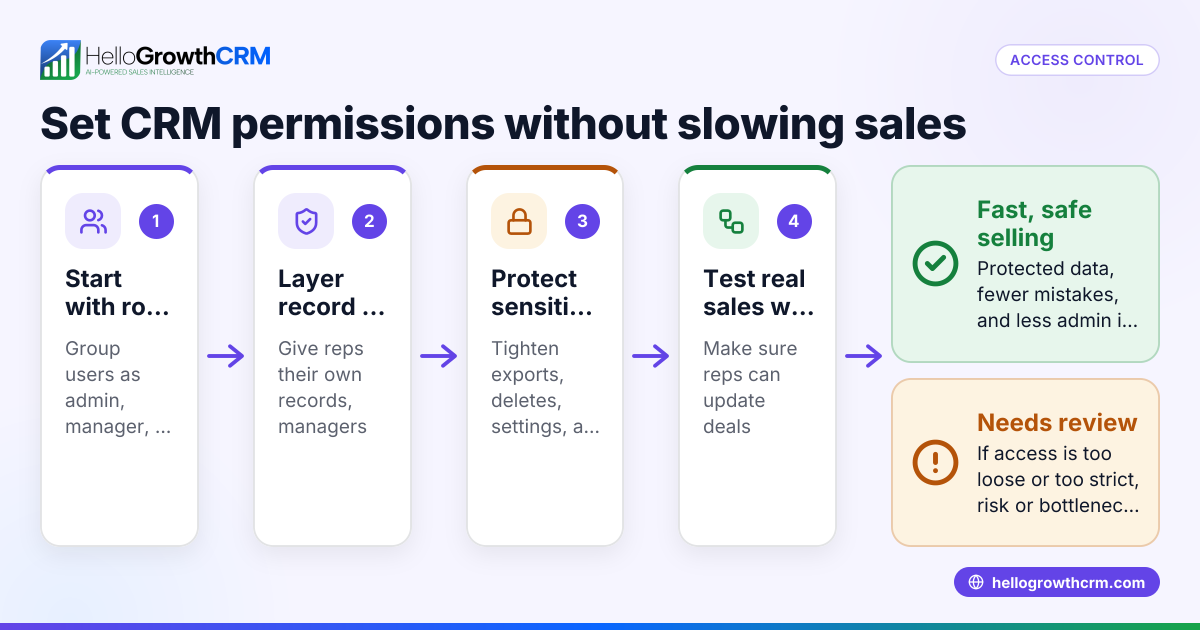
6. Map user roles, permissions, and visibility
Even small teams need clear access rules. This matters for privacy, leadership reporting, and customer handoffs.
Define:
- Who can edit fields
- Who can delete records
- Who can view all deals
- Who can export data
- Who can change automations
Typical roles for a 10 user team are:
- 1 admin
- 1 sales manager
- 6 to 8 reps or SDRs
- 1 executive viewer
If you handle buyer data for larger prospects, expect questions about your internal controls. U.S. buyers often ask about security reviews and SOC 2 expectations during procurement. Good permission design helps you answer those questions with confidence.
7. Connect the tools your team already uses
A CRM should not become another data island. Connect the systems that matter most to your daily workflow.
For many U.S. B2B teams, that means:
- Google Workspace or Microsoft 365
- Calendar
- Website forms
- Calling tools
- QuickBooks or Stripe
- Meeting scheduler
- Marketing forms
- Reporting exports
Focus on workflow-critical connections first. Nice-to-have integrations can wait. If you need a connected stack, review available integrations before launch.
8. Build only the automations that save real time
Automation should remove manual work. It should not hide a broken process.
Good first automations include:
- Auto-assign inbound leads by territory or source
- Create follow-up tasks after form submissions
- Alert managers when large deals stall
- Trigger reminders for deals with no next step
- Route won deals to onboarding or finance
For lead prioritization, AI lead scoring can help small teams focus on the best-fit accounts without adding another spreadsheet.
9. Set outreach rules that fit U.S. requirements
Your CRM setup should support compliant outbound activity. This matters for both email and phone.
For U.S. sales teams, keep these points in mind:
- Email sequences should support unsubscribe handling and sender identification under CAN-SPAM.
- Calling and texting workflows should respect TCPA requirements where applicable.
- Contact source and opt-out status should be easy to see.
- Reps should know when a prospect was last contacted and by which channel.
This is another reason to centralize activity tracking. A rep should not have to guess whether marketing already emailed the account yesterday.
10. Build dashboards leaders will actually use
Dashboards should answer operating questions. They should not just look polished.
Start with five views:
- Pipeline by stage
- Pipeline by rep
- New leads by source
- Aging deals
- Monthly forecast
If your leadership team reviews numbers weekly, keep definitions fixed. Do not change stage logic or forecast categories every Friday. Stability builds trust.
For teams that need better visibility, sales forecasting can make it easier to track expected revenue without rebuilding reports every month.
11. Train by role, not with one generic demo
Training should match what each user does daily.
Run separate sessions for:
- Reps
- Managers
- Admins
Each session should show:
- What the user must do every day
- What “good” record hygiene looks like
- What reports leadership will review
- What happens if data is missing
Then give the team a short operating guide. Keep it under two pages. Include screenshots if needed.
12. Launch with a 30-day inspection plan
Go-live is not the finish line. The first 30 days determine whether the CRM becomes habit or shelfware.
Review these items every week after launch:
- Login rate by user
- Number of new records created
- Deals without next steps
- Activities logged
- Duplicate records
- Forecast changes
- User questions or blockers
This is where many teams benefit from managed RevOps. A steady operator can keep the system clean while sales leadership focuses on coaching and pipeline reviews.
What mistakes should a 10 user CRM team avoid?
The biggest mistakes are overbuilding, importing bad data, skipping training, and launching without ownership. A small team needs speed and clarity. If the CRM feels heavy in week one, reps will go back to inboxes, notes apps, and side spreadsheets.
The most common rollout mistakes
Here are the issues that show up again and again:
- Too many fields at launch
- Stages with no clear definitions
- No duplicate management
- No required next step on active deals
- Reports built before data standards exist
- No policy for closed lost reasons
- Leadership asking for exceptions outside the CRM
- Reps forced to update two systems
A good rule is this: if a step does not help a rep sell or help a manager coach, question it.
When to add AI and advanced workflows
Add AI after your foundation is stable. AI works best when your records are clean and your pipeline stages mean something.
Strong second-phase upgrades include:
- Lead scoring
- Email summaries
- Suggested next actions
- Automated follow-up
- Forecast risk alerts
If your team wants to reduce manual follow-up, email automation can help standardize outreach while keeping activity visible inside the CRM.
A simple 30-day rollout plan for a 10 user CRM
If you want a practical schedule, use this:
Week 1: Process and ownership
- Name the implementation owner
- Document lead flow and pipeline
- Finalize user roles
- Decide success metrics
Week 2: Data and configuration
- Clean import files
- Create fields
- Set stages
- Configure permissions
- Connect inbox and calendar
Week 3: Automation and reporting
- Add lead routing
- Add task reminders
- Build dashboards
- Test reporting outputs
- Review compliance-related workflows
Week 4: Training and launch
- Train each user group
- Import final data
- Launch to all 10 users
- Monitor daily
- Fix issues fast
This plan is intentionally simple. It gives your team structure without turning the project into a quarter-long distraction.
How do you know the rollout worked?
You know it worked when reps use the CRM daily, managers run pipeline reviews from it, and leadership trusts the numbers. The first signals are simple: active logins, complete next steps, fewer duplicate records, and forecasts that do not need manual cleanup before every meeting.
Metrics to check in the first 60 days
Track these leading indicators:
- User login rate
- Percentage of deals with next step
- Activity per rep
- Lead response time
- Stage-to-stage conversion
- Open deals with no activity in 14 days
- Closed lost reason completion rate
Also ask users one direct question: what is still easier outside the CRM? Their answer will tell you what to fix next.
If you are evaluating systems for a growing B2B team, review HelloGrowthCRM features and pricing to see whether the setup fits your process.
If you want a CRM your 10 person sales team will actually use, start with a clean setup and a short rollout. You can start a free trial or book a demo to see how HelloGrowthCRM supports implementation, automation, and reporting for growing B2B sales teams in the United States.
Frequently asked questions
Is a 10 user CRM enough for a growing B2B sales team?
Yes, if your team is still building repeatable process. A 10 user CRM can handle lead capture, pipeline management, outreach, reporting, and forecasting for many small and mid-sized B2B teams.
Should founders be involved in CRM implementation?
Yes. Founders should help define sales stages, handoffs, and reporting needs. They should not manage every setting, but their input matters early.
What data should we import first?
Start with active accounts, active contacts, open deals, and recent leads. Leave old clutter out unless it is needed for current selling or reporting.
Do we need automation on day one?
No. Start with basic workflow support like lead assignment and task reminders. Add more automation only after the team uses the core CRM consistently.
How often should we review the setup after launch?
Review weekly for the first month, then at least monthly. Small fixes early prevent bad habits and broken reporting later.
Read next
This article covers one part of a bigger topic. For the complete picture, read our guide to 10 user mo.
Frequently Asked Questions
Ready to put this into practice?
Set up your pipeline, WhatsApp follow-ups, and AI lead scoring in minutes — free, no credit card.
Try HelloGrowthCRM freeGet CRM tips in your inbox
Join thousands of sales professionals who get weekly insights on CRM strategy, AI automation, and pipeline optimization.

The HelloGrowthCRM team publishes guides on CRM strategy, AI sales tools, and revenue operations for small business sales teams.