HelloGrowthCRM software
Built for real small-business sales teams
HelloGrowthCRM helps reps qualify faster, follow up on time, and close more deals—with practical automation in one place.
- AI lead scoring and pipeline visibility
- Built-in dialer, WhatsApp, and email automation
- Sales forecasting and RevOps-ready reporting
Voicemail to text is a service that automatically converts the audio of a voicemail message into written text. This allows small-business owners and their teams to quickly read messages without needing to listen to them, saving time and improving follow-up speed. This article covers why voicemail to text is useful, how to set it up, a practical example, common mistakes, and answers to frequently asked questions.
Why this comes up / what goes wrong
Small-business owners often miss or delay responding to voicemails because listening to each message takes time, especially when sales leads or customer inquiries come in after hours or during busy periods. Voicemail to text helps by providing an immediate, readable version of the message that can be scanned quickly. This reduces the risk of losing leads due to slow follow-up and helps teams stay organized without juggling phone calls, texts, and emails separately.
Step-by-step
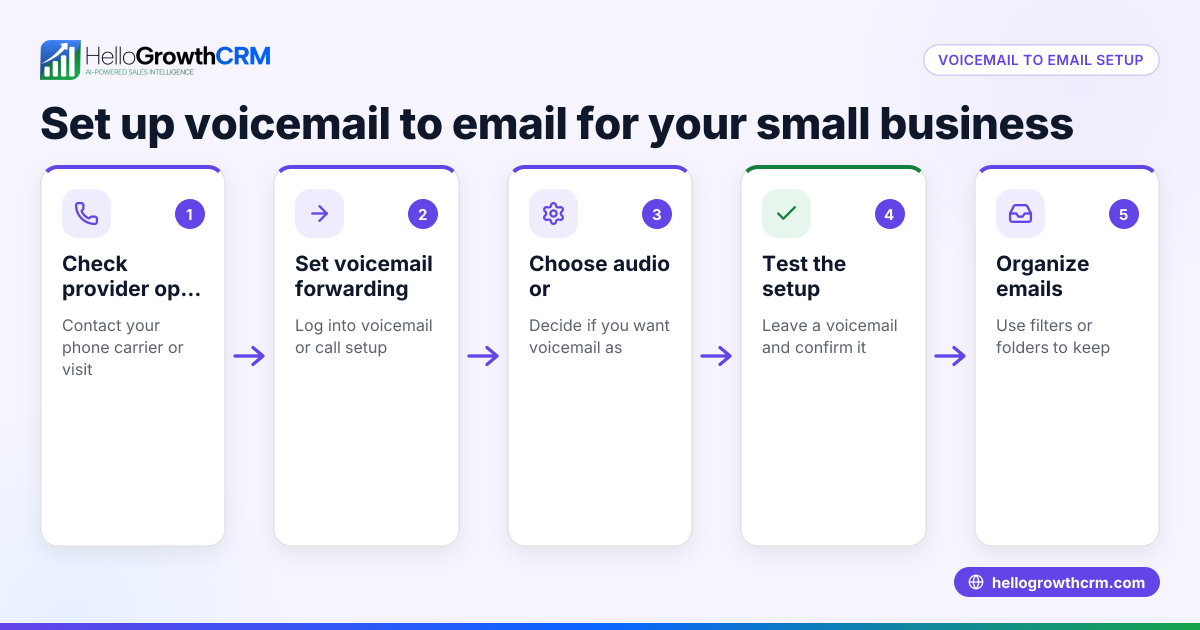
- Check your phone or carrier for voicemail-to-text options
- Many US mobile carriers offer voicemail transcription services included with your plan or as an add-on. Check your carrier’s website or contact customer service to confirm availability and costs.
- Enable voicemail transcription on your device
- On smartphones like iPhones or Android devices, voicemail to text can often be enabled in the phone app settings. Look for options like “Visual Voicemail” or “Voicemail Transcription” and turn them on.
- Use third-party apps or services if needed
- If your carrier or phone doesn’t support voicemail transcription, consider third-party apps that convert voicemail audio to text. Research user reviews and privacy policies before choosing one.
- Test the transcription quality
- Call your business number and leave a test voicemail. Check the transcription for accuracy and clarity. Note that transcription accuracy can vary based on audio quality and accents.
- Integrate voicemail-to-text with your CRM or communication tools
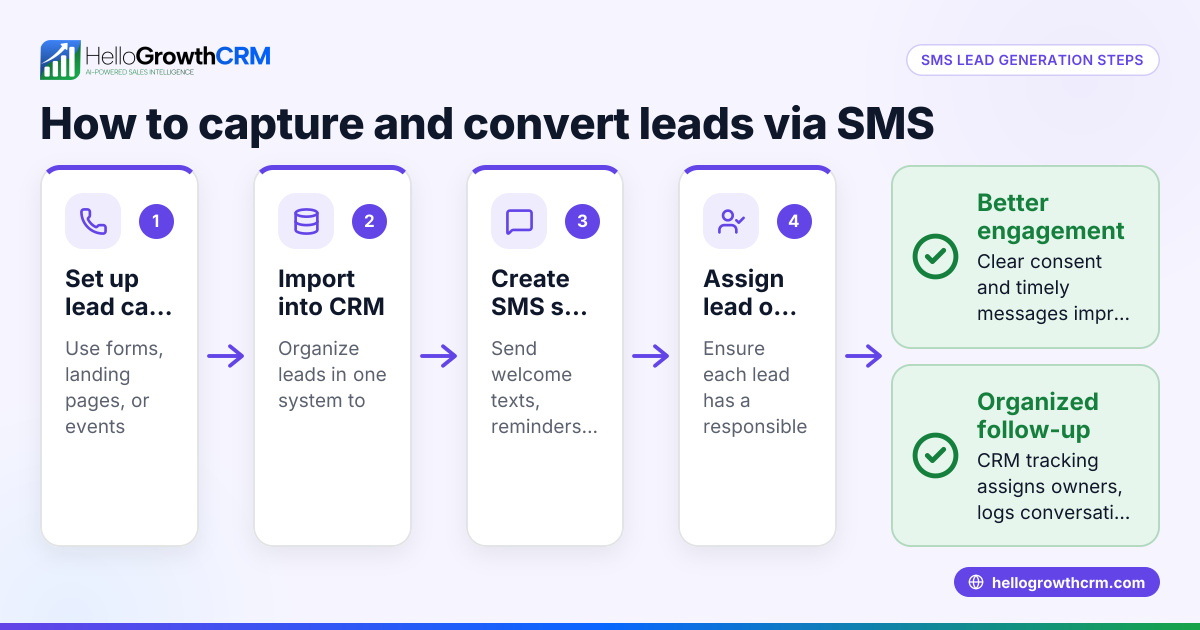
- If you use a CRM or sales automation platform, see if it supports voicemail transcription or can import voicemail texts. This helps keep all customer communications in one place. For example, learn about email automation and sequences and WhatsApp and SMS CRM to streamline follow-ups.
- Train your team on accessing and using voicemail texts
- Make sure everyone who handles sales or customer service knows how to read and respond to voicemail texts promptly.
- Regularly review and update settings
- Periodically check that voicemail transcription is still enabled and working correctly, especially after phone or carrier updates.
Example (fictional figures)
A residential real-estate team in Phoenix, Arizona, receives many inquiries after business hours. They decided to use voicemail to text to speed up lead follow-up.
- They called their carrier on 04/10/2026 and confirmed voicemail transcription was included.
- Enabled voicemail transcription on all team members’ smartphones.
- Left a test voicemail: “Hi, I’m interested in the 3-bedroom house on Maple Street.”
The transcription read: “Hi, I’m interested in the three bedroom house on Maple Street.”
- The team saved 15 minutes daily by reading voicemails instead of listening.
- Assuming each lead is worth $3,000 in commission and they follow up with 5 leads daily:
$3,000 × 5 = $15,000 (potential commission per day)
- By improving follow-up speed with voicemail to text, they increased contact rate by 20%
$15,000 × 20% = $3,000 additional commission daily
Over a month (20 working days):
$3,000 × 20 = $60,000 additional commission
This example shows how voicemail to text can boost efficiency and revenue.
Common mistakes
- Not enabling voicemail transcription on all devices
- Prevent this by checking each team member’s phone settings and carrier plan.
- Ignoring transcription errors
- Transcriptions may misinterpret words. Always verify critical details by listening if needed.
- Relying solely on voicemail texts for follow-up
- Use voicemail text as a prompt but confirm details with a call or message.
- Failing to integrate voicemail texts into your sales process
- Avoid losing leads by adding voicemail texts to your CRM or task boards for tracking.
- Not training staff on voicemail text use
- Provide clear instructions and regular reminders to ensure consistent use.
- Overlooking privacy and security
- Choose voicemail-to-text services that comply with data protection standards and inform customers if recordings are transcribed.
Frequently asked questions
What devices support voicemail to text? Most modern smartphones, including iPhones and Android phones, support voicemail transcription either natively or through carrier services. Check your device’s phone app settings.
Is voicemail transcription accurate? Accuracy varies by audio quality, background noise, and speaker clarity. It’s usually good enough for quick reading but always verify important information.
Are there costs for voicemail to text? Some carriers include voicemail transcription in their plans, while others charge extra. Third-party apps may have subscription fees. Confirm pricing with your provider.
Can voicemail to text be integrated with my CRM? Some CRMs and sales tools allow importing or linking voicemail transcriptions, helping you keep all communications organized. Learn more about HelloGrowthCRM for the United States.
How do I protect customer privacy when using voicemail transcription? Use reputable services with clear privacy policies and inform callers if their messages will be transcribed.
Key takeaways
- Voicemail to text converts voice messages into readable text, saving time.
- Enable voicemail transcription via your carrier or phone settings.
- Test transcription quality and train your team on using it.
- Avoid relying solely on transcriptions; verify important details.
- Integrate voicemail texts into your CRM or sales process for better tracking.
- Watch for privacy and security when choosing transcription services.
Start improving your lead follow-up by using voicemail to text. To organize your contacts and communications further, explore email automation and sequences and WhatsApp and SMS CRM.
Start on the Free Forever plan (200 leads, no credit card) at HelloGrowthCRM.
Ready to put this into practice?
Set up your pipeline, WhatsApp follow-ups, and AI lead scoring in minutes — free, no credit card.
Try HelloGrowthCRM freeGet CRM tips in your inbox
Join thousands of sales professionals who get weekly insights on CRM strategy, AI automation, and pipeline optimization.

The HelloGrowthCRM team publishes guides on CRM strategy, AI sales tools, and revenue operations for small business sales teams.