HelloGrowthCRM software
Built for real small-business sales teams
HelloGrowthCRM helps reps qualify faster, follow up on time, and close more deals—with practical automation in one place.
- AI lead scoring and pipeline visibility
- Built-in dialer, WhatsApp, and email automation
- Sales forecasting and RevOps-ready reporting
An invoice is a formal document requesting payment for goods or services provided. It must be clear, detailed, and easy to understand to help your customer pay on time and avoid confusion.
Why this comes up / what goes wrong
Small business owners often face challenges with invoicing because missing or unclear information can delay payments or cause disputes. Many rely on inconsistent or incomplete invoice templates, forget to include payment terms, or fail to assign unique invoice numbers. These issues lead to lost revenue, extra administrative work, and cash flow problems. Without a clear invoice, customers may hesitate to pay or dispute charges, which affects your business’s financial health.
Step-by-step
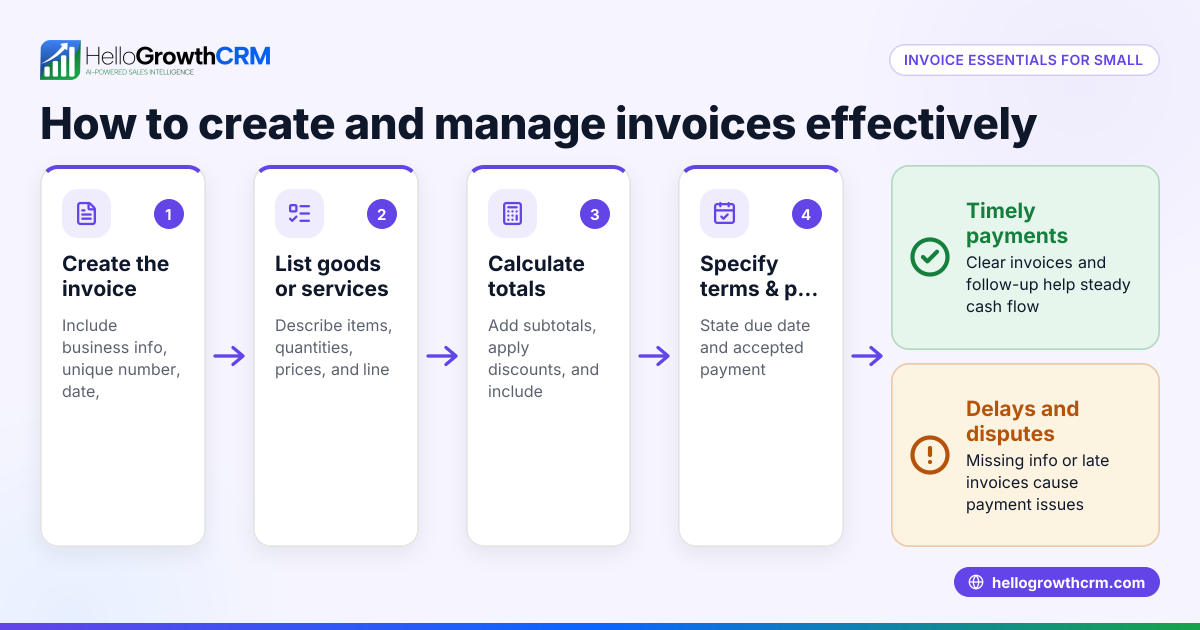
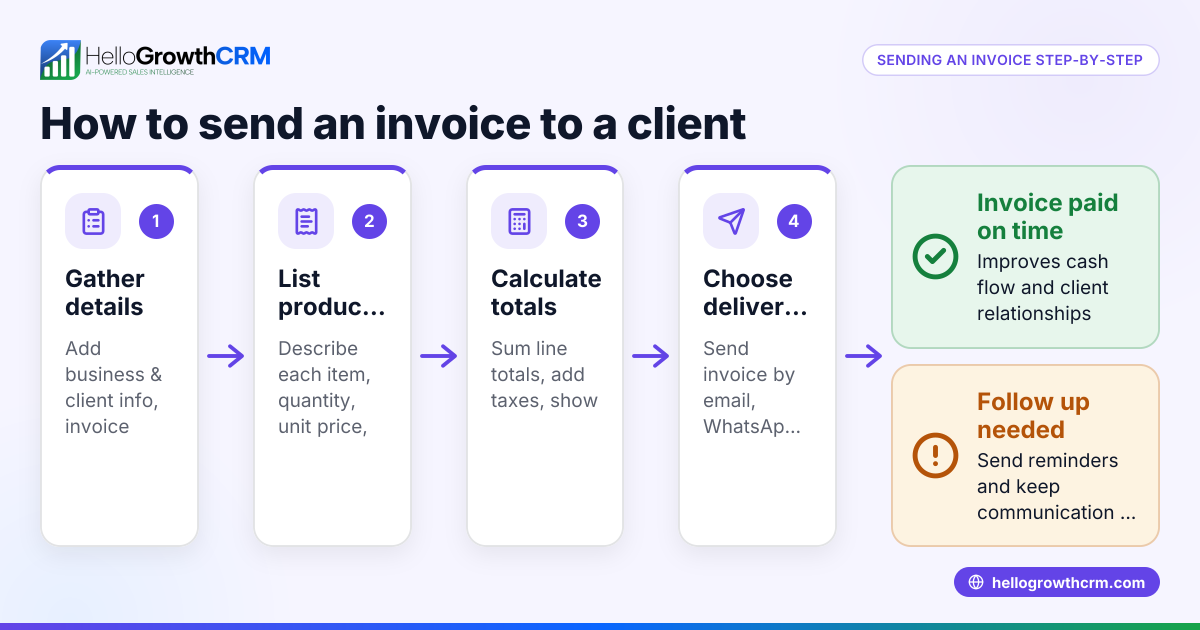
- Add your business information: Include your business name, address, phone number, and email at the top. This identifies who the invoice is from and where to reach you for questions.
- Include customer details: Add the customer’s name, company (if applicable), and contact information to clarify who should pay.
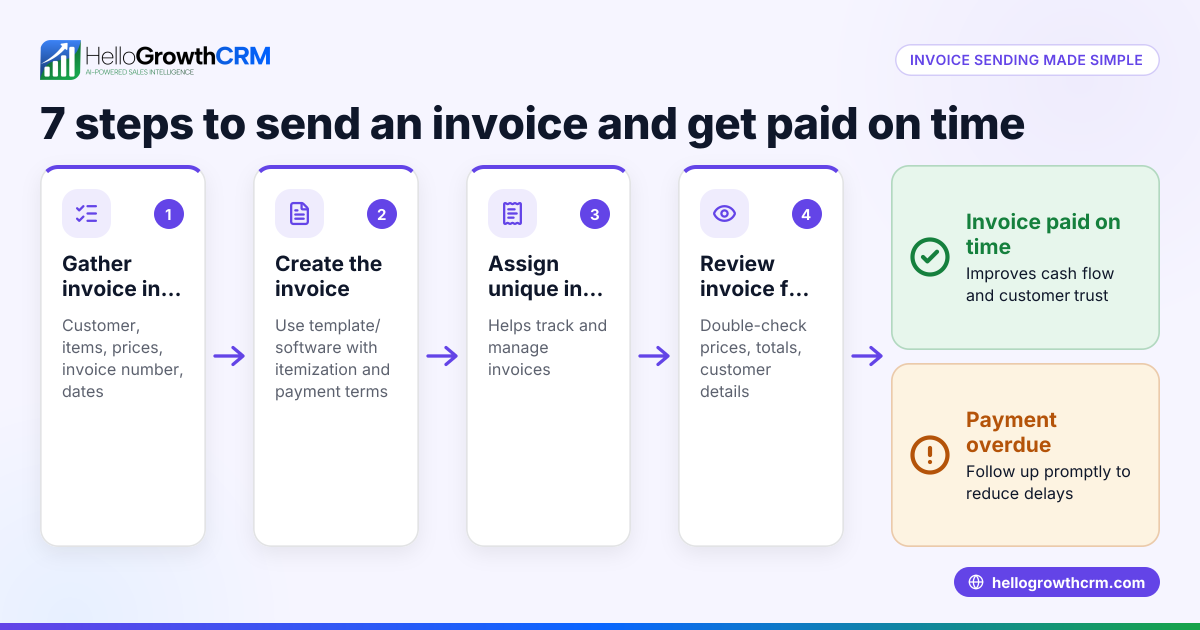
- Assign a unique invoice number: Use a sequential numbering system to track invoices easily and avoid duplicates. This helps both you and your customer reference the invoice.
- Add the invoice date: This is the date the invoice is issued and starts the payment clock.
- Describe the goods or services: List each product or service with a clear description so the customer understands what they are paying for.
- Specify quantity and unit price: For each item, state how many units and the price per unit.
- Calculate line totals and overall total: Multiply quantity by unit price for each line, then add all lines to get the subtotal.
- Include taxes or fees if applicable: Show sales tax or other fees separately, with the rate and amount clearly stated.
- State payment terms: Include the payment due date, accepted payment methods, and any late fees or discounts for early payment.
- Add payment instructions: Provide details such as bank account information, mailing address, or online payment links.
- Review and send: Double-check all details for accuracy before sending the invoice to maintain professionalism and avoid delays.
Using a consistent format helps your customers understand and pay invoices faster. Tracking invoice status and follow-ups becomes easier with a clear system.
Example (fictional figures)
Bright Smile Dental, a two-location dental practice in Columbus, Ohio, sends this invoice on 06/15/2026:
- Business: Bright Smile Dental, 123 Main St, Columbus, OH
- Customer: Jane Doe, 456 Elm St, Columbus, OH
- Invoice #: 2024-045
- Date: 06/15/2026
| Description | Quantity | Unit Price | Line Total |
|---|---|---|---|
| Teeth Cleaning | 1 | $120 | $120 |
| Dental X-Ray | 2 | $50 | $100 |
Calculations: $120 × 1 = $120 $50 × 2 = $100 $120 + $100 = $220 (Subtotal) $220 × 7% (assumed sales tax) = $15.40 $220 + $15.40 = $235.40 (Total Due)
Payment due within 30 days. Payable by check or credit card.
Common mistakes
- Missing invoice number: Prevent this by always assigning a unique, sequential number to each invoice.
- Unclear descriptions: Use specific, detailed terms so customers know exactly what they are paying for.
- No payment terms: Always state the due date and accepted payment methods to avoid confusion and late payments.
- Forgetting taxes or fees: Calculate and show these clearly to prevent disputes and ensure compliance.
- Sending invoices late: Send invoices promptly after service or delivery to speed payment.
- Not reviewing before sending: Double-check for errors or omissions to maintain professionalism and avoid delays.
Doing this in HelloGrowthCRM
HelloGrowthCRM lets you create, send, and track quotes, proposals, and invoices directly from a deal record. The invoice status (sent, viewed, accepted) appears alongside follow-up tasks, helping your sales team stay organized. Payments received are linked to invoices and deals, simplifying reconciliation and record keeping. Learn more about the built-in CRM dialer and WhatsApp and SMS CRM features that support your sales process.
Frequently asked questions
What is the difference between an invoice and a receipt? An invoice is a request for payment detailing what is owed before or at the time of service. A receipt confirms that payment has been received.
Do I need to include taxes on my invoice? If your business charges sales tax, you must clearly show the tax rate and amount on the invoice. If not, state that prices do not include tax.
Can I send invoices by email or text? Yes, electronic invoices sent by email or WhatsApp are common and often faster. HelloGrowthCRM supports sending and tracking invoices digitally.
How should I number invoices? Use a sequential system like 2024-001, 2024-002, and so on to avoid duplicates and simplify record keeping.
What payment methods should I list? Include all accepted methods, such as checks, credit cards, bank transfers, or online payments, with clear instructions for each.
How can I track if my invoice has been viewed or paid? HelloGrowthCRM shows invoice status such as sent, viewed, or accepted on the same screen as your follow-up tasks, so you can track progress easily.
Key takeaways
- An invoice must include business and customer information, a unique number, date, itemized goods or services, totals, payment terms, and payment instructions.
- Clear, complete invoices reduce payment delays and disputes.
- Consistent numbering and prompt sending improve invoice tracking and cash flow.
- Avoid common mistakes like missing invoice numbers, unclear descriptions, and omitted payment terms.
- HelloGrowthCRM helps create, send, and track invoices and payments efficiently in one system.
Start managing your sales and invoices easily with HelloGrowthCRM. Start on the Free Forever plan (200 leads, no credit card) to organize your deals, quotes, and invoices today.
Ready to put this into practice?
Set up your pipeline, WhatsApp follow-ups, and AI lead scoring in minutes — free, no credit card.
Try HelloGrowthCRM freeGet CRM tips in your inbox
Join thousands of sales professionals who get weekly insights on CRM strategy, AI automation, and pipeline optimization.

The HelloGrowthCRM team publishes guides on CRM strategy, AI sales tools, and revenue operations for small business sales teams.