HelloGrowthCRM software
Built for real small-business sales teams
HelloGrowthCRM helps reps qualify faster, follow up on time, and close more deals—with practical automation in one place.
- AI lead scoring and pipeline visibility
- Built-in dialer, WhatsApp, and email automation
- Sales forecasting and RevOps-ready reporting
A WhatsApp CRM for insurance sales helps agents and teams manage leads, conversations, and follow-ups directly on WhatsApp, ensuring no potential customer is lost due to slow response or scattered data. This article covers why insurance businesses need this tool, how to select and implement it step-by-step, a detailed example with realistic figures, common mistakes to avoid, and how HelloGrowthCRM supports insurance sales with WhatsApp-native features.
Why this comes up / what goes wrong
Insurance sales involve frequent, personalized communication with prospects and clients. Many small and mid-sized insurance businesses in the US rely on text messages, email, and spreadsheets to track leads and quotes. This scattered approach often results in slow follow-up, missed opportunities, and lost sales. Insurance agents and business owners struggle to keep conversations organized, especially when WhatsApp is a preferred channel for many customers. Without a centralized system that logs WhatsApp chats alongside lead data and sales pipeline stages, it’s easy to forget follow-ups or lose track of quotes sent.
Step-by-step
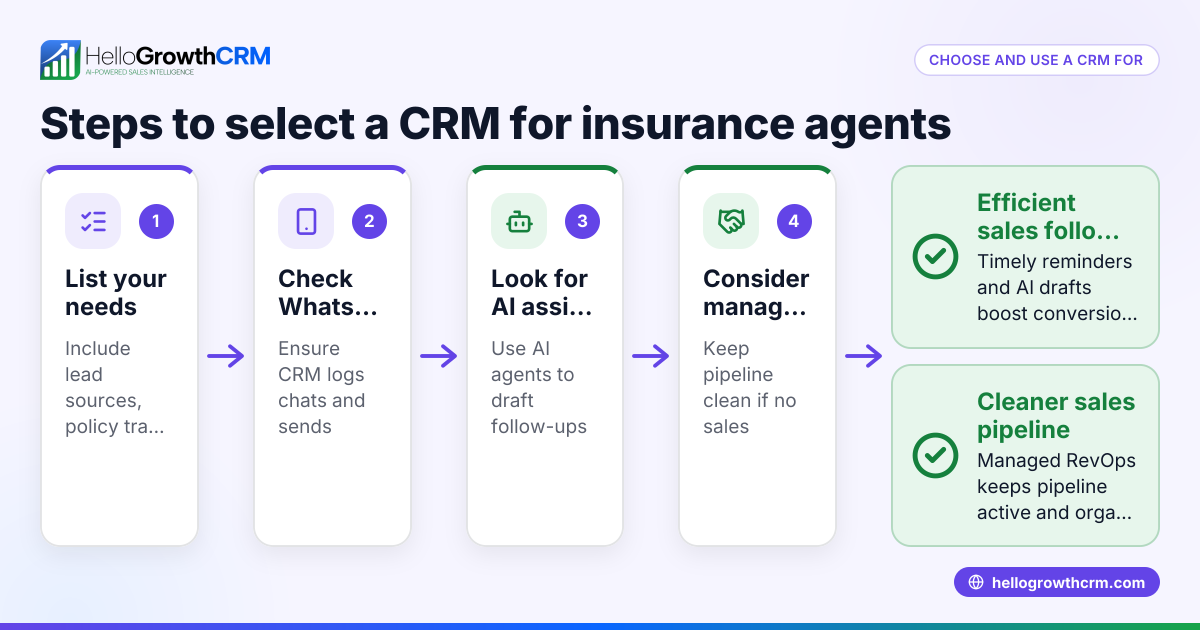
- Identify your communication channels and volume
- Check how many leads and clients you engage with on WhatsApp daily.
- Confirm if your team also uses SMS or email regularly.
- List your must-have CRM features for insurance sales
- WhatsApp message logging linked to each lead.
- Ability to send follow-up WhatsApp and SMS sequences.
- Pipeline management to track quotes and deal stages.
- Task boards or reminders for follow-ups.
- Evaluate CRM options that support WhatsApp natively
- Confirm if WhatsApp conversations are automatically logged on lead records.
- Check if you can send WhatsApp and SMS follow-ups from the CRM.
- Consider operational support needs
- If you lack a sales manager, look for managed revenue operations to keep follow-ups consistent.
- Test the CRM with your actual sales process
- Import sample leads.
- Send WhatsApp messages and track responses.
- Create deals for quotes sent and set follow-up dates.
- Train your team and set usage guidelines
- Ensure everyone logs conversations and updates deal stages.
- Monitor CRM reports and adjust workflows
- Use sales forecasting and pipeline reports to spot bottlenecks.
- Review industry-specific features
- Check if the CRM supports insurance agents, NBFCs, and financial services workflows for better alignment with your business needs.
For more details on industry fit, see Insurance agents, NBFCs and financial services.
Example (fictional figures)
Sarah runs a small insurance agency in Charlotte, North Carolina. She handles about 150 leads monthly, mostly contacted via WhatsApp and SMS. Sarah sends personalized quotes and needs to track follow-ups to close sales efficiently.
- Sarah receives 150 leads in April 2024.
- She sends quotes to 40 leads, each averaging $5,000 annual premium.
- She aims to close 8 policies from those quotes.
Calculations:
40 quotes × $5,000 = $200,000 potential revenue from quotes
8 policies × $5,000 = $40,000 closed revenue
By using a WhatsApp CRM, Sarah logs all WhatsApp chats on lead records, sets follow-up reminders for quotes sent, and sends automated WhatsApp reminders to leads who haven’t responded. This process helps Sarah avoid losing leads due to slow follow-up and keeps her pipeline visible.
Common mistakes
- Not logging WhatsApp conversations in the CRM: Leads get lost in personal chats. Prevent by choosing a CRM that automatically logs WhatsApp messages on lead records.
- Ignoring follow-up reminders: Without scheduled tasks, quotes get forgotten. Prevent by using pipeline stages with follow-up dates.
- Using multiple disconnected tools: Email, spreadsheets, and WhatsApp separately cause data silos. Prevent by consolidating communication and lead tracking in one WhatsApp-native CRM.
- Lack of consistent sales process ownership: No one ensures leads are followed up weekly. Prevent by assigning a person or using Managed RevOps support.
- Overlooking team training: Without clear guidelines, team members don’t update the CRM consistently. Prevent by training and monitoring usage.
- Not reviewing industry-specific CRM features: Missing out on workflows tailored for insurance sales can reduce efficiency. Prevent by selecting a CRM with features for insurance agents and financial services.
Doing this in HelloGrowthCRM
HelloGrowthCRM offers WhatsApp and SMS messaging workflows where WhatsApp conversations with a lead are logged on the lead record, and follow-ups can go out as messages. Insurance business owners without a dedicated sales manager can benefit from Managed RevOps, which provides weekly follow-up execution and pipeline hygiene. The Deals (pipeline) feature helps track quotations sent, showing them at the 'quote sent' stage with a follow-up date so no deal is forgotten. Learn more about HelloGrowthCRM’s WhatsApp and SMS CRM features here.
Frequently asked questions
What makes a WhatsApp CRM suitable for insurance sales? A WhatsApp CRM should log all WhatsApp conversations on lead records, allow sending follow-up messages directly, and support pipeline stages to track quotes and deals. These features ensure timely, personalized communication essential for insurance sales.
How does pipeline management help insurance agents? Pipeline management tracks leads from initial contact through quote and closing stages. It helps agents know which leads need follow-up and which quotes are pending, reducing missed sales opportunities.
Can small insurance teams use WhatsApp CRM without a sales manager? Yes, with Managed RevOps support, a revenue specialist can handle weekly follow-ups and pipeline hygiene, ensuring consistent lead engagement even without a dedicated sales manager.
Is it possible to automate WhatsApp follow-ups in a CRM? Some WhatsApp CRMs, including HelloGrowthCRM, allow sending WhatsApp and SMS sequences as automated follow-ups, saving time and improving response rates.
How to ensure team adoption of a WhatsApp CRM? Provide training, set clear usage guidelines, and assign responsibility for pipeline updates. Regularly review CRM reports to encourage consistent use.
Are there CRM features designed specifically for insurance and financial services? Some CRMs include workflows and reporting tailored to insurance agents and NBFCs, helping align sales processes with industry needs. Check the CRM’s industry page for details.
For more on insurance-specific CRM features, see Insurance agents, NBFCs and financial services.
Key takeaways
- A WhatsApp CRM centralizes WhatsApp conversations and lead data for insurance sales.
- Pipeline management with follow-up reminders prevents lost quotes and slow responses.
- Managed RevOps support helps teams without a sales manager maintain lead follow-up.
- Avoid common mistakes like disconnected tools and inconsistent logging by choosing a WhatsApp-native CRM.
- Training and clear processes boost team adoption and sales effectiveness.
- Review industry-specific features to ensure the CRM fits insurance sales workflows.
Start managing your insurance leads better with a WhatsApp CRM. Start on the Free Forever plan (200 leads, no credit card).
Ready to put this into practice?
Set up your pipeline, WhatsApp follow-ups, and AI lead scoring in minutes — free, no credit card.
Try HelloGrowthCRM freeGet CRM tips in your inbox
Join thousands of sales professionals who get weekly insights on CRM strategy, AI automation, and pipeline optimization.

The HelloGrowthCRM team publishes guides on CRM strategy, AI sales tools, and revenue operations for small business sales teams.