HelloGrowthCRM software
Built for real small-business sales teams
HelloGrowthCRM helps reps qualify faster, follow up on time, and close more deals—with practical automation in one place.
- AI lead scoring and pipeline visibility
- Built-in dialer, WhatsApp, and email automation
- Sales forecasting and RevOps-ready reporting
Automated customer follow up software is designed to help small and mid-sized businesses maintain timely contact with leads and customers without relying on manual reminders or memory. It automates sending messages via email, SMS, or WhatsApp, and tracks responses to ensure no lead is lost due to slow or forgotten follow-up. This article covers why businesses seek this software, how to evaluate options step-by-step, common mistakes to avoid, a realistic example, and how HelloGrowthCRM supports automated follow-up.
Why this comes up / what goes wrong
Many Canadian small-business owners struggle to keep up with timely follow-up after an initial contact or sales call. Leads can easily go cold if a follow-up message is delayed or forgotten. Often, follow-up is managed manually using text messages, emails, or spreadsheets, which is inefficient and error-prone. Sales teams may miss opportunities because they do not have a clear system to track who needs to be contacted and when. This leads to lost sales, frustrated customers, and wasted marketing spend.
Business owners look for automated customer follow up software to:
- Ensure consistent follow-up without manual tracking.
- Save time by automating repetitive outreach.
- Improve lead conversion by contacting prospects promptly.
- Provide visibility on follow-up status across the team.
Step-by-step
- Identify your follow-up channels and volume
- Check if you primarily follow up via email, SMS, WhatsApp, or calls.
- Estimate how many leads you need to follow up with weekly.
- Evaluate automation features
- Look for software that supports multi-step sequences or campaigns.
- Confirm it can pause follow-up when a lead replies to avoid spamming.
- Check task and activity management
- Ensure the software lets you create follow-up tasks with due dates.
- Look for task boards that show daily follow-up calls and activities clearly.
- Consider AI assistance
- Some platforms offer AI agents that draft follow-up messages for review.
- This can save time and maintain message consistency.
- Review integration capabilities
- Confirm the software can capture leads from your web forms or other tools.
- Verify it supports your preferred communication channels.
- Assess ease of use and adoption
- Choose software your team will actually use, with simple interfaces.
- Consider training and support availability.
- Compare pricing and plans
- Check if the software’s pricing fits your budget and growth plans.
For managing follow-ups effectively, consider tools with sales task boards and email automation and sequences.
Example (fictional figures)
A mortgage brokerage in Mississauga, Ontario, named Maple Leaf Mortgages, receives 100 new leads monthly. They want to automate follow-up with a five-step sequence over two weeks to increase contact rates.
- Leads per month: 100
- Follow-up sequence: 5 messages over 14 days
- Average time saved per follow-up without automation: 10 minutes
- Cost of salesperson time: C$30/hour
Time saved monthly: 100 leads × 5 messages × 10 minutes = 5,000 minutes = 83.33 hours
Labour cost saved: 83.33 hours × C$30/hour = C$2,500
By automating follow-up, Maple Leaf Mortgages saves C$2,500 monthly in salesperson time, allowing reps to focus on closing deals rather than manual outreach.
Common mistakes
- Ignoring multi-channel follow-up
- Prevent by choosing software that supports email, SMS, and WhatsApp sequences.
- Not pausing automation when prospects reply
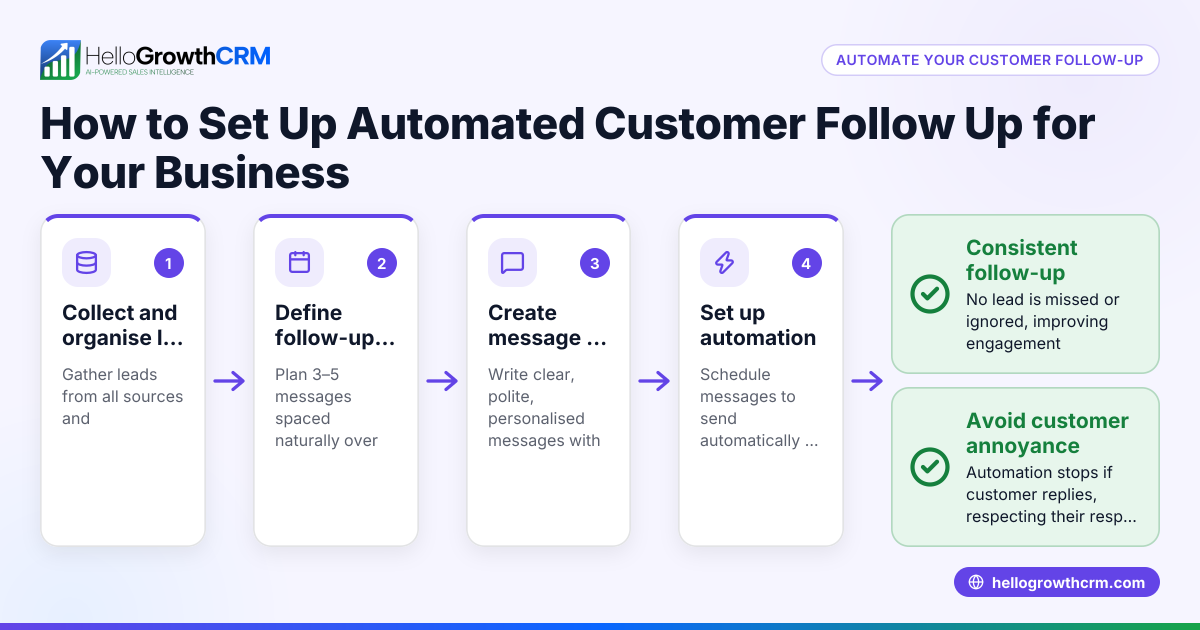
- Prevent by ensuring the system stops sequences immediately upon reply to avoid annoying customers.
- Relying solely on manual reminders
- Prevent by using task boards to visualize daily follow-up tasks, reducing missed calls.
- Choosing software without integration options
- Prevent by confirming lead capture from your existing web forms or CRM.
- Overcomplicating follow-up sequences
- Prevent by starting with a simple 3-5 step sequence and adjusting based on results.
- Underestimating team adoption challenges
- Prevent by selecting user-friendly software and providing training.
See more on managing follow-ups with sales task boards.
Doing this in HelloGrowthCRM
HelloGrowthCRM helps automate customer follow-up through:
- Activities and task boards: Each follow-up becomes a task with a due date; the day's calls appear as a clear list, removing reliance on memory (sales task boards).
- Sequences and campaigns: You can set up a five-step follow-up over two weeks that runs automatically and stops immediately when the prospect replies (email automation and sequences).
- AI agents: In beta, AI agents draft follow-up messages after calls so reps only need to review and send, saving time and ensuring message quality.
Frequently asked questions
What is automated customer follow up software? Automated customer follow up software schedules and sends follow-up messages to leads or customers automatically across channels like email, SMS, and WhatsApp. It reduces manual work and helps businesses contact prospects promptly.
How does automated email follow up software work? It allows you to create sequences of timed emails that send automatically after an initial contact. The software tracks replies and stops sending further emails once the prospect responds, avoiding over-contacting.
Can automated follow-up software improve sales team productivity? Yes, by automating repetitive outreach and providing task boards for daily follow-up activities, sales reps spend less time on manual work and more time closing deals.
What features should I look for in follow-up software? Look for multi-channel sequences, task and activity management, reply detection to stop sequences, integration with lead sources, and ease of use.
How does HelloGrowthCRM support follow-up automation? HelloGrowthCRM offers task boards for managing follow-up activities, automated multi-step sequences that pause on reply, and AI agents that draft follow-up messages for review.
Key takeaways
- Automated customer follow up software ensures timely, consistent contact with leads.
- Multi-step sequences across email, SMS, and WhatsApp increase engagement.
- Task boards help sales teams track daily follow-up activities clearly.
- AI agents can draft follow-up messages, saving sales reps time.
- Choose software that stops sequences when prospects reply to avoid spamming.
- Integration with lead capture and ease of use are critical for adoption.
Start automating your follow-up today with HelloGrowthCRM. Start on the Free Forever plan (200 leads, no credit card).
Ready to put this into practice?
Set up your pipeline, WhatsApp follow-ups, and AI lead scoring in minutes — free, no credit card.
Try HelloGrowthCRM freeGet CRM tips in your inbox
Join thousands of sales professionals who get weekly insights on CRM strategy, AI automation, and pipeline optimization.

The HelloGrowthCRM team publishes guides on CRM strategy, AI sales tools, and revenue operations for small business sales teams.