HelloGrowthCRM software
Built for real small-business sales teams
HelloGrowthCRM helps reps qualify faster, follow up on time, and close more deals—with practical automation in one place.
- AI lead scoring and pipeline visibility
- Built-in dialer, WhatsApp, and email automation
- Sales forecasting and RevOps-ready reporting
A customer service website is an online platform where customers can submit support requests, find answers, and track their issues easily. It centralizes communication to improve response times and customer satisfaction. This article explains why small businesses need a customer service website, provides a step-by-step setup guide, highlights common mistakes, and shows how a CRM with customer service features can help.
Why this comes up / what goes wrong
Small business owners often manage customer inquiries through multiple channels like phone calls, emails, and text messages without a central system. This leads to slow responses, lost information, and repeated customer explanations. Without a dedicated customer service website, support requests can be missed or delayed, frustrating customers and hurting business reputation.
A customer service website provides a single place for customers to submit tickets, access a knowledge base, and track their requests. This reduces confusion, saves staff time, and improves customer experience.
Step-by-step
- Define your support goals
- Decide which types of support customers need online (ticket submission, FAQs, chat).
- Identify common questions or problems to address.
- Select a platform with customer service features
- Choose a website builder or CRM that supports branded customer portals and knowledge bases.
- Verify it can handle support tickets and referrals.
- Set up the customer portal
- Create a login area where customers can submit and track tickets.
- Make sure the portal is easy to navigate and mobile-friendly.
- Build a knowledge base
- Collect frequent questions and detailed answers.
- Organize content by topic for quick searching.
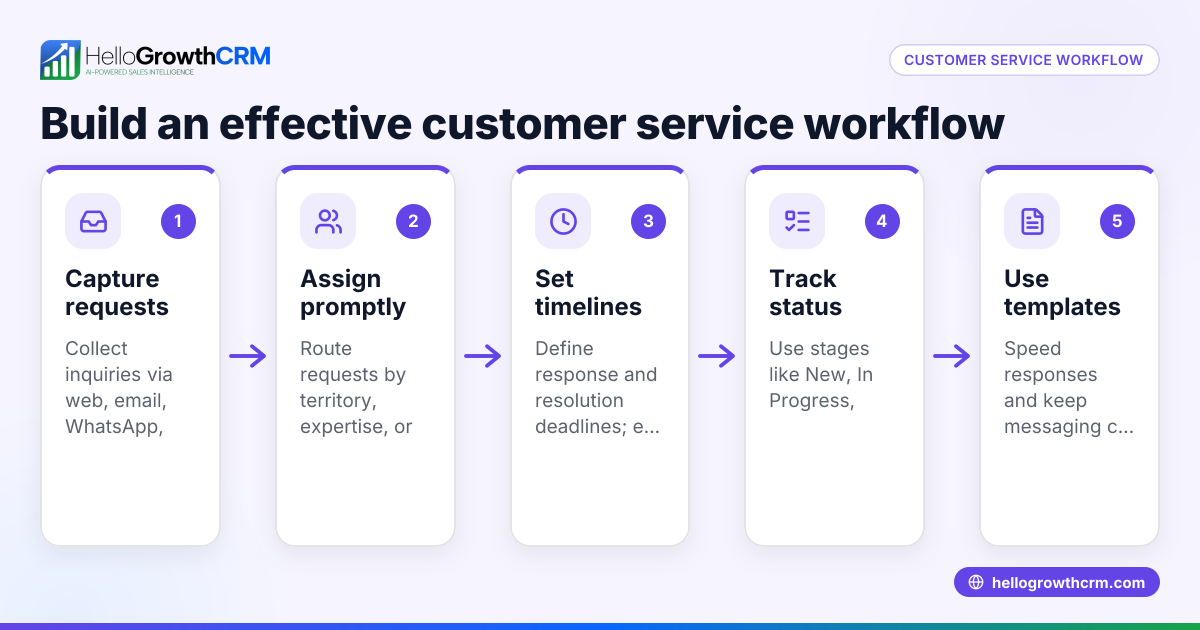
- Implement ticket management processes
- Define how tickets are received, assigned, and resolved.
- Set service level agreements (SLAs) if needed.
- Add referral and feedback features
- Include a referral tracking program to encourage word-of-mouth.
- Provide feedback forms to gather customer input.
- Test the website with users
- Have customers and staff try submitting tickets and using the knowledge base.
- Fix usability issues before launch.
- Launch and promote your website
- Announce it on your main website, email, and social media.
- Train your team to respond promptly and update content regularly.
- Monitor and improve continuously
- Track ticket volumes, resolution times, and customer feedback.
- Update the knowledge base and processes based on data.
See also customer health score to monitor customer satisfaction and WhatsApp and SMS CRM for messaging integration.
Example (fictional figures)
Consider "Austin Flow Plumbing," a plumbing company in Austin, Texas. They receive about 200 service calls monthly and decided to build a customer service website to improve support.
Before the website:
- Each call took 5 minutes to log manually.
- Total logging time per month = 200 calls × 5 minutes = 1,000 minutes = 16.67 hours
After launching the portal:
- 80 calls require manual logging (assuming 40% still call).
- Logging time after portal = 80 calls × 5 minutes = 400 minutes = 6.67 hours
Time saved per month: 16.67 hours - 6.67 hours = 10 hours
Assuming labor cost $25/hour: 10 hours × $25 = $250 saved monthly
This saved time allows faster response and better customer satisfaction.
Common mistakes
- Scattered support channels: Customers get confused when support is spread across phone, email, and texts. Centralize with a customer service website to prevent this.
- Unorganized knowledge base: Poorly structured FAQs frustrate customers. Regularly update and categorize content clearly.
- Ignoring mobile users: Many customers use phones. Ensure your website and portal are mobile-friendly.
- Slow ticket response: Delays cause lost customers. Set clear SLAs and monitor response times.
- Insufficient staff training: Without clear procedures, tickets can be mishandled. Train your team and use tools that keep service requests linked to customer records.
- Not promoting the portal: Customers won’t use a website they don’t know about. Announce it clearly and provide easy access.
Doing this in HelloGrowthCRM
HelloGrowthCRM provides a branded self-service customer portal where customers can submit and track support tickets. After the sale, service requests stay linked to the same customer record as the deal, giving your team full context. The platform also includes a knowledge base and referral program tracking to streamline support. Learn more about customer health score and how it supports US businesses at HelloGrowthCRM for the United States.
Frequently asked questions
What is a customer service website? A customer service website is an online portal where customers can submit support tickets, find answers, and track their requests. It helps organize customer communication and speeds up issue resolution.
Why does my small business need a customer service website? It centralizes all support requests in one place, reducing confusion and delays. Customers can find answers themselves, and your team can manage issues more efficiently.
How do I create a customer service website without technical skills? Use CRM platforms with built-in customer portals and knowledge bases. These tools offer templates and easy setup without coding.
Can a customer service website handle referrals and feedback? Yes, some platforms include referral tracking programs and feedback forms to help improve service quality.
How do I measure if my customer service website is effective? Track metrics like ticket volume, resolution time, customer satisfaction scores, and knowledge base usage. Adjust your processes based on this data.
Is a customer service website different from a CRM? A customer service website is typically a feature within a CRM system. The CRM stores customer data and interactions, while the website provides a front-end portal for support.
See also WhatsApp and SMS CRM for messaging-based customer communication.
Key takeaways
- A customer service website centralizes support requests and improves customer satisfaction.
- Build it by defining goals, choosing a platform, creating portals, and organizing a knowledge base.
- Avoid mistakes like scattered channels, poor content, and slow responses.
- Use tools offering customer portals, tickets, knowledge bases, and referral tracking to streamline service.
- Regularly monitor and update your support website to keep it effective.
Start your customer service website journey today. Start on the Free Forever plan (200 leads, no credit card) to manage customer support efficiently and grow your business.
Ready to put this into practice?
Set up your pipeline, WhatsApp follow-ups, and AI lead scoring in minutes — free, no credit card.
Try HelloGrowthCRM freeGet CRM tips in your inbox
Join thousands of sales professionals who get weekly insights on CRM strategy, AI automation, and pipeline optimization.

The HelloGrowthCRM team publishes guides on CRM strategy, AI sales tools, and revenue operations for small business sales teams.