HelloGrowthCRM software
Built for real small-business sales teams
HelloGrowthCRM helps reps qualify faster, follow up on time, and close more deals—with practical automation in one place.
- AI lead scoring and pipeline visibility
- Built-in dialer, WhatsApp, and email automation
- Sales forecasting and RevOps-ready reporting
A campaign performance report is a document or dashboard that summarizes the results of your marketing or sales campaign. It tracks important data points like the number of leads generated, conversion rates from leads to customers, and revenue earned from the campaign. This report helps you understand which parts of your campaign are effective and guides decisions for future improvements.
Why this comes up / what goes wrong
Small-business owners often run campaigns using email, text messages, or social media to attract new customers. However, they frequently struggle to know which campaigns generate leads or sales and which waste time and resources. Without a clear report, it’s easy to lose leads due to slow follow-up, miss tracking responses properly, or rely on spreadsheets that quickly become outdated and hard to manage. A campaign performance report solves these problems by providing a clear, organized view of results in one place.
Many small businesses still run sales and marketing outreach manually across text messages, email, and spreadsheets, which makes it hard to see which campaigns actually bring in paying customers. Slow follow-up kills leads, and without a performance report, owners can't spot where the process stalls.
Step-by-step
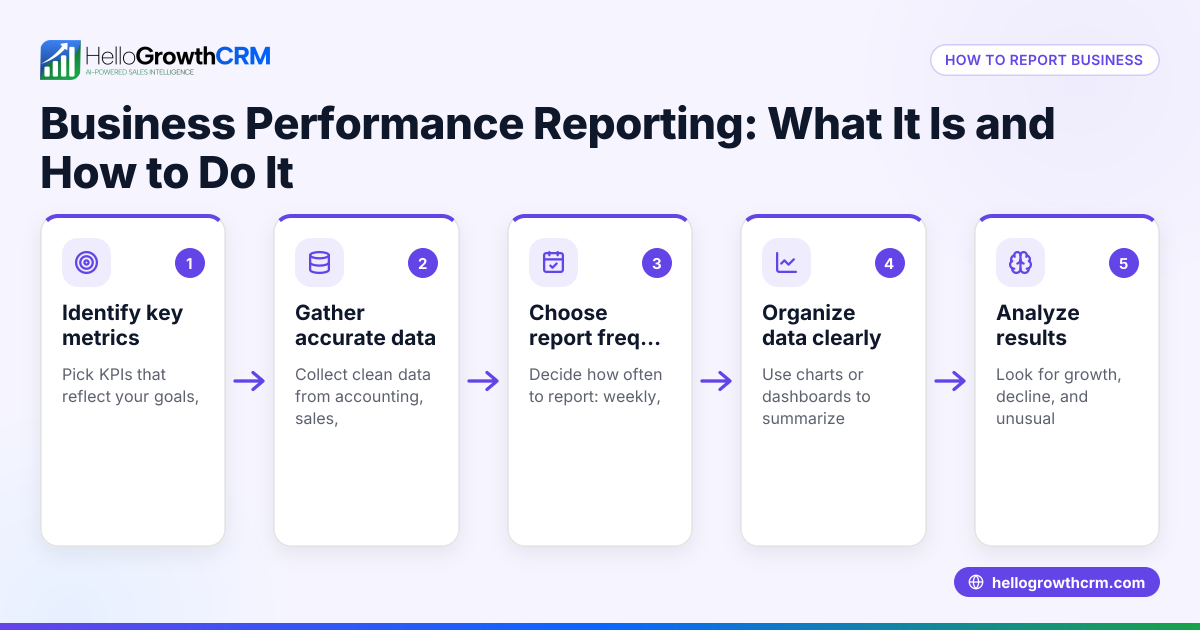
- Define your campaign goals clearly. Decide what success means—more leads, increased sales, or more website visits. Your goals determine which metrics to track.
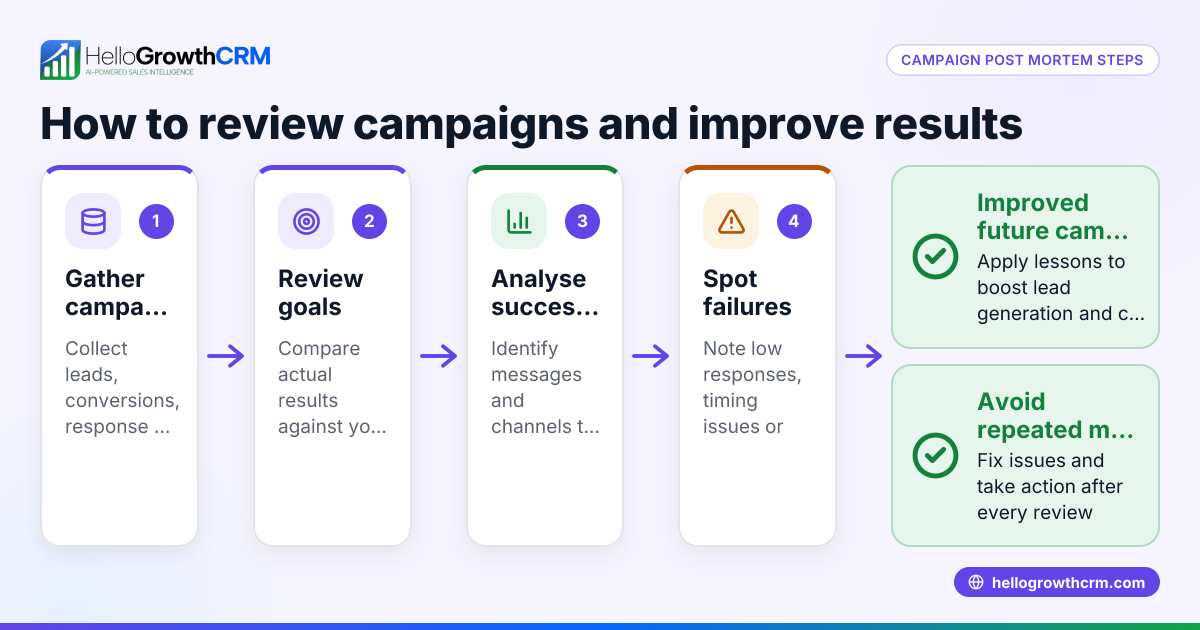
- Collect data during the campaign. Track how many messages you send, how many people open or reply, leads captured, and sales closed. Use manual logs or tools.
- Organize data by key metrics. Common metrics include leads generated, conversion rate (leads to customers), cost per lead, and revenue from the campaign.
- Analyze performance by channel and message. Review which messages or platforms got the best response. Identify where leads stalled in your sales process.
- Compare results to your goals. Check if the campaign met your expectations or needs adjustments.
- Report findings clearly. Use tables or charts to summarize results so you can review them easily.
To avoid juggling spreadsheets, consider a CRM with pipeline forecast and AI insights that automatically shows where deals stall, as explained in the built-in CRM dialer section.
Example (fictional figures)
A two-location dental practice in Columbus, Ohio, runs a patient referral campaign from 03/01/2026 to 03/14/2026.
- Total messages sent: 1,000
- Leads generated: 150
- Conversion to booked appointment: 60
- Revenue per appointment: $300
- Campaign cost: $1,200
Calculations:
Conversion rate = (60 ÷ 150) × 100 = 40% Total revenue = 60 × $300 = $18,000 Cost per lead = $1,200 ÷ 150 = $8
This report shows a 40% conversion rate and $18,000 in revenue, helping the practice decide if follow-up campaigns are worth the investment.
Common mistakes
- Not setting clear goals before the campaign. Prevent by defining measurable objectives upfront.
- Ignoring follow-up speed. Leads get lost when responses are slow; prevent by automating follow-up sequences.
- Using multiple disconnected tools. Prevent by consolidating data in one CRM or report.
- Failing to analyze which messages worked. Prevent by segmenting data by message or channel.
- Overlooking stalled leads in the pipeline. Prevent by using AI insights to identify where deals slow down, as described in pipeline forecast and AI insights.
Doing this in HelloGrowthCRM
HelloGrowthCRM helps small businesses track campaign performance with automated Sequences and Campaigns. A five-step follow-up over two weeks runs on its own and stops the moment the prospect replies, ensuring timely engagement without manual effort. The pipeline forecast and AI insights feature shows which stage deals are stalling in, so you don’t need to build spreadsheets to analyze your sales funnel. Learn more about the WhatsApp and SMS CRM capabilities.
Frequently asked questions
What metrics should I include in a campaign performance report? Include leads generated, conversion rates, cost per lead, revenue generated, and engagement rates like message opens or replies. These metrics give a full picture of how effective your campaign was.
How often should I run a campaign performance report? Run reports after each campaign or at regular intervals during long campaigns. Frequent reporting helps you adjust strategies quickly and avoid wasting resources.
Can I automate campaign performance reporting? Yes, using a CRM with automation features like HelloGrowthCRM’s sequences can track responses and pipeline stages automatically, reducing manual work.
How do I improve my campaign based on the report? Focus on messages or channels with the highest engagement and conversion. Adjust or drop underperforming elements and speed up follow-up to capture more leads.
Is a campaign performance report only for marketing teams? No, small business owners and sales teams benefit by understanding which outreach efforts generate revenue and where to focus their time. Using a CRM with a built-in dialer helps sales teams follow up faster, improving results.
Key takeaways
- A campaign performance report tracks key metrics like leads, conversions, and revenue.
- Clear goals and consistent data collection are essential for accurate reporting.
- Automate follow-up sequences to avoid losing leads due to slow responses.
- Use AI insights to identify stalled deals without spreadsheets.
- Analyze message and channel effectiveness to improve future campaigns.
- Consolidate your sales and marketing data in one CRM for better insights.
Start improving your campaign tracking today. Start on the Free Forever plan (200 leads, no credit card) with HelloGrowthCRM to automate follow-ups and forecast your sales pipeline.
Ready to put this into practice?
Set up your pipeline, WhatsApp follow-ups, and AI lead scoring in minutes — free, no credit card.
Try HelloGrowthCRM freeGet CRM tips in your inbox
Join thousands of sales professionals who get weekly insights on CRM strategy, AI automation, and pipeline optimization.

The HelloGrowthCRM team publishes guides on CRM strategy, AI sales tools, and revenue operations for small business sales teams.