HelloGrowthCRM software
Built for real small-business sales teams
HelloGrowthCRM helps reps qualify faster, follow up on time, and close more deals—with practical automation in one place.
- AI lead scoring and pipeline visibility
- Built-in dialer, WhatsApp, and email automation
- Sales forecasting and RevOps-ready reporting
A contact card is a digital or physical file containing the essential details of a person or business contact. It typically includes the contact’s full name, phone number, email address, company name, and sometimes a physical address. For small UK businesses, contact cards help organise and share contact information efficiently, reducing errors and speeding up communication.
Why this comes up / what goes wrong
Small business owners often face challenges managing their contacts. Many rely on WhatsApp chats, emails, or spreadsheets to store customer or lead details, which can lead to lost information, slow follow-up, or mistakes when sharing contacts. Without a standardised contact card system, details may be incomplete, duplicated, or outdated, causing missed sales opportunities or poor customer service.
A contact card provides a clear, consistent format to store and exchange contact information. This helps keep data accurate and accessible, especially when integrated with sales tools or CRM systems. It reduces manual errors and speeds up processes like lead follow-up or partner communication.
Step-by-step
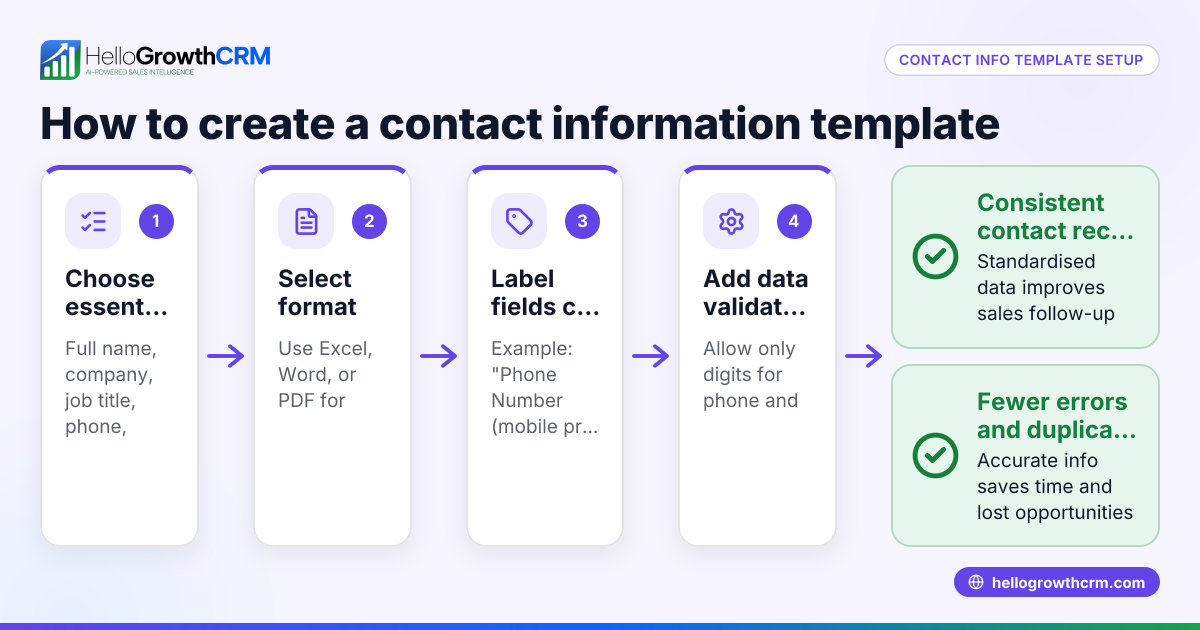
- Collect the essential details: Obtain the contact’s full name, phone number, email address, company name, and physical address if necessary. Verify spelling and format carefully.
- Decide on the format: Choose whether to create a digital contact card (such as a vCard file or CRM entry) or a physical card. Digital cards are generally easier to update and share.
- Create the contact card: Use your phone’s contacts app, an email client, or a CRM system to enter the details. Ensure each field is complete and accurate.
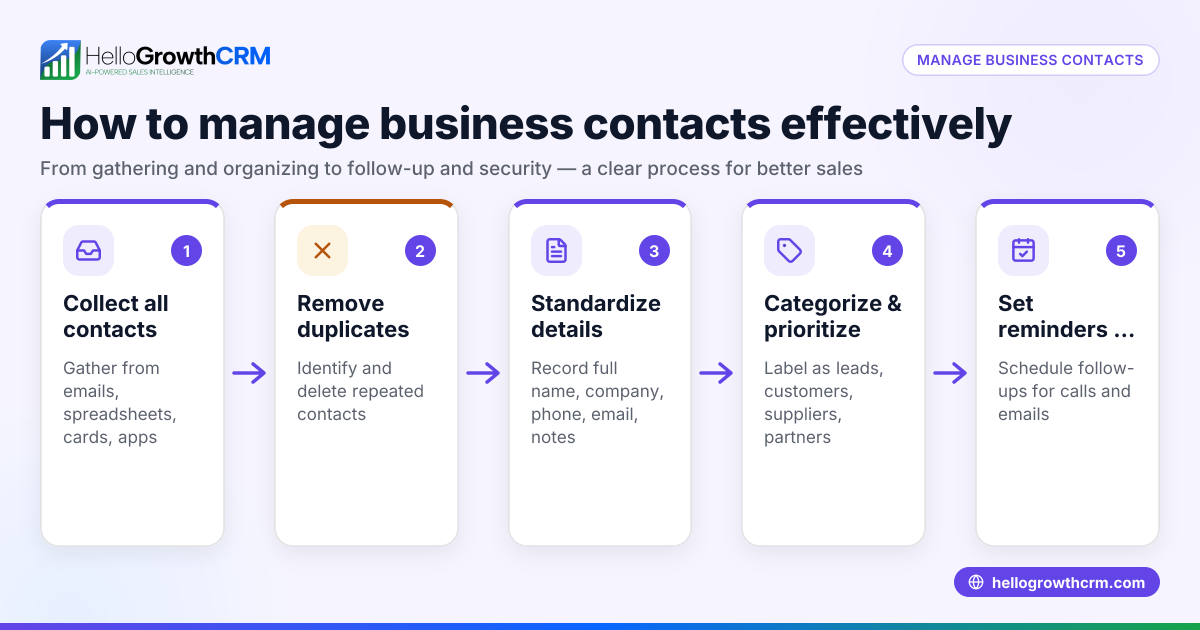
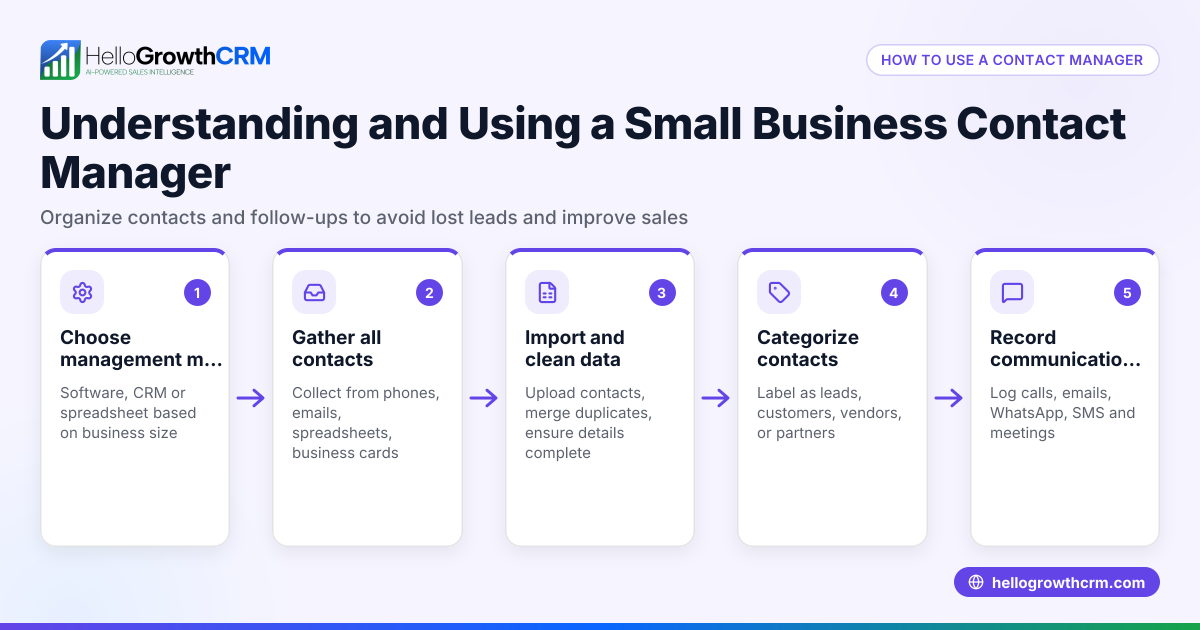
- Save and organise: Store contact cards in a dedicated folder or CRM pipeline for easy retrieval. Use tags or categories to group contacts by type, priority, or status.
- Share contact cards efficiently: When needed, send contact cards via WhatsApp, email, or SMS to new leads, partners, or suppliers. Sharing digital cards avoids manual retyping and errors.
- Update regularly: Review your contact cards periodically to keep information current. Remove duplicates and archive contacts that are no longer active.
- Back up your contacts: Export your contact cards to a secure location regularly to prevent data loss.
Integrating contact cards into your sales workflow, especially with a WhatsApp and SMS CRM or a built-in CRM dialer, can streamline follow-up and improve lead management.
Example (fictional figures)
Consider a solar-panel installer in Glasgow, GreenGlasgow Ltd, who receives a new sales lead on 15/03/2026.
- Lead name: Sarah Brown
- Phone: 07123 456789
- Email: sarah.brown@example.com
- Address: 12 Rose Street, Glasgow, G2 3AA
GreenGlasgow Ltd creates a contact card in their CRM:
- Enter Sarah Brown’s details into the contact fields.
- Tag the contact as “Lead” and “Solar enquiry.”
- Save the contact card for quick access.
Sarah’s project is estimated at £48,000. The company expects a 9% sales commission on this deal.
Calculate the commission:
£48,000 × 9% = £4,320
Add the commission to the deal value to find total expected revenue:
£48,000 + £4,320 = £52,320
By sharing Sarah’s contact card via WhatsApp, the sales team avoids typing errors and speeds up follow-up calls, improving chances of closing the deal.
Common mistakes
- Incomplete information: Missing phone numbers or emails make follow-up impossible. Prevent this by verifying all fields before saving.
- Outdated contacts: Keeping old or inactive contacts clutters the system and wastes time. Schedule regular clean-ups.
- Duplicate entries: Multiple copies of the same contact cause confusion and wasted effort. Use CRM features to merge or flag duplicates.
- Manual sharing errors: Typing out contact details in messages risks mistakes. Share contact cards digitally instead.
- Not backing up contacts: Losing contacts due to device failure or accidental deletion can halt sales activities. Export contacts regularly.
Using a CRM for the United Kingdom that supports contact cards and lead capture can help avoid these common pitfalls.
Frequently asked questions
What information should be on a contact card? A contact card should include the person’s full name, phone number, email, company name, and address if relevant. Additional notes or tags can help categorise the contact.
How do I share a contact card on WhatsApp? Most smartphones allow you to share a contact card directly from the contacts app or CRM via WhatsApp. This sends a vCard file that the recipient can save easily.
Can contact cards integrate with CRM software? Yes, contact cards can be created and stored within CRM systems, which often allow importing from web forms or other sources, making lead management simpler.
Is a contact card the same as a business card? No, a business card is a physical card with printed details. A contact card is usually digital and can be shared electronically.
How often should I update my contact cards? Review and update contact details at least quarterly or whenever you have new information to keep your database accurate.
Key takeaways
- A contact card stores key contact details in a standard format.
- It improves organisation and reduces errors in managing leads and customers.
- Create, save, share, and update contact cards regularly.
- Avoid common mistakes like incomplete info, duplicates, and outdated contacts.
- Use digital contact cards and CRM tools for better sales efficiency.
Start organising your contacts with a reliable system today. You can Start on the Free Forever plan (200 leads, no credit card) to manage your contacts and leads effectively.
Ready to put this into practice?
Set up your pipeline, WhatsApp follow-ups, and AI lead scoring in minutes — free, no credit card.
Try HelloGrowthCRM freeGet CRM tips in your inbox
Join thousands of sales professionals who get weekly insights on CRM strategy, AI automation, and pipeline optimization.

The HelloGrowthCRM team publishes guides on CRM strategy, AI sales tools, and revenue operations for small business sales teams.