HelloGrowthCRM software
Built for real small-business sales teams
HelloGrowthCRM helps reps qualify faster, follow up on time, and close more deals—with practical automation in one place.
- AI lead scoring and pipeline visibility
- Built-in dialer, WhatsApp, and email automation
- Sales forecasting and RevOps-ready reporting
Contact center chat is a live messaging channel integrated into a business’s website or app, allowing customers to interact instantly with support or sales representatives. It improves customer experience by providing quick answers and personalized service without the need for phone calls or emails.
Why this comes up / what goes wrong
Small-business owners often search for “contact center chat” because they want to improve customer communication but struggle with slow email responses, missed calls, or disorganized messages scattered across platforms. Without a dedicated chat system, leads and customers can feel ignored or frustrated, causing lost sales and negative reviews. Owners want a way to centralize conversations, speed up replies, and make it easy for their team to manage chats without juggling multiple apps or spreadsheets.
Many small businesses run their sales and support communications on disconnected tools like text messages, email, or spreadsheets. This leads to slow follow-up, lost leads, and inconsistent customer experiences. Contact center chat offers a focused solution to these problems by providing a unified, real-time messaging platform.
Step-by-step
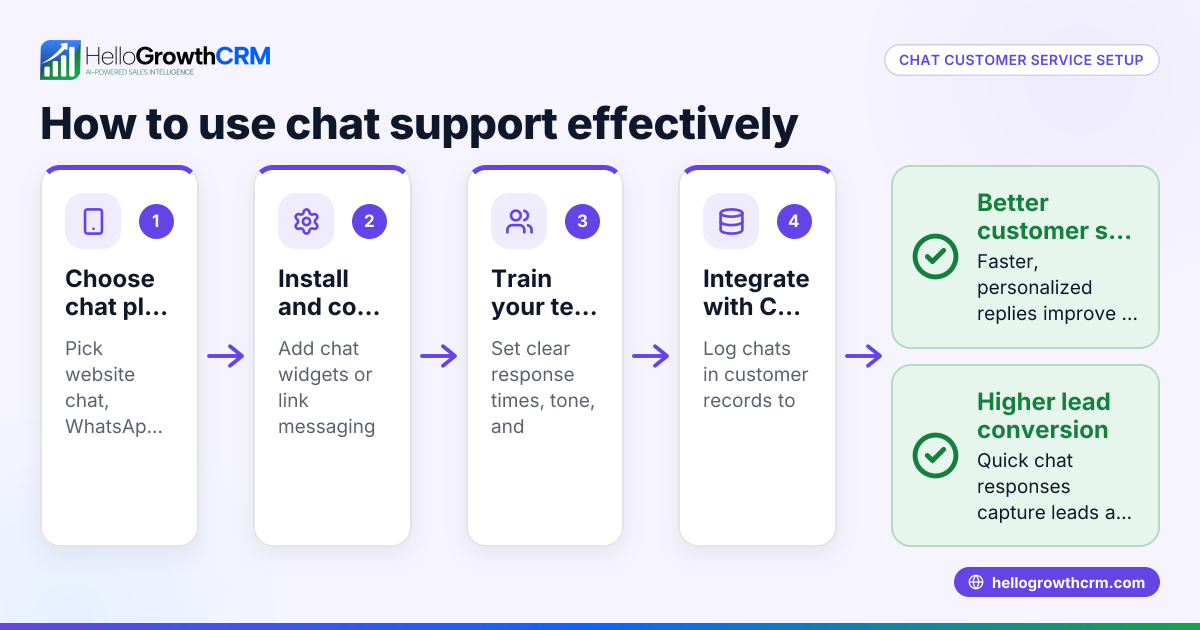
- Choose a chat platform that fits your business needs. Look for ease of use, integration options, and cost. Check if it supports features like chat routing, canned responses, and reporting to help your team manage conversations efficiently.
- Install the chat widget on your website or app. Follow the provider’s instructions to embed the chat box where customers can easily find it, such as the homepage or contact page.
- Train your team on chat etiquette and tools. Set clear guidelines for response times, tone, and escalation procedures. Make sure everyone knows how to use the chat software effectively to maintain professionalism.
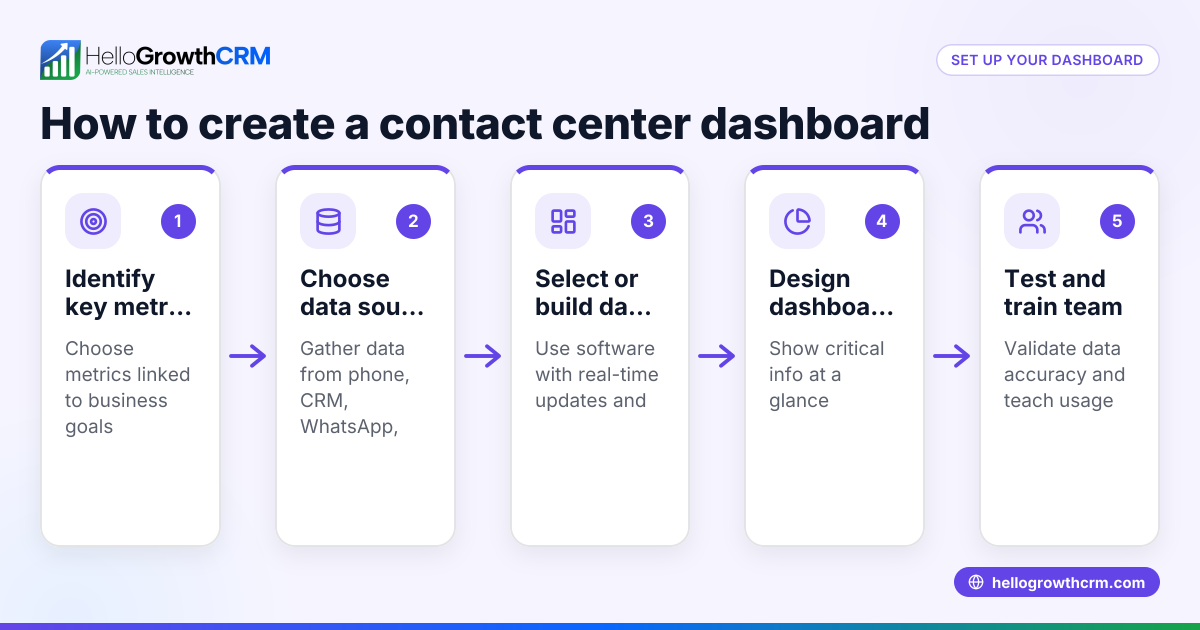
- Set up notifications and monitoring. Ensure your team gets alerts for new chats so no message goes unanswered. Use dashboards or reports to track chat volumes and customer satisfaction.
- Integrate chat with your CRM or sales tools. This centralizes customer data and conversation history, helping your team personalize interactions and follow up efficiently. Consider options like WhatsApp and SMS CRM for unified messaging (/product/whatsapp-sms-crm).
- Review and optimize regularly. Analyze chat transcripts and metrics to identify common questions, improve scripts, and adjust staffing to maintain quality service.
Example (fictional figures)
A B2B software reseller in Denver, Colorado, wants to add contact center chat to boost lead capture and support.
- Initial monthly cost of chat software: $300
- Estimated increase in leads: 50 leads/month
- Average deal size: $2,000
- Conversion rate on chat leads: 10%
Calculate additional monthly revenue from chat leads:
50 leads × 10% conversion = 5 sales 5 sales × $2,000 average deal = $10,000
Subtract chat cost:
$10,000 - $300 = $9,700 net gain per month
This shows how contact center chat can generate significant revenue beyond its cost, improving sales efficiency and customer experience.
Common mistakes
- Ignoring chat messages or slow responses: Set clear expectations for response times and monitor alerts to avoid losing leads.
- Using chat without team training: Train everyone on proper chat conduct and software features to maintain professionalism.
- Scattering conversations across platforms: Integrate chat with your CRM or sales tools to keep all customer info in one place (/product/whatsapp-sms-crm).
- Overcomplicating chat setup: Start simple with essential features, then add complexity as your team grows.
- Not analyzing chat data: Use chat reports to identify bottlenecks and improve scripts regularly.
Frequently asked questions
What is the difference between contact center chat and live chat? Contact center chat is a form of live chat specifically designed for customer service centers, often with added features like routing, team collaboration, and integration with CRM systems. Live chat can be simpler and used for general website visitor engagement.
Can I use WhatsApp for contact center chat? Yes, WhatsApp can be integrated into contact center chat solutions, allowing your team to manage customer messages alongside website chats. This integration helps unify communication channels and improves response times (/product/whatsapp-sms-crm).
How do I measure the success of contact center chat? Track metrics like response time, chat volume, conversion rate from chats to sales, and customer satisfaction scores. Regular review helps optimize your chat strategy.
Is it expensive to set up contact center chat? Costs vary by platform and features. Many providers offer scalable pricing suitable for small businesses. Consider the ROI by comparing increased sales and customer retention against subscription costs.
Can contact center chat replace phone support? Chat can reduce phone volume by handling common questions quickly, but some customers still prefer calls. A combined approach often works best.
How does chat integration with CRM improve sales? Integration centralizes customer data and conversation history, enabling personalized follow-ups and better tracking of leads through the sales pipeline (/product/whatsapp-sms-crm).
Key takeaways
- Contact center chat enables real-time messaging with customers, improving responsiveness and satisfaction.
- Set up involves choosing a platform, installing chat on your site, training your team, and integrating with CRM tools.
- Avoid common mistakes like ignoring chats or lacking team training to maximize benefits.
- Regularly review chat data to optimize performance and customer experience.
- Integration with WhatsApp and SMS CRM tools can unify communication channels for better sales management (/product/whatsapp-sms-crm).
Start improving your customer communication today by trying out contact center chat. Start on the Free Forever plan (200 leads, no credit card).
For more about managing sales communications efficiently, see HelloGrowthCRM for the United States and the built-in CRM dialer.
Ready to put this into practice?
Set up your pipeline, WhatsApp follow-ups, and AI lead scoring in minutes — free, no credit card.
Try HelloGrowthCRM freeGet CRM tips in your inbox
Join thousands of sales professionals who get weekly insights on CRM strategy, AI automation, and pipeline optimization.

The HelloGrowthCRM team publishes guides on CRM strategy, AI sales tools, and revenue operations for small business sales teams.